1. Overview
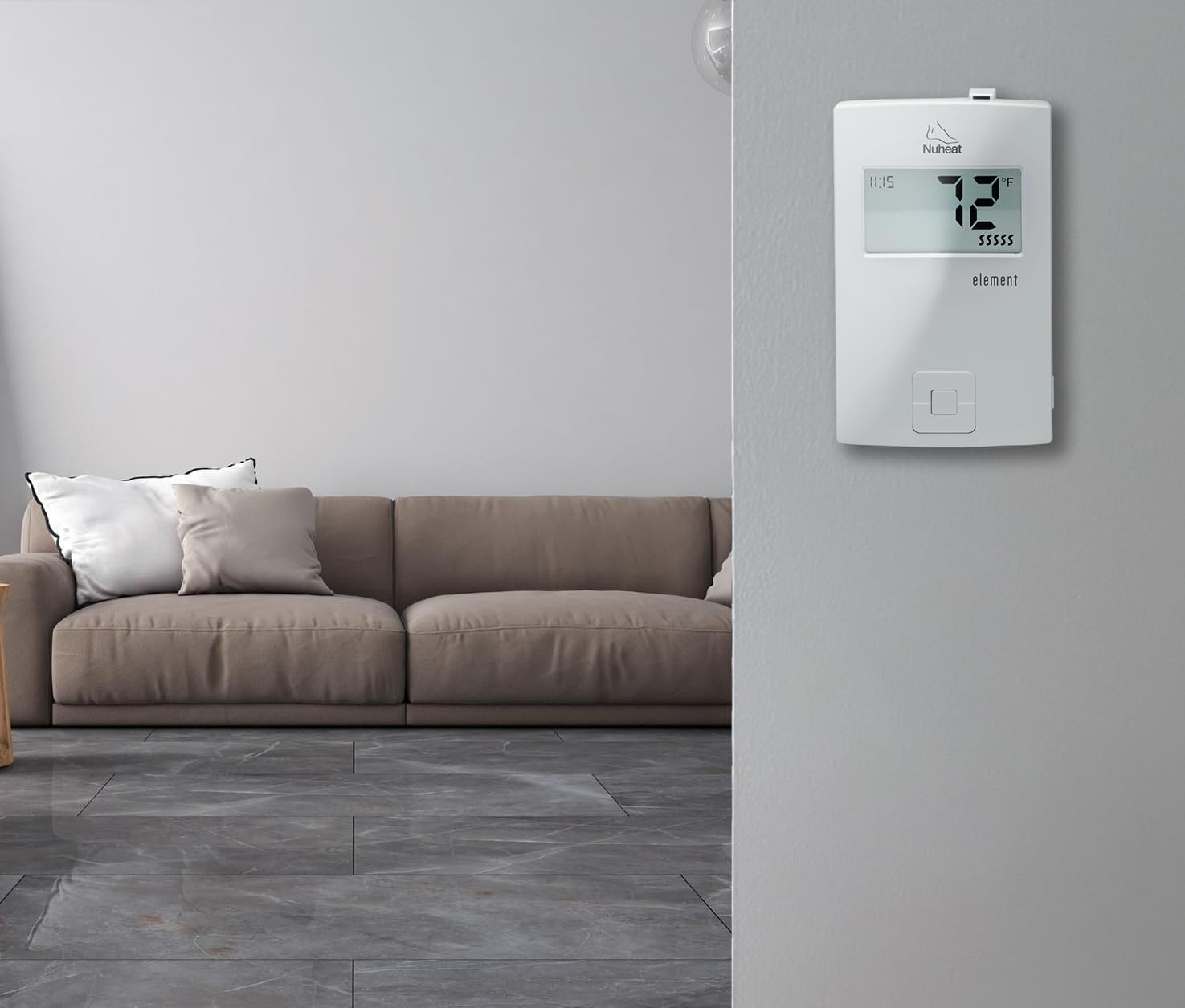
The Nuheat Element AC0057 is a non-programmable thermostat designed for electric radiant floor heating systems. It provides precise temperature control for consistent comfort and includes a built-in Class A GFCI for safety. This thermostat is compatible with both 120V and 240V floor heating cables and is suitable for various flooring types, including tile, stone, laminate, and engineered wood.
Key Features:
- User-Friendly Design: Simple interface with intuitive up and down controls for temperature adjustments.
- Wide Compatibility: Works with electric radiant floor heating systems, including heating mats and cables, across multiple flooring types.
- Energy Efficiency: Features a 7-day energy usage monitor to track power consumption.
- Safety Features: Built-in Class A GFCI (5 mA trip) for protection against electrical faults, suitable for wet areas.
- Dual Voltage Support: Compatible with 120V (up to 1,800W) and 240V (up to 3,600W) systems.

The Nuheat Element AC0057 thermostat is designed for straightforward operation, providing consistent warmth without complex programming. Its backlit display shows the current time and floor temperature, along with the set temperature.
2. Setup and Installation
Installation of the Nuheat Element AC0057 thermostat should be performed by a qualified electrician in accordance with local electrical codes. Ensure power is disconnected at the circuit breaker before beginning installation.
2.1 Wiring Instructions
- Turn off power to the circuit at the main electrical panel.
- Connect the load wires from the heating system to the designated load terminals on the thermostat.
- Connect the line wires (power supply) to the designated line terminals on the thermostat.
- Connect the floor temperature sensor wires to the sensor terminals. Ensure the sensor is properly installed in the floor according to the heating system manufacturer's instructions.
- Connect the ground wire to the thermostat's ground terminal.
- Carefully push the wires into the electrical box and secure the thermostat to the box.
- Install the faceplate.
- Restore power at the main electrical panel.
The thermostat is designed for dual-voltage compatibility, automatically detecting 120V or 240V systems. The built-in GFCI provides essential protection, especially in areas prone to moisture.
3. Operating Instructions
The Nuheat Element AC0057 thermostat features a simple interface for easy temperature control.
3.1 Setting the Temperature
- Use the Up and Down buttons on the thermostat to adjust the desired floor temperature.
- The display will show the set temperature briefly, then revert to displaying the current floor temperature and time.
3.2 Energy Usage Monitor
The thermostat includes an energy usage monitor that tracks power consumption over a 7-day period. Refer to the full product manual for detailed instructions on accessing and interpreting this data to optimize energy efficiency.
4. Maintenance
The Nuheat Element AC0057 thermostat requires minimal maintenance.
4.1 Cleaning
- Wipe the thermostat's surface with a soft, damp cloth.
- Do not use abrasive cleaners or solvents, as these can damage the finish or internal components.
4.2 GFCI Testing
The built-in Class A GFCI should be tested monthly to ensure proper operation and continued safety. Refer to the full product manual for specific GFCI testing procedures.
5. Troubleshooting
If the thermostat is not functioning as expected, review the following common issues before contacting support.
5.1 No Heat Output
- Check Power: Ensure the circuit breaker supplying power to the thermostat is ON.
- GFCI Trip: If the GFCI has tripped, press the RESET button. If it trips repeatedly, there may be an electrical fault in the heating system or wiring. Consult a qualified electrician.
- Temperature Setting: Verify that the set temperature is higher than the current floor temperature.
5.2 Incorrect Temperature Reading
- Sensor Placement: Ensure the floor temperature sensor is correctly installed and not damaged.
- Sensor Connection: Check the sensor wire connections at the thermostat.
5.3 Display Not Working
- Power Supply: Confirm the thermostat is receiving power.
- Circuit Breaker: Check the circuit breaker.
For issues not resolved by these steps, contact Nuheat customer support or a qualified electrician.
6. Specifications
| Brand | Nuheat |
| Model Name | Element |
| Part Number | AC0057 |
| Controller Type | Push Button |
| Voltage | 120V / 240V |
| Max Load (120V) | 1,800W |
| Max Load (240V) | 3,600W |
| GFCI | Built-in Class A (5 mA trip) |
| Included Components | Floor Temperature Sensor |
| Display Type | Digital, Backlit |
| Mounting Type | Wall Mount |
| Product Dimensions | 5.91 x 3.94 x 3.15 inches |
| Item Weight | 10.2 ounces |
7. Warranty and Support
7.1 Manufacturer's Warranty
The Nuheat Element AC0057 thermostat comes with a three-year manufacturer's warranty. This warranty covers defects in materials and workmanship under normal use. Please retain your proof of purchase for warranty claims. The warranty may not be honored if the product is purchased from an unapproved seller.
7.2 Customer Support
For technical assistance, troubleshooting, or warranty inquiries, please contact Nuheat customer support. Refer to the official Nuheat website for current contact information.
8. Product Video
Video 1: Nuheat Element Thermostat Overview. This video provides a brief overview of the Nuheat Element thermostat, highlighting its features and compatibility with floor heating systems.


