
1. Introduction
This manual provides essential information for the safe and correct installation, operation, and maintenance of the Came 119RIR090 Transformer. This transformer is designed for use with Came BX, ZA3, ZA4, ZA5, ZC5, ZF1, and ZBX74 gate automation control units. Please read this manual thoroughly before proceeding with any installation or operation.

Image 1: Front view of the Came 119RIR090 Transformer.
2. Safety Information
Always adhere to local electrical codes and safety regulations during installation and maintenance. Failure to do so may result in electric shock, fire, or serious injury.
- Disconnect power to the control unit before installing or servicing the transformer.
- Ensure all wiring connections are secure and properly insulated.
- Do not expose the transformer to moisture or extreme temperatures.
- Only qualified personnel should perform electrical installations.
- Verify the compatibility of this transformer with your specific Came control unit model before installation.
3. Package Contents
The package should contain the following item:
- 1x Came 119RIR090 Transformer
4. Setup and Installation
The Came 119RIR090 Transformer is designed for frame mounting within the compatible Came control unit enclosure. Follow these steps for proper installation:
- Power Disconnection: Ensure the main power supply to the gate automation system is completely disconnected at the circuit breaker before beginning any work.
- Access Control Unit: Open the enclosure of your Came control unit (e.g., BX, ZA3, ZA4, ZA5, ZC5, ZF1, ZBX74) to access the internal components.
- Mounting: Securely mount the 119RIR090 transformer to the designated frame mounting points within the control unit enclosure. The transformer's dimensions are approximately 3.07 x 1.4 x 1.4 cm.
- Wiring Connections: Carefully connect the transformer's primary and secondary wires to the corresponding terminals on the control unit's circuit board. Refer to your specific control unit's wiring diagram for exact terminal assignments. The transformer typically provides 12V/24V output.
- Secure Wires: Ensure all wires are securely fastened and routed to prevent pinching or damage.
- Close Enclosure: Once all connections are verified, close the control unit enclosure.
- Restore Power: Restore power to the gate automation system at the circuit breaker.
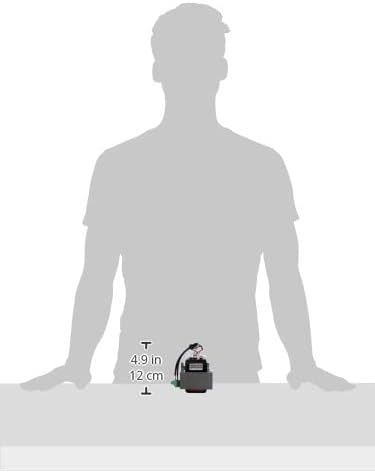
Image 2: Size comparison of the transformer, indicating its compact dimensions.

Image 3: Top view of the transformer showing the wiring terminals and labels.

Image 4: Detailed view of the transformer's wiring block, illustrating connection points.
5. Operation
The Came 119RIR090 Transformer operates passively, converting the incoming AC voltage to the required lower voltage for the gate automation control unit. Once correctly installed and powered, it will continuously supply the necessary voltage to the system.
- After installation, verify that the gate automation system functions correctly according to its own operational manual.
- Listen for any unusual noises or observe any abnormal behavior from the transformer or control unit.
6. Maintenance
Regular maintenance helps ensure the longevity and reliable operation of your transformer and gate automation system.
- Periodic Inspection: Annually inspect the transformer and its connections for any signs of wear, corrosion, or loose wiring.
- Cleanliness: Keep the control unit enclosure clean and free from dust, debris, and insects, which can impede proper ventilation and lead to overheating.
- Professional Check: Consider having a qualified technician perform a comprehensive check of your gate automation system, including the transformer, every few years.
7. Troubleshooting
If you experience issues with your gate automation system, the transformer may be a contributing factor. Here are some common problems and potential solutions:
| Problem | Possible Cause | Solution |
|---|---|---|
| No power to control unit | Loose wiring, faulty transformer, tripped circuit breaker | Check all connections, verify circuit breaker, test transformer output with a multimeter (if qualified). |
| Transformer becomes excessively hot | Overload, poor ventilation, internal fault | Ensure proper ventilation, check for short circuits in the system, replace transformer if faulty. |
| Intermittent system operation | Unstable power supply from transformer, loose connections | Inspect wiring for intermittent contact, test transformer output stability. |
If troubleshooting steps do not resolve the issue, contact a qualified technician or Came customer support.
8. Technical Specifications
- Manufacturer: Came
- Model Number: 119RIR090
- Product Dimensions: 3.07 x 1.4 x 1.4 cm
- Item Weight: 1.55 Kilograms
- Power Source: Wired
- Mounting Type: Frame Mount
- Compliance: CE
- Compatibility: Came BX, ZA3, ZA4, ZA5, ZC5, ZF1, ZBX74 control units
- First Available Date: December 11, 2016
9. Warranty Information
This Came 119RIR090 Transformer is covered by the manufacturer's standard warranty. Please refer to the warranty documentation provided with your original purchase or contact Came customer service for specific details regarding warranty terms and conditions.
10. Customer Support
For technical assistance, spare parts, or further inquiries regarding the Came 119RIR090 Transformer, please contact your authorized Came dealer or visit the official Came website for support resources.
You can also visit the Came Store on Amazon for more product information.


