Introduction
Thank you for choosing the MyVolts 9V Power Supply Adaptor. This high-quality replacement power supply is designed to be fully compatible with your Medeli DD602 Digital Drum, providing reliable and efficient power. This manual will guide you through the proper setup, operation, and maintenance of your new power supply to ensure optimal performance and safety.
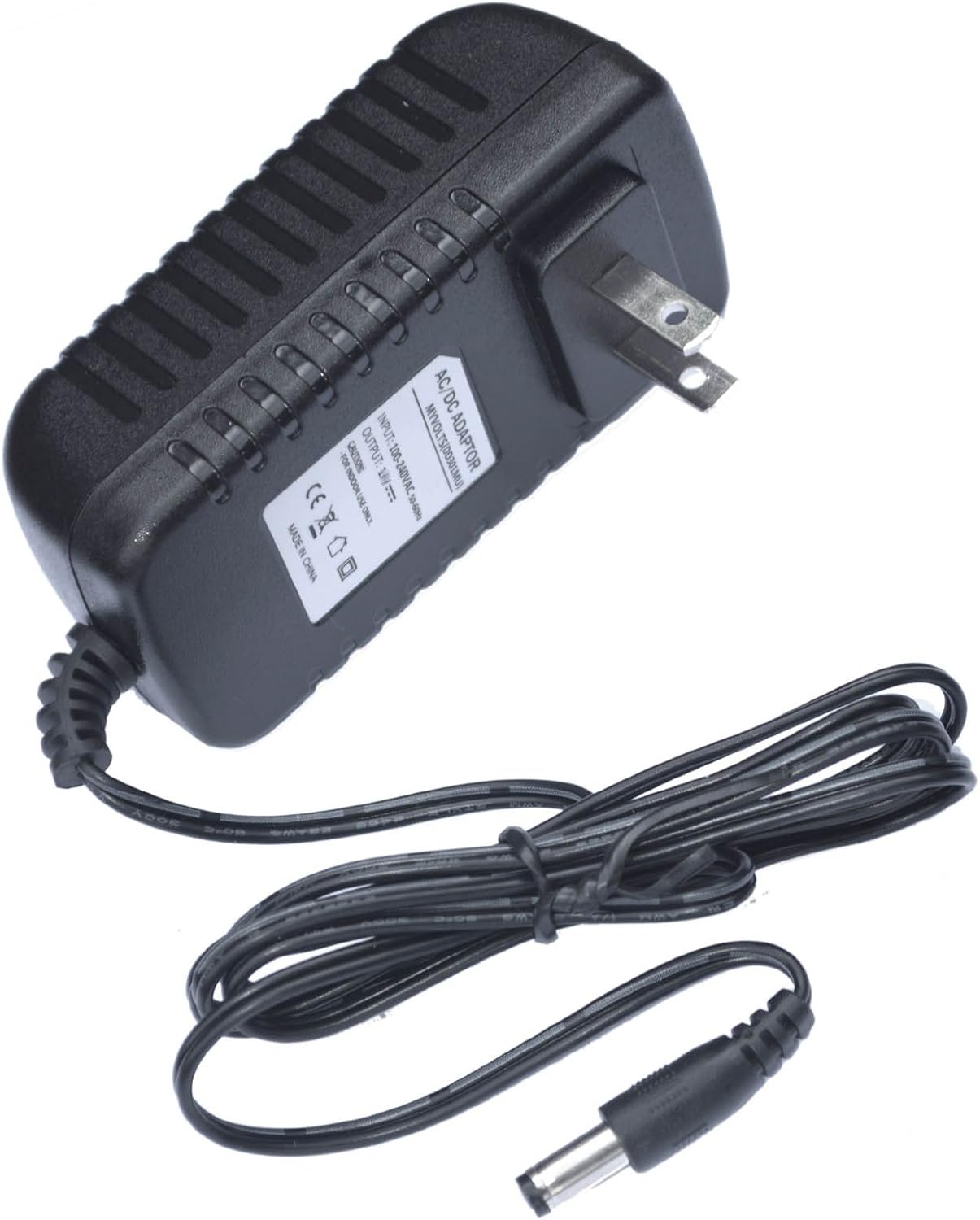
Image: The MyVolts 9V Power Supply Adaptor, featuring the main unit with a US 2-pin plug and an attached DC output cable with a barrel connector.
Safety Information
Please read all safety instructions carefully before using the power supply. Failure to follow these instructions may result in electric shock, fire, or damage to the product or connected devices.
- Indoor Use Only: This power supply is designed for indoor use in dry locations only. Do not expose it to rain, moisture, or extreme temperatures.
- Proper Voltage: Ensure the wall outlet voltage matches the input voltage specified on the power supply label (100-240V AC).
- Correct Connection: Always connect the power supply to the Medeli DD602 Digital Drum before plugging it into a wall outlet. Disconnect from the wall outlet first before unplugging from the device.
- Avoid Overloading: Do not overload the power supply. Ensure the connected device's power requirements do not exceed the power supply's output capabilities.
- Cable Care: Do not pull on the cable to disconnect the power supply. Always grasp the plug firmly. Avoid bending, twisting, or pinching the cable.
- Ventilation: Ensure adequate ventilation around the power supply. Do not cover it or place it in an enclosed space that could restrict airflow.
- Damage: Do not use the power supply if the casing, cable, or plug is damaged. Contact customer support for assistance.
- Children: Keep the power supply out of reach of children.

Image: Visual representation of safety certifications including FC (Federal Communications Commission), RoHS (Restriction of Hazardous Substances), and UL (Underwriters Laboratories) Listed, indicating compliance with safety and environmental standards.
Setup
Follow these steps to properly set up your MyVolts 9V Power Supply Adaptor:
- Unpack: Carefully remove the power supply from its packaging. Inspect it for any visible damage.
- Identify Port: Locate the DC input port on your Medeli DD602 Digital Drum. This is typically a circular port.
- Connect to Device: Insert the barrel connector of the MyVolts power supply cable into the DC input port of your Medeli DD602 Digital Drum. Ensure it is firmly seated.
- Connect to Power Outlet: Plug the US 2-pin plug of the power supply into a standard US wall power socket.
- Verify Power: Once connected, your Medeli DD602 Digital Drum should receive power. Refer to your drum's manual for indicators of power reception.

Image: A top-down view of the MyVolts power supply, showing the compact design of the adapter block and the coiled power cable with its barrel connector.
Operating Instructions
The MyVolts 9V Power Supply Adaptor is designed for simple plug-and-play operation. Once properly connected as described in the Setup section, it will continuously supply the necessary 9V DC power to your Medeli DD602 Digital Drum.
- Continuous Power: The power supply provides a stable 9V output, ensuring consistent performance for your digital drum.
- Protection Features: This unit includes built-in overvoltage, overcurrent, and short circuit protection to safeguard your Medeli DD602 Digital Drum from electrical fluctuations.
- Disconnection: To power off your device, first turn off the Medeli DD602 Digital Drum, then unplug the power supply from the wall outlet, and finally disconnect the barrel connector from the drum.
Maintenance
Proper care and maintenance will extend the lifespan of your MyVolts power supply:
- Cleaning: Disconnect the power supply from the wall outlet and the device before cleaning. Use a soft, dry cloth to wipe the exterior. Do not use liquid cleaners or aerosols.
- Storage: When not in use for extended periods, store the power supply in a cool, dry place, away from direct sunlight and extreme temperatures. Avoid tightly coiling the cable.
- Inspection: Periodically inspect the power supply, cable, and connectors for any signs of wear, cuts, or damage. If damage is found, discontinue use and replace the unit.
Troubleshooting
If you encounter issues with your MyVolts 9V Power Supply Adaptor, try the following troubleshooting steps:
| Problem | Possible Cause | Solution |
|---|---|---|
| No power to device | Power supply not plugged in; loose connection; faulty outlet; damaged power supply. | Ensure power supply is fully plugged into wall outlet and device. Try a different wall outlet. Check for visible damage to the power supply. |
| Device powers on intermittently | Loose connection; power fluctuations. | Ensure all connections are secure. If issues persist, the power supply may be faulty. |
| Power supply feels hot | Normal operation (slight warmth); inadequate ventilation; overloading. | Ensure power supply has adequate airflow. Verify device power requirements do not exceed power supply output. If excessively hot, discontinue use. |
If these steps do not resolve the issue, please contact MyVolts customer support.
Specifications
Detailed technical specifications for the MyVolts 9V Power Supply Adaptor:
| Feature | Detail |
|---|---|
| Input Voltage | 100-240V AC, 50/60Hz |
| Output Voltage | 9V DC |
| Connector Type | 2.1mm Male Barrel Connector, US 2-pin plug |
| Compatible Devices | Medeli DD602 Digital Drum (and other compatible devices) |
| Special Features | Overvoltage Protection, Overcurrent Protection, Short Circuit Protection |
| Item Weight | 3.74 ounces (106 Grams) |
| Model Number | 25956 |
| Country of Origin | China |

Image: A close-up view of the power supply's label, displaying model information, input/output specifications, and various safety certifications like UL, FC, and RoHS.
Warranty and Support
MyVolts products are designed for reliability and performance. For information regarding warranty coverage, returns, or technical support, please refer to the official MyVolts website or contact their customer service directly.
- Online Support: Visit the MyVolts official website for FAQs, product information, and support resources.
- Contact Customer Service: For direct assistance, please use the contact information provided on the MyVolts website.


