
Introduction
The iLuv Aud Mini 6 is a slim, portable, and weather-resistant Bluetooth speaker designed for wireless audio streaming. Its compact size allows for easy portability, making it suitable for various environments. This manual provides essential information for the proper setup, operation, and maintenance of your Aud Mini 6 speaker.
Package Contents
Please verify that all items are present in your package:
- iLuv Aud Mini 6 Portable Bluetooth Speaker
- Charging Cable (Micro USB)
- Carabineer (attached or included separately)
- User Manual (this document)
Product Overview
The Aud Mini 6 features a compact design with intuitive controls and indicators. Familiarize yourself with the speaker's components:
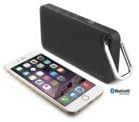
Image: Front view of the iLuv Aud Mini 6 speaker, showcasing its slim profile and speaker grille.
- Power Button: Used to turn the speaker on or off.
- Volume Controls: Buttons for adjusting audio playback volume.
- Bluetooth Pairing Button: Initiates Bluetooth pairing mode.
- LED Indicator: A dual-color LED displays power status, charging status, and Bluetooth connection status.
- Micro USB Port: For charging the internal battery.
- Carabineer: For attaching the speaker to bags or other items for convenient portability.
Setup
1. Charging the Speaker
Before initial use, fully charge the Aud Mini 6. The speaker contains a rechargeable lithium-ion battery.
- Connect the small end of the included Micro USB cable to the charging port on the speaker.
- Connect the large end of the USB cable to a USB power adapter (not included) or a computer's USB port.
- The LED indicator will illuminate to show charging status. It will change color or turn off once charging is complete. A full charge typically takes approximately 2-3 hours.
2. Powering On/Off
To power on the speaker, press and hold the Power button for a few seconds until the LED indicator lights up. To power off, press and hold the Power button again until the LED indicator turns off.
Operating Instructions
1. Bluetooth Pairing
To stream audio wirelessly, you must pair the Aud Mini 6 with a Bluetooth-enabled device (e.g., smartphone, tablet).
- Ensure the speaker is powered on and within 1 meter (3 feet) of your Bluetooth device.
- The LED indicator will flash, indicating it is in pairing mode. If it does not flash, press the Bluetooth pairing button.
- On your Bluetooth device, enable Bluetooth and search for available devices.
- Select "iLuv Aud Mini 6" from the list of found devices.
- Once paired, the LED indicator on the speaker will stop flashing and remain solid, indicating a successful connection.
- If pairing fails, turn off the speaker and your device's Bluetooth, then repeat the steps.
2. Audio Playback
After successful pairing, you can play audio from your connected device. Control playback (play/pause, skip tracks) directly from your device.
3. Volume Adjustment
Adjust the volume using the dedicated volume buttons on the speaker or directly from your connected Bluetooth device.
Weather Resistance
The iLuv Aud Mini 6 is designed to be weather-resistant, making it suitable for outdoor use. However, it is not fully waterproof. Avoid submerging the speaker in water or exposing it to heavy rain for extended periods. Ensure the charging port cover is securely closed to maintain weather resistance.

Image: The iLuv Aud Mini 6 speaker shown in an outdoor environment, highlighting its portability and weather-resistant design.
Maintenance
Proper care ensures the longevity of your speaker:
- Cleaning: Wipe the speaker with a soft, dry cloth. Do not use abrasive cleaners or solvents.
- Storage: Store the speaker in a cool, dry place when not in use. Avoid extreme temperatures.
- Battery Care: To preserve battery life, charge the speaker regularly, even if not used frequently. Avoid fully discharging the battery for extended periods.
Troubleshooting
If you encounter issues with your Aud Mini 6, refer to the following common solutions:
| Problem | Solution |
|---|---|
| Speaker does not power on. | Ensure the battery is charged. Connect the speaker to a power source using the USB cable. |
| Cannot pair with Bluetooth device. | Ensure the speaker is in pairing mode (flashing LED). Turn off and on Bluetooth on your device. Move the speaker closer to your device. |
| No sound or low volume. | Increase volume on both the speaker and your connected device. Ensure the device is playing audio. Re-pair the Bluetooth connection. |
| Sound quality is poor. | Ensure the speaker is within Bluetooth range. Move away from sources of interference (e.g., Wi-Fi routers, other Bluetooth devices). |
Specifications
Key technical details of the iLuv Aud Mini 6 speaker:
- Model Name: Aud Mini 6
- Connectivity Technology: Bluetooth
- Wireless Technology: BluetoothWireless
- Speaker Type: Outdoor (Weather-Resistant)
- Power Source: Battery Powered
- Battery Type: Lithium Ion (included)
- Battery Average Life: Approximately 6 Hours
- Item Weight: 6.4 ounces
- Color: Black Carabineer
- Manufacturer: jWIN
Warranty and Support
For warranty information or technical support, please refer to the documentation included with your purchase or visit the official iLuv website. Keep your proof of purchase for warranty claims.


