
OBDeleven Pro Pack
OBDeleven Next Gen Pro Pack User Manual
Model: Pro Pack | Brand: OBDeleven
Introduction
The OBDeleven Next Gen Pro Pack is a reliable, user-friendly car diagnostics and customization tool designed for Volkswagen Group (Volkswagen, Audi, Seat, Skoda, Bentley, Rolls-Royce, Lamborghini) and Toyota Group vehicles. This device allows you to diagnose, customize, and improve your vehicle's performance efficiently, saving time and money on maintenance.
It is officially licensed by leading car manufacturers, ensuring compatibility and safe operation. The intuitive mobile app makes advanced car maintenance accessible to every driver, regardless of technical expertise.
Package Contents
- OBDeleven NextGen device
- 12-month PRO VAG plan activation

Setup Guide
Follow these steps to set up your OBDeleven device and begin using it:
- Plug the device into your car's OBD2 port: Locate the OBD2 port, typically found under the dashboard on the driver's side. Insert the OBDeleven device firmly into the port.
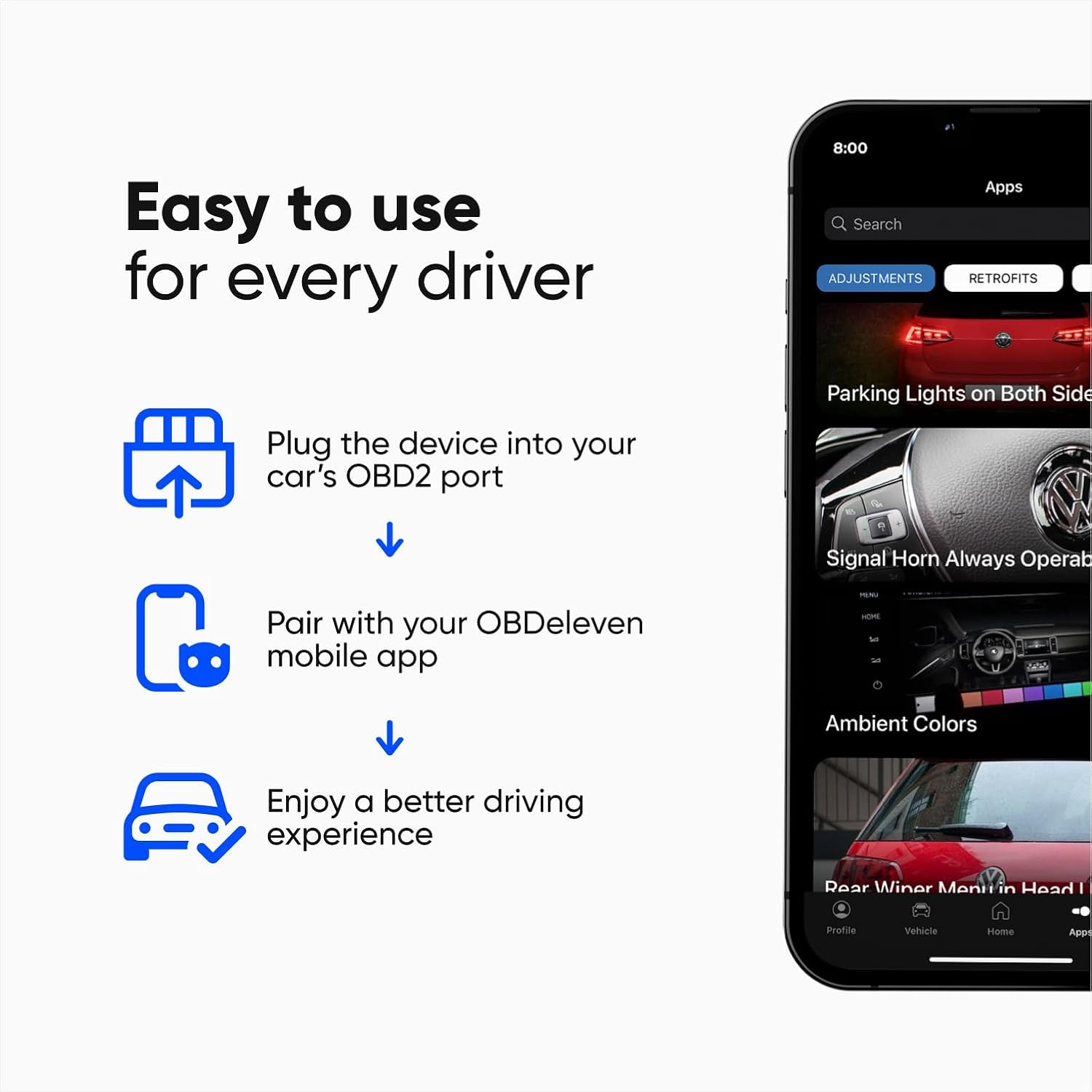
Image: A close-up of a hand inserting the OBDeleven device into the vehicle's OBD2 diagnostic port, located beneath the dashboard. - Turn on car ignition: Ensure your vehicle's ignition is turned on. The engine does not need to be running.
- Download and open the OBDeleven mobile app: The app is compatible with Android 8.0+ and iOS 15.0+ mobile devices. Download it from your device's app store.
- Pair with your OBDeleven device via Bluetooth: Open the app and follow the on-screen prompts to connect to your OBDeleven device via Bluetooth. The app will guide you through the pairing process.

Image: A person's hands interacting with the OBDeleven mobile app on a smartphone, showing the connection interface for pairing the device.
Operating Instructions
1. Advanced Diagnostics
The OBDeleven allows you to scan all available vehicle systems, read, and clear fault codes in minutes. This feature is available for Volkswagen Group (VAG) and Toyota Group vehicles.
- Scan All Systems: Perform a comprehensive scan to identify issues across various vehicle modules.
- Read and Clear Faults: View detailed descriptions of diagnostic trouble codes (DTCs) and clear them from your vehicle's memory.
- Freeze Frame Data: Access snapshot data of vehicle conditions at the time a fault code was set.

2. Easy Customizations with One-Click Apps
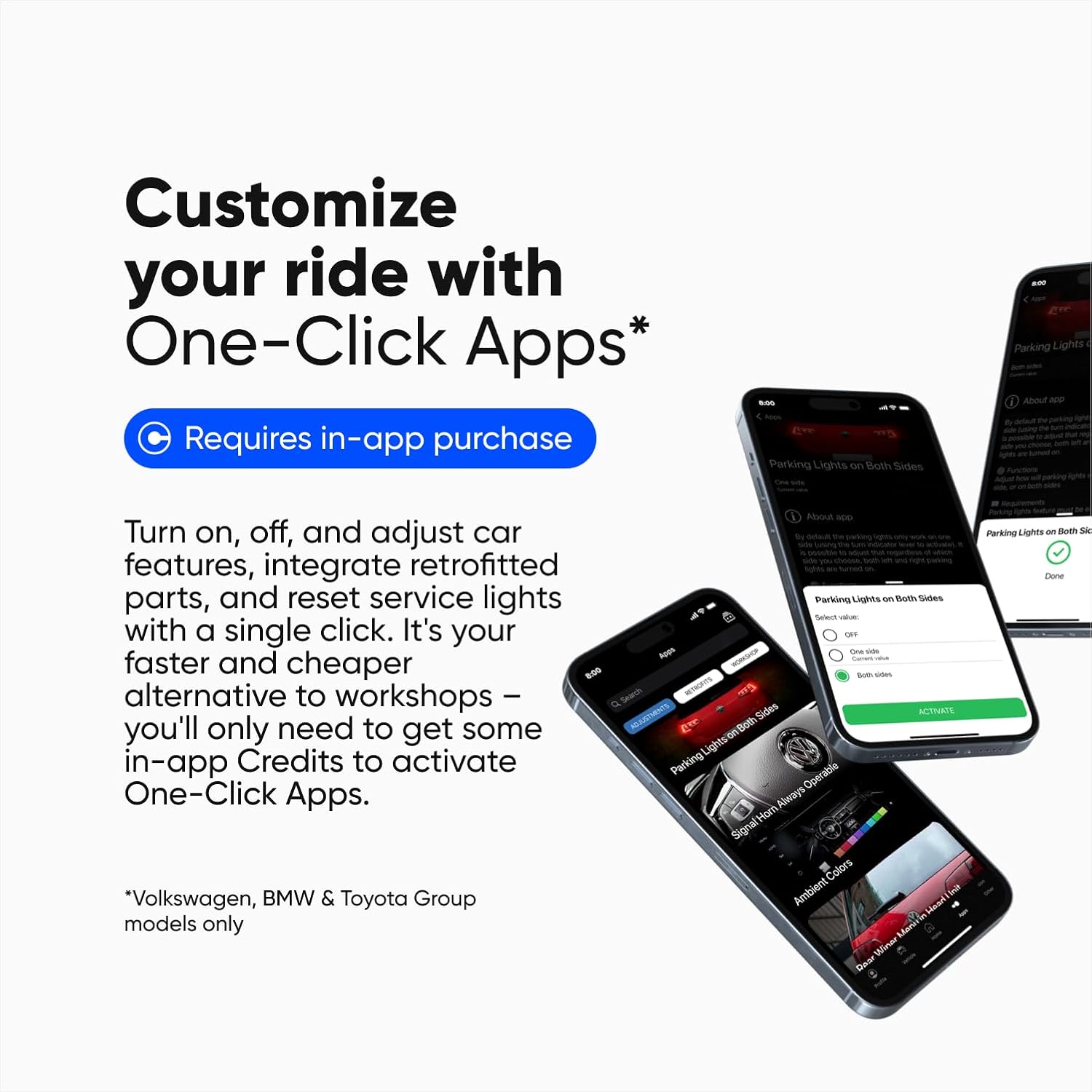
One-Click Apps provide thousands of ready-to-use applications for quick and easy customizations. These apps allow you to turn on, off, or adjust comfort, safety, and driving features. They can also integrate retrofitted parts, reset service lights, activate video in motion, or perform a needle sweep gauge test.
Note: One-Click Apps require in-app purchase of "Credits".
Example of One-Click App usage:
Video: Demonstrates how to permanently disable the Start/Stop function using an OBDeleven One-Click App. The video shows the process from plugging in the device to activating the feature in the app and verifying its effect on the car's system.
3. Advanced Coding & Adaptations (PRO VAG Plan)
The PRO VAG plan, included with your purchase, is specifically for Volkswagen Group vehicles (Volkswagen, Audi, Seat, Skoda, Bentley, Rolls-Royce, and Lamborghini). It unlocks advanced features for in-depth customization:
- SFD Unlock: Gain access to SFD-locked features for comprehensive diagnosis and customization.
- Manual Coding & Long Coding: Perform detailed coding adjustments to vehicle modules.
- Adaptations: Modify vehicle settings and parameters.
- Basic Settings: Adjust fundamental vehicle configurations.

Supported Vehicles
The OBDeleven NextGen device works with all car brands that use the CAN-bus protocol (manufactured mainly from 2008). The PRO VAG plan features (like VAG coding) are designed exclusively for Volkswagen Group vehicles.

Maintenance
The OBDeleven device requires minimal maintenance. Keep it clean and dry. Store it in a cool, dry place when not in use. Avoid exposing the device to extreme temperatures or direct sunlight for prolonged periods.
Ensure your mobile device's operating system and the OBDeleven app are regularly updated to benefit from the latest features and bug fixes.
Troubleshooting
| Problem | Possible Cause | Solution |
|---|---|---|
| Device not connecting to app. | Bluetooth is off, device not properly inserted, app not updated. | Ensure Bluetooth is enabled on your mobile device. Re-insert the OBDeleven device firmly into the OBD2 port. Update the OBDeleven app to the latest version. Restart your mobile device. |
| Features not activating (e.g., One-Click Apps). | Insufficient credits, incorrect vehicle group, SFD lock. | Check if you have enough credits for One-Click Apps. Ensure your vehicle is a supported Volkswagen Group model for PRO VAG features. For SFD-locked features, ensure your PRO VAG plan is active and the SFD unlock is performed. |
| App crashes or freezes. | Outdated app, mobile device issues. | Update the app. Clear the app's cache or reinstall it. Ensure your mobile device meets the minimum OS requirements (Android 8.0+, iOS 15.0+). |
Specifications
- Brand: OBDeleven
- Model: Pro Pack
- Item Weight: 2.11 ounces
- Product Dimensions: 1.57 x 0.78 x 1.57 inches
- Operating System Compatibility: Android 8.0+, iOS 15.0+
- Connectivity: Bluetooth
- Special Features: Bluetooth device, Wireless
- Manufacturer: Voltas IT
- UPC: 758277987813
Warranty and Support
The OBDeleven NextGen device is officially licensed by leading car brands, ensuring its quality and reliability. For specific warranty details and technical support, please refer to the official OBDeleven website or contact their customer service directly. Regular app updates provide ongoing support and feature enhancements.
For further assistance, visit the OBDeleven Store on Amazon or their official website.
Related documentsPro Pack


Ask a question about this manual
Ask about setup, troubleshooting, compatibility, parts, safety, or missing instructions. Manuals+ will review the question and use this page’s manual context to help answer it.