
Introduction
Thank you for purchasing the QFX SBX-1513BTL Powered Speaker System. This manual provides essential information for the safe and efficient operation of your speaker. Please read it thoroughly before use and retain it for future reference. This speaker system features an integrated amplifier, Bluetooth connectivity, LED lighting, a USB player, FM radio, and microphone input, designed for versatile audio applications.
Safety Instructions
- Power Source: Connect the unit only to an AC 120-240V, 50-60Hz power supply. Ensure the voltage matches your local power grid.
- Ventilation: Do not block ventilation openings. Ensure adequate airflow around the unit to prevent overheating.
- Water and Moisture: This product is not waterproof. Do not expose it to rain, moisture, or any liquids. Avoid placing objects filled with liquids, such as vases, on the unit.
- Heat Sources: Keep the unit away from heat sources such as radiators, heat registers, stoves, or other apparatus (including amplifiers) that produce heat.
- Cleaning: Unplug the unit from the wall outlet before cleaning. Use a dry cloth for cleaning. Do not use liquid cleaners or aerosol cleaners.
- Servicing: Do not attempt to service this product yourself. Refer all servicing to qualified service personnel.
- Placement: Place the speaker on a stable, flat surface. If using a stand, ensure it is a large, sturdy tripod type stand capable of supporting the speaker's weight.
Package Contents
Please check the box for the following items:
- QFX SBX-1513BTL Powered Speaker System
- Dynamic Unidirectional Microphone
- 3.5mm Male to 2 RCA Cable
- Remote Control for USB Player
- Power Cable
Product Overview
The QFX SBX-1513BTL is a versatile powered speaker system featuring a 15-inch woofer and a 44mm tweeter, housed in a durable plastic cabinet with a steel frame. It includes an integrated amplifier, Bluetooth for wireless audio streaming, a USB media player, FM radio, and multiple input options for microphones and external audio sources. The unit is equipped with a handle and wheels for portability.
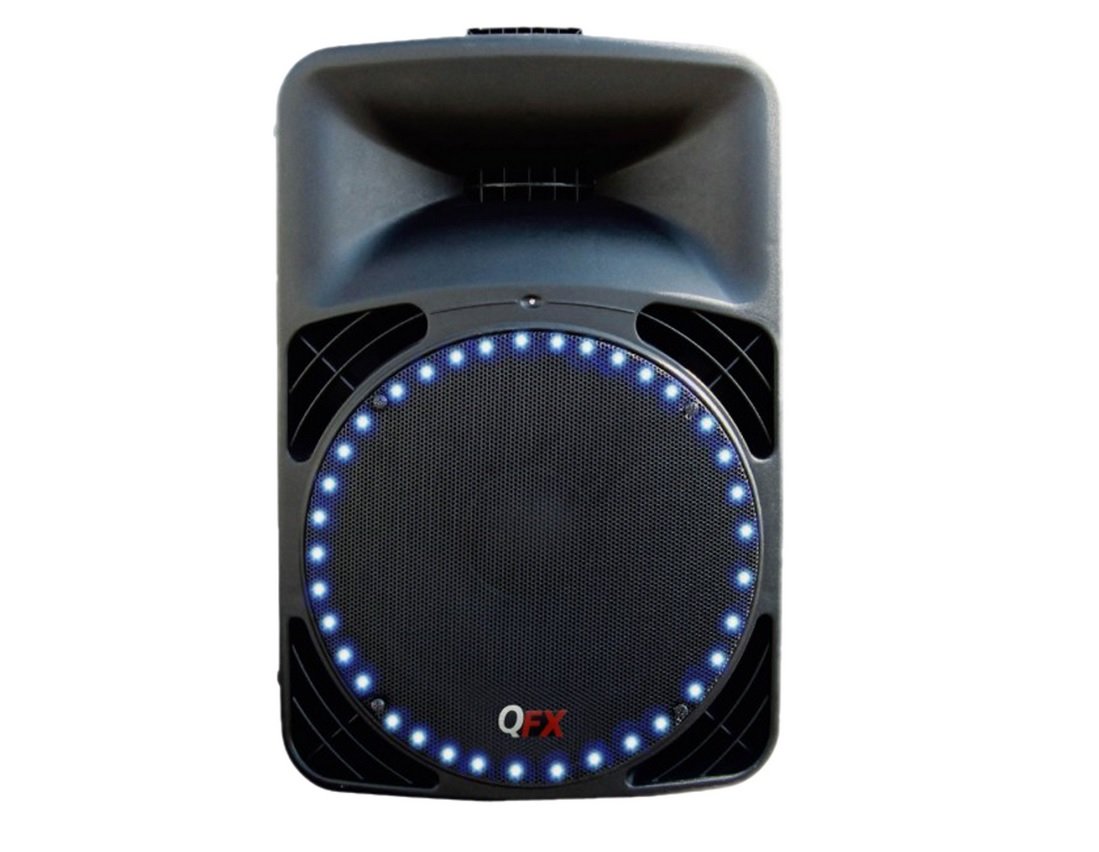
Figure 1: Front view of the QFX SBX-1513BTL speaker, showcasing the 15-inch woofer with integrated LED lighting and the QFX logo.
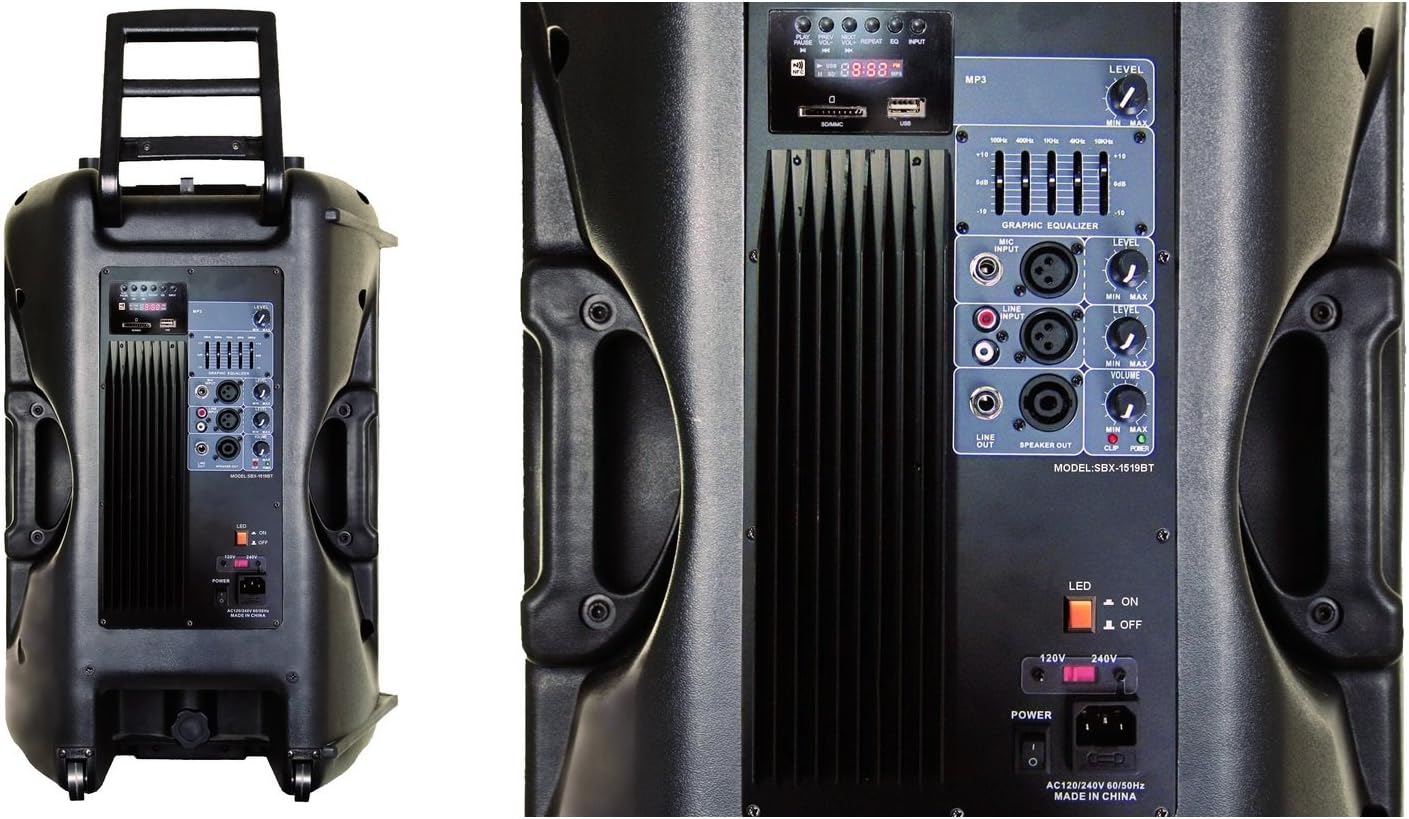
Figure 2: Rear panel of the speaker, illustrating the control interface, including the MP3 player section, graphic equalizer, input/output jacks, and power switch.
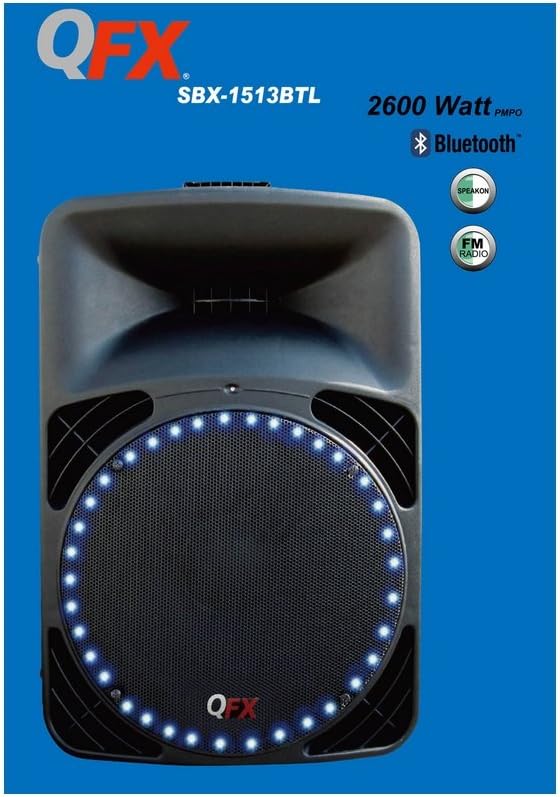
Figure 3: Detailed view of the control panel, highlighting the MP3 display, USB/SD card slots, graphic equalizer sliders, volume knobs for various inputs, and the main power switch.
Setup
1. Power Connection
- Ensure the speaker's power switch is in the OFF position.
- Connect the provided power cable to the AC IN port on the rear panel of the speaker.
- Plug the other end of the power cable into a standard AC 120-240V, 50-60Hz wall outlet.
2. Placement and Mounting
- The speaker can be placed directly on a floor or table.
- For elevated sound projection, the speaker cabinet can be mounted on a stand. It requires a large, sturdy tripod-type stand (not included) designed for PA speakers. Ensure the stand is stable and capable of supporting the speaker's weight (approximately 22 lbs / 9.98 kg).
3. Initial Connections
- Microphone: Connect the dynamic microphone to the MIC INPUT jack on the rear panel.
- External Audio Source (RCA): Use the provided 3.5mm to 2 RCA cable to connect devices like smartphones, tablets, or MP3 players to the RCA INPUT jacks.
- Line Output: The SPEAKON and LINE OUT ports allow you to connect additional speakers or audio equipment.
Operating Instructions
1. Power On/Off
Locate the main power switch on the rear panel. Flip it to the 'ON' position to power on the speaker. The LED indicator will illuminate. Flip to 'OFF' to power down.
2. Bluetooth Pairing
- Turn on the speaker.
- Press the 'MODE' button on the MP3 player section until 'BLUE' or 'BT' appears on the display, indicating Bluetooth mode.
- On your Bluetooth-enabled device (smartphone, tablet, etc.), go to the Bluetooth settings and search for available devices.
- Select 'QFX SBX-1513BTL' (or similar name) from the list to pair.
- Once paired, you can stream audio wirelessly from your device to the speaker.
3. USB Playback
- Insert a USB flash drive containing MP3 audio files into the USB port on the MP3 player section.
- The speaker will automatically switch to USB mode and begin playing the audio files. If not, press the 'MODE' button to select USB.
- Use the controls on the MP3 player section or the included remote control to play, pause, skip tracks, and adjust volume.
4. FM Radio
- Press the 'MODE' button until 'FM' appears on the display.
- Press the 'PLAY/PAUSE' button (or scan button on remote) to automatically scan and save available FM radio stations.
- Use the 'PREV/NEXT' buttons to navigate through the saved stations.
5. Microphone Usage
- Connect the microphone to the MIC INPUT jack.
- Adjust the 'MIC LEVEL' knob to control the microphone volume.
- Ensure the microphone is switched on if it has an independent power switch.
6. Graphic Equalizer
Use the sliders on the graphic equalizer to adjust the frequency response of the audio output. This allows you to fine-tune the bass, mid-range, and treble to your preference or to suit the acoustics of your environment.
7. LED Lights
The speaker features integrated LED lights around the woofer. Use the dedicated 'LED' switch on the rear panel to turn the lights ON or OFF.
Maintenance
- Cleaning: Always unplug the speaker before cleaning. Use a soft, dry cloth to wipe down the cabinet. Do not use abrasive cleaners, waxes, or solvents.
- Storage: When not in use for extended periods, store the speaker in a cool, dry place, away from direct sunlight and extreme temperatures.
- Battery Care: The speaker uses an internal battery. For optimal battery life, avoid fully discharging the battery frequently. Recharge the battery regularly, even if the speaker is not in active use. The average battery life is 5 hours.
Troubleshooting
| Problem | Possible Cause | Solution |
|---|---|---|
| No power | Power cable not connected; Power switch off; No power from outlet; Battery depleted | Check power cable connection; Ensure power switch is ON; Test outlet with another device; Charge the battery |
| No sound | Volume too low; Incorrect input mode selected; Source device not playing; Cables loose | Increase master volume and input level; Select correct mode (Bluetooth, USB, FM, RCA); Ensure source device is playing; Check all cable connections |
| Bluetooth not connecting | Speaker not in Bluetooth mode; Device too far; Device already paired to another speaker | Ensure speaker is in Bluetooth mode; Move device closer to speaker; Disconnect from other devices and try again |
| Microphone not working | Microphone not connected; MIC LEVEL too low; Microphone switch off | Connect microphone securely; Increase MIC LEVEL; Ensure microphone is switched ON |
| USB playback issues | USB drive not inserted correctly; Incompatible file format; USB drive corrupted | Reinsert USB drive; Ensure files are MP3 format; Try a different USB drive |
Specifications
| Feature | Specification |
|---|---|
| Model Name | SBX-1513BTL |
| Speaker Type | Woofer |
| Special Features | Integrated microphone, FM radio, Bluetooth, USB player, LED lights |
| Recommended Uses | Gaming consoles, computers, music players, TVs, karaoke |
| Compatible Devices | Karaoke machine, desktop computer, laptop, MP3 player, smartphone, tablet, television, video game console |
| Surround Sound Channel Configuration | 2.0 |
| Included Components | Remote control, 3.5mm male to 2 RCA cable, Dynamic microphone |
| Product Weight | 9.98 kg (22 Pounds) |
| Waterproof | No |
| Warranty Type | Limited |
| Control Method | Remote |
| Wireless Communication Technology | Bluetooth |
| Speaker Size | 15 Inches (Woofer) |
| Power Source | Battery, AC Power (120-240V, 50-60Hz) |
| Manufacturer | QFX USA |
| Max Speaker Output Power | 2600 Watts P.M.P.O. (380 Watts RMS) |
| Connectivity Technology | Bluetooth, RCA, USB |
| Audio Output Mode | Stereo |
| Mounting Type | Floor, Table Mount, Stand Mount (tripod stand required) |
| Average Battery Life | 5 Hours |
| Batteries Included | Yes (internal) |
| Product Dimensions | 25.4 x 45.72 x 22.35 cm |
| Woofer Details | 15 inch, 67 oz magnet, 75mm voice coil, 4Ω |
| Tweeter Details | 23 oz, 44mm Ti.Diap Driver 8 |
Warranty and Support
This QFX SBX-1513BTL speaker system comes with a limited warranty. For specific warranty terms and conditions, please refer to the documentation included with your purchase or contact QFX customer support directly. For technical assistance, troubleshooting beyond this manual, or service inquiries, please visit the official QFX website or contact their customer service department.


