
1. Introduction
Welcome to the world of homemade bread! Your Toastmaster Bread Machine Model 1141S is designed to simplify the bread-making process, allowing you to enjoy fresh, delicious bread with minimal effort. This manual provides all the necessary information to operate and maintain your appliance safely and efficiently.
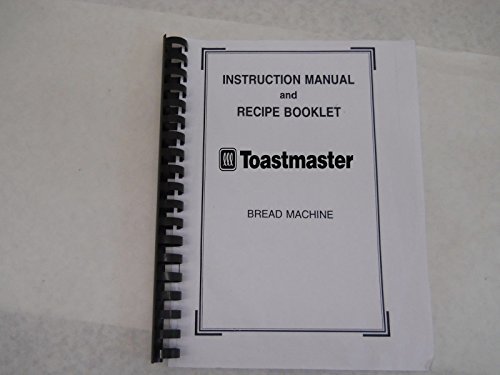
This specific manual is a professionally printed reprint, ensuring clear readability and durability. While the original manual may no longer be available, this reprint aims to provide the exact content and instructions as the original, allowing you to fully utilize your Toastmaster bread machine.
2. Important Safeguards
When using electrical appliances, basic safety precautions should always be followed to reduce the risk of fire, electric shock, and/or injury to persons, including the following:
- Read all instructions before operating the bread machine.
- Do not touch hot surfaces. Use oven mitts or pot holders when handling hot parts or removing hot bread.
- To protect against electric shock, do not immerse cord, plugs, or appliance in water or other liquid.
- Close supervision is necessary when any appliance is used by or near children.
- Unplug from outlet when not in use and before cleaning. Allow to cool before putting on or taking off parts.
- Do not operate any appliance with a damaged cord or plug, or after the appliance malfunctions or has been damaged in any manner.
- Do not use outdoors.
- Do not let cord hang over edge of table or counter, or touch hot surfaces.
- Do not place on or near a hot gas or electric burner, or in a heated oven.
- Extreme caution must be used when moving an appliance containing hot oil or other hot liquids.
- Do not use appliance for other than intended household use.
3. Getting Started & Setup
Before first use, please follow these steps:
- Unpacking: Carefully remove the bread machine and all accessories from the packaging. Retain packaging for future storage or transport.
- Cleaning: Wash the bread pan and kneading paddle(s) with warm, soapy water. Rinse thoroughly and dry completely. Wipe the exterior of the bread machine with a damp cloth. Do not immerse the main unit in water.
- Placement: Place the bread machine on a stable, flat, heat-resistant surface, away from direct sunlight and heat sources. Ensure adequate ventilation around the appliance.
- First Use Burn-Off: It is recommended to run the machine empty on the "Bake" cycle for about 10 minutes during the first use. This will burn off any manufacturing residues and odors. Ensure the area is well-ventilated.
Familiarize yourself with the components:
- Bread Pan: The removable pan where ingredients are placed.
- Kneading Paddle: Attaches to the shaft inside the bread pan for mixing and kneading.
- Lid: Covers the baking chamber. May include a viewing window.
- Control Panel: Contains buttons for program selection, crust color, loaf size, and start/stop.
- Display Screen: Shows program status, time remaining, and selected settings.
4. Operating Instructions
Follow these general steps for baking bread:
- Add Ingredients: Always add liquids first, followed by dry ingredients, and finally yeast. Ensure yeast does not come into direct contact with liquids or salt initially. Refer to specific recipes for precise measurements and order.
- Insert Bread Pan: Place the bread pan securely into the baking chamber. Ensure it clicks into place.
- Close Lid: Close the lid firmly.
- Select Program: Use the "Menu" button to cycle through available programs (e.g., Basic, French, Whole Wheat, Dough, Jam, Bake). The selected program will be displayed on the screen.
- Select Loaf Size & Crust Color: If applicable, use the "Loaf Size" and "Crust Color" buttons to adjust settings according to your recipe and preference.
- Start Baking: Press the "Start/Stop" button to begin the selected program. The machine will automatically perform kneading, rising, and baking cycles.
- Delay Timer (Optional): To delay the start of the baking process, set your ingredients, then use the "Timer" buttons to set the desired delay time. Press "Start/Stop" to activate the delay.
- End of Cycle: A beep will sound when the program is complete. Press and hold the "Start/Stop" button to stop the machine.
- Remove Bread: Using oven mitts, carefully remove the bread pan from the machine. Invert the pan to release the bread onto a wire rack to cool. If the kneading paddle remains in the bread, remove it carefully.
Always refer to the recipe section (if included in your original manual) for specific ingredient quantities and program recommendations.
5. Care and Maintenance
Proper care ensures the longevity of your bread machine:
- Cleaning the Bread Pan and Kneading Paddle: After each use, fill the bread pan with warm water and a small amount of dish soap. Let it soak for 10-15 minutes to loosen any stuck-on dough. Remove the kneading paddle. Wash both with a soft sponge, rinse, and dry thoroughly. Do not use abrasive cleaners or metal utensils, as they can damage the non-stick coating.
- Cleaning the Interior: Wipe the interior of the baking chamber with a damp cloth. Remove any crumbs or spills.
- Cleaning the Exterior: Wipe the exterior surface of the bread machine with a soft, damp cloth. Do not use harsh chemicals or abrasive cleaners.
- Storage: Ensure the machine is clean, dry, and completely cool before storing. Store in a dry place, preferably in its original packaging or covered to protect from dust.
- Do Not Immerse: Never immerse the main unit of the bread machine in water or any other liquid.
6. Troubleshooting
If you encounter issues with your Toastmaster Bread Machine, refer to the following common problems and solutions:
| Problem | Possible Cause | Solution |
|---|---|---|
| Bread does not rise or rises too much. | Incorrect yeast amount, old yeast, water too hot/cold, incorrect flour type, too much salt/sugar. | Check yeast freshness. Ensure water temperature is correct (around 105-115°F / 40-46°C). Measure ingredients precisely. |
| Bread is dense or heavy. | Too much flour, not enough liquid, incorrect program selected, old yeast. | Accurately measure ingredients. Ensure correct program for recipe. Check yeast. |
| Machine does not start. | Not plugged in, power outage, lid not closed properly, program not selected. | Check power connection. Ensure lid is securely closed. Select a program and press Start. |
| Kneading paddle stuck in bread. | Common occurrence. | Allow bread to cool slightly. Use a non-metallic utensil to carefully remove the paddle. |
If the problem persists after trying these solutions, please refer to the original manufacturer's support resources if available, or consult a qualified appliance technician.
7. Specifications
The Toastmaster Bread Machine Model 1141S is designed for household use. Specific electrical and power ratings would typically be found on a label on the appliance itself or in the original manual's specifications section. As a general guide, most bread machines operate on standard household voltage.
- Model: 1141S
- Brand: Toastmaster
- Power Supply: 120V AC, 60Hz (Typical for US appliances, actual may vary)
- Loaf Sizes: (Specific to model, typically 1.5 lb, 2 lb)
- Programs: (Specific to model, typically Basic, French, Whole Wheat, Dough, Jam, Bake)
Please consult the appliance's physical label for precise electrical specifications.
8. Warranty and Support
This document is a reprint of the original instruction manual for the Toastmaster Bread Machine Model 1141S. As such, it does not convey any warranty for the appliance itself. Warranty information for the original Toastmaster Bread Machine would have been provided by the manufacturer at the time of purchase of the appliance.
For support regarding the operation of your Toastmaster Bread Machine, please refer to the troubleshooting section of this manual. For issues related to the appliance's functionality or repair, it is recommended to contact Toastmaster customer service or a qualified appliance repair technician, if the appliance is still under warranty or repairable.
For questions regarding this specific reprint manual, please contact the seller from whom you purchased this document.