
1. Introduction
This CD-ROM contains the complete factory repair and service manuals for various 1990 Ford vehicles. It is designed to provide detailed instructions, diagrams, and specifications necessary for the proper maintenance, repair, and troubleshooting of your vehicle's systems.
The manual covers a wide range of models, including:
- Ford Bronco
- Ford F-Series Pickup Trucks: F-150, F-250, F-350, and F-Series Super Duty
- Ford Econoline Vans: E-150, E-250, E-350 (including Club Wagon, Super Wagon, Cargo Van, Window Van, Display Van, RV "Cutaway" & Chassis, and Commercial "Cutaway" & Chassis)
This digital manual consolidates information from multiple original shop manuals, offering a convenient and searchable resource for both 4x2 and 4x4 configurations.
2. System Requirements
To access and utilize the content on this CD-ROM, your computer system should meet the following basic requirements:
- Operating System: Compatible with most standard operating systems (e.g., Windows, macOS) that support CD-ROM drives and PDF viewing software.
- CD-ROM Drive: A functional internal or external CD-ROM drive.
- PDF Reader: Adobe Acrobat Reader or a similar PDF viewing application installed.
- Web Browser: A standard web browser may be required if the manual uses an HTML-based interface.
Ensure your system is up-to-date for optimal performance.
3. Accessing the Manual
- Insert the CD: Gently insert the CD-ROM into your computer's CD-ROM drive.
- AutoPlay (if enabled): If AutoPlay is enabled on your system, a prompt may appear asking how you want to proceed. Select to open the folder to view files or run an executable if presented.
- Manual Access: If AutoPlay does not activate, navigate to 'My Computer' or 'This PC' (Windows) or 'Finder' (macOS), locate your CD-ROM drive (often labeled with a drive letter like D: or E:), and double-click to open it.
- Locate Manual Files: Inside the CD folder, you will find various files and folders. Look for files with names like "index.html", "start.exe", or PDF documents (e.g., "manual.pdf", "electrical.pdf").
- Open the Manual: Double-click on the main entry point (e.g., "index.html" or the primary PDF file) to begin accessing the manual content.
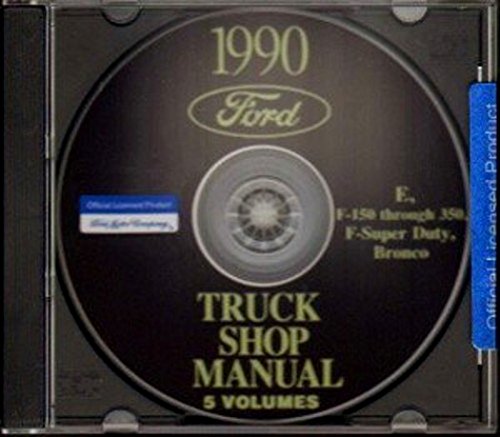
Image 1: The 1990 Ford Econoline Factory Repair Shop & Service Manual CD. This image displays the physical CD product, which contains the digital repair documentation for various 1990 Ford vehicles.
4. Navigating the Manual Content
The digital manual is structured to allow easy access to specific information. Depending on the format (PDF or HTML), navigation methods may vary:
- PDF Documents: Utilize the built-in navigation features of your PDF reader, such as the table of contents (bookmarks panel), page thumbnails, and search function (Ctrl+F or Cmd+F) to find specific topics, diagrams, or procedures.
- HTML Interface: If the manual uses an HTML interface, navigate through the content using the provided menus, hyperlinks, and search bars within the browser window.
Key sections typically include:
- Electrical & Vacuum Trouble Shooting Manual: Detailed schematics and diagnostic procedures for electrical and vacuum systems.
- Light Truck Shop Manual (Body, Chassis & Electrical): Comprehensive information on vehicle body, chassis components, and general electrical systems.
- Engine / Emission Diagnosis Manual: Specific diagnostic and repair information for engine and emission control systems.
- Pre-delivery Manual: Guidelines for vehicle inspection and preparation before delivery.
- Light Truck Engine Shop Manual: In-depth coverage of engine repair, overhaul, and specifications.
Always refer to the specific section relevant to the task you are performing.
5. Using the Manual for Vehicle Maintenance & Repair
This manual is an essential tool for performing accurate vehicle maintenance and repairs. Follow these guidelines:
- Identify the System: Determine which vehicle system requires attention (e.g., engine, transmission, brakes, electrical).
- Locate Relevant Section: Use the navigation tools to find the corresponding section in the manual.
- Read Instructions Carefully: Before beginning any work, thoroughly read and understand all instructions, warnings, and safety precautions.
- Consult Diagrams: Refer to wiring diagrams, exploded views, and component location diagrams for visual guidance.
- Follow Specifications: Adhere strictly to torque specifications, fluid types, and other technical data provided.
- Safety First: Always prioritize safety. Use appropriate personal protective equipment and follow safe workshop practices.
6. Troubleshooting CD Access Issues
If you encounter difficulties accessing or using the manual on the CD, consider the following troubleshooting steps:
- Clean the CD: Gently wipe the bottom (shiny) surface of the CD with a soft, lint-free cloth, moving from the center outwards. Avoid abrasive materials.
- Try Another CD-ROM Drive: Test the CD in a different computer or external CD-ROM drive to rule out a drive issue.
- Update PDF Reader: Ensure your PDF viewing software (e.g., Adobe Acrobat Reader) is updated to the latest version.
- Check for Corrupted Files: If specific files do not open, they might be corrupted. Re-insert the CD or try copying the files to your hard drive first.
- Antivirus Interference: Temporarily disable your antivirus software (if you trust the source) to see if it's blocking access, then re-enable it immediately.
7. Specifications
| Specification | Detail |
|---|---|
| Product Type | Factory Repair Shop & Service Manual CD-ROM |
| Vehicles Covered | 1990 Ford Bronco, F-Series (F-150, F-250, F-350, F-Super Duty), Econoline E-Series (E-150, E-250, E-350) |
| Total Page Count (Equivalent) | Approximately 4497 pages (across multiple manuals) |
| Language | English |
| Publisher | FORD TRUCK PICKUP VAN ECONOLINE |
| Publication Date | January 1, 2014 |
| Item Weight | 1 pound (for the physical CD package) |
8. Warranty & Support
Information regarding specific warranty terms for this CD-ROM product is not available in the provided product data. For any warranty inquiries or technical support related to the content or functionality of this manual CD, please contact the seller or publisher directly.
The publisher is listed as FORD TRUCK PICKUP VAN ECONOLINE. Refer to your purchase documentation for seller contact details.


