
1. Introduction
The Logitech Wireless Mouse M320 provides comfortable and reliable wireless control for your computer. Designed with a contoured shape and soft rubber grips, it offers ergonomic support for extended use. This mouse features advanced optical tracking for precise cursor control and an energy-efficient design that extends battery life.
Key features include:
- Ergonomic design with soft rubber grips for comfort.
- Up to 2 years of battery life.
- Smooth and precise optical tracking.
- Plug-and-forget nano receiver for reliable wireless connectivity.

Figure 1: Logitech Wireless Mouse M320 and its nano receiver.
2. Setup Instructions
2.1 Package Contents
Ensure your package contains the following items:
- Logitech Wireless Mouse M320
- Nano Receiver
- 1 AA Battery (pre-installed or included separately)
2.2 Battery Installation
If the battery is not pre-installed, follow these steps:
- Locate the battery compartment cover on the underside of the mouse.
- Slide the cover off to open the compartment.
- Insert one AA battery, ensuring the positive (+) and negative (-) terminals align correctly with the markings inside the compartment.
- Replace the battery compartment cover until it clicks securely into place.
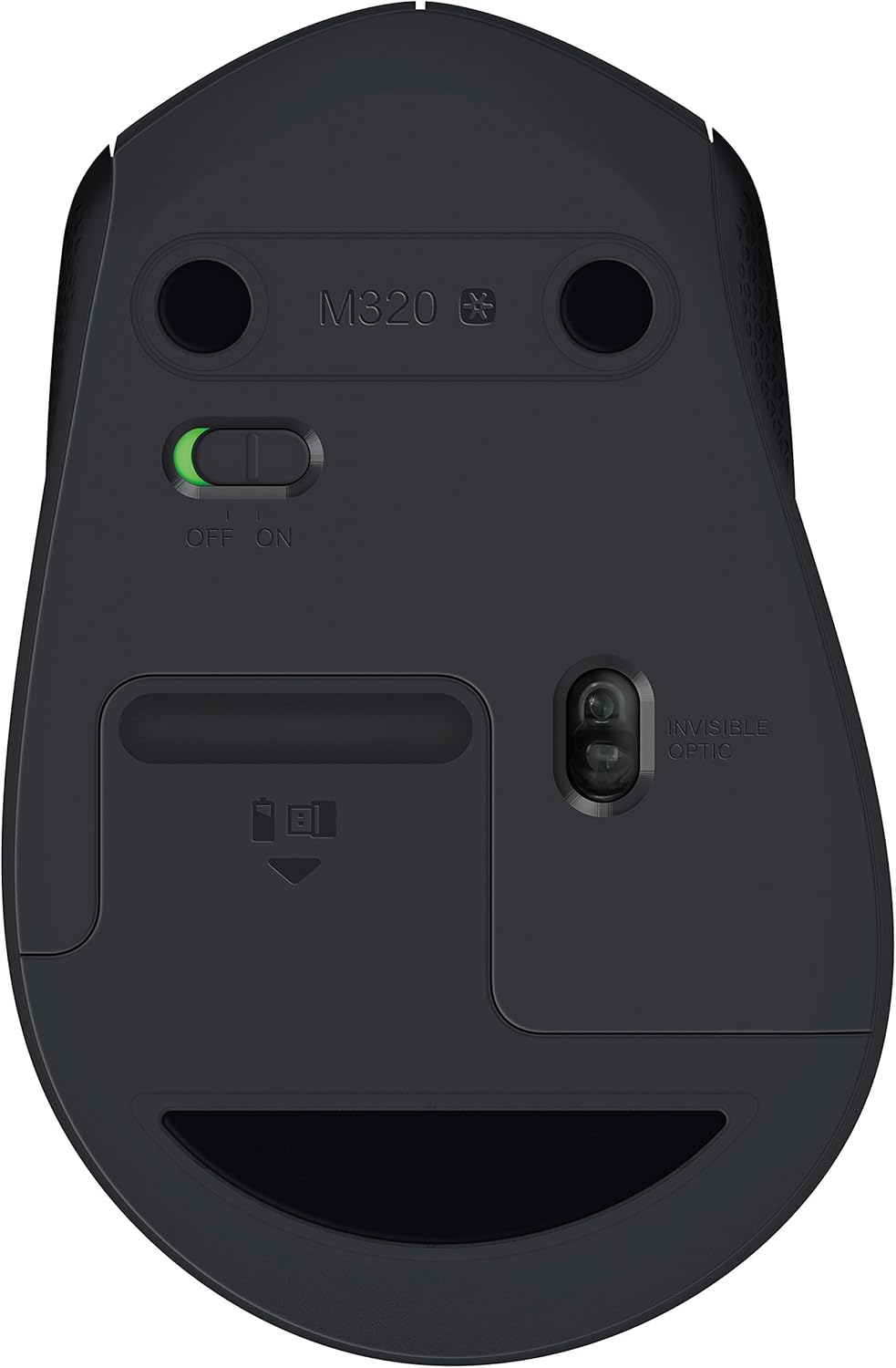
Figure 2: Underside of the mouse with battery compartment and ON/OFF switch.
2.3 Connecting the Receiver
- Plug the nano receiver into an available USB port on your computer.
- Turn on the mouse using the ON/OFF switch located on the underside of the mouse (refer to Figure 2).
- Your computer should automatically detect and install the necessary drivers. The mouse will be ready for use within a few seconds.
3. Operating the Mouse
The Logitech Wireless Mouse M320 offers standard mouse functionalities for intuitive navigation.
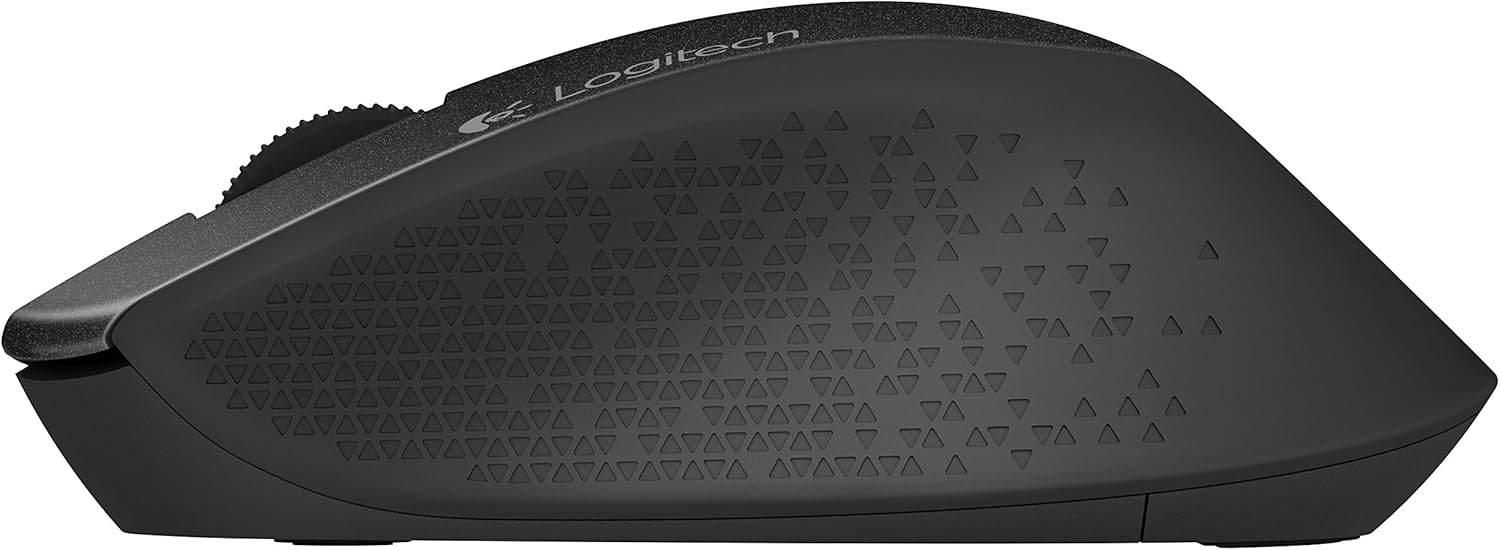
Figure 3: Top view of the mouse highlighting controls.
3.1 Basic Functions
- Left Click: Primary button for selecting items, opening files, and executing commands.
- Right Click: Secondary button for accessing context menus and additional options.
- Scroll Wheel: Roll up or down to scroll through documents and web pages. Press the scroll wheel for a middle-click function, which can vary by application (e.g., opening links in new tabs).
3.2 Power Management
The M320 mouse is designed with energy-efficient technology. It automatically enters a sleep mode when not in use to conserve battery power. To wake the mouse, simply move it or click a button.
For extended periods of non-use, such as when transporting your laptop, it is recommended to turn off the mouse using the ON/OFF switch on its underside.
4. Maintenance
4.1 Cleaning
To maintain optimal performance and appearance:
- Wipe the mouse surface with a soft, damp cloth.
- Avoid using harsh chemicals, abrasive cleaners, or solvents.
- Keep the optical sensor on the underside of the mouse clean and free from dust or debris.
4.2 Battery Replacement
When the mouse performance degrades or the battery indicator (if present) signals low power, replace the AA battery by following the steps in Section 2.2.
5. Troubleshooting
5.1 Mouse Not Responding
- Check Power: Ensure the mouse is turned ON using the switch on its underside.
- Check Battery: Replace the AA battery if it is low or depleted.
- Check Receiver: Ensure the nano receiver is securely plugged into a working USB port on your computer. Try a different USB port.
- Proximity: Move the mouse closer to the nano receiver.
5.2 Jumpy or Inaccurate Cursor
- Surface: Use the mouse on a clean, non-reflective, and uniform surface. Avoid glass or highly reflective surfaces.
- Sensor: Ensure the optical sensor on the underside of the mouse is clean and free from obstructions.
- Interference: Move the mouse away from other wireless devices or large metal objects that might cause interference.
6. Specifications
| Feature | Detail |
|---|---|
| Brand | Logitech |
| Model Number | M320 (910-004351) |
| Connectivity Technology | Wireless (USB Nano Receiver) |
| Wireless Type | 2.4 GHz (802.11abg) |
| Movement Detection | Optical |
| Dimensions (LxWxH) | 2.67 x 1.51 x 4.15 inches |
| Item Weight | 3.2 ounces |
| Power Source | Battery Powered |
| Batteries Required | 1 AA battery (included) |
| Average Battery Life | Up to 2 years |
| Operating System Compatibility | Windows, Mac, Linux |
| Color | Black |
7. Warranty and Support
7.1 Warranty Information
For detailed warranty information regarding your Logitech Wireless Mouse M320, please refer to the warranty card included with your product or visit the official Logitech website. Warranty terms and conditions may vary by region.
7.2 Customer Support
If you encounter any issues or have questions not covered in this manual, please visit the Logitech support website for further assistance, FAQs, and contact options:


