
Power Probe PP401AS
Power Probe IV Automotive Diagnostic Test Tool User Manual
Model: PP401AS
1. Introduction
The Power Probe IV is an advanced automotive diagnostic tool designed to assist technicians in testing electrical circuits and signals within vehicles. It combines multiple diagnostic functions into a single, ergonomic device, providing detailed information for efficient troubleshooting. This manual provides essential information for the safe and effective use of your Power Probe IV.
For more information, visit the official Power Probe website: Power Probe IV

Image 1.1: The Power Probe IV diagnostic tool kit, including the main unit, carrying case, and various connection accessories.
2. Key Features
The Power Probe IV offers a comprehensive set of features for automotive electrical diagnostics:
- Power and Ground Supply: Capable of supplying battery ground and power for functional component testing.
- Digital Volt and Ohmmeter: Integrated for precise circuit testing, measuring AC/DC Voltage, Resistance, Hertz, Frequency, and Pulse Width.
- Large Color LCD Screen: Provides clear, easy-to-read information with an intuitive user menu.
- Signal Testing: Supports AC-RMS, AC peak-to-peak, frequency, and pulse width measurements.
- Ergonomic Design: Features a heavy-duty, water and solvent-resistant housing for durability and comfortable use.
- Circuit Protection: Equipped with an automatic resetting 8 Amp circuit breaker.
- Wide Voltage Range: Operates within a 12-24 Volt range.
- Compatibility: Works with all Power Probe test leads and accessories.
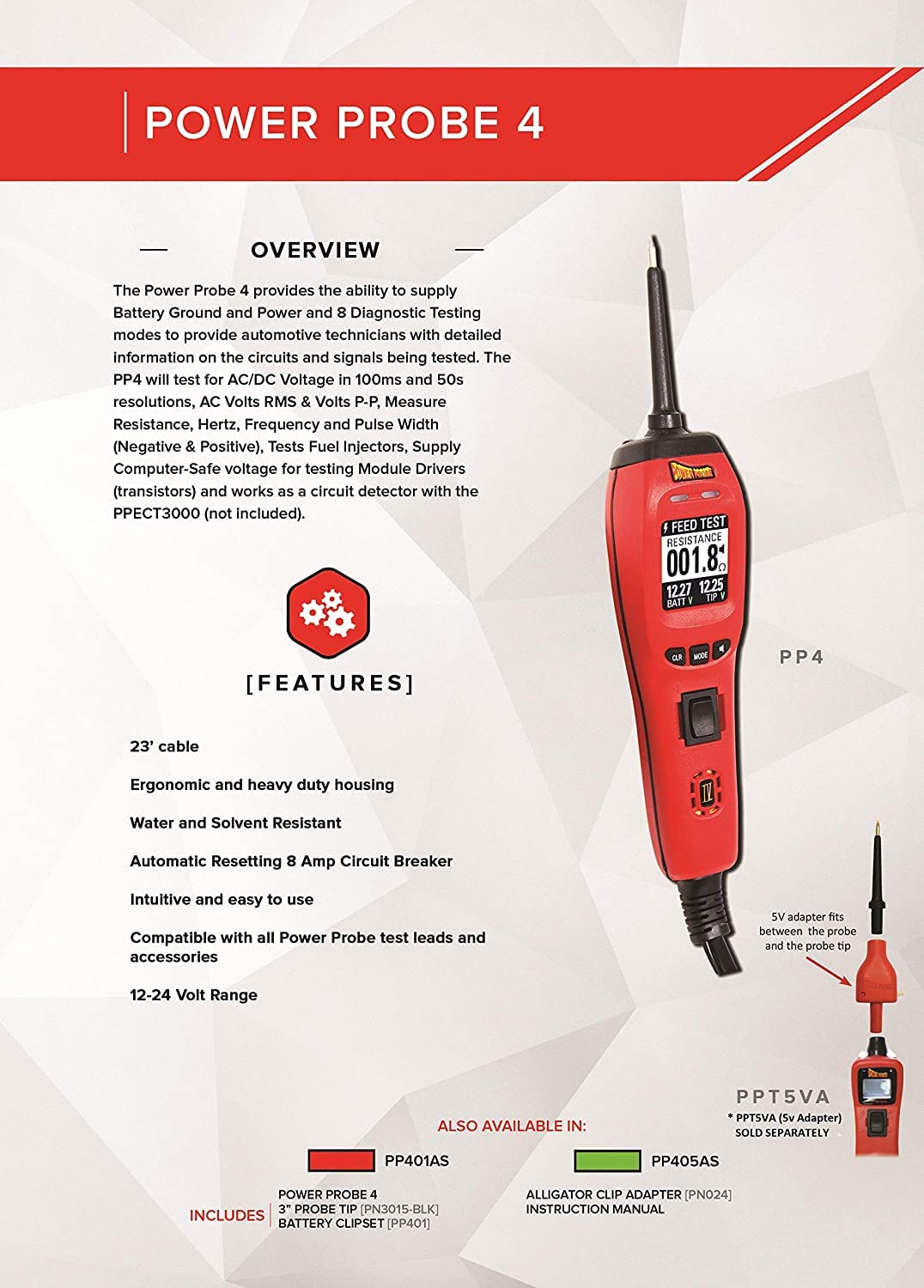
Image 2.1: Visual representation of the Power Probe IV's key features and design elements.
3. What's in the Box
Your Power Probe IV package typically includes the following items:
- Power Probe IV Unit (Model PP401AS)
- Battery Clip Set
- Instruction Manual
- Protective Carrying Case
4. Setup and Initial Connection
Before using your Power Probe IV, ensure a proper connection to the vehicle's battery.
- Connect the Red Clip: Attach the red battery clip to the positive (+) terminal of the vehicle's 12V or 24V battery.
- Connect the Black Clip: Attach the black battery clip to the negative (-) terminal of the vehicle's battery or a suitable chassis ground point.
- Power On: The Power Probe IV will power on automatically once connected. The LCD screen will illuminate, indicating it is ready for use.
Safety Note: Always ensure secure connections to prevent accidental disconnections or short circuits. Do not connect the Power Probe IV to voltages exceeding its specified operating range (12-24V).
5. Operating Instructions
The Power Probe IV features an intuitive interface with various modes for different diagnostic tasks. Familiarize yourself with the tool's controls and display.
5.1 Tool Overview and Controls
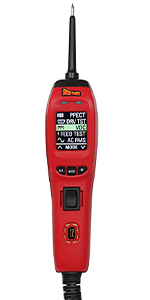
Image 5.1: Diagram illustrating the main components and controls of the Power Probe IV.
- Probe Tip: Used to contact circuits for testing.
- Flashlight: Illuminates the work area.
- Red/Green LEDs: Indicate positive (red) or negative (green) voltage at the probe tip.
- Color Screen: Displays measurement data and menu options.
- CLR Button (Left): Clears minimum/maximum readings or scrolls up in menus.
- MODE Button (Center): Selects different operating modes.
- Rocker Switch: Applies battery positive or negative voltage to the probe tip.
- Speaker: Provides audible feedback for certain functions.
5.2 Diagnostic Modes and Functions
Press the MODE button to cycle through the available diagnostic modes:

Image 5.2: Overview of the Power Probe IV's primary diagnostic capabilities.
- Power Up Mode:
Actively tests components like motors, lights, and fans by supplying power or ground. Use the rocker switch to apply voltage to the probe tip.

Image 5.3: Using the Power Probe IV to measure voltage at a battery terminal.
- Min/Max Readings:
Captures and displays minimum and maximum voltage spikes or drop-outs in circuits, useful for intermittent fault detection.
- Continuity & Resistance:
Tests the continuity of wires and components, and measures resistance (Ohms) to identify open circuits or shorts.

Image 5.4: Testing a fuse for continuity within a vehicle's fuse box.
- Frequency (Hz):
Measures the frequency of signals, essential for testing computer sensors and Pulse Width Modulation (PWM) circuits.

Image 5.5: The Power Probe IV displaying a frequency reading.
- Driver Test Mode:
Safely tests computer circuits that control relays, solenoids, and motors without causing damage.
- AC RMS, Peak to Peak:
Measures AC Root Mean Square (RMS) and Peak-to-Peak voltage outputs from alternators and sensors to verify correct operation.

Image 5.6: AC RMS Voltage display.

Image 5.7: AC Peak to Peak Voltage display.
- Fuel Injector Test Mode:
Reads operating values of individual fuel injectors, allowing technicians to compare them and identify faulty injectors.

Image 5.8: Testing a fuel injector with the Power Probe IV.
6. Maintenance
Proper maintenance ensures the longevity and accuracy of your Power Probe IV.
- Cleaning: Wipe the tool with a damp cloth to remove dirt and grime. Avoid harsh chemicals or abrasive cleaners.
- Storage: Store the Power Probe IV in its protective carrying case when not in use to prevent damage. Keep it in a dry environment.
- Cable Inspection: Regularly inspect the power cable and test leads for any signs of wear, cuts, or damage. Replace damaged components immediately.
- Probe Tip: Ensure the probe tip is clean and sharp for optimal contact.
7. Troubleshooting
If you encounter issues with your Power Probe IV, consider the following common troubleshooting steps:
| Problem | Possible Cause | Solution |
|---|---|---|
| Tool does not power on. | Incorrect or loose battery connection. Vehicle battery is dead. | Ensure red and black clips are securely connected to the correct battery terminals. Verify vehicle battery voltage. |
| No reading on screen. | Probe tip not making good contact. Circuit is open or dead. | Ensure firm contact with the circuit. Check for continuity or voltage in the circuit. |
| Circuit breaker trips frequently. | Overload on the circuit being tested. Short circuit detected. | Reduce the load on the circuit or investigate for a short circuit before reapplying power. The breaker resets automatically. |
| Inaccurate readings. | Poor connection. Damaged probe tip or cable. | Clean probe tip and ensure solid connection. Inspect cables for damage. |
If problems persist, contact Power Probe customer support for assistance.
8. Specifications
| Attribute | Detail |
|---|---|
| Model Number | PP401AS |
| Brand | Power Probe |
| Power Source | Battery Powered (Vehicle Battery 12-24V) |
| Item Weight | 3 Pounds |
| Product Dimensions | 4 x 8 x 4 inches |
| Cable Length | 23 feet (approx.) |
| Circuit Breaker | Automatic Resetting 8 Amp |
| Display | Large Color LCD |
9. Warranty and Support
For warranty information, technical support, or service inquiries, please refer to the official Power Probe website or contact their customer service department. Keep your purchase receipt as proof of purchase.
Optional protection plans may be available for extended coverage. Please check with your retailer or Power Probe for details.
Related documentsPP401AS


Ask a question about this manual
Ask about setup, troubleshooting, compatibility, parts, safety, or missing instructions. Manuals+ will review the question and use this page’s manual context to help answer it.