
Introduction
The Corsair Carbide Series 330R Titanium Edition is a mid-tower PC case designed for quiet operation and efficient cooling. It features sound-dampened panels, a three-speed fan controller, and optimized airflow paths to minimize noise while maintaining performance for various computing tasks, including gaming, streaming, and media editing. This manual provides essential information for setting up, operating, and maintaining your Carbide 330R Titanium Edition case.

Figure 1: Front-side view of the Corsair Carbide 330R Titanium Edition Mid-Tower Case.
Setup
Component Installation Overview
Before installing components, ensure the case is placed on a stable, flat surface. The Carbide 330R offers ample space for various PC components.
- Motherboard Compatibility: Supports ATX, Micro-ATX, and Mini-ITX motherboards.
- Graphics Card Space: Accommodates graphics cards up to 450mm in length.
- CPU Cooler Height: Supports CPU coolers up to 160mm in height.
- Drive Bays: Features four 3.5" / 2.5" hard drive bays with full SSD compatibility. There are also three 5.25" external drive bays.
Front Panel Connections
The front panel provides convenient access to USB ports and audio jacks.
- Two USB 3.0 ports for high-speed data transfer.
- Headphone and microphone jacks.
- Power and Reset buttons.

Figure 2: Top front panel with USB 3.0 ports, audio jacks, and power/reset buttons.
Internal Layout and Cable Management
The case is designed for efficient cable routing behind the motherboard tray to ensure clean aesthetics and improved airflow.

Figure 3: Internal view highlighting the motherboard tray and drive bay area.

Figure 4: Rear internal view demonstrating cable management options behind the motherboard tray.
Operating
Fan Controller
The integrated three-speed fan controller allows you to adjust the speed of connected fans to balance cooling performance and noise levels. The switch is located behind the front door panel.

Figure 5: Front panel detail showing the fan controller switch.
Noise Dampening Features
The Carbide 330R Titanium Edition features extensive noise dampening material on the front door, side panels, and top removable panel. This material helps to absorb sound from internal components, contributing to a quieter system.
Front Door Operation
The brushed aluminum front door panel is reversible and features angled air intakes. It can be opened to access the 5.25" drive bays and the front dust filter. The door helps to reflect internal noise away from the user.

Figure 6: Front door opened, showing the removable dust filter.
Maintenance
Dust Filter Cleaning
Regular cleaning of dust filters is crucial for maintaining optimal airflow and cooling performance. The Carbide 330R includes easily removable dust filters.
- Front Dust Filter: Located behind the front door. Gently pull the filter out for cleaning.
- Bottom Dust Filter: Positioned under the power supply intake. This filter can be slid out from the rear for cleaning.
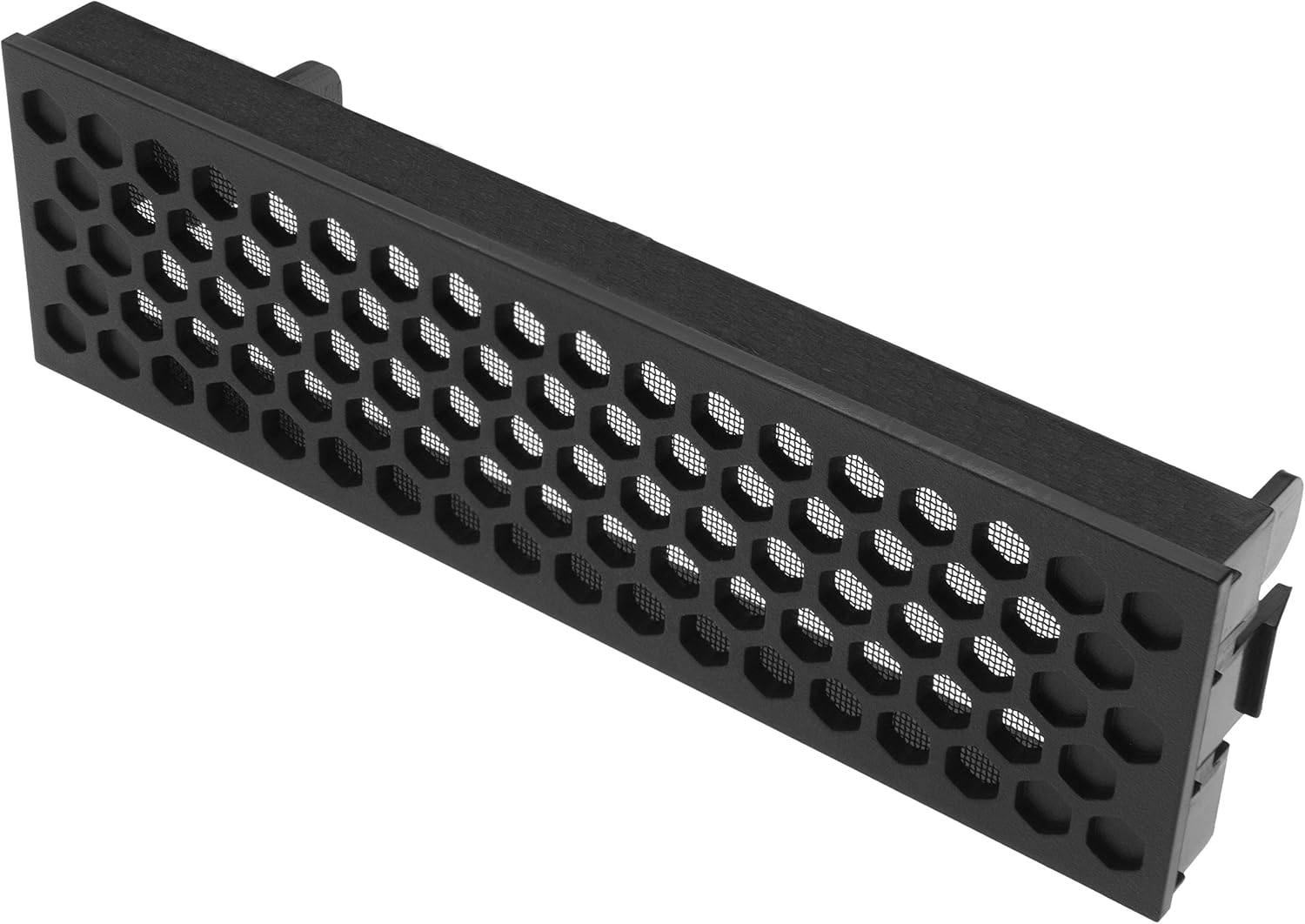
Figure 7: The front dust filter, detached for cleaning.

Figure 8: The removable dust filter located at the bottom of the case.
Interior Cleaning
Periodically, use compressed air to remove dust accumulation from internal components and fan blades. Ensure the system is powered off and unplugged before performing any interior cleaning.
Troubleshooting
If you encounter issues with your PC build within the Carbide 330R case, consider the following general troubleshooting steps:
- No Power: Verify all power supply connections to the motherboard, CPU, and graphics card. Ensure the power switch on the power supply unit is in the 'ON' position.
- Excessive Noise: Check fan connections to the fan controller and motherboard. Ensure no cables are obstructing fan blades. Clean dust filters and internal components.
- Overheating: Confirm all fans are spinning correctly. Ensure proper airflow by checking for obstructions and cleaning dust filters. Verify CPU cooler and GPU cooler installations.
- Front Panel Issues: If USB ports or audio jacks are not functioning, check their internal connections to the motherboard.
For more specific issues related to your PC components, refer to their respective manuals or manufacturer support.
Specifications
| Feature | Specification |
|---|---|
| Brand | Corsair |
| Model Name | CORSAIR Carbide 330R |
| Model Number | CC-9011071-WW |
| Case Type | Mid Tower |
| Motherboard Compatibility | ATX, Micro-ATX, Mini-ITX |
| Material | Aluminum |
| Color | Titanium |
| External Drive Bays | 3 x 5.25 inches |
| Internal Drive Bays | 4 x 3.5 inches / 2.5 inches |
| Expansion Slots | 7 |
| Front USB Ports | 2 x USB 3.0 |
| Cooling Method | Air |
| Special Features | Integrated three-speed fan controller, Noise Damping Material |
| Dimensions (H x W x D) | 19.1" x 8.3" x 19.4" (approx.) |
| Item Weight | 18.5 pounds |

Figure 9: Approximate dimensions of the Carbide 330R case.
Warranty and Support
For technical assistance or warranty inquiries, please contact Corsair customer support.
- Customer Service / Tech Support: 1-888-222-4346 opt. 1
- For the most current warranty information and support resources, please visit the official Corsair website.


