1. Introduction
Thank you for choosing the Trebs 815020 99283 Sorbet Machine. This appliance is designed to help you create delicious, healthy, and low-calorie sorbet from frozen fruits quickly and easily. Its compact design and simple operation make it a convenient addition to any kitchen. Please read this manual carefully before first use to ensure safe and optimal performance.

Figure 1: Trebs Sorbet Machine overview.
2. Important Safety Instructions
When using electrical appliances, basic safety precautions should always be followed to reduce the risk of fire, electric shock, and/or injury to persons, including the following:
- Read all instructions before operating the appliance.
- Do not immerse the motor base in water or other liquids.
- Unplug from outlet when not in use, before putting on or taking off parts, and before cleaning.
- Avoid contact with moving parts.
- Do not operate any appliance with a damaged cord or plug, or after the appliance malfunctions or has been dropped or damaged in any manner.
- The use of attachments not recommended or sold by the manufacturer may cause fire, electric shock, or injury.
- Do not use outdoors.
- Do not let cord hang over edge of table or counter, or touch hot surfaces.
- Do not place on or near a hot gas or electric burner, or in a heated oven.
- Always ensure the appliance is properly assembled before operation.
- Do not force food into the feeding tube. Use the provided pusher.
- Keep hands and utensils out of the feeding tube during operation to prevent injury.
3. Product Components
Familiarize yourself with the parts of your Trebs Sorbet Machine:
- Motor Base: Contains the motor and power switch.
- Feeding Tube Assembly: Where the fruit is inserted.
- Auger (Grinding Component): Processes the frozen fruit.
- Pusher: Used to guide fruit into the feeding tube.
- Lid: Covers the feeding tube.

Figure 2: The auger component being inserted into the machine.
4. Setup
Before first use, wash all removable parts (feeding tube assembly, auger, pusher, lid) in warm soapy water, rinse thoroughly, and dry completely. The motor base should only be wiped with a damp cloth.
To assemble the machine:
- Place the motor base on a clean, stable, and dry surface.
- Attach the feeding tube assembly to the motor base, ensuring it clicks securely into place.
- Insert the auger into the feeding tube assembly (refer to Figure 2).
- Place the lid on top of the feeding tube assembly.
- Ensure the pusher is ready for use.
5. Operating Instructions
Follow these steps to make delicious sorbet:
- Prepare your fruit: Ensure your fruit is frozen solid. For best results, allow frozen fruit to thaw slightly for 5-10 minutes before processing. Cut larger fruits into pieces that fit easily into the feeding tube.
- Plug in the machine: Connect the power cord to a suitable electrical outlet.
- Turn on the power: Locate the power switch on the side of the motor base and switch it to the 'ON' position. The machine will start running.
- Feed the fruit: Slowly drop the prepared frozen fruit into the feeding tube. Use the pusher to gently guide the fruit down towards the auger. Do not apply excessive force.
- Collect sorbet: Place a bowl directly under the sorbet dispenser to collect the freshly made sorbet. The machine can prepare approximately 400g of sorbet in just 1 minute.
- Turn off and unplug: Once all fruit is processed or you have reached your desired quantity, switch the power button to 'OFF' and unplug the machine from the outlet.
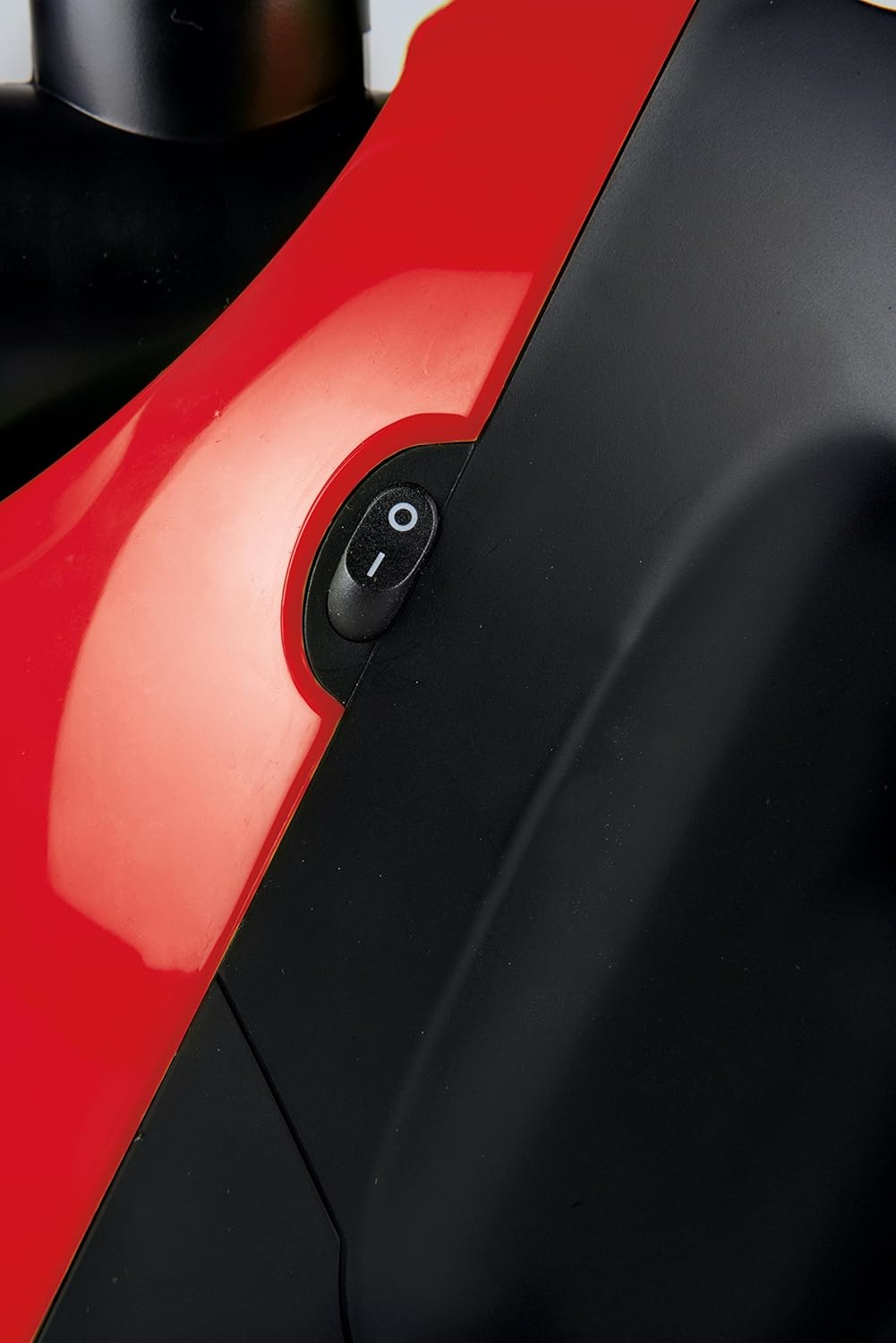
Figure 3: Power switch detail.

Figure 4: Trebs Sorbet Machine with finished sorbet.
6. Cleaning and Maintenance
Regular cleaning ensures the longevity and hygiene of your sorbet machine. The Trebs Sorbet Machine is designed for easy cleaning.
- Unplug the machine: Always ensure the machine is unplugged from the power outlet before cleaning.
- Disassemble: Carefully remove the feeding tube assembly, auger, pusher, and lid from the motor base.
- Wash removable parts: Wash the feeding tube assembly, auger, pusher, and lid in warm, soapy water. Use a brush if necessary to remove any fruit residue. Rinse thoroughly under running water.
- Clean motor base: Wipe the motor base with a damp cloth. Do not immerse the motor base in water or any other liquid.
- Dry thoroughly: Ensure all parts are completely dry before reassembling or storing the machine.
- Storage: Store the machine in a cool, dry place, away from direct sunlight.
7. Troubleshooting
If you encounter any issues with your Trebs Sorbet Machine, please refer to the following common problems and solutions:
| Problem | Possible Cause | Solution |
|---|---|---|
| Machine does not turn on. | Not plugged in; power switch off; power outage. | Ensure plug is securely in outlet; turn power switch to 'ON'; check household power supply. |
| Fruit is not processing or machine jams. | Fruit is too hard/large; too much fruit inserted at once. | Allow frozen fruit to thaw slightly; cut fruit into smaller pieces; feed fruit slowly. Unplug and clear any obstructions. |
| Loud noise during operation. | Normal motor operation; fruit too hard; improper assembly. | Some motor noise is normal. Ensure fruit is slightly thawed. Check that all components are securely assembled. |
| Sorbet consistency is too watery or icy. | Fruit not frozen enough or too thawed. | Ensure fruit is fully frozen before starting. If too hard, let it thaw for a few more minutes. |
8. Specifications
- Brand: Trebs
- Model Number: 99283
- Model Name: 815020
- Product Dimensions: 27 x 23.01 x 18.01 cm
- Item Weight: 1.67 kg
- Volume Capacity: 0.3 Litres
- Power/Wattage: 150 watts
- Material: Plastic
- Included Components: Recipe Book
- Operation Mode: Automatic
9. Warranty and Support
For warranty information or technical support, please refer to the warranty card included with your purchase or contact Trebs customer service directly. Keep your proof of purchase for any warranty claims.


