
1. Introduction
The Canon EF-S 24mm f/2.8 STM is a compact, lightweight, and versatile wide-angle prime lens designed for Canon APS-C (crop sensor) cameras. It offers a 35mm equivalent focal length of approximately 38mm, making it suitable for a variety of photographic applications, including street photography, portraits, and general everyday use. Its slim 'pancake' design minimizes bulk, enhancing portability for travel and casual shooting.
Key features include a fast f/2.8 maximum aperture for excellent low-light performance and shallow depth of field, an STM (Stepping Motor) for smooth and quiet autofocus, and full-time manual focus override. The lens construction features 6 elements in 5 groups, including one aspherical element, to deliver high image quality from the center to the corners. A rounded 7-blade diaphragm contributes to pleasing bokeh.

This lens is an excellent addition to any Canon APS-C photographer's kit, offering a blend of performance, portability, and affordability.
Overview of the Lens
Video 1: A detailed overview of the Canon EF-S 24mm f/2.8 STM Lens, highlighting its features and benefits as a solid investment for Canon users.
2. Setup: Attaching and Detaching the Lens
Properly attaching and detaching your lens is crucial to prevent damage to both the lens and your camera body. Always ensure your camera is powered off before changing lenses.
Attaching the Lens:
- Remove the rear lens cap from the EF-S 24mm f/2.8 STM lens and the body cap from your camera.
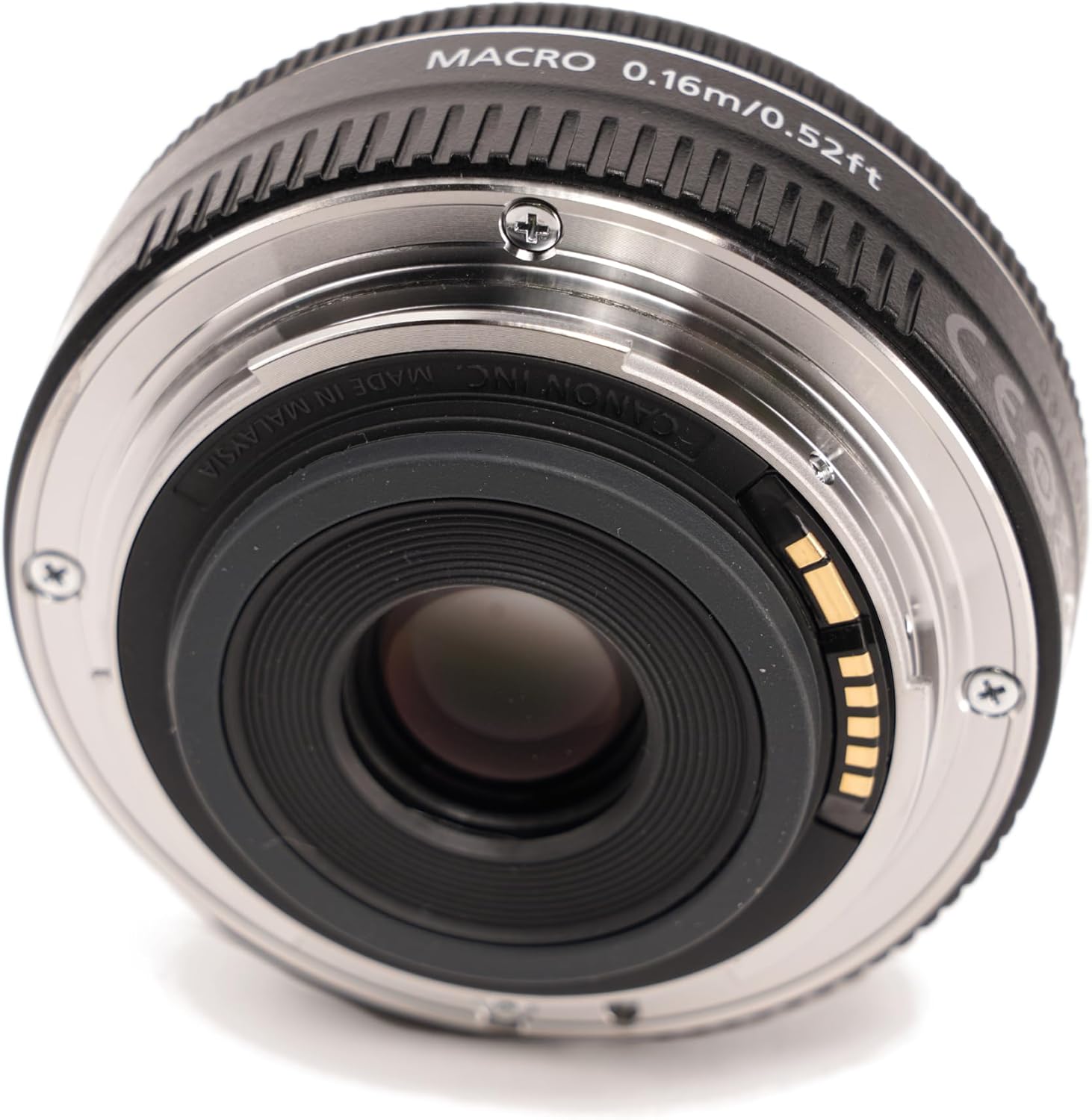
- Align the white square mark on the lens barrel with the white square mark on your camera's lens mount.
- Insert the lens into the camera mount and rotate it clockwise until it clicks into place. You should hear an audible click, indicating that the lens is securely locked.
Detaching the Lens:
- While holding down the lens release button on your camera body, rotate the lens counter-clockwise until it stops.
- Gently remove the lens from the camera mount.
- Attach the rear lens cap to the lens and the body cap to the camera to protect them from dust and damage.
Visual Guide for Lens Mounting
Video 2: Demonstrates the process of swapping lenses on a Canon EOS Rebel T1i, illustrating the general procedure for attaching and detaching EF-S lenses.
Video 3: Shows a lens swap on a Canon t3i, providing further visual reference for handling and mounting EF-S lenses.
3. Operating the Lens
The EF-S 24mm f/2.8 STM lens offers straightforward operation, designed for both beginners and experienced photographers.
Autofocus (AF) and Manual Focus (MF) Switch:
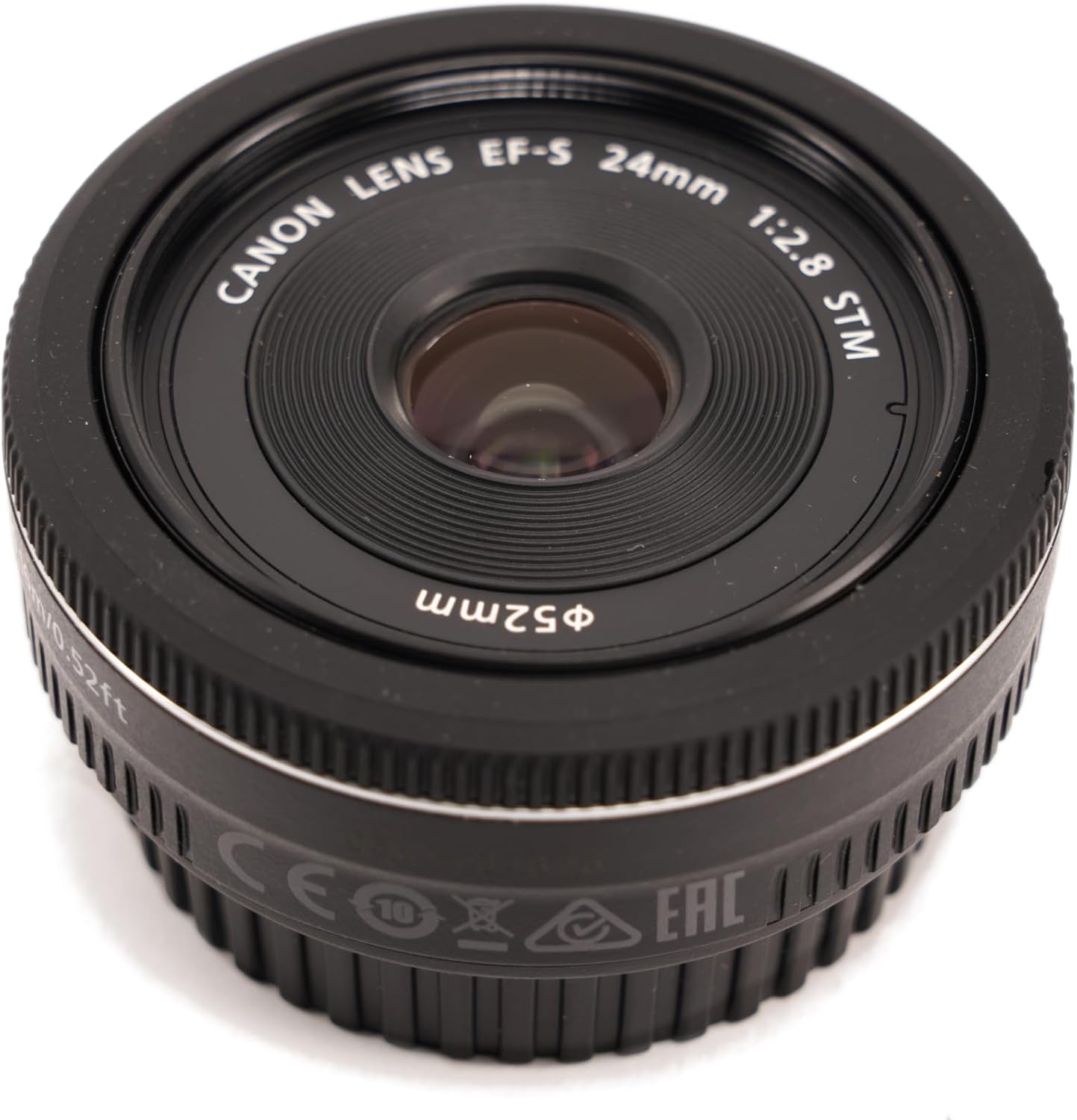
On the side of the lens barrel, you will find a switch to select between Autofocus (AF) and Manual Focus (MF). For general shooting, AF is recommended. For precise control over focus, especially in challenging lighting conditions or for creative effects, switch to MF.
Using the STM Autofocus Motor:
The STM motor provides smooth and quiet autofocus, which is particularly beneficial for video recording as it minimizes distracting focus motor noise. When using AF, the camera will automatically adjust the focus. This lens also supports Movie Servo AF on compatible EOS cameras, allowing for continuous, quiet focusing during video capture.
Full-Time Manual Focus (FTM):
Even when in AF mode, you can manually adjust the focus by rotating the focusing ring on the lens. This allows for fine-tuning focus without switching to MF mode, providing greater flexibility.
Aperture and Depth of Field:
With a maximum aperture of f/2.8, this lens excels in low-light conditions and allows for beautiful background blur (bokeh). You can control the aperture through your camera's settings to achieve desired exposure and depth of field effects.
Minimum Focusing Distance:
The lens has a minimum focusing distance of 0.16 meters (0.52 feet), allowing you to get close to your subjects for detailed shots.
Lens Operation and Performance
Video 4: Explores the fast and wide capabilities of the lens, focusing on its autofocus performance and suitability for various photographic scenarios.
Video 5: A review of the Canon EF-S 24mm f/2.8 STM Lens, discussing its overall performance and image quality.
Video 6: A brief demonstration of the Canon 24mm lens, showcasing its physical attributes and how it looks on a camera.
4. Maintenance and Care
To ensure the longevity and optimal performance of your Canon EF-S 24mm f/2.8 STM lens, follow these maintenance guidelines:
- Cleaning the Lens Surface: Use a soft, lint-free microfiber cloth specifically designed for optics. For stubborn smudges, use a lens cleaning solution applied to the cloth, not directly to the lens.
- Cleaning the Lens Body: Wipe the lens body with a clean, dry cloth. Avoid using solvents or harsh chemicals.
- Protecting the Lens: Always keep the front and rear lens caps on when the lens is not in use. Consider using a UV filter for added front element protection.
- Storage: Store the lens in a cool, dry place away from direct sunlight and extreme temperatures. If storing for extended periods, use a desiccant to prevent mold and mildew.
- Handling: Avoid dropping or subjecting the lens to strong impacts. Handle it by the barrel, not by the focusing ring or front element.
5. Troubleshooting
If you encounter issues with your Canon EF-S 24mm f/2.8 STM lens, consider the following common troubleshooting steps:
- Lens not recognized by camera: Ensure the lens is securely mounted and clicked into place. Clean the electronic contacts on both the lens and camera body with a clean, dry cloth. Power cycle the camera.
- Autofocus not working: Check that the AF/MF switch on the lens is set to AF. Ensure your camera's focus mode is set to autofocus. Verify there is sufficient light and contrast for the autofocus system to lock onto a subject.
- Blurry images: Check your camera's shutter speed and aperture settings. A slow shutter speed may cause blur due to camera shake. Ensure the lens is clean and free from smudges. If using manual focus, ensure accurate focusing.
- Dust inside the lens: For minor dust, it typically does not affect image quality. For significant dust or internal issues, professional servicing is recommended. Do not attempt to disassemble the lens yourself.
If problems persist, refer to your camera's instruction manual or contact Canon customer support.
6. Specifications
| Feature | Detail |
|---|---|
| Brand | Canon |
| Model Name | 9522B002 |
| Lens Type | Wide Angle, Prime |
| Focal Length | 24 Millimeters (38mm equivalent on APS-C) |
| Maximum Aperture | f/2.8 |
| Minimum Aperture | 22 |
| Lens Mount | Canon EF-S |
| Compatible Mountings | Canon EF |
| Focus Type | Auto Focus (STM) with Full-Time Manual Override |
| Number of Diaphragm Blades | 7 (rounded) |
| Photo Filter Size | 52 Millimeters |
| Minimum Focusing Distance | 0.16 m / 0.52 ft |
| Item Weight | 125 Grams |
| Lens Coating Description | General Coating" or "Standard Coating |
| UPC | 013803240801 |
7. Warranty and Support
The Canon EF-S 24mm f/2.8 STM Lens comes with a 1-year limited warranty covering both labor and parts. For warranty claims or technical support, please contact Canon Customer Service.
Manufacturer: Canon Cameras US
What's in the Box:
- EF-S 24mm F2.8 STM Lens
- LENS CAP E-52II
- LENS DUST CAP E
- One Year Limited Warranty Card
For further assistance, please refer to the official Canon support website or contact their customer service directly.


