
Introduction
This manual provides instructions for the installation, operation, maintenance, and troubleshooting of the Broan-NuTone AE80SL Invent Humidity Sensing Exhaust Fan with LED Light. This ENERGY STAR certified unit is designed to improve air quality in rooms up to 75 sq. ft. by effectively removing excess humidity and odors.
Key features of the Broan-NuTone AE80SL include:
- Humidity Sensing: Automatically activates when humidity levels rise above normal.
- Integrated LED Light: Features an 11-watt, 3000K LED lighting module for energy-efficient illumination.
- Quiet Operation: Operates at 80 CFM with a low noise level of 0.8 Sones.
- Easy Installation: Designed for room-side retrofit installations with no attic access required, utilizing the EzDuct Connector.
- TrueSeal Damper Technology: Reduces air leakage by up to 50% to prevent cold and warm air backdrafts.
- UL Listed: Approved for use over bathtubs and showers when connected to a GFCI circuit.
Setup and Installation
The Broan-NuTone AE80SL fan is designed for both new construction and retrofit installations. The foldable mounting ears and EzDuct Connector facilitate a straightforward installation process, often achievable from the room side without requiring attic access.

Image: The internal housing of the Broan-NuTone AE80SL fan, highlighting the foldable mounting ears and the EzDuct Connector for simplified installation.
General Installation Steps:
- Preparation: Ensure power is disconnected at the circuit breaker before beginning any electrical work. Identify the desired location for the fan, ensuring adequate space and structural support.
- Housing Placement: For new construction, use the mounting ears to attach the fan housing directly to the ceiling joists. For retrofit installations, fold the mounting ears back to slide the housing into the existing ceiling opening. Secure the housing to the ceiling structure through the housing walls.
- Duct Connection: Connect the ductwork to the EzDuct Connector. The removable flange of the EzDuct Connector allows for room-side installation, eliminating the need for attic access. Secure the ductwork with appropriate tape or clamps to ensure an airtight seal.
- Electrical Wiring: Connect the electrical wiring according to local codes and the wiring diagram provided in the full instruction manual. Ensure all connections are secure. The unit requires a 120V AC power source.
- Motor and Grille Installation: Install the motor assembly into the housing. Attach the grille, ensuring it is flush with the ceiling.
Video: Broan Flex Installation Video. This video demonstrates the installation process for the Broan Flex series, including how to handle new construction and retrofit installations, and the use of the EzDuct Connector and TrueSeal damper technology.
Operating Instructions
The Broan-NuTone AE80SL fan features an integrated humidity sensor and an LED light. The fan operates automatically based on detected humidity levels or can be controlled manually.
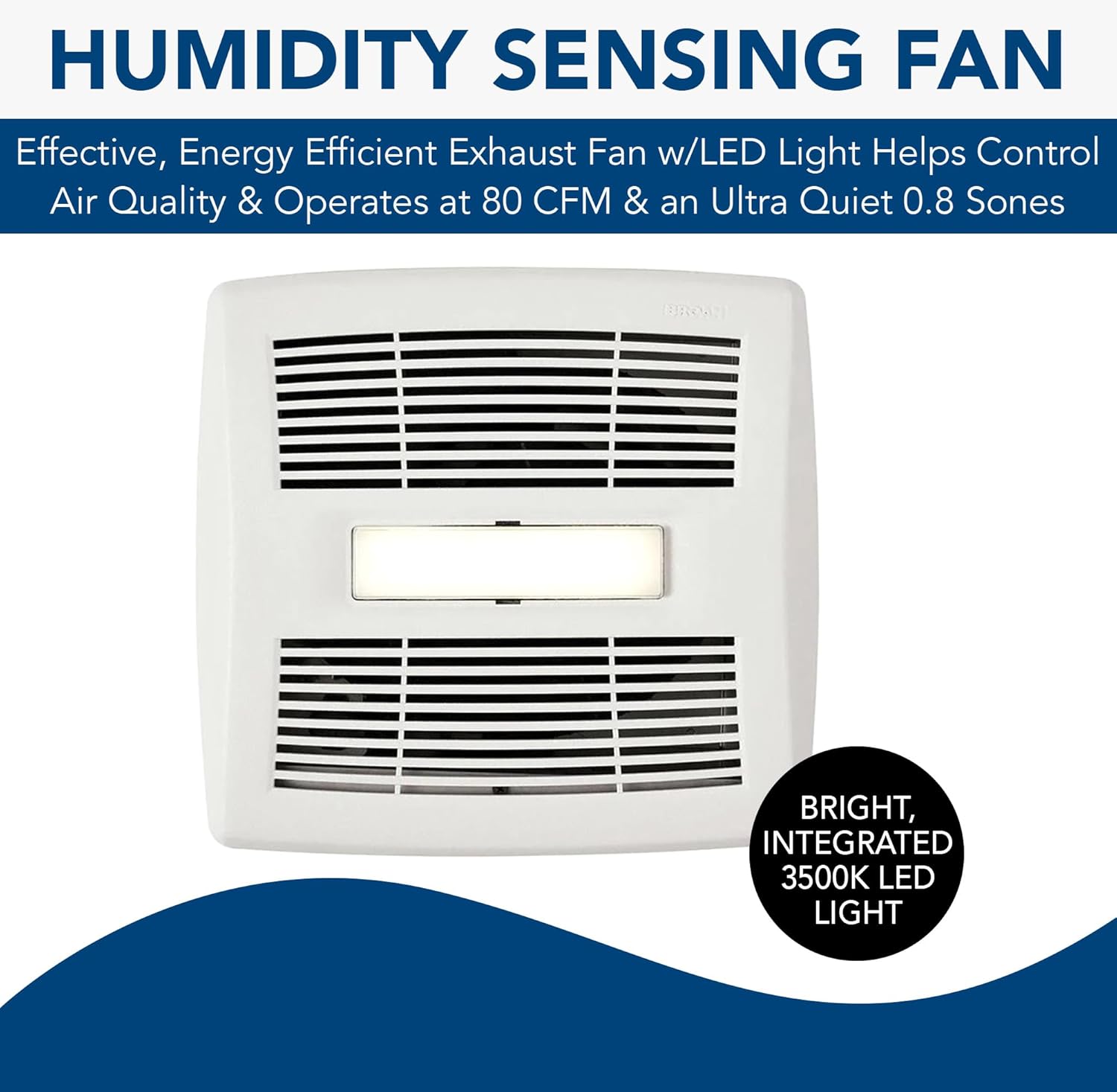
Image: Close-up of the Broan-NuTone AE80SL fan grille, showing the central LED light and the fan vents.
- Humidity Sensing Operation: The fan is equipped with Sensaire™ Humidity Sensing Technology. It automatically turns on when it detects that the humidity level in the room is higher than the set point. The fan will continue to operate until the humidity level drops below the set point, or for a set timer duration if configured.
- Adjusting Humidity Set Point: The humidity sensor has an adjustable set point. Refer to the detailed wiring diagram and control instructions in the full manual for precise adjustment of the humidity threshold.
- LED Light Operation: The integrated 3000K LED light can be operated independently or in conjunction with the fan, depending on how it is wired to your wall switch.

Image: Internal view of the Broan-NuTone AE80SL fan, showing the humidity sensor and adjustable fan timer switch components.
Maintenance
Regular maintenance ensures optimal performance and longevity of your Broan-NuTone AE80SL fan. Always disconnect power at the circuit breaker before performing any maintenance.
- Cleaning the Grille: Periodically remove the grille and wash it with mild soap and water. Rinse thoroughly and dry completely before reattaching.
- Cleaning the Fan Assembly: With the power off and grille removed, gently wipe the fan blades and interior of the housing with a damp cloth to remove dust and debris. Avoid getting moisture into electrical components.
- Motor Lubrication: The motor is permanently lubricated and does not require additional oiling.
Troubleshooting
If your Broan-NuTone AE80SL fan is not operating as expected, consult the following common issues and solutions:
| Problem | Possible Cause | Solution |
|---|---|---|
| Fan does not turn on. | No power, faulty wiring, motor issue. | Check circuit breaker. Verify wiring connections. If issues persist, consult a qualified electrician. |
| Fan runs continuously or turns on at low humidity. | Humidity sensor set point too low, sensor malfunction. | Adjust the humidity sensor set point to a higher percentage. If the problem continues, the sensor may require inspection or replacement by a professional. |
| Fan is noisy. | Loose parts, dirty fan blades, motor wear, duct obstruction. | Ensure grille and motor assembly are securely fastened. Clean fan blades. Check ductwork for obstructions. If noise persists, motor may need servicing. |
| LED light does not work. | No power to light, faulty LED module. | Check light switch and wiring. If the LED module is integrated, it may require replacement of the entire module. |
For issues not covered here or if troubleshooting steps do not resolve the problem, it is recommended to contact Broan-NuTone customer support or a certified technician.
Specifications
| Feature | Detail |
|---|---|
| Brand | Broan-NuTone |
| Model Name | AE80SL |
| Air Flow Capacity (CFM) | 80 Cubic Feet Per Minute |
| Noise Level (Sones) | 0.8 Sones |
| Recommended Room Size | Up to 75 Sq. Ft. |
| LED Light | 11 Watt, 3000K Integrated LED Module |
| Power Source | AC |
| Voltage | 120 Volts |
| Wattage | 26.9 watts |
| Product Dimensions (D x W x H) | 11.75"D x 12.5"W x 5.75"H |
| Item Weight | 1 pound (16 ounces) |
| Special Features | Humidity Sensing, Room-side Installation, ENERGY STAR Certified |
| Installation Type | Room-side |
| UPC | 026715249275 |
Warranty Information
According to the product specifications, there is No Warranty provided for the Broan-NuTone AE80SL. Please refer to your retailer's return policy or contact Broan-NuTone directly for any specific inquiries regarding product guarantees or support.
Support
For further assistance, technical support, or to inquire about replacement parts, please contact Broan-NuTone customer service. Contact information can typically be found on the manufacturer's official website or on the product packaging.
You may also visit the Broan-NuTone Store on Amazon for additional product information and resources.


