
Broan-NuTone AE80LK
Contents
Broan-NuTone AE80LK Ventilation Fan with LED Light User Manual
Model: AE80LK
Introduction
This manual provides detailed instructions for the installation, operation, and maintenance of your Broan-NuTone AE80LK Ventilation Fan with LED Light. This ENERGY STAR certified fan is designed to provide efficient ventilation and illumination for rooms up to 75 sq. ft., featuring a low-profile CleanCover grille and roomside installation capabilities.
Important Safety Information
Read all instructions carefully before installation and operation. Failure to follow these instructions may result in electric shock, fire, or personal injury.
- Always disconnect power at the service panel before wiring or servicing the unit.
- All wiring must comply with local electrical codes and standards.
- This unit is designed for general ventilating use only. Do not use to exhaust hazardous or explosive materials and vapors.
- To reduce the risk of fire or electrical shock, do not expose to water or rain.
- This product is UL listed for use over bathtubs or showers when connected to a GFCI-protected branch circuit.
- Ensure the fan is properly grounded.
Package Contents
Verify that all components are present before beginning installation:
- Ventilation Fan Housing with Motor and Blower
- LED Lighted CleanCover Grille
- Non-Metallic Damper/Duct Connector
- Integrated LED Module
- Installation Hardware (SnapFit Flange Kit, EzDuct connector, FoldAway mounting ears)
Installation Instructions
The Broan-NuTone AE80LK is designed for versatile installation, including roomside installation without attic access. It fits 2"x6" ceiling construction.
1. Prepare the Opening
For retrofit installations, carefully remove the existing fan. The SnapFit Flange Kit provides a self-trimming finish to cover rough cuts. Ensure the ceiling opening is adequate for the fan housing dimensions (approximately 9.25" x 10" x 5.75").

Figure 1: Securing the fan housing during roomside installation. This image illustrates the process of fastening the fan unit into the ceiling from below, highlighting the roomside installation feature.
2. Mount the Housing
Utilize the FoldAway mounting ears to secure the fan housing to the ceiling joists. The unit is designed to screw into a joist on one side. For roomside installation, the SnapFit Flange Kit and EzDuct connector simplify the process.
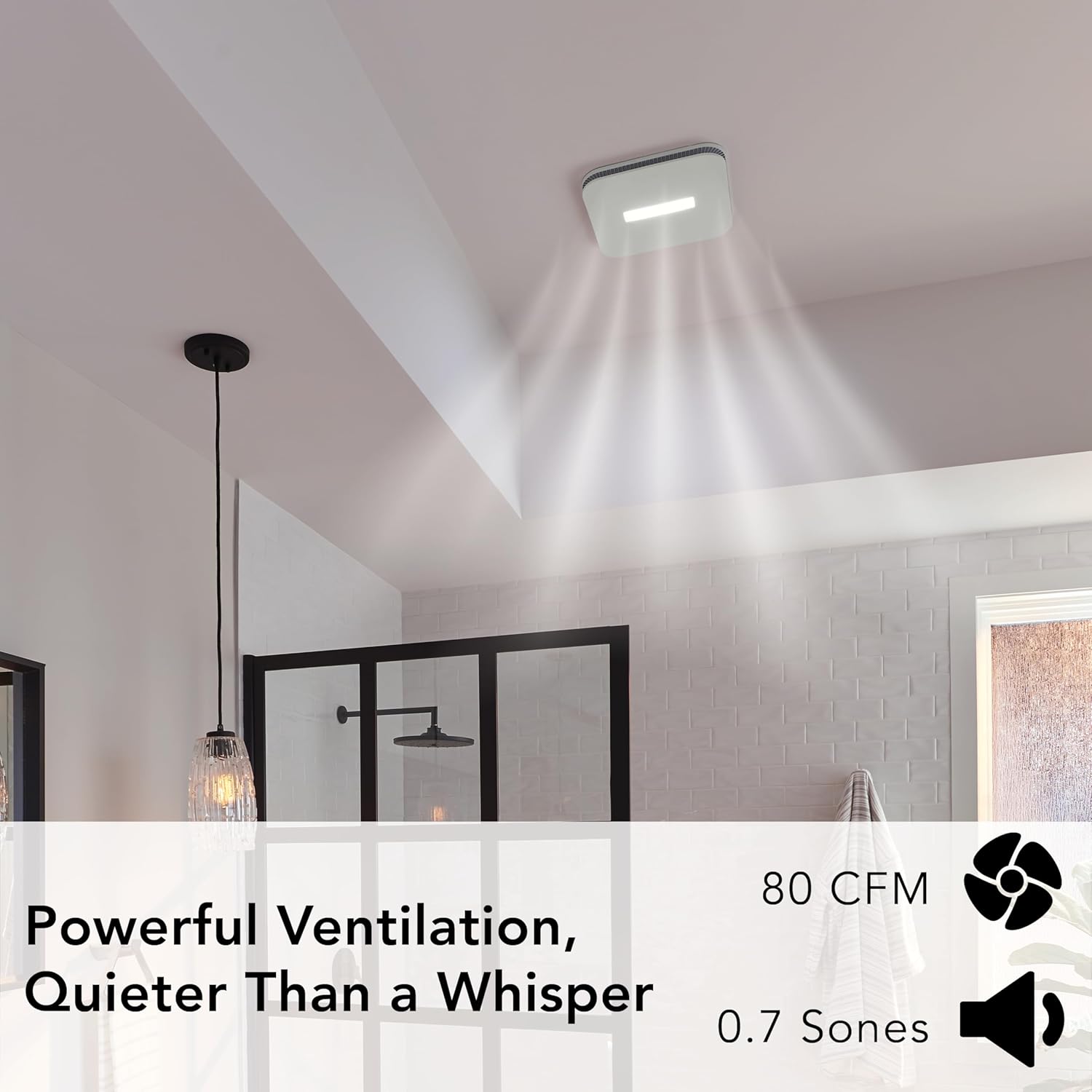
Figure 2: Product dimensions for the fan housing and grille. The housing measures 9.25"D x 10"W x 5.75"H, and the grille is 12.25" x 12.25". This diagram helps in preparing the correct ceiling opening.
3. Connect Ductwork
Attach the non-metallic damper/duct connector to the fan housing. Connect appropriate ductwork (typically 4-inch round) to the connector. Ensure all connections are sealed to prevent air leakage.
4. Electrical Wiring
Connect the electrical wiring according to local codes. The fan and LED light have separate wiring for independent control. This unit requires a 120V AC power source. Ensure the circuit is GFCI-protected if installed over a bathtub or shower.
5. Install the Grille
Once the housing is secured and wired, attach the LED lighted CleanCover grille. The grille is designed for a seamless appearance. Carefully align and secure the grille to the housing.

Figure 3: Assembled Broan-NuTone AE80LK fan with the CleanCover grille. This image displays the complete unit, highlighting its low-profile design and integrated LED light.
Operating Instructions
The Broan-NuTone AE80LK fan and light are typically controlled by separate wall switches (not included). Ensure proper wiring during installation to enable independent operation.
- Fan Operation: Flip the designated wall switch to turn the ventilation fan ON or OFF. The fan operates at 80 CFM with a noise level of 0.7 Sones.
- Light Operation: Flip the designated wall switch to turn the integrated LED light ON or OFF.

Figure 4: Fan in operation, illustrating powerful ventilation and quiet performance. The image shows the fan installed in a bathroom ceiling, with light emanating from the LED panel and subtle indicators for airflow and sound level (80 CFM, 0.7 Sones).
Maintenance
Regular cleaning of your ventilation fan will ensure optimal performance and longevity. Always disconnect power before performing any maintenance.
- Grille Cleaning: The CleanCover grille is designed for easy maintenance. Gently pull down the grille to detach it from the housing. Wipe the grille with a damp cloth and mild detergent. Do not use abrasive cleaners.
- Fan Blade Cleaning: With the grille removed, carefully wipe the fan blades and motor housing to remove dust and debris. Avoid getting moisture into the motor.
- LED Module: The integrated LED module is designed for long life and typically does not require maintenance or replacement.
- Reassembly: Once clean, reattach the grille by aligning it with the housing and pushing it gently until it clicks into place.

Figure 5: Detail of the CleanCover grille. This image highlights the smooth, easy-to-clean surface of the grille, which minimizes dust accumulation compared to traditional vented grilles.
Troubleshooting
If your Broan-NuTone AE80LK fan is not operating as expected, consult the following common issues and solutions:
| Problem | Possible Cause | Solution |
|---|---|---|
| Fan does not operate. | No power to the unit; loose wiring; faulty switch. | Check circuit breaker/fuse. Verify all wire connections are secure. Test or replace the wall switch. |
| Fan is noisy or vibrates. | Loose mounting; debris in blower wheel; damaged motor. | Ensure housing is securely mounted. Disconnect power and clean blower wheel. If noise persists, contact customer support. |
| Poor air movement. | Blocked ductwork; dirty grille/blower; incorrect fan size for room. | Check ductwork for obstructions. Clean grille and blower. Ensure fan is appropriate for room size (up to 75 sq. ft.). |
| LED light does not work. | No power to the light; loose wiring; faulty LED module. | Check power supply. Verify light wiring connections. If integrated LED module is faulty, contact customer support. |
Specifications
- Model: AE80LK
- Brand: Broan-NuTone
- Air Flow Capacity: 80 Cubic Feet Per Minute (CFM)
- Noise Level: 0.7 Sones
- Room Coverage: Up to 75 sq. ft.
- Power Source: AC
- Voltage: 120.0 V
- Wattage: 23.4 watts
- Efficiency: 5.33 cubic feet per minute per watt
- Product Dimensions: 12.25"D x 12.25"W x 5.75"H
- Housing Dimensions: 9.25" x 10" x 5.75"
- Color: White
- Installation Type: Room-side installation
- Special Features: Energy efficient LED lighting, Reduced air leakage (TrueSeal Damper Technology), Flexible installation
- Certifications: ENERGY STAR Certified, UL Listed (for use over bathtubs/showers with GFCI), HVI-2100 Certified
- Included Components: Non-Metallic Damper/Duct Connector, Integrated LED Module
Warranty and Support
The Broan-NuTone AE80LK Ventilation Fan is backed by a three-year limited warranty. For warranty claims, technical assistance, or to purchase replacement parts, please contact Broan-NuTone customer support. Refer to the official Broan-NuTone website for the most current contact information and detailed warranty terms.
Online Resources: www.broan-nutone.com
Ask a question about this manual
Ask about setup, troubleshooting, compatibility, parts, safety, or missing instructions. Manuals+ will review the question and use this page’s manual context to help answer it.