
JVC HA-ETX30-P-E
JVC HA-ETX30-P-E In-Ear Headphones User Manual
Model: HA-ETX30-P-E
Introduction
Thank you for purchasing the JVC HA-ETX30-P-E In-Ear Headphones. These headphones are designed for active lifestyles, offering a secure fit and waterproof performance, making them ideal for sports and outdoor activities. This manual provides essential information on setup, operation, maintenance, and troubleshooting to ensure optimal performance and longevity of your headphones.

Image: The JVC HA-ETX30-P-E in-ear headphones in pink, showcasing their design with ear hooks and a purple cable.
Safety Information
Please read and follow these safety guidelines to prevent injury or damage to your headphones:
- Do not expose headphones to extreme temperatures or humidity.
- Avoid listening at excessively high volumes for prolonged periods to prevent hearing damage.
- Keep out of reach of small children.
- Do not disassemble or attempt to repair the headphones yourself.
- Ensure the jack is clean and dry before connecting to a device.
Package Contents
Verify that all items are present in your package:
- JVC HA-ETX30-P-E In-Ear Headphones
- Ear tips (S, M, L sizes)
- Cable clip
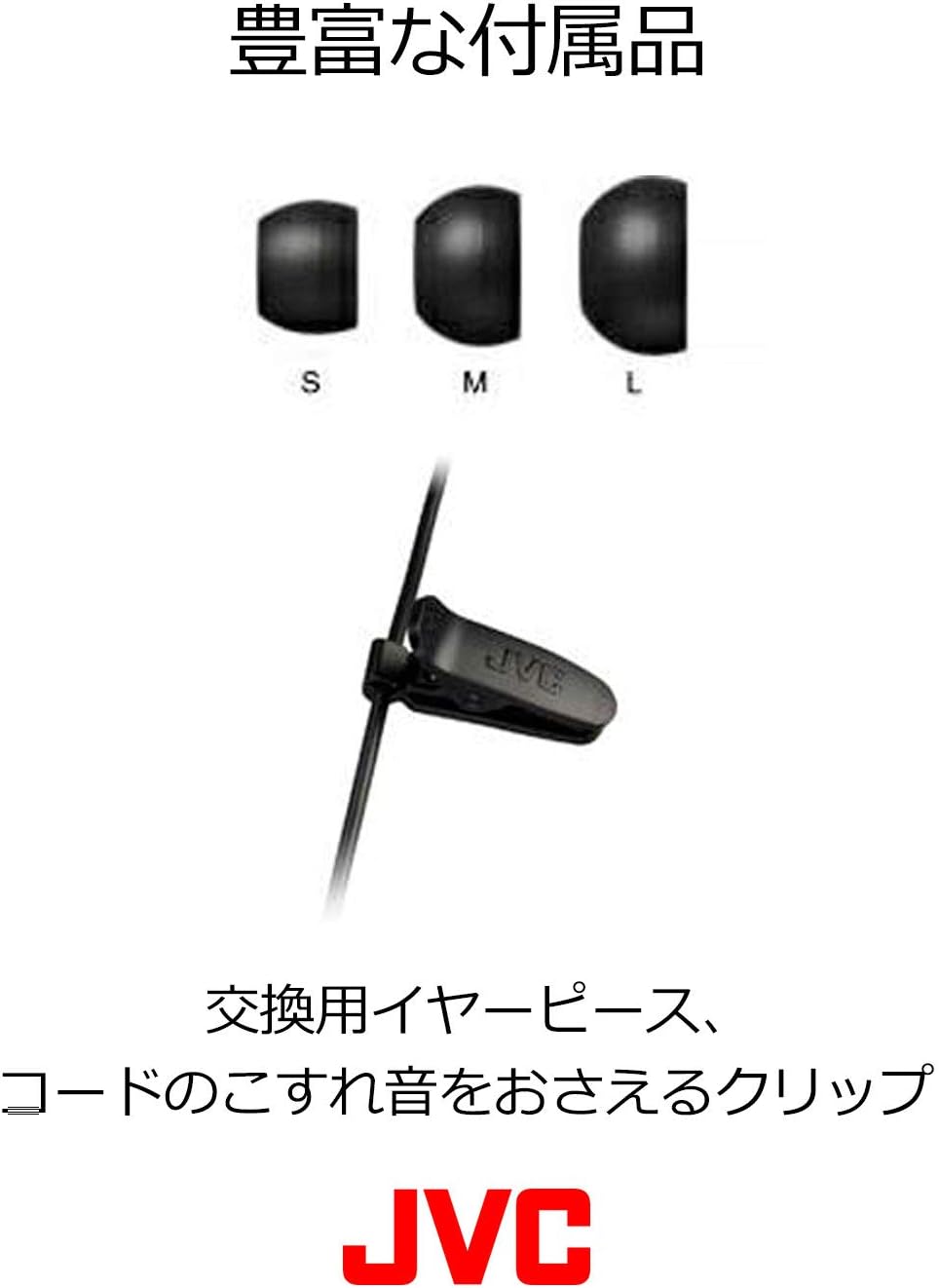
Image: Included accessories: small, medium, and large ear tips, along with a cable clip for managing the headphone cord.
Setup
1. Choosing the Right Ear Tips
Select the ear tips (S, M, L) that provide the most comfortable and secure fit for your ears. A proper seal is crucial for optimal sound quality and bass response, as well as for the noise isolation feature.
2. Wearing the Headphones
The HA-ETX30-P-E headphones feature a pivot motion support design for a secure fit during physical activity. Gently insert the earbud into your ear canal and adjust the ear hook to rest comfortably and securely around the contour of your ear.

Image: A diagram illustrating the "pivot motion support" design for a comfortable and stable fit within the ear, shown alongside a person wearing the headphones during exercise.
3. Connecting to Your Device
Connect the 3.5mm jack of the headphones into the headphone port of your audio device (smartphone, MP3 player, computer, etc.). Ensure the connection is firm.
Operating Instructions
Audio Playback
Once connected, begin audio playback from your device. Adjust the volume using your device's controls. The headphones are designed to provide clear audio with excellent noise isolation, allowing you to focus on your activity.

Image: A close-up of a person wearing the JVC HA-ETX30-P-E headphones during a workout, demonstrating their secure fit and how they enable focus on sports.
Remote Control (if applicable)
The HA-ETX30-P-E features a remote control on the cable. Use it to:
- Play/Pause: Press the button once.
- Skip Track: Press the button twice quickly for next track, three times for previous track.
- Answer/End Call: Press the button once during an incoming call.
Maintenance and Care
The JVC HA-ETX30-P-E headphones are designed to be waterproof (JIS protection level IPX5/IPX7 equivalent), making them easy to clean and maintain, especially after sports activities.
Cleaning Instructions
- After use, especially after sweating or exposure to rain, rinse the headphones under running tap water.
- Do not use detergents or abrasive cleaners.
- Ensure the 3.5mm jack is thoroughly dry before connecting to any device.
- Wipe the headphones with a soft, dry cloth.
- Remove ear tips periodically and clean them with water and mild soap, then dry completely before reattaching.

Image: Hands holding the JVC HA-ETX30-P-E headphones under running water, demonstrating their washable and waterproof design for easy cleaning after use.
Storage
Store your headphones in a clean, dry place away from direct sunlight and extreme temperatures.
Troubleshooting
| Problem | Possible Cause | Solution |
|---|---|---|
| No sound or low volume | Volume too low on device; improper connection; dirty jack/port; incorrect ear tip size. | Increase device volume; ensure 3.5mm jack is fully inserted; clean jack and device port; try different ear tip sizes for a better seal. |
| Sound distortion | Volume too high; damaged cable/driver. | Lower device volume; test with another device to confirm if headphones are faulty. |
| Headphones fall out easily | Incorrect ear tip size; improper wearing. | Try larger ear tips; ensure ear hooks are properly positioned around your ear. |
Specifications
- Model: HA-ETX30-P-E
- Connectivity: Wired (3.5 mm Jack)
- Ear Placement: In Ear
- Water Resistance Level: Waterproof (JIS protection level IPX5/IPX7 equivalent)
- Material: Silicone, Rubber
- Control Method: Remote (Play/Pause, Skip, Call)
- Included Components: Ear tips (S, M, L), Cable clip
- Item Weight: 18.14 g (0.64 ounces)
- Manufacturer: JVCKENWOOD
- GTIN (UPC): 04975769424670
Warranty and Support
The JVC HA-ETX30-P-E headphones come with a manufacturer's warranty. Please refer to the warranty card included in your original packaging for specific terms and conditions.
For technical support or warranty claims, please contact JVC customer service or visit the official JVC website. Keep your proof of purchase for warranty validation.
Manufacturer Warranty: 1 year(s)
JVC Official Website: www.jvc.com
Additional Information
These headphones are designed for a secure fit, especially during active use. The unique design helps them stay in place even during vigorous exercise.

Image: A man running outdoors while wearing the JVC HA-ETX30-P-E headphones, highlighting their secure fit for sports activities.
Official Product Videos
No official product videos from the seller were found for this model to embed in the manual.
Related documentsHA-ETX30-P-E


Ask a question about this manual
Ask about setup, troubleshooting, compatibility, parts, safety, or missing instructions. Manuals+ will review the question and use this page’s manual context to help answer it.