1. Introduction
This manual provides comprehensive instructions for the Scan Sound, Inc. Left-BUD Gold Earphone, Model LBUD3. This earphone is designed for single-ear stereo listening, utilizing patented 1-BUD technology to mix left and right audio channels into one earpiece. It is particularly beneficial for individuals with single-sided deafness (SSD) or those who prefer to keep one ear open to their surroundings.
2. Product Features
- 1-BUD Technology: Mixes left and right stereo audio channels into a single earpiece for the left ear.
- Secure Fit: Features a curved, flexible rubber loop that comfortably holds the earpiece in place over the ear.
- Universal Compatibility: Equipped with a standard 3.5mm gold-plated plug, compatible with most audio devices including smartphones, MP3 players, laptops, and car audio systems.
- Enhanced Durability: Features an enhanced cord with high-density internal wire strands and a durable, flexible outer sheath.
- Comfortable Design: Button-shaped earpiece rests gently in the outer ear, avoiding pressure on the inner ear.
- Slim-Style Plug: Designed to fit through most aftermarket carrying cases.
3. Package Contents
- 1 x Scan Sound, Inc. Left-BUD Gold Earphone (Model LBUD3)
4. Setup
- Unpack the Earphone: Carefully remove the earphone from its packaging.
- Inspect the Plug: The 3.5mm audio jack may have a clear plastic protective sleeve. Gently remove this sleeve if present to ensure proper connection.
- Connect to Device: Insert the 3.5mm gold-plated plug into the headphone jack of your audio device (e.g., smartphone, MP3 player, laptop). Ensure the plug is fully inserted for optimal sound quality.

Figure 1: Gold-Plated 3.5mm Audio Jack. This image shows a close-up of the earphone's gold-plated 3.5mm audio jack, ready for connection to an audio device.
5. Operating Instructions
- Wearing the Earphone: The Left-BUD earphone is designed for the left ear. Position the button-shaped earpiece gently in the larger opening of your left ear. Guide the flexible rubber loop over the top and down the back of your ear. This design ensures a secure and comfortable fit without inserting deep into the ear canal.

Figure 2: Left-BUD Earphone Worn on Ear. This image illustrates the correct placement of the Left-BUD earphone on a human ear, showing how the ear hook secures it.
- Audio Playback: Once connected and properly worn, begin playing audio from your device. Adjust the volume on your audio device to a comfortable listening level. The 1-BUD technology will automatically mix the stereo channels into a single mono output for your left ear.
- Awareness: This earphone allows you to maintain awareness of your surroundings with your right ear. Exercise caution when using in environments requiring full attention.
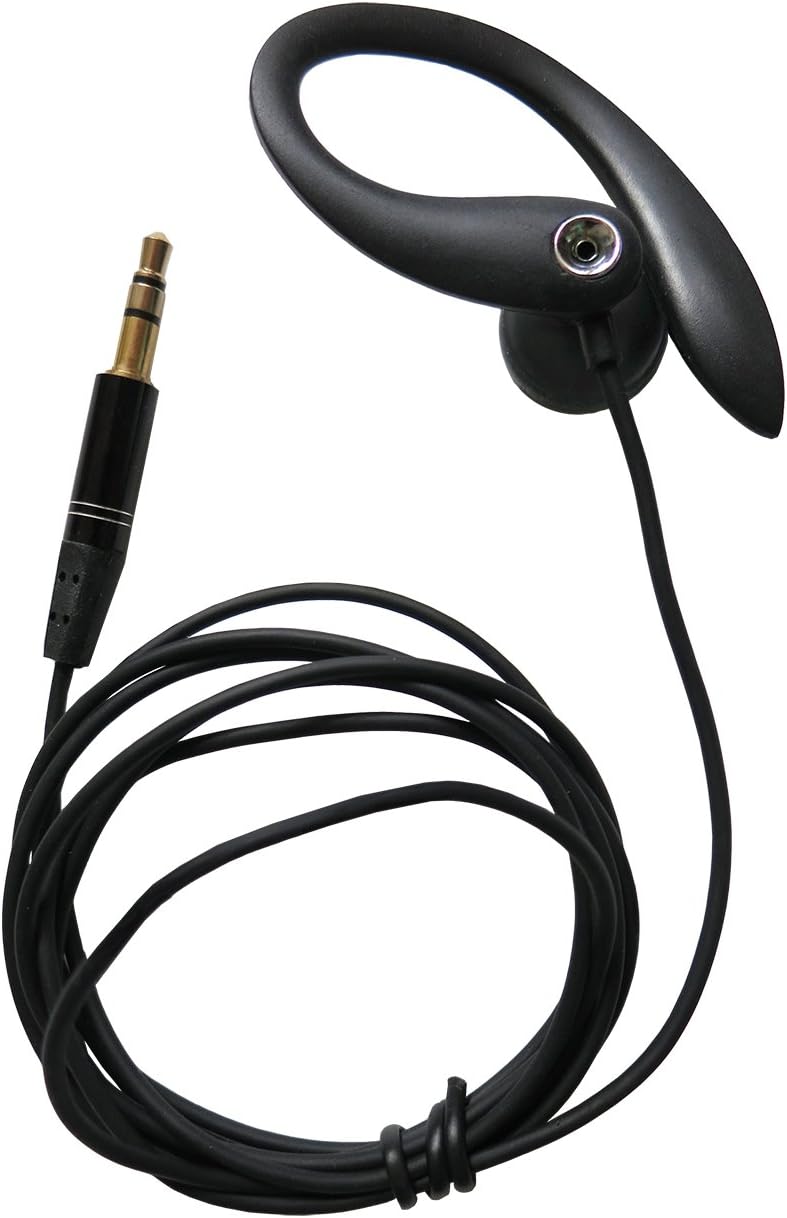
Figure 3: Scan Sound Left-BUD Gold Earphone. This image displays the complete Left-BUD earphone with its cable and 3.5mm jack.
6. Maintenance and Care
- Cleaning: Gently wipe the earpiece and rubber loop with a soft, dry cloth. Avoid using harsh chemicals or abrasive materials.
- Storage: When not in use, store the earphone in a clean, dry place. Avoid tangling the cord. Consider using a small case to protect it during travel.
- Handling: Do not pull the cord excessively or bend the ear hook forcefully. Handle the earphone by the earpiece or plug.
- Moisture: While the earphone is water-resistant, avoid prolonged exposure to moisture or submerging it in liquids.
7. Troubleshooting
| Problem | Possible Cause | Solution |
|---|---|---|
| No sound or low volume |
|
|
| Distorted or crackling sound |
|
|
| Earphone does not stay in place |
|
|
8. Specifications
- Model Name: LBUD3
- Brand: Scan Sound, Inc.
- Connectivity Technology: Wired
- Headphones Jack: 3.5 mm Jack (Gold-plated)
- Cable Feature: Kevlar Reinforced Cable
- Cord Length: Approximately 4 feet
- Ear Placement: In Ear (Left Ear)
- Form Factor: Over the Ear (with hook)
- Material: Plastic
- Item Weight: 0.352 ounces
- Product Dimensions: 6.5 x 2.25 x 1.25 inches
- Water Resistance Level: Water Resistant
- Special Feature: Curved rubber holds earpiece on the ear without pushing inside ear, wraps around the ear to naturally hold the earphone on the ear.
9. Warranty and Support
For warranty information and customer support, please refer to the documentation provided with your purchase or contact Scan Sound, Inc. directly through their official website or authorized retailers. Keep your proof of purchase for warranty claims.
10. Safety Information
- Hearing Protection: Avoid listening at high volume levels for extended periods to prevent hearing damage.
- Environmental Awareness: While this earphone allows for partial environmental awareness, do not use it in situations where inability to hear surrounding sounds could pose a danger (e.g., driving, cycling, operating machinery).
- Choking Hazard: Keep out of reach of small children due to small parts and the cable.
- Proper Disposal: Dispose of this product responsibly according to local electronic waste regulations.


