
Introduction
Thank you for choosing the Icom HM-154 Handheld Microphone. This manual provides essential information for the proper setup, operation, and maintenance of your microphone. Please read this manual thoroughly before using the product to ensure safe and efficient operation. The HM-154 is designed for use with compatible Icom transceivers, offering clear audio transmission and convenient control with its integrated Up-Down buttons.
Product Overview
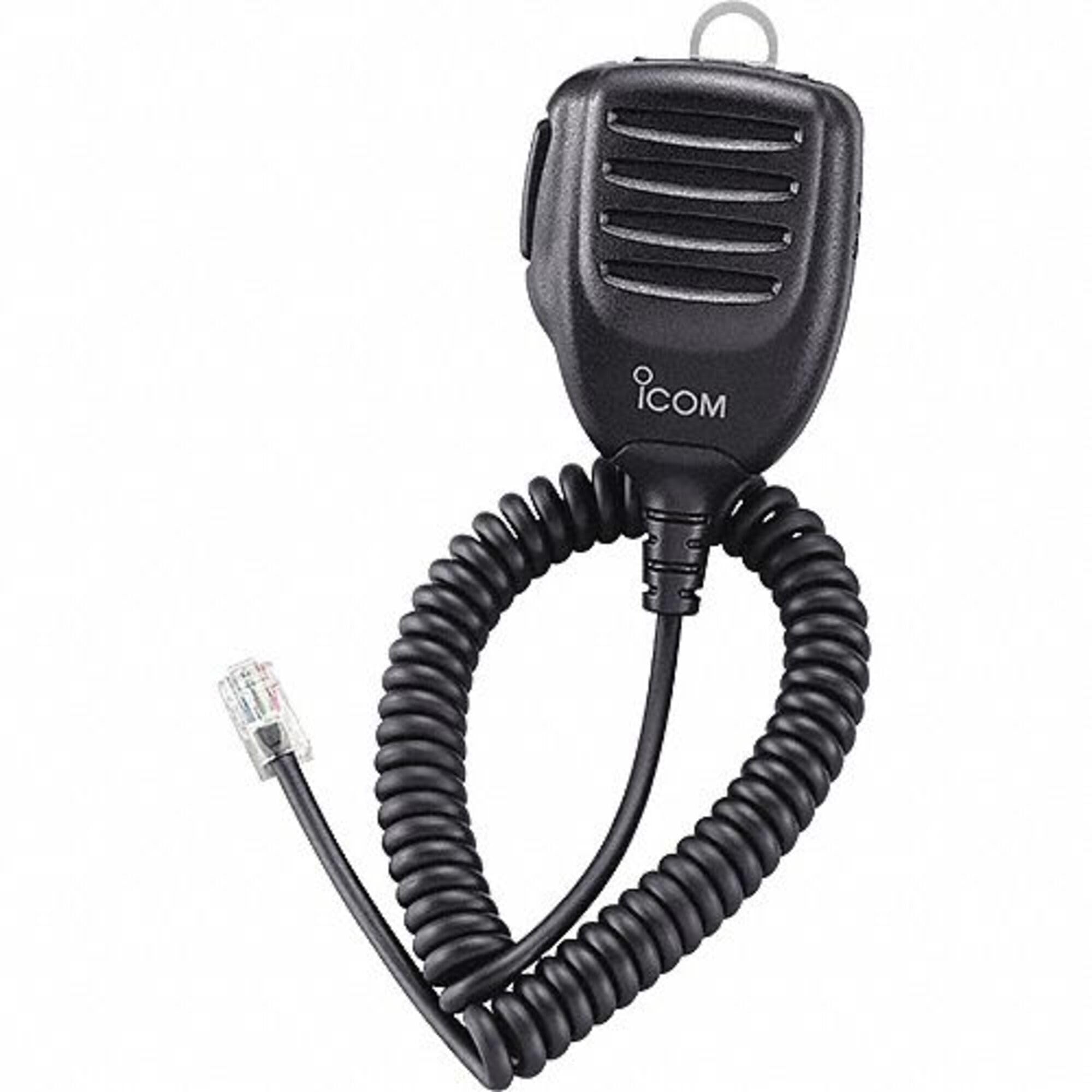
Figure 1: Icom HM-154 Handheld Microphone. This image displays the front view of the microphone, highlighting its ergonomic design, the Push-To-Talk (PTT) button on the side, and the Up/Down buttons located below the microphone grille.
The Icom HM-154 is a robust handheld microphone featuring an omnidirectional polar pattern for clear voice pickup. It includes a Push-To-Talk (PTT) button for transmission control and dedicated Up/Down buttons for convenient channel or frequency adjustment directly from the microphone.
Setup
- Unpacking: Carefully remove the HM-154 microphone from its packaging. Inspect for any signs of damage.
- Connecting to Transceiver: Locate the microphone jack on your compatible Icom transceiver. Align the connector of the HM-154 with the transceiver's jack and gently push until it clicks securely into place. Ensure the connection is firm to prevent intermittent audio.
- Initial Check: Turn on your transceiver. Perform a basic audio check by speaking into the microphone and monitoring the transmission (if permitted and safe to do so, e.g., using a dummy load or a local monitoring receiver).
Operating Instructions
Push-To-Talk (PTT) Button
- To transmit, press and hold the PTT button located on the side of the microphone.
- Speak clearly into the microphone grille at a normal speaking volume.
- Release the PTT button to return to receive mode.
Up/Down Buttons
- The Up and Down buttons, located below the microphone grille, are typically used for changing channels, frequencies, or memory banks on your connected Icom transceiver.
- Press the UP button to increment the selected value (e.g., move to the next channel).
- Press the DOWN button to decrement the selected value (e.g., move to the previous channel).
- Refer to your specific Icom transceiver's manual for detailed functionality of these buttons, as their exact operation may vary by model.
Maintenance
- Cleaning: Use a soft, dry cloth to wipe the exterior of the microphone. For stubborn dirt, a slightly damp cloth with mild soap can be used, followed by a dry cloth. Avoid using harsh chemicals or abrasive cleaners.
- Storage: When not in use, store the microphone in a clean, dry environment away from direct sunlight, extreme temperatures, and excessive dust.
- Cable Care: Avoid sharply bending or twisting the microphone cable. Do not pull on the cable to disconnect the microphone; always grasp the connector itself.
Troubleshooting
- No Audio Transmission:
- Ensure the microphone connector is fully seated in the transceiver's jack.
- Verify the PTT button is being pressed firmly during transmission.
- Check the transceiver's settings to ensure the correct microphone input is selected.
- Distorted Audio:
- Speak at a consistent distance and volume into the microphone.
- Check the transceiver's microphone gain settings; adjust if too high or too low.
- Up/Down Buttons Not Responding:
- Ensure the microphone is securely connected to the transceiver.
- Verify that the transceiver's settings allow for remote control via the microphone's Up/Down buttons.
- Consult your transceiver's manual for compatibility and configuration.
Specifications
| Feature | Specification |
|---|---|
| Model | HM-154 |
| Brand | ICOM |
| Polar Pattern | Omnidirectional |
| Audio Sensitivity | 54 Decibel |
| Item Weight | 340 grams |
| UPC | 701630969025 |
Warranty and Support
Warranty information for the Icom HM-154 Handheld Microphone is typically provided with the product packaging or can be found on the official Icom website. For technical support, service, or specific warranty details, please contact your authorized Icom dealer or visit the official Icom support portal. This manual does not contain specific warranty terms or support contact information.


