Introduction
The Broan-NuTone P82W Sensaire Humidity Sensing Wall Control Switch is designed to automate the operation of your bathroom exhaust fan. It utilizes Sensaire technology to detect changes in humidity, helping to prevent condensation and improve air quality. This control offers customizable settings for various environmental conditions and ventilation requirements.
Key Features
- Sensaire Technology: Responds to rapid increases in humidity to activate the fan, preventing condensation.
- Precise Sensitivity Adjustment: Allows variable setting from 20% to 80% relative humidity.
- Continuous Ventilation Mode: Operates the fan for a set number of minutes per hour to meet ASHRAE 62.2 whole-house mechanical ventilation requirements.
- Decorator Style Design: Blends seamlessly with existing switches, with settings concealed behind a door.
- User-Adjustable Delay Shut-off: Customize fan run-time from 10 to 60 minutes.
Installation
Installation of the Broan-NuTone P82W switch requires basic electrical knowledge. If you are unsure about any steps, consult a qualified electrician. Always turn off power at the circuit breaker before beginning installation.
Wiring Diagram and Connections
The switch is designed for single-gang box installation and operates on 120 VAC, 60 Hz. Ensure proper neutral wire connection for functionality.
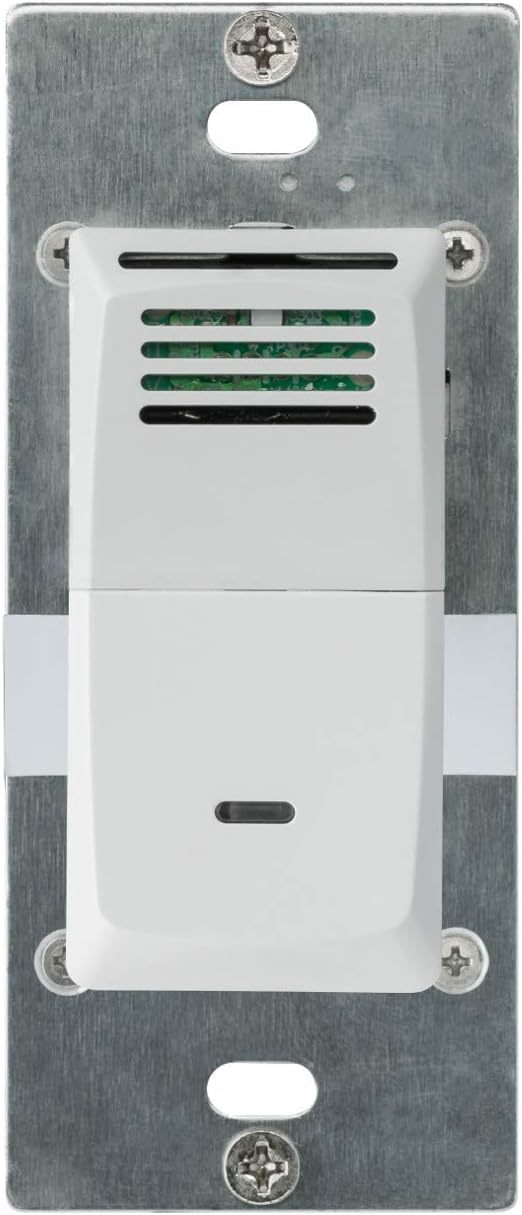
Image: Front view of the Broan-NuTone P82W humidity sensing wall control switch.
This image displays the front of the P82W switch, highlighting its clean white design suitable for modern interiors. The small vent at the top is where the humidity sensor is located, and the lower part functions as a manual push-button control.
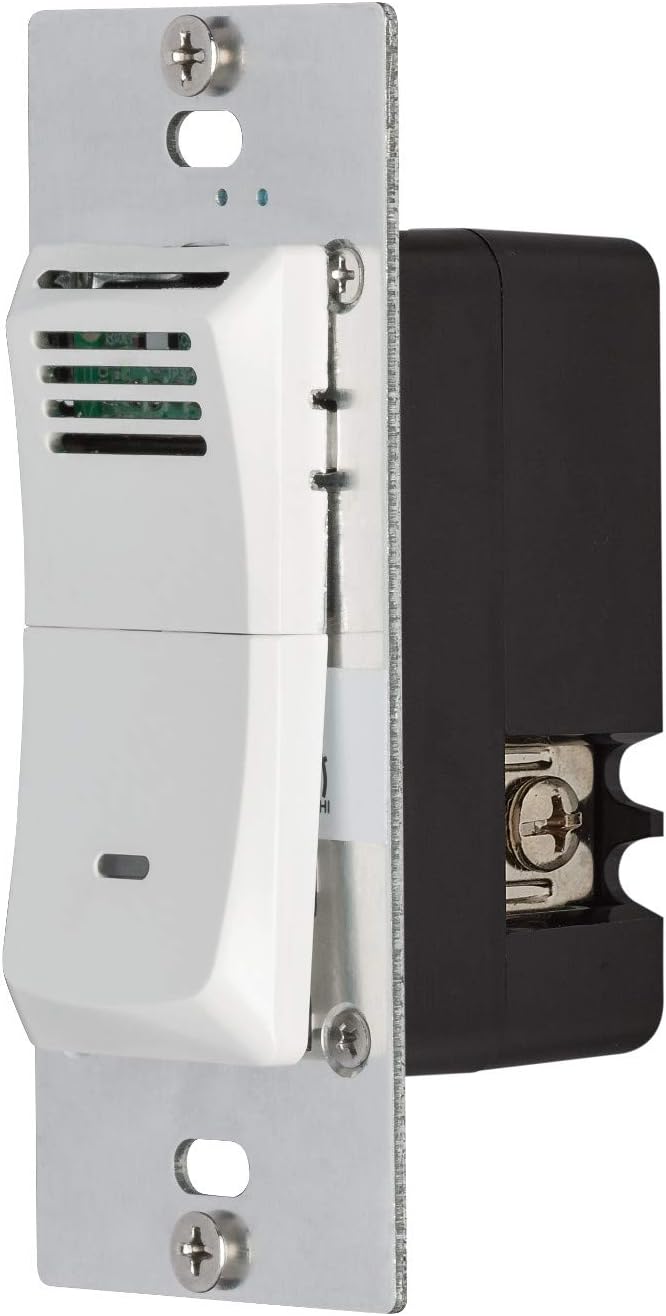
Image: Side view of the Broan-NuTone P82W humidity sensing wall control switch.
This side view illustrates the depth of the switch and the screw terminals on its side, which are used for connecting the electrical wiring during installation. It also shows the metal mounting plate.
Installation Video
Video: P82W 82W 82A Installation. This video provides a step-by-step guide on how to install the Broan-NuTone P82W humidity sensing wall control switch, including wiring and mounting procedures.
Operating Instructions
The P82W switch offers three operating modes: Auto Sense, Relative Humidity (RH%), and Cycle. These modes, along with adjustable time and sensitivity settings, allow for precise control over your bathroom fan's operation.
Accessing Adjustment Dials
To access the adjustment dials, gently squeeze the sides of the lower cover of the control and lift it outward. This will reveal three small dials for Time, RH%, and Sensitivity.

Image: Broan-NuTone P82W switch with cover removed, showing adjustment dials.
This image shows the internal adjustment dials of the P82W switch. From left to right, these dials control the fan's run time, the relative humidity set point or auto/cycle mode, and the sensitivity of the humidity sensor.
Mode Selection (Middle Dial)
- Auto Sense: The fan activates when the control detects a rapid increase in humidity. This mode is designed to turn the fan on before condensation forms on surfaces like mirrors.
- Relative Humidity (RH%): The fan activates when the room's relative humidity reaches a specific, adjustable preset level (20% to 80%). This mode is useful for meeting specific code requirements.
- Cycle (MIN/HR): The fan operates for a preset number of minutes every hour (e.g., 10-60 minutes per hour). This mode helps meet whole-house mechanical ventilation requirements for new construction.
Time Adjustment (Left Dial)
Use a small screwdriver to adjust the left dial. This dial controls the fan's run-time or shut-off delay, ranging from 10 to 60 minutes. If the middle dial is set to Auto Sense or RH% mode, this dial sets the shut-off delay. If the middle dial is set to Cycle mode, this dial sets the number of minutes the fan will run per hour.
Sensitivity Adjustment (Right Dial)
Use a small screwdriver to adjust the right dial. This dial is primarily used when the middle dial is in Auto Sense mode. It adjusts how responsive the fan is to humidity changes:
- Higher Sensitivity (HI): Makes the fan react faster to humidity changes, suitable for low humidity environments or larger rooms.
- Lower Sensitivity (LO): Helps prevent unwanted false triggers, suitable for high humidity environments or smaller rooms.
Manual Operation
For manual operation, simply press the bottom half of the cover switch to turn the fan on or off, overriding the automatic settings temporarily.
Operation Video
Video: Broan-NuTone 82W Humidity Sensing Wall Control for Bathroom, White. This video demonstrates the features and benefits of the humidity sensing control, including how it detects humidity and its various customizable modes and settings.
Maintenance
The Broan-NuTone P82W switch is designed for minimal maintenance. Keep the sensor vents clear of dust and debris to ensure accurate humidity detection. Periodically wipe the surface with a soft, damp cloth. Do not use abrasive cleaners.
Troubleshooting
If your Broan-NuTone P82W switch is not functioning as expected, consider the following:
- Fan Not Activating:
- Check if the power to the switch is on at the circuit breaker.
- Ensure the neutral wire is correctly connected during installation.
- Verify the mode selection (Auto Sense, RH%, Cycle) and adjustment dial settings are appropriate for your environment.
- Clean any dust or obstructions from the sensor vents.
- Fan Running Continuously or Too Frequently:
- Adjust the sensitivity dial to a lower setting, especially in smaller bathrooms or naturally humid climates.
- Check the time delay setting; ensure it is not set for an excessively long duration.
- No Manual Control:
- Ensure the switch is properly installed and receiving power.
- Confirm the manual push-button mechanism is not obstructed.
If issues persist after checking these points, contact customer support.
Specifications
| Feature | Detail |
|---|---|
| Brand | Broan-NuTone |
| Model Number | P82W |
| Connector Type | Screw Terminals |
| Item Dimensions (L x W x H) | 1.75 x 1.75 x 4.13 inches |
| Mounting Type | Wall Mount |
| Controller Type | Push Button |
| Control Method | Touch |
| Color | White |
| Wattage | 82 watts |
| Unit Count | 1.0 Count |
| Item Weight | 0.48 ounces |
| UPC | 026715258130 |
Warranty and Support
The Broan-NuTone P82W Sensaire Humidity Sensing Wall Control Switch is backed by a 5-year limited warranty. For technical assistance, troubleshooting, or warranty claims, please refer to the official Broan-NuTone website or contact their customer support directly. Keep your purchase receipt for warranty validation.


