
Broan-NuTone AER110RGBL
Contents
Broan-NuTone AER110RGBL ChromaComfort Ventilation Fan User Manual
Model: AER110RGBL | Brand: Broan-NuTone
Introduction
The Broan-NuTone AER110RGBL ChromaComfort Bathroom Ceiling Exhaust Fan is designed to enhance your bathroom experience with powerful ventilation and customizable LED lighting. Create a personal color ambiance with 24 selectable colors via the included wireless wall control or the Bluetooth-connected Apple or Android App. Control light settings, brightness, set timers, and manage the fan for optimal comfort and air quality.

Image: The Broan-NuTone AER110RGBL ChromaComfort fan installed in a ceiling, emitting a soft blue light.
Key Features
- High-Quality Ventilation: Operates with 110 CFM (Cubic Feet per Minute) and a quiet 1.5 Sones, effectively controlling air quality in rooms up to 105 sq. ft.
- Efficient Fog Elimination: Powerful ventilation quickly eliminates fogged mirrors, ensuring clear vision and comfortable surroundings.
- Limitless Color Control: Choose from 24 selectable colors using the included wireless wall control or access over 16 million color choices via the free smartphone app.
- Bluetooth Technology: Control fan and lighting settings from anywhere using Bluetooth connectivity with your Apple or Android device.
- Bathroom Suitability: UL Listed for safe use over tubs and showers with a GFCI circuit, allowing for optimal placement to capture steam.
Setup and Installation
For detailed installation instructions, please refer to the complete Installation Manual provided with your product. This fan is designed for easy installation, including 2-inch x 6-inch retrofit ceiling installations without the need for attic access.

Image: A diagram illustrating the easy installation features of the Broan-NuTone ChromaComfort fan, emphasizing room-side connections and no attic access needed.
Wireless Wall Control Setup
The included wireless wall control allows for convenient operation. It pairs quickly with the fan. Ensure batteries are installed correctly in the wall control.
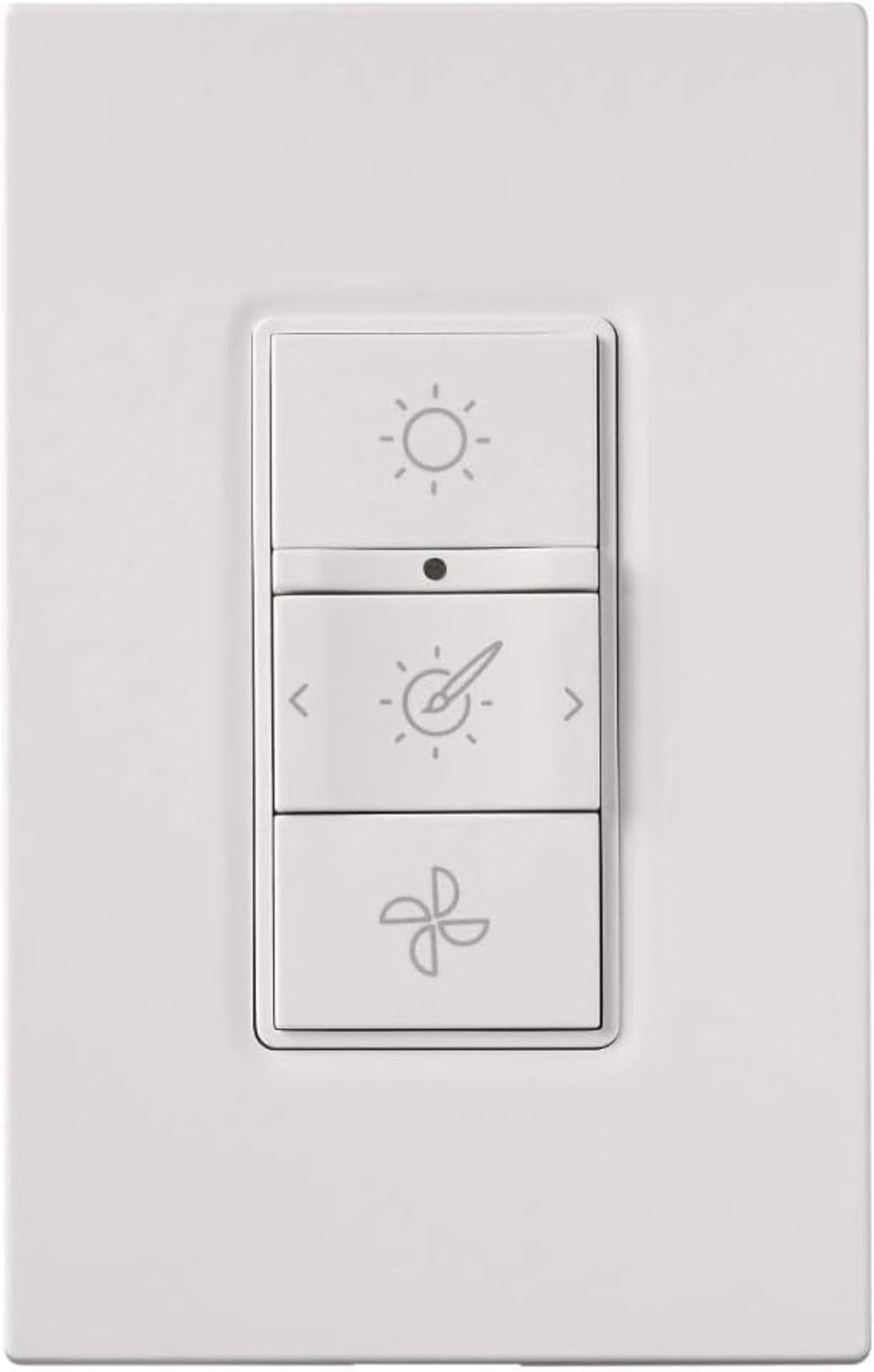
Image: A close-up of the white wireless wall control for the Broan-NuTone ChromaComfort fan, showing buttons for light, color, and fan speed.
App Setup (Optional)
Download the free ChromaComfort smartphone app from your device's app store. Follow the in-app instructions to connect your fan via Bluetooth for extended control options, including over 16 million color choices and scene creation.
Operating Instructions
Fan Operation
The fan can be turned on or off using the dedicated fan button on the wireless wall control or through the smartphone app. The fan operates quietly at 1.5 Sones while providing 110 CFM of airflow.
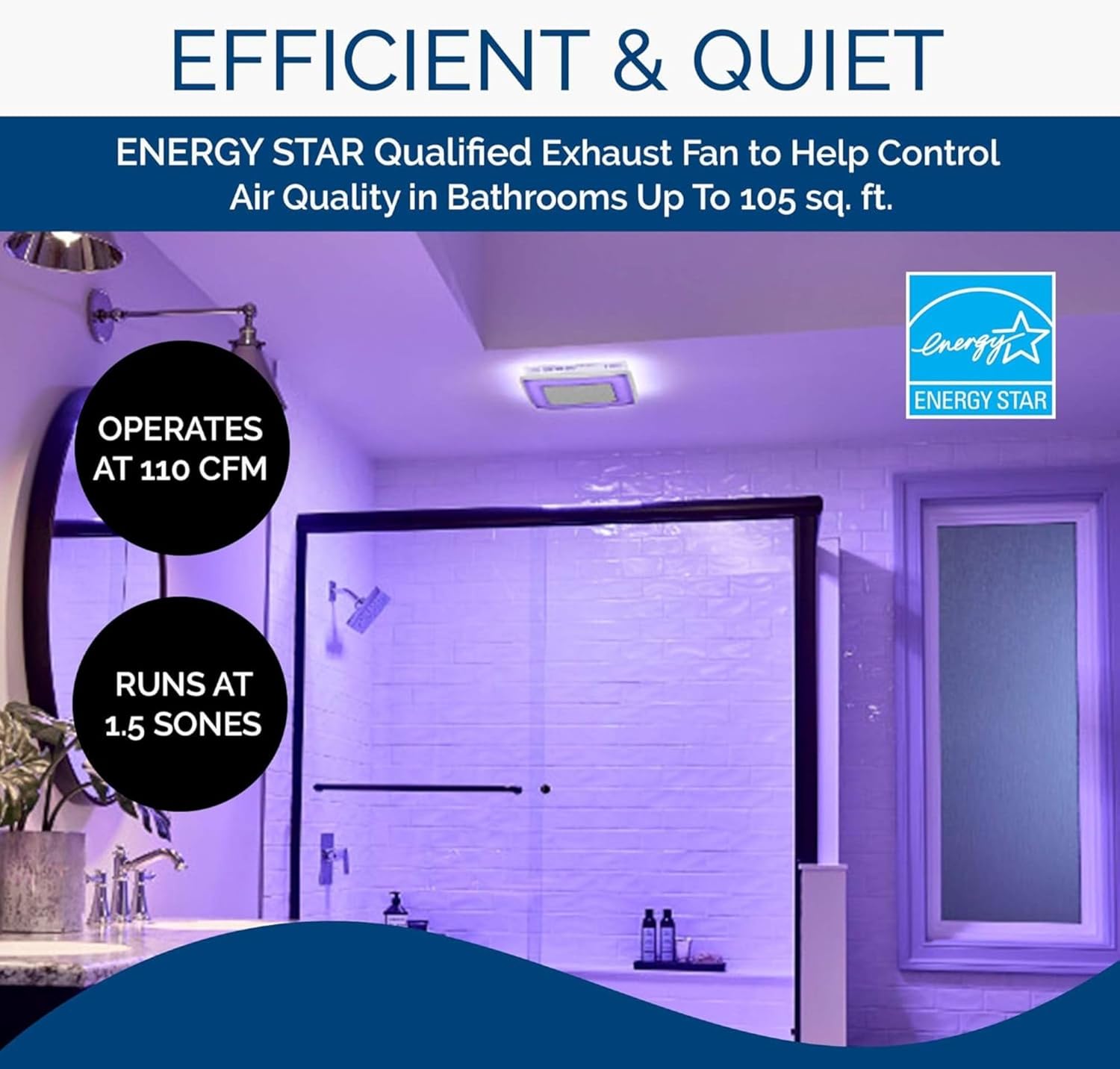
Image: A bathroom ceiling fan emitting purple light, with text overlays indicating its 110 CFM airflow and 1.5 Sones quiet operation, emphasizing its efficiency.
Lighting Control
The LED light can be controlled for brightness and color. Use the light buttons on the wall control to cycle through preset colors or adjust brightness. For a wider range of colors and custom scenes, use the ChromaComfort smartphone app.

Image: The Broan-NuTone ChromaComfort fan emitting a vibrant green light, demonstrating its ability to reduce air leakage with TrueSeal Damper Technology.
Bluetooth Audio (if applicable)
If your model includes a Bluetooth speaker, pair your device with the fan via the ChromaComfort app or your device's Bluetooth settings. You can then stream audio directly through the fan's integrated speaker.
Video: An official product video showcasing the Broan-NuTone AER110RGBL ChromaComfort fan's features, including its color-changing LED and app control.
Video: An official product video detailing the various features of the Broan-NuTone AER110RGBL, including its lighting and fan capabilities.
Maintenance
Regular cleaning of the fan grille and light diffuser is recommended to maintain optimal performance and appearance. Use a soft, damp cloth with mild soap to wipe surfaces. Ensure the power is turned off before cleaning. Do not use abrasive cleaners or solvents.
For detailed maintenance procedures, refer to the "Instructions for Use (IFU)" or "User Guide" PDF documents available for download.
Troubleshooting
If you encounter issues with your Broan-NuTone ChromaComfort fan, please consult the Troubleshooting Guide (PDF) provided with your product or available on the manufacturer's website. Common issues and their solutions are typically covered in this document.
Common Issues:
- Fan not operating: Check power supply, ensure wall control batteries are not depleted, and verify all connections are secure.
- Light not working or dim: Check power, ensure app settings are correct, and verify connections.
- Bluetooth connectivity issues: Ensure device Bluetooth is on, fan is within range, and try re-pairing through the app.
Technical Specifications

Image: A technical diagram showing the dimensions and internal components of the Broan-NuTone ChromaComfort fan.
| Specification | Value |
|---|---|
| Model Name | AER110RGBL |
| Brand | Broan-NuTone |
| Air Flow Capacity | 110 CFM |
| Noise Level | 1.5 Sones |
| Room Type | Bathroom (up to 105 sq. ft.) |
| Product Dimensions | 13.25"D x 13.25"W x 5.75"H |
| Wattage | 28 watts |
| Voltage | 120V |
| Control Method | App, Touch (Wireless Wall Control) |
| Light Type | LED (24 selectable colors + 16M via app) |
| Efficiency | ENERGY STAR certified |
| Included Components | Integrated LED Module, Wireless, Battery Powered Wall Control (batteries not included) |
Warranty and Support
The Broan-NuTone AER110RGBL ChromaComfort Ventilation Fan comes with a 3-Year Limited Warranty. For warranty claims, technical support, or additional assistance, please contact Broan-NuTone customer service or visit their official website. Refer to the warranty documentation included with your product for full terms and conditions.
Additional resources such as the Installation Manual, Troubleshooting Guide, and User Guide are available in PDF format for download from the manufacturer's support page.
Ask a question about this manual
Ask about setup, troubleshooting, compatibility, parts, safety, or missing instructions. Manuals+ will review the question and use this page’s manual context to help answer it.