
Introduction
This manual provides essential information for the proper setup, operation, maintenance, and troubleshooting of your Giro Trinity Helmet. Please read these instructions carefully before using your helmet to ensure maximum safety and performance. This helmet is designed for cycling use and meets applicable safety standards.
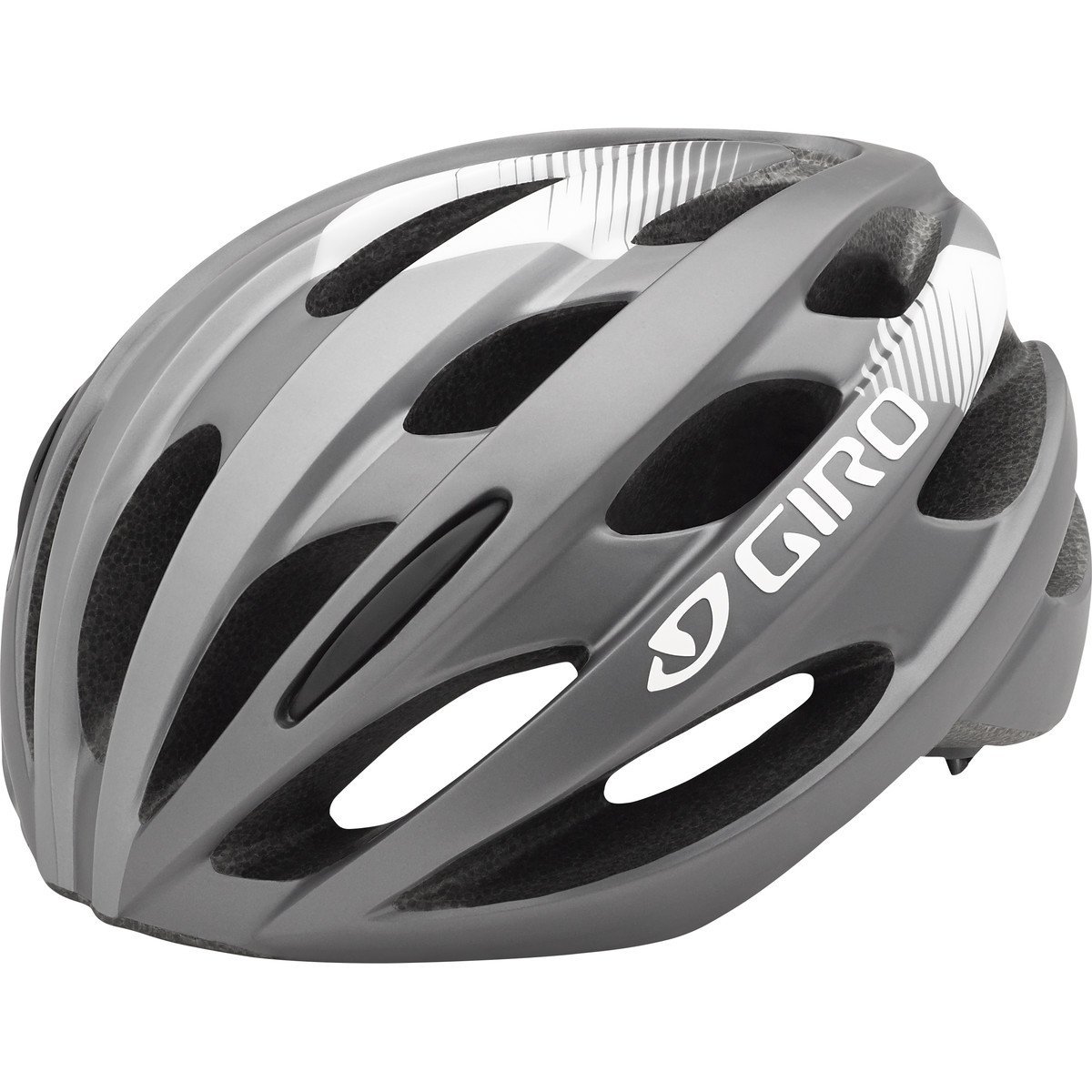
Image: The Giro Trinity Helmet in Matte Titanium/White, showcasing its design and ventilation.
Setup
1. Unpacking and Inspection
Carefully remove the helmet from its packaging. Inspect the helmet for any signs of damage that may have occurred during shipping. If you find any damage, do not use the helmet and contact your retailer.
2. Fit Adjustment (Acu Dial System)
Proper helmet fit is crucial for protection. The Giro Trinity Helmet features an Acu Dial system for precise and comfortable adjustment.
- Positioning: Place the helmet squarely on your head. It should sit level, covering your forehead without tilting back.
- Acu Dial Adjustment: Locate the Acu Dial knob at the rear of the helmet. Turn the knob clockwise to tighten the fit system, and counter-clockwise to loosen it. Adjust until the helmet feels snug and secure, but not uncomfortably tight. The helmet should not move excessively when you shake your head.
- Chin Strap Adjustment: Fasten the chin strap buckle. Adjust the strap length so that it is snug under your chin, allowing only one or two fingers to fit between the strap and your chin.
- Side Strap Adjustment: Adjust the side straps so that they form a 'V' shape just below your ears. Ensure the straps lie flat against your head and do not interfere with your ears.
3. Visor Attachment/Adjustment
If your Giro Trinity Helmet includes an adjustable visor, follow these steps:
- Attachment: Align the visor's attachment points with the corresponding slots on the helmet shell. Press firmly until it clicks into place.
- Adjustment: The visor can be tilted up or down to optimize sun protection and visibility. Gently push or pull the visor to your desired position.
Operating
Wearing the Helmet
Before each ride, ensure your helmet is properly fitted and secured. The chin strap should be buckled, and the Acu Dial system should be tightened for a snug fit. The helmet should not obstruct your vision or hearing. Always wear your helmet when cycling.
Ventilation
The Giro Trinity Helmet features 22 vents designed to enhance airflow and keep you cool during your ride. These vents are fixed and do not require manual adjustment.
Maintenance
1. Cleaning
- Shell: Clean the helmet's exterior with a soft cloth, mild soap, and water. Avoid harsh chemicals, abrasive cleaners, or solvents, as these can damage the helmet's materials.
- Pads: The internal padding can be removed for hand washing with mild soap and water. Allow pads to air dry completely before reinserting them into the helmet.
- Straps: Clean straps with a damp cloth and mild soap. Do not immerse the helmet in water.
2. Storage
Store your helmet in a cool, dry place away from direct sunlight and extreme temperatures. Avoid storing it near heat sources or in areas where it could be exposed to chemicals or fumes, which can degrade helmet materials over time.
3. Inspection
Regularly inspect your helmet for signs of wear or damage. Check the shell for cracks, the straps for fraying, and the buckle for proper function. If any part of the helmet appears damaged, it should be replaced immediately.
4. Replacement
A helmet's protective capabilities can degrade over time, even without visible damage. It is recommended to replace your helmet every three to five years, or immediately after any impact, regardless of visible damage. An impacted helmet may have compromised structural integrity.
Troubleshooting
- Helmet feels loose or shifts: Re-adjust the Acu Dial system by turning the knob clockwise until a snug fit is achieved. Ensure chin and side straps are also properly tightened.
- Helmet feels too tight or causes discomfort: Loosen the Acu Dial system by turning the knob counter-clockwise. Check that the internal padding is correctly positioned and not bunched up.
- Straps are twisted or uncomfortable: Unbuckle the chin strap and untwist any sections. Re-adjust the side straps to form a flat 'V' shape below your ears.
- Visor is loose or detached: Re-attach the visor by aligning its pins with the helmet slots and pressing firmly. If it continues to detach, inspect for damage to the visor or helmet slots.
Specifications
| Feature | Detail |
|---|---|
| Brand | Giro |
| Model Name | Trinity |
| Model Number | 7075615 |
| Age Range | Adult |
| Size | Universal Adult |
| Outer Material | Polycarbonate (PC) |
| Inner Material / Impact Foam | Expanded Polystyrene (EPS foam) |
| Ventilation | 22 vents |
| Fit Adjustment System | Acu Dial |
| Special Feature | Adjustable Visor |
| Item Weight | 0.01 Ounces |
| Item Dimensions (L x W x H) | 14 x 11 x 6 inches |
| Recommended Use | Cycling |
Warranty and Support
For warranty information, product support, or to inquire about replacement parts, please contact Giro directly through their official website or your authorized retailer. Keep your proof of purchase for warranty claims.


