
Product Overview
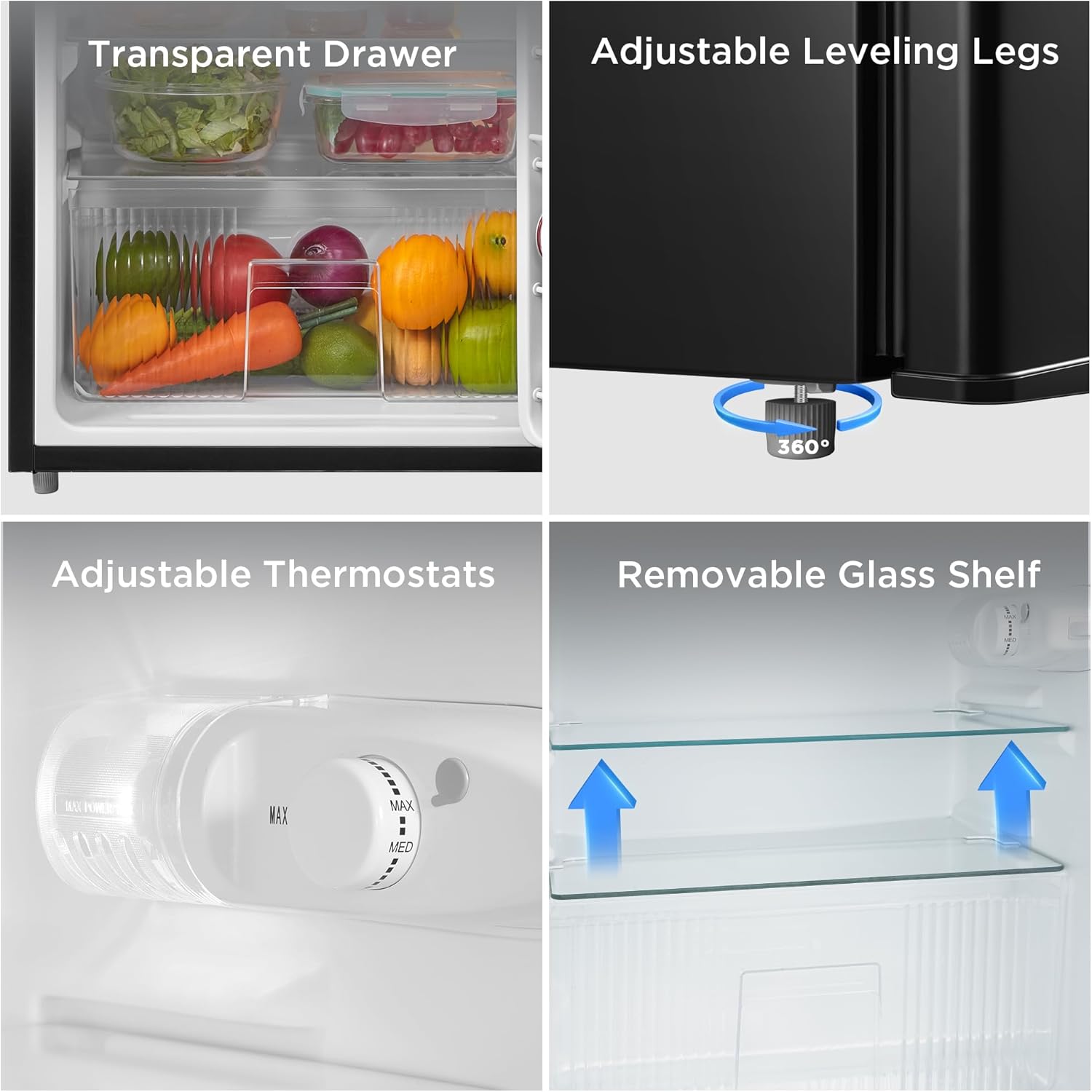
Designed to operate with Energy Star efficiency, the Midea 3.1 Cu. Ft. Double Door Compact Refrigerator offers separate fridge and freezer sections with plenty of space for produce, snacks, and frozen treats. Thanks to its adjustable legs and reversible door that opens to the left or right, you can easily fit this compact fridge in any kitchen layout. Organization is made even easier with durable glass shelves, a roomy crisper drawer, and storage racks for soda cans. The mechanical temperature control lets you easily set chilling preferences, while the manual defrost setting enables hassle-free cleaning.
- Adjustable Temperature Ranges: Refrigerator Compartment 32° to 50° F / Freezer Compartment -11.2° to 5°F
- Features Adjustable Legs and a Reversible Door that can Open from Left or Right
- Interior Light. Fresh section: 2.2 cubic feet, freezer section: 0.9 cubic feet
- Separate Fruit and Vegetable Drawer.
- Full 1-Year Warranty

Setup and Installation
Initial Placement and Leveling
Ensure the refrigerator is placed on a stable, level surface. If the refrigerator appears to be shaking or tilting, or if the door does not close automatically, it may not be properly leveled. The back feet (casters) are fixed and cannot be adjusted. Only the two bottom feet in the front of the refrigerator can be adjusted.
To adjust the front feet: If the refrigerator is shaking or tilting left/right, hold the refrigerator with one hand and rotate the uneven bottom leg directly by hand until it touches the ground and the unit is stable. If the refrigerator is tilted forward, adjust the front bottom angle higher. If it is tilted backward, adjust the front bottom angle down.
Reversible Door Installation
The refrigerator features a reversible door design, allowing it to open from either the left or right side to accommodate various kitchen layouts. Refer to the detailed user manual PDF for specific instructions on reversing the door.
Operating Instructions
Temperature Control
The Midea WHD-113FB1 features mechanical temperature control to easily set chilling preferences. The refrigerator compartment can be set to a range of 32°F to 50°F, while the freezer compartment can be set from -11.2°F to 5°F. Adjust the dial inside the fresh food compartment to your desired setting.

Storage Capacity and Organization
The fresh food section offers 2.2 cubic feet of storage, and the freezer section provides 0.9 cubic feet. It includes durable glass shelves, a roomy crisper drawer for fruits and vegetables, and storage racks for soda cans in the door.

Interior Lighting
The refrigerator is equipped with an interior light to improve visibility, making it easy to find items day or night.

Maintenance
Manual Defrost
The freezer compartment requires manual defrosting. This setting enables hassle-free cleaning when ice buildup occurs. Ensure the unit is unplugged before beginning the defrost process.
Troubleshooting
For common issues such as the refrigerator not cooling, unusual noises, or door problems, refer to the comprehensive troubleshooting guide. Many issues can be resolved with simple adjustments or checks.
For a detailed troubleshooting guide, please refer to the official PDF document: Troubleshooting Guide (PDF).
Specifications
| Feature | Detail |
|---|---|
| Brand Name | Midea |
| Model Info | WHD-113FB1 |
| Item Weight | 52.2 pounds |
| Product Dimensions | 19.37 x 18.5 x 32.95 inches |
| Capacity | 3.1 Cubic Feet |
| Annual Energy Consumption | 270 Kilowatt Hours Per Year |
| Refrigerator Fresh Food Capacity | 3.1 Cubic Feet |
| Freezer Capacity | 0.92 Cubic Feet |
| Installation Type | Freestanding |
| Color | Black |
| Defrost System | Manual |
| Number of Doors | 2 |

Warranty and Support
The Midea WHD-113FB1 Double Door Mini Fridge comes with a full 1-Year Warranty. For any product inquiries, technical assistance, or customer support, please refer to the contact information provided in your purchase documentation or visit the official Midea website.
Additional support resources:
- User Guide (PDF): User Guide (PDF)
- User Manual (PDF): User Manual (PDF)


