
1. Introduction
This user manual provides detailed instructions for the operation, setup, maintenance, and troubleshooting of the BN-LINK 12 Hour Indoor Mechanical Countdown Timer. Please read this manual thoroughly before using the device to ensure safe and efficient operation.
Product Overview
The BN-LINK Mechanical Countdown Timer is designed to automatically turn off connected electrical devices after a set period, up to 12 hours. It features a simple turn-dial operation and a manual ON mode for continuous power. This timer is suitable for various indoor applications, including lamps, phone chargers, kitchen appliances, and holiday decorations, helping to save energy and enhance safety.

Figure 1.1: Front view of the BN-LINK Mechanical Countdown Timer, showing the 12-hour dial.
2. Safety Information
To prevent personal injury or property damage, always observe basic safety precautions when using electrical appliances. This device is ETL listed and conforms to UL Std. No. 917.
General Safety Guidelines
- Do not immerse the timer in water or expose it to rain or moisture.
- Do not exceed the electrical ratings of the timer.
- Do not use with appliances that require continuous supervision, such as heating appliances without automatic shut-off.
- Ensure the timer is fully inserted into a grounded outlet.
- Keep out of reach of children.
- Do not disassemble or attempt to repair the timer. Refer all servicing to qualified personnel.
Electrical Ratings
- Voltage: 125V, 60Hz
- General Purpose: 15A / 1875W
- Resistive: 15A
- Tungsten: 8A / 1000W
- Motor: 1/2 HP
- TV Rating: TV-5
3. Product Features
The BN-LINK Mechanical Countdown Timer offers several key features for convenient and safe operation:
- Simple Turn-Dial Operation: Easily set countdown times by rotating the dial.
- Adjustable Countdown: Provides up to 12 hours of countdown time, with increments as fine as 15 minutes.
- Manual ON Mode: A slide switch allows bypassing the timer function for continuous power.
- Energy Saving: Helps reduce electricity consumption by automatically turning off devices.
- Grounded Outlet: Features a 3-prong grounded outlet for enhanced safety.

Figure 3.1: Side view of the timer showing the grounded outlet.

Figure 3.2: Illustration of the 15-minute, 60-minute, and 12-hour countdown capabilities.
4. Setup
Setting up your BN-LINK Mechanical Countdown Timer is a straightforward process.
Initial Placement
- Choose an indoor location with a standard 125V grounded wall outlet.
- Ensure the location is dry and away from direct heat sources or excessive moisture.
Connecting the Timer
- Plug the BN-LINK Mechanical Countdown Timer directly into a grounded 3-prong wall outlet.
- Ensure the timer is securely seated in the outlet.
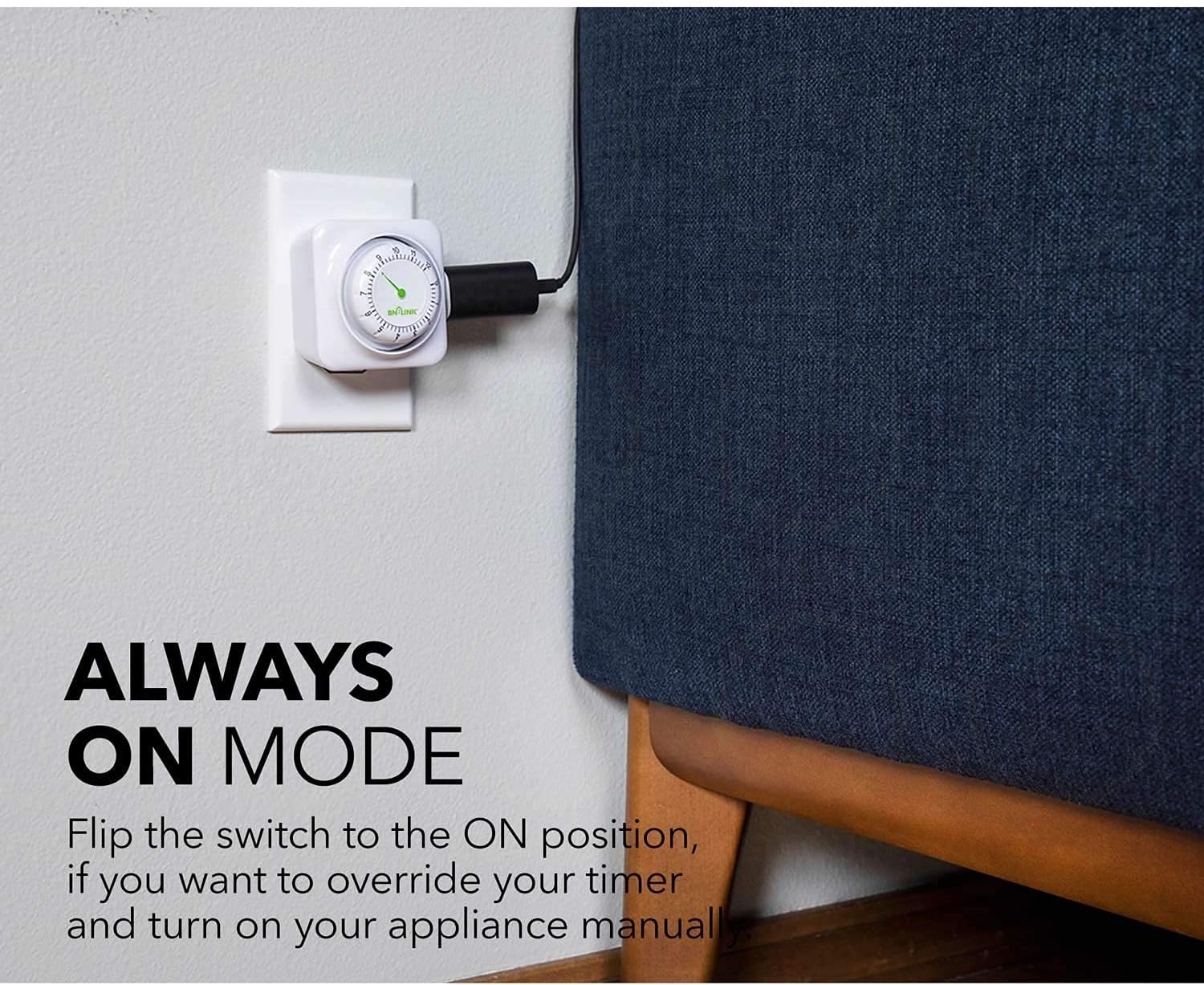
Figure 4.1: The timer plugged into a wall outlet, ready for use.
5. Operating Instructions
The timer has two primary operating modes: Countdown Timer mode and Manual ON mode.
Setting the Countdown Timer
- Locate the slide switch on the side of the timer. Ensure it is set to the Countdown Timer icon (clock symbol).
- Plug the appliance you wish to control into the 3-prong outlet on the side of the timer.
- Rotate the dial clockwise to the desired countdown duration. The dial is marked in hours, from 0 to 12, with 15-minute increments.
- The timer will begin counting down immediately. Once the set time has elapsed, the power to the connected appliance will automatically turn off.

Figure 5.1: Close-up of the slide switch, indicating Countdown Timer and Manual ON positions.

Figure 5.2: Visual guide for rotating the dial clockwise to set the countdown time.
Using Manual ON Mode
- Locate the slide switch on the side of the timer.
- Slide the switch to the ON position (indicated by the word "ON").
- In this mode, power will be continuously supplied to the connected appliance, bypassing the timer function.
- To return to countdown mode, slide the switch back to the Countdown Timer icon.

Figure 5.3: The timer with the slide switch set to the "ON" position for continuous power.
6. Maintenance
The BN-LINK Mechanical Countdown Timer requires minimal maintenance.
- Cleaning: Disconnect the timer from the wall outlet before cleaning. Wipe the exterior with a soft, dry cloth. Do not use abrasive cleaners or immerse in water.
- Storage: When not in use for extended periods, store the timer in a cool, dry place away from direct sunlight.
7. Troubleshooting
If you encounter issues with your BN-LINK Mechanical Countdown Timer, refer to the following common problems and solutions:
| Problem | Possible Cause | Solution |
|---|---|---|
| Appliance does not turn on. |
|
|
| Timer does not count down. |
|
|
| Timer makes unusual noises. | Internal mechanical issue. | Discontinue use and contact customer support. Do not attempt to repair. |
If the problem persists after attempting these solutions, please contact BN-LINK customer support for further assistance.
8. Specifications
| Attribute | Value |
|---|---|
| Model Number | BNH-60/U92 |
| Color | White |
| Material | Plastic |
| Product Dimensions (D x W x H) | 2.91"D x 3.03"W x 3.07"H |
| Item Weight | 3.82 Ounces |
| Voltage | 125V, 60Hz |
| Max. Load (General Purpose) | 15A / 1875W |
| Max. Load (Resistive) | 15A |
| Max. Load (Tungsten) | 8A / 1000W |
| Motor Rating | 1/2 HP |
| TV Rating | TV-5 |
| Countdown Range | 15 minutes to 12 hours |
| Certifications | ETL Listed, Conforms to UL Std. No. 917 |
| UPC | 680474115549 |

Figure 8.1: Dimensions of the BN-LINK Mechanical Countdown Timer.
9. Warranty and Support
BN-LINK products are designed for reliability and performance. For warranty information and customer support, please refer to the official BN-LINK website or contact their customer service department directly.
Contact Information:
- Brand Store: BN-LINK Amazon Store
- Manufacturer: BN-LINK
Please have your model number (BNH-60/U92) and purchase date available when contacting support.