
Viking Security Safe VS-25BL
Viking Security Safe VS-25BL User Manual
Model: VS-25BL | Brand: Viking Security Safe
Introduction
This manual provides essential information for the safe and efficient operation of your Viking Security Safe VS-25BL. Please read this manual thoroughly before using the safe and retain it for future reference.
The Viking Security Safe VS-25BL is a heavy-duty biometric fingerprint safe designed for securing valuables, documents, and firearms. It features multiple access methods including biometric fingerprint, PIN code, and a backup key.
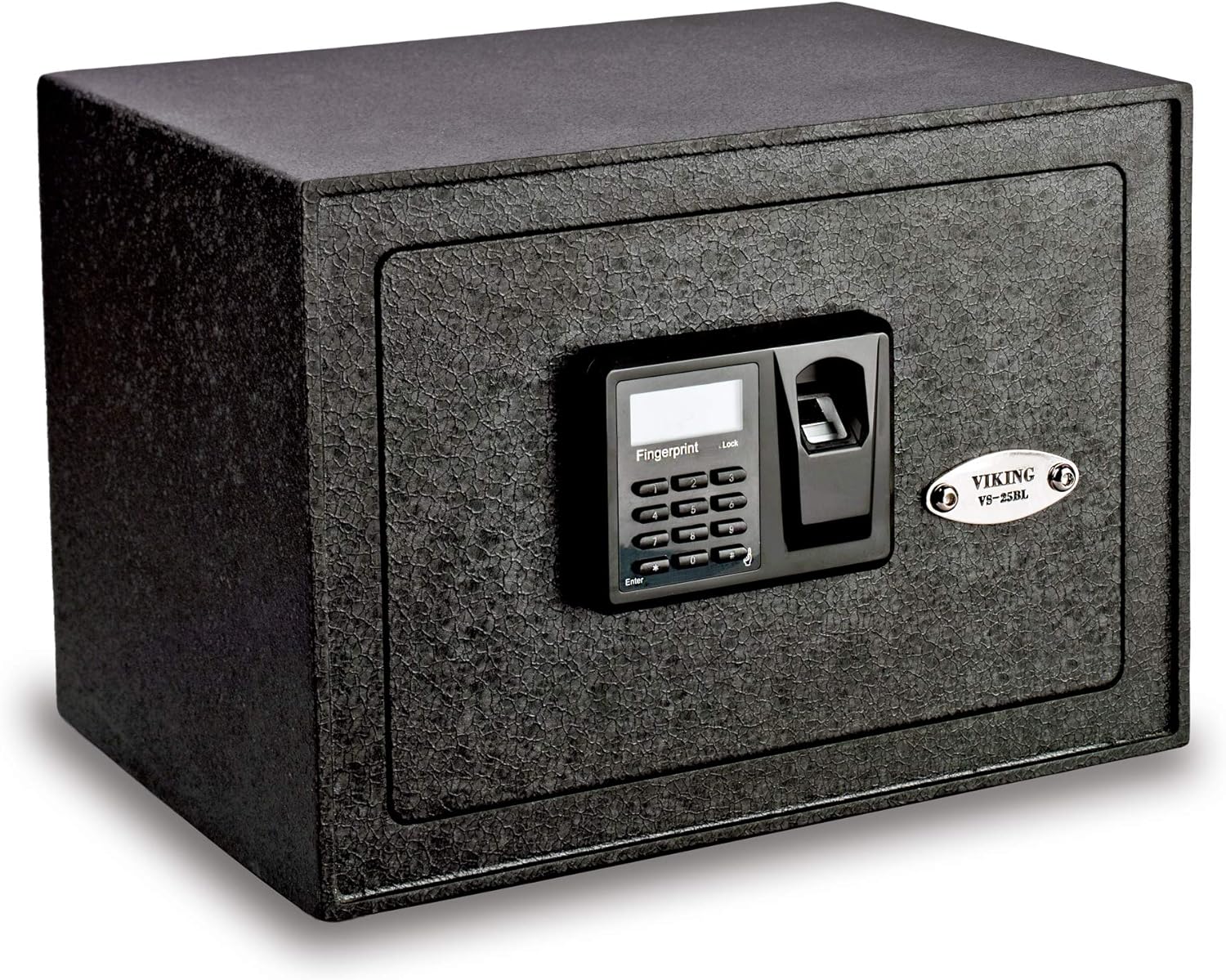
Image: The Viking Security Safe VS-25BL, a compact black safe with a biometric keypad on the front door.
Safety Precautions
- Do not store the backup keys inside the safe. Keep them in a secure location known only to trusted individuals.
- Ensure the safe is securely mounted to prevent unauthorized removal.
- Keep the safe away from excessive moisture or extreme temperatures.
- Do not attempt to force the safe open if the electronic lock fails. Use the backup key.
- Regularly check battery levels to ensure continuous operation.
Setup and Initial Use
1. Battery Installation
The safe requires 6 'A' batteries (included). Locate the battery compartment, typically on the inside of the door or rear panel. Insert the batteries, ensuring correct polarity. The LCD display will show the battery level.
2. Setting Your PIN Code
- With the safe door open, press the 'Reset' button located inside the safe.
- Enter your desired 4-9 digit PIN code on the keypad.
- Press the '#' key to confirm. The safe will beep to confirm successful programming.
- Test the new PIN code with the door open to ensure it works correctly before closing the safe.
3. Registering Fingerprints
The safe can store up to 32 fingerprints. For optimal performance, register your fingerprint multiple times from different angles.
- With the safe door open, press the 'Reset' button.
- Place your finger on the optical fingerprint sensor. The LCD will guide you through the scanning process.
- Lift and re-place your finger as prompted until the registration is complete.
- Repeat for additional fingerprints or for the same finger at different angles.
- Test registered fingerprints with the door open to ensure they work correctly.

Image: A detailed view of the safe's control panel, showing the LCD display, numeric keypad, and fingerprint scanner. The display indicates battery level and lock status.
Operating Instructions
Opening the Safe
- Using Fingerprint: Place a registered finger on the fingerprint sensor. The safe will unlock if the fingerprint is recognized.
- Using PIN Code: Enter your 4-9 digit PIN code on the keypad, then press '#'. The safe will unlock if the code is correct.
- Using Backup Key: In case of battery failure or forgotten codes, insert the backup key into the hidden keyhole and turn it to unlock.
Closing and Locking the Safe
Simply close the door. The motorized deadbolt mechanism will automatically engage, securing the safe. Ensure the door is fully closed for the lock to activate.
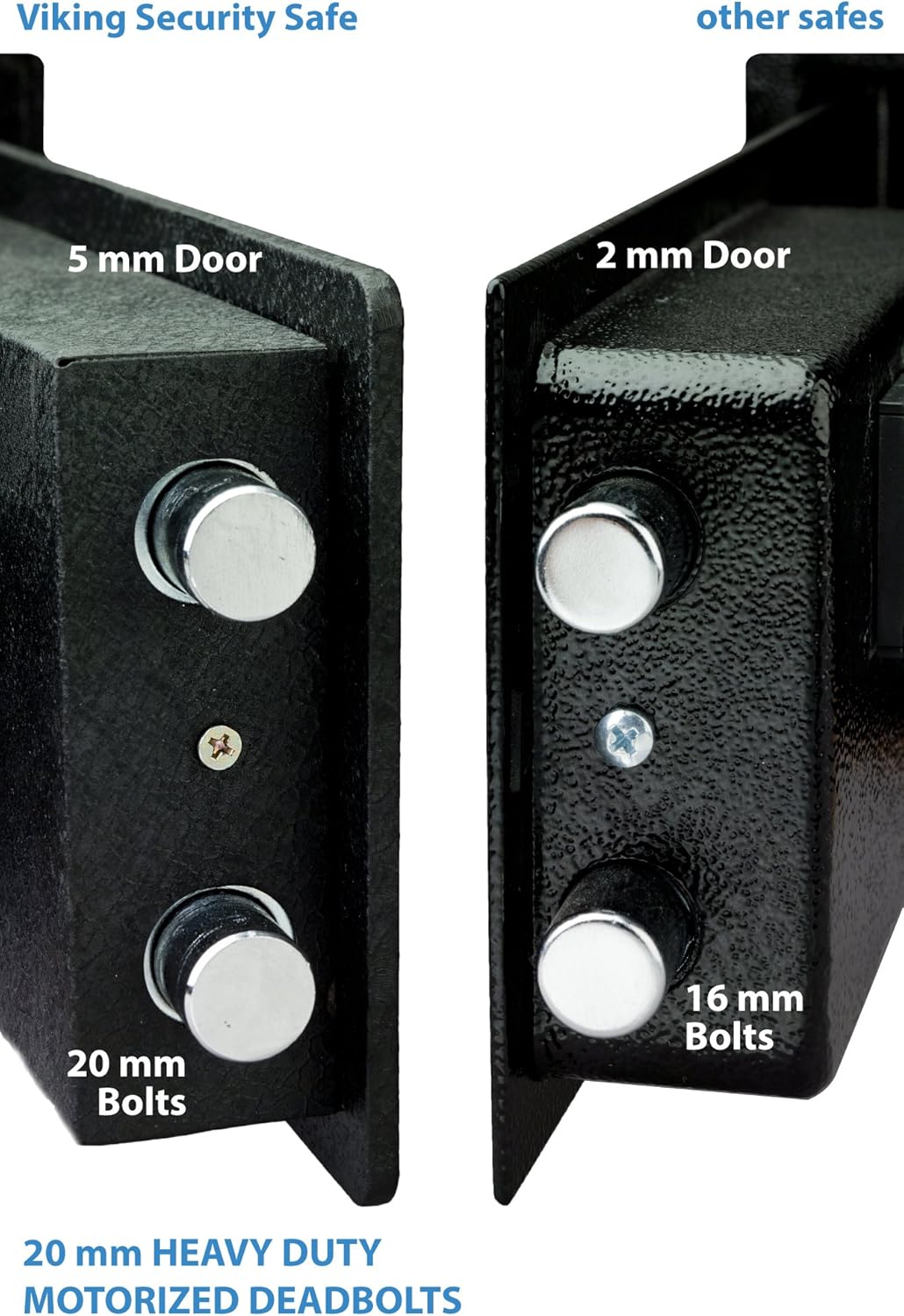
Image: A close-up of the safe door's edge, highlighting the robust 5mm door thickness and the two 20mm solid steel locking bolts, indicating strong security features.

Image: An interior view of the safe's frame, showing the two anti-pry insertion slots designed to prevent forced entry, a key security feature of the Viking safe.
Maintenance
Battery Replacement
When the battery indicator on the LCD display shows low power, replace all 6 'A' batteries immediately. Do not mix old and new batteries. Use high-quality alkaline batteries for best performance.
Cleaning
Wipe the exterior of the safe with a soft, damp cloth. Avoid using abrasive cleaners or solvents that could damage the finish or electronic components. Keep the fingerprint sensor clean and free of debris for accurate readings.
Interior Features
The safe features a fully carpeted interior and an adjustable shelf for organizing contents. An internal LED light illuminates the interior when the door is opened.
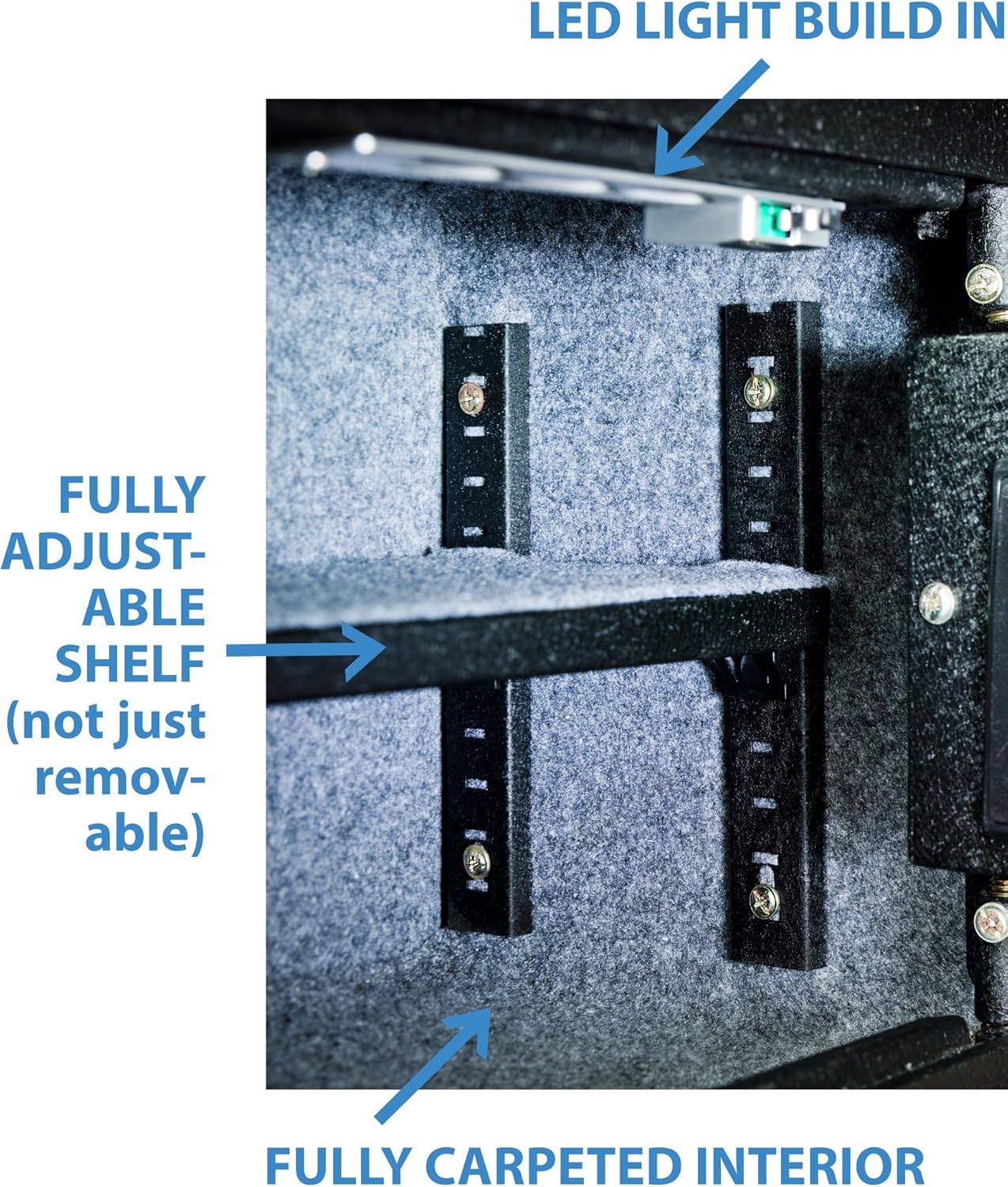
Image: The interior of the Viking Security Safe, showing the fully carpeted lining, an adjustable shelf, and the built-in LED light strip at the top, designed for better visibility of contents.
Troubleshooting
| Problem | Possible Cause | Solution |
|---|---|---|
| Safe does not open with fingerprint. | Fingerprint not registered, dirty sensor, or improper placement. | Ensure finger is clean and dry. Re-register fingerprint from multiple angles. Clean the sensor. Try another registered finger or PIN code. |
| Safe does not open with PIN code. | Incorrect PIN entered, or batteries are low/dead. | Verify the PIN code. Replace batteries. Use the backup key if necessary. |
| LCD display is blank or dim. | Low or dead batteries. | Replace all batteries immediately. |
| Safe beeps continuously when door is open. | Door left unlocked or ajar. | Close the door completely. The warning beep can be turned on/off via settings. |
Specifications
- Brand: Viking Security Safe
- Model: VS-25BL
- Product Dimensions (Exterior): 10"D x 14"W x 10"H
- Interior Dimensions: Approximately 13.5"W x 9.5"H x 8.5"D
- Capacity: 1090 Cubic Inches
- Lock Type: Fingerprint, PIN Combination, Key
- Color: Black
- Material: Alloy Steel
- Special Feature: Biometric Fingerprint (500 DPI Optical Sensor)
- Mounting Type: Freestanding, Tabletop
- Control Type: Touchpad Control
- Included Components: Keys, Bolts
- Item Weight: 27 Pounds
- Alarm: Yes (Warning beep for unlocked door)
- Water Resistance Level: Not Water Resistant
- Power Source: 6 'A' batteries (included)
- UPC: 662425071968
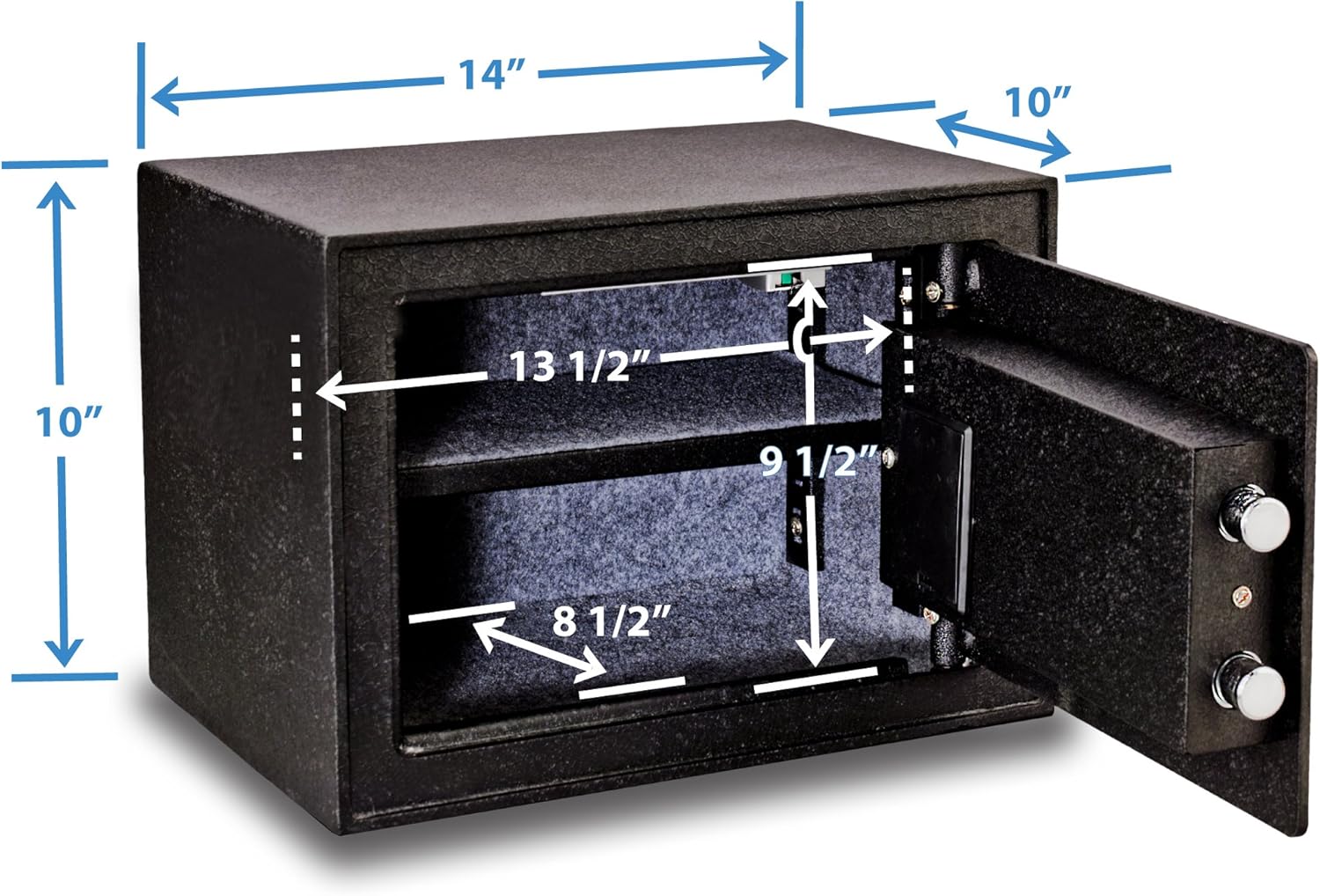
Image: A diagram illustrating the exterior and interior dimensions of the Viking Security Safe, including width, height, and depth measurements.
Warranty and Support
For warranty information or technical support, please refer to the official Viking Security Safe website or contact their customer service. A detailed User Guide in PDF format is also available for download from the product's Amazon page or the manufacturer's website.
Official User Guide (PDF): Download PDF User Guide
Related documentsVS-25BL

Ask a question about this manual
Ask about setup, troubleshooting, compatibility, parts, safety, or missing instructions. Manuals+ will review the question and use this page’s manual context to help answer it.