
1. Introduction
This manual provides detailed instructions for the installation, operation, and maintenance of the Frigidaire 318293820 Surface Element Switch. This component is a genuine replacement part designed to control the heat output of a surface burner on compatible Frigidaire electric ranges. Proper installation and handling are crucial for safe and effective operation.
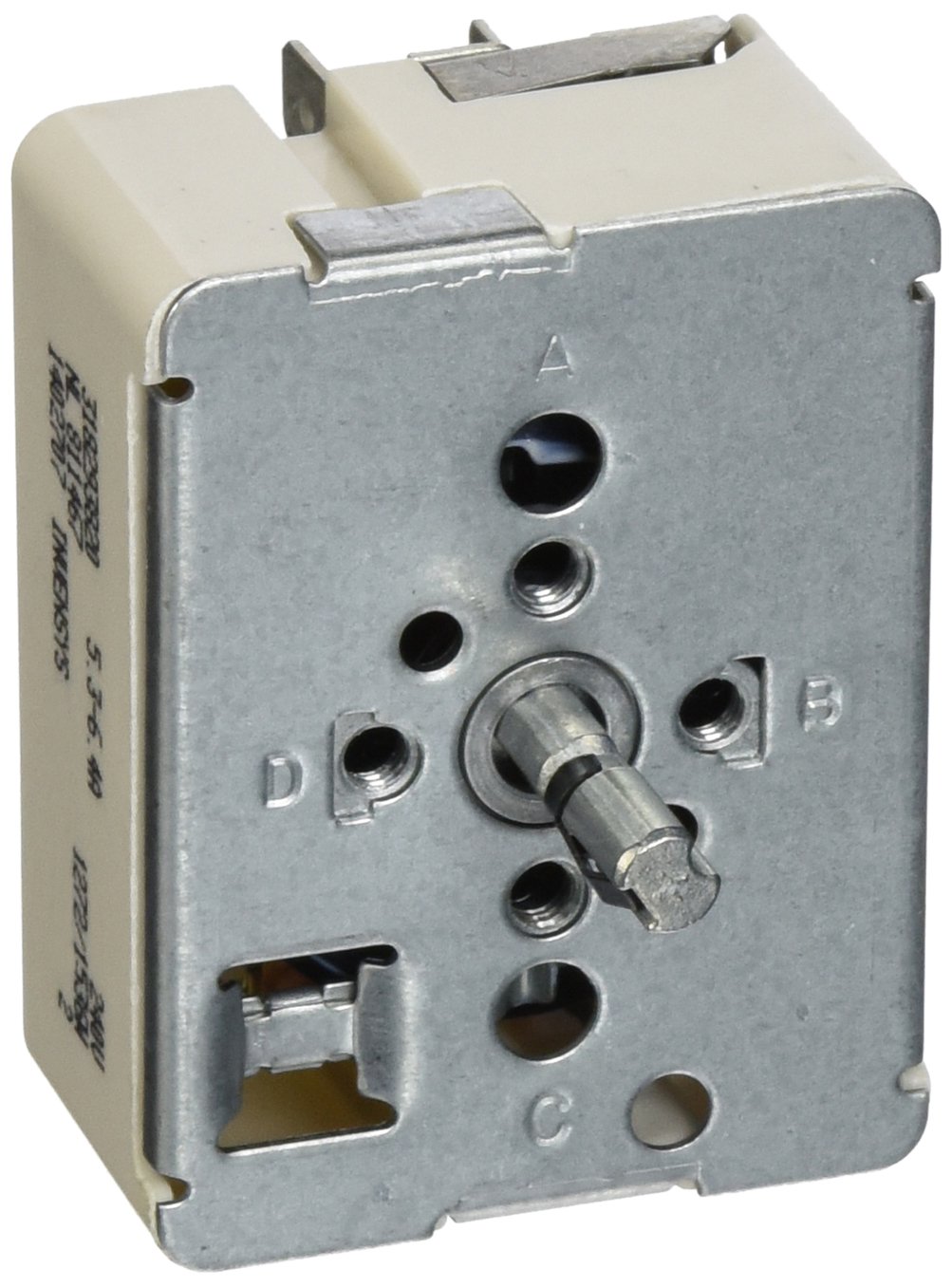
Figure 1: Front view of the Frigidaire 318293820 Surface Element Switch.
2. Safety Information
WARNING: Before attempting any installation, maintenance, or repair, ensure the appliance is completely disconnected from its power source. Failure to do so may result in electric shock, personal injury, or death. Always wear appropriate personal protective equipment, such as gloves and safety glasses.
- Disconnect power to the range at the circuit breaker or fuse box before beginning.
- If the range is hard-wired, ensure the main power supply to the house is turned off.
- Handle electrical components with care to avoid damage.
- Ensure all connections are secure before restoring power.
- If you are unsure about any step, consult a qualified appliance technician.
3. Setup and Installation
This section outlines the general procedure for replacing a surface element switch. Specific steps may vary slightly depending on your range model.
3.1 Tools Required
- Number 1 Square Head Screwdriver
- Needle-nose Pliers
3.2 Installation Steps
- Disconnect Power: Ensure the range is completely disconnected from its power source. Pull the range away from the wall to access the rear.
- Remove Back Panel: Using a Number 1 square head screwdriver, remove the screws securing the upper back panel of the range. Typically, there are three screws across the bottom and one in the center at the top. Carefully remove the panel and set it aside.
- Locate the Switch: Identify the surface element switch that needs replacement. It will be connected to several wires.
- Document Wiring: Before disconnecting any wires, carefully note the position and color of each wire connected to the old switch. Taking a photograph is highly recommended to ensure correct reassembly.
- Remove Wires: Using needle-nose pliers, carefully disconnect each wire from the terminals of the old switch. The wires may be tightly secured.
- Remove Old Switch: Unscrew the mounting screws that secure the switch to the control panel. Remove the old switch.
- Install New Switch: Position the new Frigidaire 318293820 Surface Element Switch in place and secure it with the mounting screws.
- Connect Wires: Reconnect the wires to the new switch's terminals according to your documentation from Step 4. Ensure all connections are firm and secure.
- Reattach Back Panel: Place the back panel back onto the range and secure it with the screws removed in Step 2.
- Restore Power: Push the range back into its original position and reconnect the power supply.
3.3 Visual Guide: Installation Video
Video 1: Installation guide for a similar infinite range switch. While the model number in the video may differ slightly, the general installation steps are applicable.
3.4 Product Dimensions
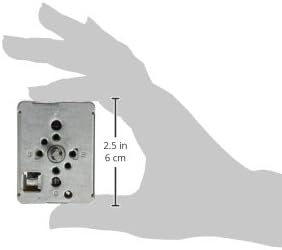
Figure 2: Approximate dimensions of the surface element switch.
4. Operating Instructions
The Frigidaire 318293820 Surface Element Switch functions as a control for your range's surface burner. Once installed, its operation is integrated with your appliance's control panel.
- Turn the corresponding control knob to the desired heat setting (e.g., Low, Medium, High).
- The switch regulates the power supplied to the surface element, allowing for precise temperature control.
- Turn the knob to the 'OFF' position to deactivate the burner.
5. Maintenance
The surface element switch is a sealed unit and generally requires no internal maintenance. However, regular external care of your range's control panel is recommended.
- Keep the control panel area clean and free from food debris or spills.
- Use a soft, damp cloth to wipe the control panel. Avoid abrasive cleaners or harsh chemicals that could damage the finish or markings.
- Ensure control knobs are properly seated and not loose.
6. Troubleshooting
If you experience issues with your surface element after replacing the switch, consider the following:
- Element Not Heating: Check all wire connections to ensure they are secure. Verify that the correct element is selected and the control knob is turned to an 'ON' position. Ensure power is supplied to the range.
- Element Stuck On/Constant Heat: This could indicate a faulty switch or incorrect wiring. Immediately disconnect power to the range and re-check wiring against your documentation. If the issue persists, the switch may be defective.
- No Power to Range: Check the circuit breaker or fuse box for tripped breakers or blown fuses.
If troubleshooting steps do not resolve the issue, it is recommended to contact a qualified appliance repair technician.
7. Specifications
| Feature | Specification |
|---|---|
| Model Info | 318293820 |
| Brand | Frigidaire |
| Operation Mode | ON-ON-ON |
| Contact Type | Normally Open |
| Connector Type | Quick-connect |
| Terminal | Quick-connect |
| Item Dimensions (L x W x H) | 7 x 6 x 1.75 inches |
| Circuit Type | 1-way |
| Actuator Type | Push Button |
| Contact Material | Copper, Brass, Silver |
| International Protection Rating | IP00 |
| Number of Positions | 1 |
| Control Method | Touch |
| Connectivity Protocol | Wi-Fi |
| Item Weight | 2.82 ounces |
| Manufacturer | CE Sundberg |
8. Warranty Information
As a genuine Frigidaire replacement part, this surface element switch is typically covered by the manufacturer's standard warranty for replacement parts. Please refer to your original appliance's warranty documentation or contact Frigidaire customer service for specific warranty terms and conditions. Keep your proof of purchase for any warranty claims.
9. Support
For further assistance, technical support, or to purchase additional genuine Frigidaire parts, please visit the official Frigidaire website or contact their customer service department. You can also visit the Frigidaire Store on Amazon for more products and information.