
Introduction
The Samsung SHS-H705-FMK Biometric Digital Door Lock offers advanced security and convenient access for residential and commercial applications. This lock features both fingerprint and keypad entry, providing multiple authentication methods. It is designed with robust safety features, including a surge-proof circuit, fire detection, and a manual override for emergencies. The auto-locking function enhances security by ensuring the door is always locked after closing. Additional features like child-proof assurance and volume control contribute to a user-friendly experience.

Image: Front view of the Samsung SHS-H705-FMK Biometric Digital Door Lock, showcasing its sleek design and digital keypad.
Product Components
Before installation, verify that all components are present. The lock is designed for doors 40mm to 80mm thick.

Image: Detailed diagram illustrating all parts included with the Samsung SHS-H705-FMK Digital Door Lock, such as the outer body, inner body, mortise, strike box, tail piece, handle shaft, user guide, emergency keys, and AA batteries.
- Outer Body: Exterior unit with keypad and fingerprint scanner.
- Inner Body: Interior unit with battery compartment and manual override.
- Mortise (SHS-AML220): The internal locking mechanism.
- Strike Box & Strike Plate: Components installed on the door frame.
- Tail Piece & Handle Shaft: Connects the inner and outer bodies.
- Handle Shaft Spring: Ensures proper handle operation.
- User Guide: This manual.
- Emergency Keys: Physical keys for manual access.
- 'AA' Batteries (LR6): Power source for the lock.
- Fastening Bolts: Various bolts for securing the components.
Installation
Installation of the Samsung SHS-H705-FMK requires careful attention to detail and may involve door modification, especially if replacing a standard lock. It is recommended to consult a professional locksmith or refer to the detailed installation template provided with the product. The lock is designed to fit doors between 40mm and 80mm in thickness.

Image: The Samsung SHS-H705-FMK Digital Door Lock shown installed on a door, providing a visual reference for its appearance in a home setting.
Key Installation Considerations:
- Door Preparation: Ensure the door meets the specified thickness requirements. Existing mortise cutouts may need adjustment.
- Mortise Installation: The mortise is electronic and requires precise fitting into the door edge.
- Handle Orientation: The handle levers are adjustable and can be flipped for left or right-hand door configurations.
- Wiring: Connect the internal wiring between the outer and inner body units as per the wiring diagram.
- Battery Insertion: Install the 'AA' batteries into the inner body's battery compartment after the lock is fully assembled.
Operating Instructions
1. Fingerprint Recognition
The lock supports up to 100 fingerprints. To unlock, place your registered finger on the scanner. The lock will verify your fingerprint and disengage. For initial setup, refer to the programming guide to register fingerprints.
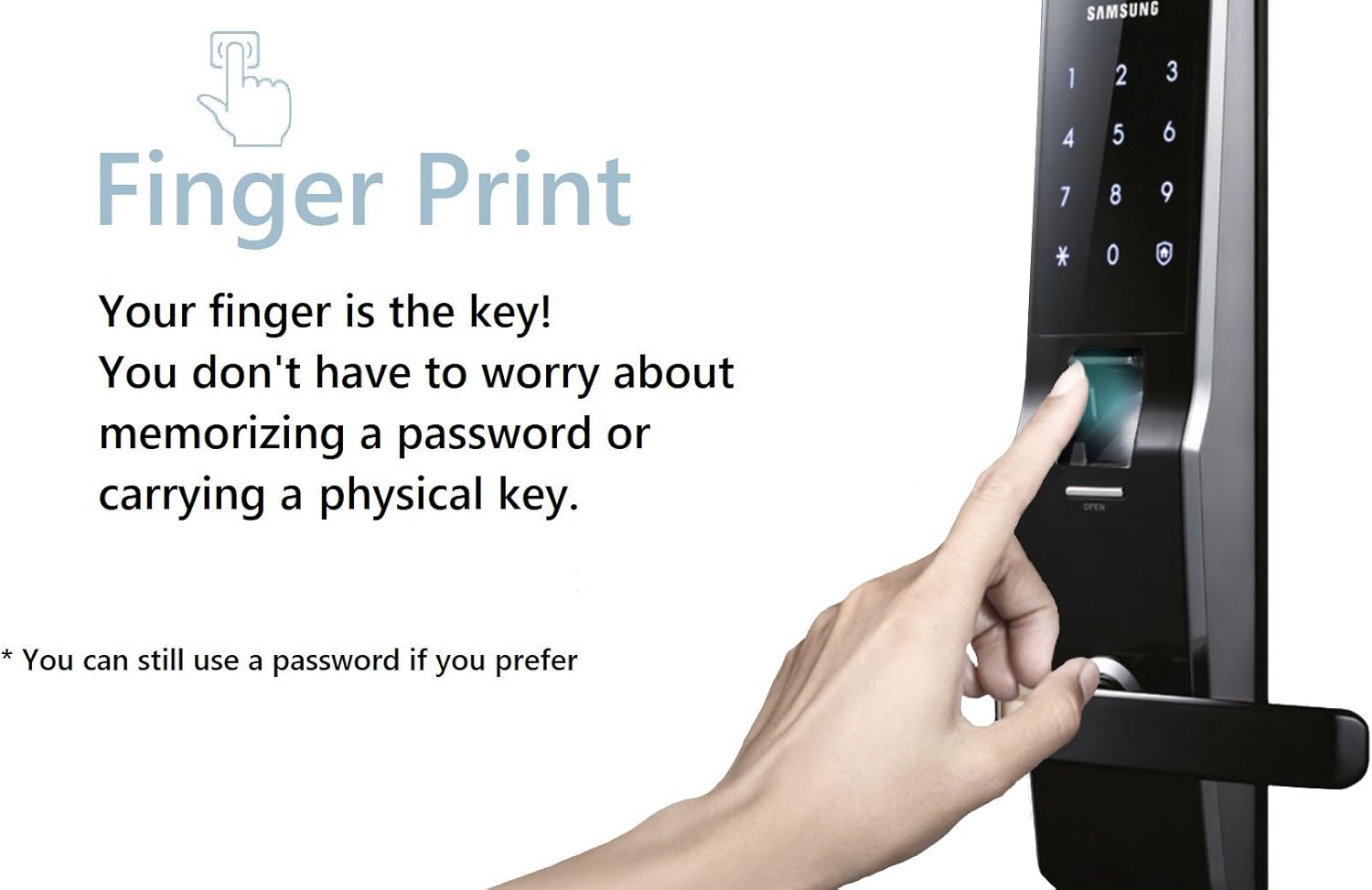
Image: A finger is shown interacting with the fingerprint scanner on the Samsung SHS-H705-FMK Digital Door Lock, illustrating the biometric access method.
2. Keypad Entry
The lock allows programming of up to 11 user codes. To unlock, touch the digital touchscreen to activate the keypad, enter your registered password, and confirm. The keypad features sensuous blue backlighting for visibility in low-light conditions.

Image: A hand is shown entering a code on the illuminated digital keypad of the Samsung SHS-H705-FMK Digital Door Lock.
3. Double Authentication Mode
For enhanced security, enable Double Authentication mode. In this mode, both a password and a registered fingerprint are required to unlock the door.
4. Auto Locking
The lock automatically engages when the door is closed, eliminating the need to manually lock it. This feature provides peace of mind, ensuring your home is secured.
5. Silent Mode
To avoid disturbing others, especially at night, the volume of the door lock's sounds can be adjusted or muted. Refer to the programming instructions for volume control settings.
6. Away Mode
When leaving your home for an extended period, activate the Away mode. This mode enhances security by triggering an alarm if the door is opened from the inside, preventing unauthorized exit.
7. Child-Proof Feature
The assurance knob feature on the inner body prevents accidental unlocking by children, adding an extra layer of safety.

Image: A composite image illustrating various operational and safety features of the lock, including icons for Away mode, Silent mode, Battery Dead Alarm, Prank Warning, Abnormal High Temperature Warning, and Emergency power supply.
Safety Features
- Fire Detection System: Integrated sensors detect high temperatures and can automatically unlock the door for swift evacuation in case of a fire.
- Intrusion Alarm: An alarm sounds if forced entry is detected, deterring intruders.
- Anti-Tampering Lock Out: If incorrect passwords are entered multiple times consecutively, the lock will temporarily disable access to prevent tampering.
- Random Security Code Feature: Before entering your password, random numbers appear on the keypad, preventing fingerprint traces from revealing your code.
- Emergency Power Contact: In the event of fully depleted batteries, the lock can be temporarily powered using a 9V battery connected to the external emergency power terminal.
- Abnormal High Temperature Warning: If an abnormally high temperature is sensed inside the home, a light on the interior side of the door lock flickers, indicating an emergency exit condition.
- Prank Warning: If the door is pulled forcefully or an incorrect password is entered more than five times consecutively, the lock sounds a warning and disables key authentication for three minutes to help prevent trespassing.
Maintenance
Battery Replacement
The lock is powered by 'AA' batteries. When the batteries are running low, the lock will provide a Battery Dead Alarm through a specific melody or keypad LED indicator. Replace all batteries promptly to ensure continuous operation. The battery compartment is located on the inner body of the lock. Use only recommended battery types.
General Care
Clean the lock's exterior surfaces with a soft, dry cloth. Avoid using abrasive cleaners or solvents, which can damage the finish or electronic components. Ensure the fingerprint scanner and keypad remain free of dirt and debris for optimal performance.
Troubleshooting
- Lock not responding: Check battery levels. If the Battery Dead Alarm is active, replace batteries immediately.
- Fingerprint not recognized: Ensure your finger is clean and dry. Re-register your fingerprint if issues persist.
- Keypad not responding: Ensure the keypad is activated by touching it. If multiple incorrect attempts were made, the lock may be in anti-tampering lockout mode. Wait for the lockout period to expire.
- Door not locking automatically: Verify that the auto-locking feature is enabled in the settings. Check for any obstructions preventing the door from closing fully.
- Alarm sounding unexpectedly: Review the safety features section to understand alarm triggers (e.g., intrusion, high temperature, tampering).
- Emergency access: If electronic access fails, use the emergency keys or the 9V battery emergency power contact.
Specifications
| Brand | Samsung |
| Model Number | SHS-H705FMK |
| Lock Type | Biometric, Keypad |
| Special Feature | Fingerprint, Keyless |
| Material | Al, Zn, ABS |
| Recommended Uses | Residential and commercial door security, child safety, keyless access control |
| Door Thickness | 40mm to 80mm |
| Power Source | 'AA' Batteries |
| Connectivity Protocol | Wi-Fi |
| Color | Black |
Warranty and Support
For warranty information, technical support, or service inquiries, please refer to the official Samsung product documentation or visit the Samsung customer support website. Keep your purchase receipt as proof of purchase for warranty claims.


