
1. Introduction
This manual provides essential information for the safe and effective use of your TalentCell Rechargeable 12V/5V Lithium-ion Battery Pack (Model: YB1206000-USB). This portable power bank is designed to provide reliable DC 12V and USB 5V power for a wide range of electronic devices, including LED strips, CCTV cameras, telescopes, modems, and more. Please read this manual thoroughly before operation and retain it for future reference.
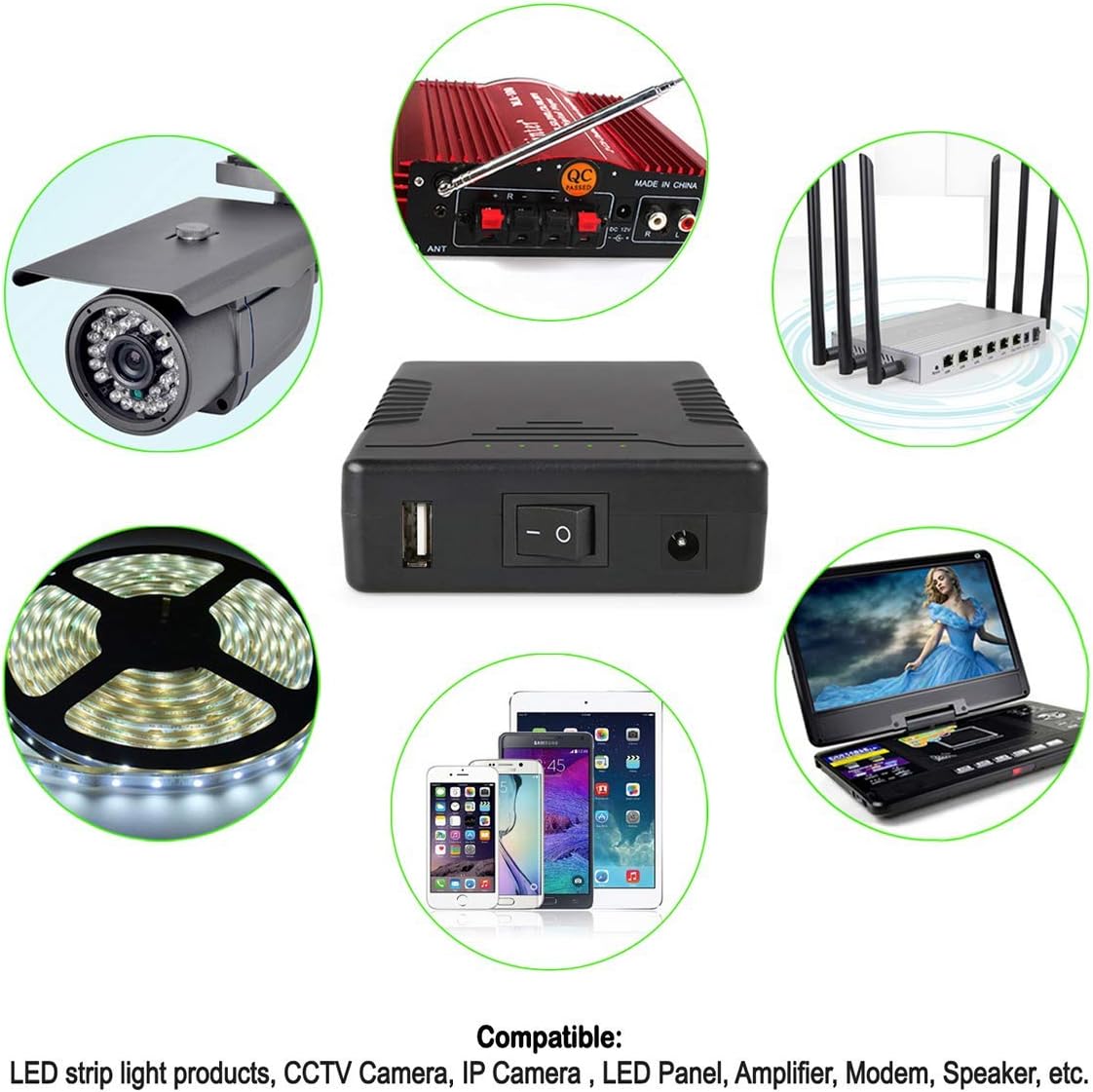
The TalentCell battery pack is compatible with a variety of 12V and 5V devices.
2. Safety Information
To ensure safe operation and prolong the life of your battery pack, please observe the following precautions:
- Do not use the battery pack in environments with high humidity or where it may be exposed to water.
- Do not modify or disassemble the power bank. Unauthorized modifications can lead to hazards and void the warranty.
- Do not dispose of the power bank in fire or water.
- During charging, do not place the power bank on flammable materials such as bedding or carpets. Ensure adequate ventilation.
- Avoid long-term storage in a low voltage state. For extended service life, it is recommended to charge the battery every three months if stored for a long period.

The battery pack incorporates multiple protection features for safe operation.
3. Package Contents
Verify that all items are present in your package:
- 1x DC 12V/5V Lithium-ion Battery Pack
- 1x DC5521 1 Female to 2 Male Power Splitter Cable
- 1x 12.6V/1A AC/DC Charger

Included components in the package.
4. Product Overview
The TalentCell YB1206000-USB battery pack features a compact design with multiple output options and indicators for ease of use.

Key features and ports of the battery pack.
Components:
- USB Output (5V/2A Max.): For charging smartphones, tablets, and other USB-powered devices.
- LED Indicators: Five green LEDs display the remaining battery percentage.
- Power Switch: Toggles the battery pack on/off. Position 'I' for ON, 'O' for OFF.
- DC Input/Output (12V/3A Max.): A DC5521 port for charging the battery pack or powering 12V devices. The voltage range for 12V output is 12.6V-9V.

The compact and lightweight design of the battery pack.
5. Setup
Charging the Battery Pack:
- Connect the provided 12.6V/1A AC/DC charger to the DC Input/Output port (DC5521) on the battery pack.
- Plug the AC/DC charger into a standard wall outlet.
- Ensure the battery pack's power switch is in the 'I' (ON) position for charging to commence.
- The LED indicator on the AC/DC charger will be red during charging and will turn green once the battery is fully charged. A full charge typically takes approximately 7 hours.
It is recommended to fully charge the battery pack before its first use.
6. Operating Instructions
Powering Devices:
- Turn on the battery pack by setting the power switch to the 'I' position. The LED indicators will illuminate to show the current charge level.
- For 12V devices: Connect your 12V device to the DC Input/Output port using the provided DC5521 splitter cable or a compatible cable. Ensure the device's input port matches the DC5521 size and polarity (Inner Positive(+), Outer Negative(-)).
- For 5V USB devices: Connect your USB device to the USB Output port using a standard USB cable.
- The battery pack can provide output power while it is being charged.

The battery pack can simultaneously output power while charging.
LED Indicators:
The five green LED indicators display the approximate remaining battery capacity. Each LED represents approximately 20% of the total charge.
7. Maintenance
- Storage: If the battery pack will not be used for an extended period, store it in a cool, dry place. To maintain battery health, charge it every three months.
- Cleaning: Use a dry, soft cloth to clean the exterior of the battery pack. Do not use liquid cleaners or immerse the device in water.
- Temperature: Avoid exposing the battery pack to extreme temperatures (hot or cold) as this can affect performance and lifespan.
8. Troubleshooting
- Device not powering on: Ensure the battery pack is sufficiently charged and the power switch is in the 'I' (ON) position. Verify that the connected device is compatible with 12V DC or 5V USB output and that cables are securely connected.
- Battery not charging: Confirm the AC/DC charger is properly connected to both the battery pack and a working wall outlet. Ensure the battery pack's power switch is in the 'I' (ON) position during charging.
- Short battery life: Battery performance can be affected by extreme temperatures or prolonged storage in a discharged state. Ensure regular charging when not in use for extended periods.
9. Specifications
| Feature | Specification |
|---|---|
| Model | YB1206000-USB |
| Capacity | 11.1V 6000mAh (or 3.7V 18000mAh), Total 66.6Wh |
| DC Input | 12.6V/3A Max. |
| DC Output | 12V (voltage range 12.6-9V) /3A Max. (DC5521, Inner Positive(+), Outer Negative(-)) |
| USB Output | 5V/2A Max. (USB Type A) |
| Weight | Approx. 380g (0.83 lbs) |
| Dimensions | 5.1 x 1 x 3 inches (14.5 x 8.5 x 2.8 cm) |
| Battery Type | Lithium-ion |
| Special Features | Portable, Multi-LED indicator, Over-charge protection, Over-discharge protection, Short-circuit protection |
10. Warranty and Support
TalentCell provides an 18-month warranty for this product, covering manufacturing defects from the date of purchase.
For technical support, warranty claims, or any questions regarding your TalentCell battery pack, please contact your retailer or visit the official TalentCell website for customer service information.