
1. Introduction
This manual provides detailed instructions for the proper installation, operation, and maintenance of your Retro Manufacturing PA03 Chrome Miniature Fully Automatic Power Antenna. Please read this manual thoroughly before beginning installation or operation to ensure correct usage and to prevent damage to the unit or your vehicle. Professional installation is recommended.
2. Safety Information
- Always disconnect the vehicle's battery before performing any electrical work to prevent short circuits and electrical shock.
- Ensure all wiring connections are secure and properly insulated to avoid electrical hazards.
- Do not attempt to disassemble or modify the antenna unit. This may void the warranty and cause damage.
- Keep hands and tools clear of moving parts during operation.
- Consult a qualified automotive technician if you are unsure about any part of the installation process.
3. Package Contents
Verify that all items are present before beginning installation:
- Retro Manufacturing PA03 Automatic Power Antenna Unit
- Antenna Cable
- 6 Angled Head Kits (various mounting angles)
- Mounting Hardware (nuts, washers, metal strap)
- Drain Tube
4. Specifications
| Feature | Detail |
|---|---|
| Model | PA-03 |
| Operation | Fully Automatic |
| Mast Sections | Five sections |
| Mast Length (Extended) | 18 inches |
| Exterior Finish | Chrome |
| Item Weight | 1.7 pounds |
| Product Dimensions | 10 x 4 x 5 inches |
5. Installation
The Retro Manufacturing PA03 antenna is designed for aftermarket installation and may require modifications to your vehicle. Always check dimensions to ensure proper fit before drilling or making permanent alterations. Professional installation is highly recommended.
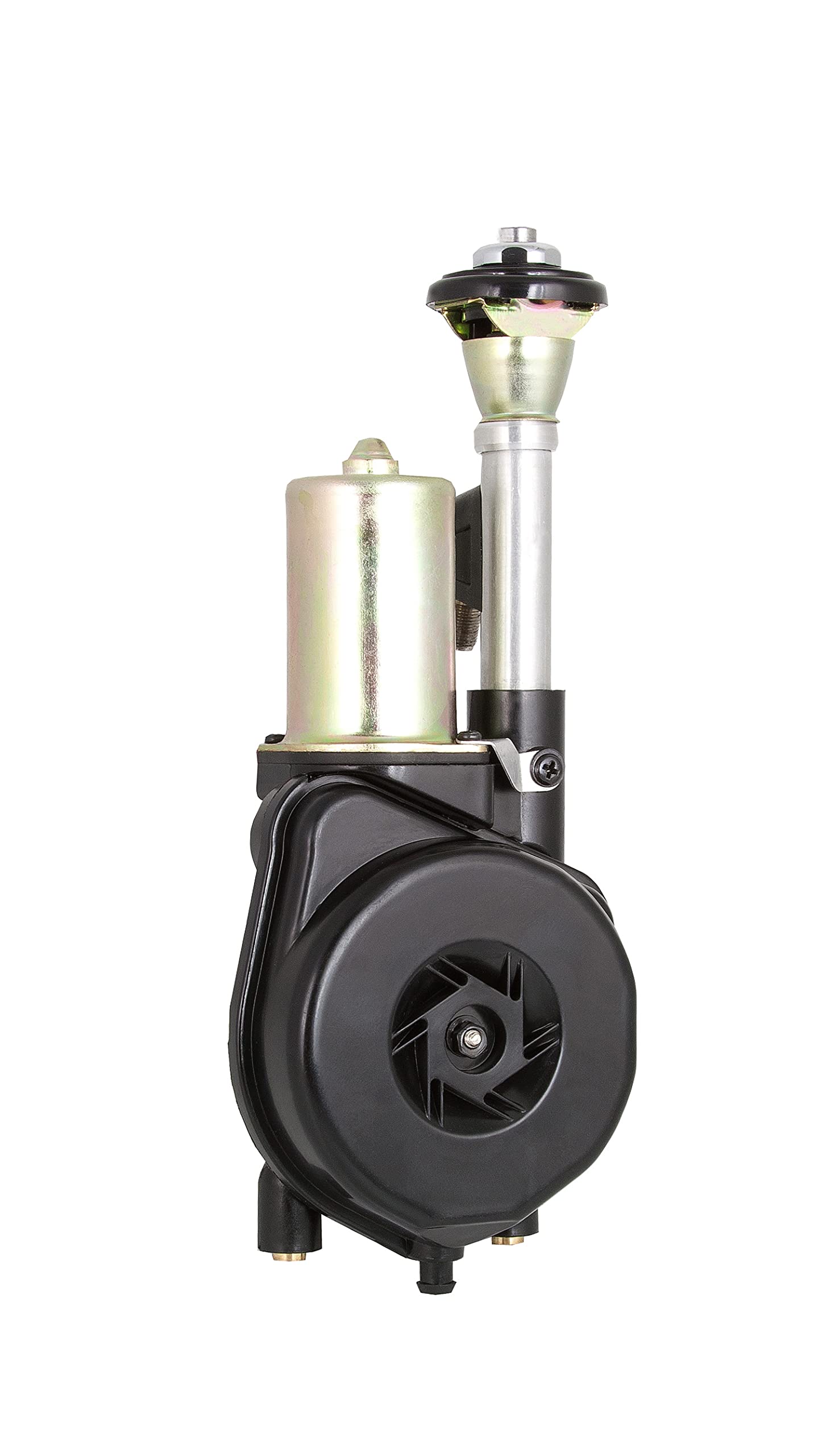
Figure 5.1: The Retro Manufacturing PA03 Automatic Power Antenna unit. This image shows the compact motor assembly and the chrome mast.
5.1 Choosing a Mounting Location
Select a flat, unobstructed area on your vehicle's fender or body panel that allows for the full extension and retraction of the antenna mast. Ensure there is sufficient clearance beneath the mounting surface for the antenna motor assembly (approximately 10 inches in depth and 4x5 inches footprint). The location should also allow for proper routing of the antenna cable and drain tube.
5.2 Preparing the Mounting Hole
Drill a mounting hole of the appropriate diameter (refer to the specific dimensions in your physical manual's diagram, typically around 1 inch) at the chosen location. Deburr the edges of the hole to prevent damage to wiring and corrosion. Apply rust-preventative paint to the bare metal edges.
5.3 Selecting the Angle Base
The PA03 includes six angled head kits (bases) to accommodate various fender angles. Refer to "Figure 1: Included Fixed Angle Bases" (typically found in the physical manual) to select the base that best matches the angle of your vehicle's mounting surface. This ensures the antenna mast stands vertically when extended.
5.4 Mounting the Antenna Unit
Insert the antenna mast assembly through the mounting hole from the top. From underneath the fender, slide the selected angle base, metal retainer cup, and adjustable mounting base onto the antenna shaft. Secure the assembly with the mounting nut, ensuring the antenna is firmly seated and the mast is vertical. A cutaway diagram, such as "Retro Antenna Model PA-01 & 03 Cutaway view showing how unit is mounted" (typically found in the physical manual), illustrates the proper layering of these components and their position relative to the fender.
Attach the metal strap from the motor assembly to a secure point on the vehicle's chassis or frame to provide additional support and grounding.
5.5 Wiring Connections
The PA03 antenna requires three wiring connections:
- Power (Red Wire): Connect to a constant 12V power source (e.g., directly to the battery via a fused connection) to provide power for the motor.
- Ground (Black Wire): Connect to a good chassis ground point on the vehicle.
- Antenna Trigger (Blue Wire): Connect to the antenna output wire from your radio. This wire typically provides 12V when the radio is turned on, signaling the antenna to extend, and drops to 0V when the radio is off, signaling retraction.
Route the antenna cable from the antenna unit to your radio's antenna input. Ensure all wiring is routed away from hot or moving parts and secured with cable ties.
5.6 Drain Tube Installation
Attach the provided drain tube to the bottom of the antenna motor assembly. Route the drain tube downwards and outwards through a suitable opening in the vehicle's undercarriage to allow water to exit, preventing moisture buildup in the motor housing.
6. Operation
The Retro Manufacturing PA03 is a fully automatic power antenna. Once properly installed and wired, its operation is synchronized with your vehicle's radio:
- Turning On the Radio: When your vehicle's radio is turned on, the antenna mast will automatically extend to its full 18-inch length.
- Turning Off the Radio: When your vehicle's radio is turned off, the antenna mast will automatically retract into the motor assembly.
Ensure no obstructions are present during extension or retraction to prevent damage to the mast or motor.
7. Maintenance
- Cleaning: Periodically wipe the chrome mast with a soft, damp cloth to remove dirt and grime. Avoid abrasive cleaners.
- Inspection: Regularly check the antenna mast for any signs of damage, bending, or corrosion. Ensure the mounting hardware remains secure.
- Drain Tube: Verify that the drain tube is clear of obstructions to allow proper water drainage.
- Lubrication: The internal mechanism is generally maintenance-free. Do not apply grease or lubricants to the mast unless specifically instructed by the manufacturer, as this can attract dirt and impede operation.
8. Troubleshooting
- Antenna Does Not Extend/Retract:
- Check all wiring connections (power, ground, trigger) for looseness or corrosion.
- Verify that the radio's antenna trigger wire is providing 12V when the radio is on.
- Check the fuse on the constant 12V power line.
- Inspect the mast for any physical obstructions or damage.
- Poor Radio Reception:
- Ensure the antenna mast is fully extended.
- Check the antenna cable connection at both the antenna unit and the radio for security.
- Inspect the antenna cable for damage or kinks.
- Unusual Noise During Operation:
- Check for any obstructions around the mast or motor assembly.
- Ensure the mounting hardware is tight and the unit is securely fastened.
If problems persist, contact Retro Manufacturing customer support or a qualified technician.
9. Warranty and Support
For warranty information and technical support, please refer to the documentation included with your purchase or visit the official Retro Manufacturing website. You can also visit the Retro Manufacturing Store on Amazon for additional product information and contact options.


