
1. Introduction
Thank you for choosing the Smart Weigh Body Fat Digital Precision Scale SBS500. This scale is designed to provide accurate measurements of body weight, body fat, body water, muscle mass, and bone mass. It features a tempered glass platform, eight-user recognition, and a 440 lb (200 kg) weight capacity. Please read this manual thoroughly before use to ensure proper operation and to achieve the most accurate results.
2. Important Safety Information
- Do not use this scale if you have a pacemaker or other internal medical device.
- Do not use this scale if you are pregnant.
- The scale's surface can be slippery when wet. Ensure the surface is dry before stepping on.
- Always place the scale on a hard, flat surface for accurate readings. Avoid carpets or uneven floors.
- Do not jump on the scale or drop heavy objects on it.
- Keep the scale away from extreme temperatures and direct sunlight.
- This scale is intended for household use only and should not be used for commercial purposes.
- Consult a physician or medical professional to determine what is ideal for you.
3. Product Overview
The Smart Weigh SBS500 scale combines advanced technology with a sleek design to help you monitor your body composition. Below are key features and components.

Figure 3.1: Front view of the Smart Weigh SBS500 Digital Precision Scale, displaying weight and body fat percentage.

Figure 3.2: The scale features "Step-On Technology" for immediate weight measurement upon stepping on the platform.

Figure 3.3: The scale provides 6 key measurements: Weight, BMI, Body Fat, Muscle Mass, Body Water, and Bone Mass.

Figure 3.4: The Smart Weigh SBS500 functions as a body fat analyzer, providing comprehensive body composition data beyond just weight.
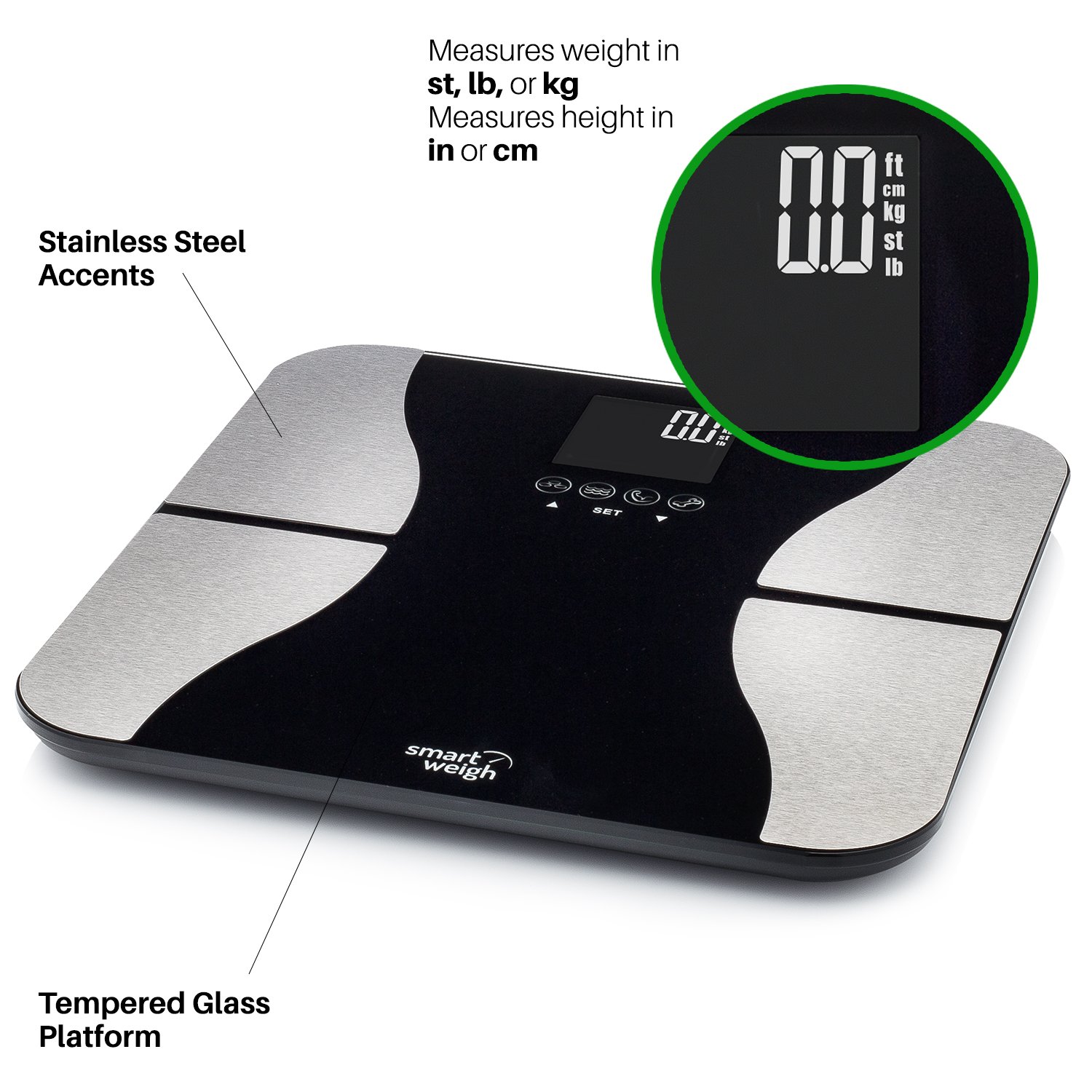
Figure 3.5: Detailed view highlighting the scale's features including selectable units (st, lb, kg for weight; in, cm for height), stainless steel accents, and a durable tempered glass platform.

Figure 3.6: The scale supports multiple users, including 8 user profiles with automatic recognition, indicated by 'P' followed by a number on the display.

Figure 3.7: The scale's dimensions are approximately 12.6" x 12.6", with a maximum capacity of 440 lb (200 kg). It operates on 2 x CR2032 batteries, which are included.
4. Setup Guide
4.1 Battery Installation
- Open the battery compartment on the underside of the scale.
- Insert the two included CR2032 lithium-ion batteries, ensuring correct polarity (+/-).
- Close the battery compartment securely.
4.2 Initial Placement
- Place the scale on a hard, flat, and stable surface. Avoid soft surfaces like carpets, which can affect accuracy.
- Ensure the scale is not near any heat sources or in direct sunlight.
5. Operating Instructions
5.1 Taking a Weight Measurement
- Gently step onto the scale. The scale will automatically turn on due to its "Step-On Technology".
- Stand still on the scale, distributing your weight evenly.
- Your weight will be displayed on the LCD screen. The scale will automatically turn off after a few seconds of inactivity.
5.2 Changing Weight Units
On the underside of the scale, locate the unit conversion button (usually near the battery compartment). Press this button to cycle through available units: pounds (lb), kilograms (kg), and stones (st).
5.3 Setting Up User Profiles (Body Fat Analysis)
To utilize the body composition analysis features, you must set up a user profile. The scale supports up to 8 user profiles (P1-P8).
- Press the "SET" button to enter setup mode. The user number (P1) will flash.
- Use the Up/Down arrows to select a user number (P1-P8). Press "SET" to confirm.
- Set your gender (male/female). Press "SET" to confirm.
- Set your height (in or cm). Use Up/Down arrows to adjust, then "SET" to confirm.
- Set your age. Use Up/Down arrows to adjust, then "SET" to confirm.
- Set your activity level (e.g., normal, athletic). Press "SET" to confirm.
- The scale will save your profile and return to weighing mode.
5.4 Taking Body Composition Measurements
After setting up your profile:
- Step onto the scale with bare feet, ensuring your feet are in contact with the metal electrodes.
- The scale will automatically recognize your profile (if you are one of the 8 stored users) and display your weight.
- After a few seconds, it will cycle through your body fat percentage, body water percentage, muscle mass, and bone mass.
- Step off the scale to turn it off.
6. Maintenance
- Clean the scale with a damp cloth and mild detergent. Do not use abrasive cleaners or immerse the scale in water.
- Avoid exposing the scale to direct sunlight or extreme temperatures.
- If the scale will not be used for an extended period, remove the batteries to prevent leakage.
7. Troubleshooting
| Problem | Possible Cause | Solution |
|---|---|---|
| "Lo" displayed | Low battery power. | Replace the batteries (2 x CR2032). |
| "Err" displayed | Overload or measurement error. | Ensure weight is within capacity (440 lb / 200 kg). Step off and on again. |
| Inaccurate readings | Scale on uneven surface, not calibrated, or feet not properly placed. | Place on a hard, flat surface. Step on and off quickly to calibrate to zero. Ensure bare feet are on electrodes for body composition. |
| Body fat analysis not working | User profile not set up, bare feet not on electrodes, or feet are too dry. | Set up a user profile. Ensure bare feet are making good contact with the metal electrodes. Slightly moisten feet if necessary. |
8. Product Specifications
- Brand: Smart Weigh
- Model Number: SBS500
- Special Feature: Body Fat, Bone Mass measurement
- Display Type: Digital LCD
- Weight Limit: 440 Pounds (200 kg)
- Form Factor: Mini (approx. 30.5 x 30.5 x 1.3 cm)
- Item Weight: 1.95 kg (1 kg 950 g)
- Batteries: 2 Lithium Ion CR2032 (included)
- User Profiles: 8 with automatic recognition
- Measurements: Weight, Body Fat, Body Water, Muscle Mass, Bone Mass, BMI
- Platform Material: Tempered Glass with Stainless Steel Accents
9. Warranty & Support
9.1 Warranty Information
For detailed warranty information regarding your Smart Weigh SBS500 scale, please refer to the warranty card included with your purchase or visit the official Smart Weigh website. Warranty terms and conditions may vary by region.
9.2 Customer Support
If you encounter any issues or have questions not covered in this manual, please visit the Smart Weigh official website for support resources, FAQs, and contact information. Ensure you have your model number (SBS500) ready when contacting support.