
ISYMPHONY Parts RC3008I
iSymphony TV Remote Control RC3008i User Manual
Model: RC3008I
Product Overview
This manual provides instructions for the iSymphony TV Remote Control, model RC3008I. This original remote control is designed to work seamlessly with various iSymphony television models, ensuring full functionality and ease of use.
Compatible TV Models: LC40IF80, LED32IF50, LED42IF80, LED24IF80, LE24IF20, LC37IF80, LC32IH62.
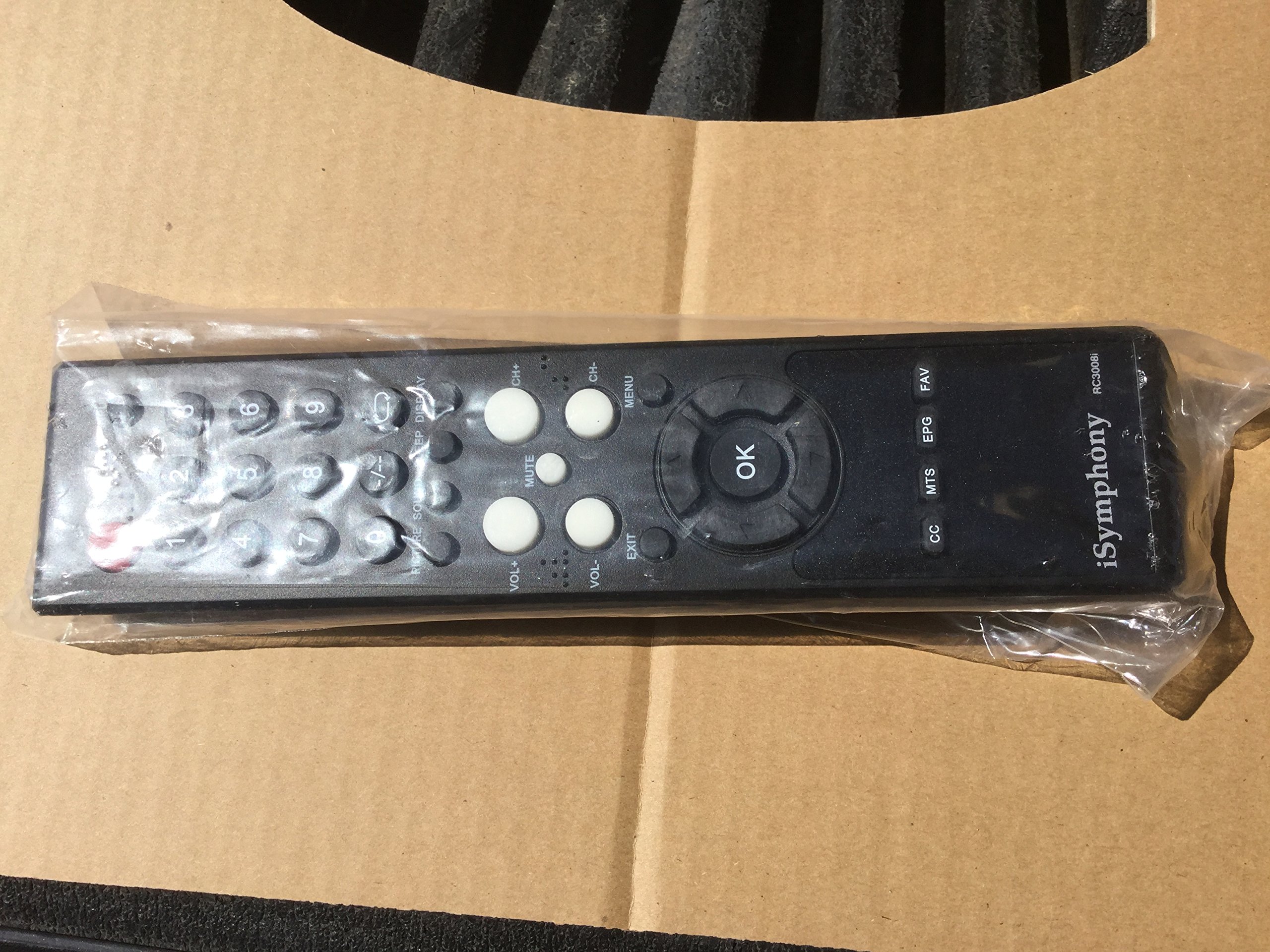
Figure 1: The iSymphony RC3008i TV Remote Control, shown in its clear plastic packaging. The remote is black with white and grey buttons, featuring a central 'OK' button surrounded by directional controls. Numeric keys and function buttons like 'VOL+', 'CH+', 'MUTE', 'MENU', 'EXIT', 'CC', 'MTS', 'EPG', and 'FAV' are clearly visible.
Setup
1. Battery Installation
The iSymphony RC3008i remote control requires two AAA batteries (not included) for operation.
- Locate the battery compartment cover on the back of the remote control.
- Press down on the tab and slide the cover off.
- Insert two AAA batteries, ensuring the positive (+) and negative (-) terminals align correctly with the markings inside the compartment.
- Slide the battery compartment cover back into place until it clicks securely.
Note: Remove batteries if the remote control will not be used for an extended period to prevent battery leakage.
2. Initial Connection
This remote control is an original replacement and typically requires no programming for compatible iSymphony TV models. Simply insert the batteries and point the remote towards your television's infrared receiver.
Operating Instructions
The RC3008i remote control provides full functionality for your iSymphony television. Below is a guide to its primary buttons and their functions.
| Button | Function |
|---|---|
| Power | Turns the TV on or off. |
| 0-9 (Numeric Keys) | Direct channel selection. |
| VOL+ / VOL- | Increases or decreases the volume level. |
| CH+ / CH- | Changes the channel up or down. |
| MUTE | Mutes or unmutes the TV audio. |
| MENU | Accesses the TV's main menu. |
| OK | Confirms selections within menus. |
| Directional Arrows | Navigates through menus and options. |
| EXIT | Exits the current menu or screen. |
| CC (Closed Caption) | Toggles closed captions on or off. |
| MTS (Multi-channel Television Sound) | Selects audio modes (e.g., Stereo, SAP). |
| EPG (Electronic Program Guide) | Displays the electronic program guide. |
| FAV (Favorites) | Accesses favorite channels list. |
Maintenance
Cleaning the Remote Control
To maintain the remote control's appearance and functionality:
- Wipe the surface with a soft, dry cloth.
- For stubborn dirt, slightly dampen the cloth with water or a mild, non-abrasive cleaner.
- Do not use harsh chemicals, solvents, or abrasive cleaning pads, as these can damage the remote's finish or internal components.
Battery Replacement
Replace batteries when the remote control's response becomes sluggish or stops working. Always replace both batteries at the same time with new ones of the same type (AAA). Dispose of used batteries according to local regulations.
Troubleshooting
| Problem | Possible Cause / Solution |
|---|---|
| Remote not responding. |
|
| Some buttons not working. |
|
| TV not responding to specific functions (e.g., volume, channel). |
|
If troubleshooting steps do not resolve the issue, please contact iSymphony customer support for further assistance.
Specifications
- Model Number: RC3008I
- Brand: ISYMPHONY Parts
- Compatible Devices: Television (Specific iSymphony models: LC40IF80, LED32IF50, LED42IF80, LED24IF80, LE24IF20, LC37IF80, LC32IH62)
- Connectivity Technology: Infrared
- Number of Buttons: 25
- Special Feature: Ergonomic design
- Item Weight: 3.56 ounces
- Package Dimensions: 10.98 x 3.23 x 1.97 inches
- Date First Available: July 23, 2014
Warranty and Support
For warranty information or technical support regarding your iSymphony RC3008i remote control, please refer to the documentation provided with your original television purchase or contact ISYMPHONY Parts customer service directly. Contact details can typically be found on the manufacturer's official website or on the product packaging.
Note: As an original replacement part, warranty terms may vary. Please retain your proof of purchase.
Ask a question about this manual
Ask about setup, troubleshooting, compatibility, parts, safety, or missing instructions. Manuals+ will review the question and use this page’s manual context to help answer it.