
Introduction
The Duco Printing Blanket is a high-quality, compressible 4-ply (0.077") blanket engineered for optimal ink transfer and superior smash resistance. This blanket is specifically cut and finished with integrated metal bars to ensure a precise and secure fit for your Heidelberg Quickmaster 46 or Printmaster 46 offset printing press. Designed for reliability and consistent performance, it contributes to high-quality print results.
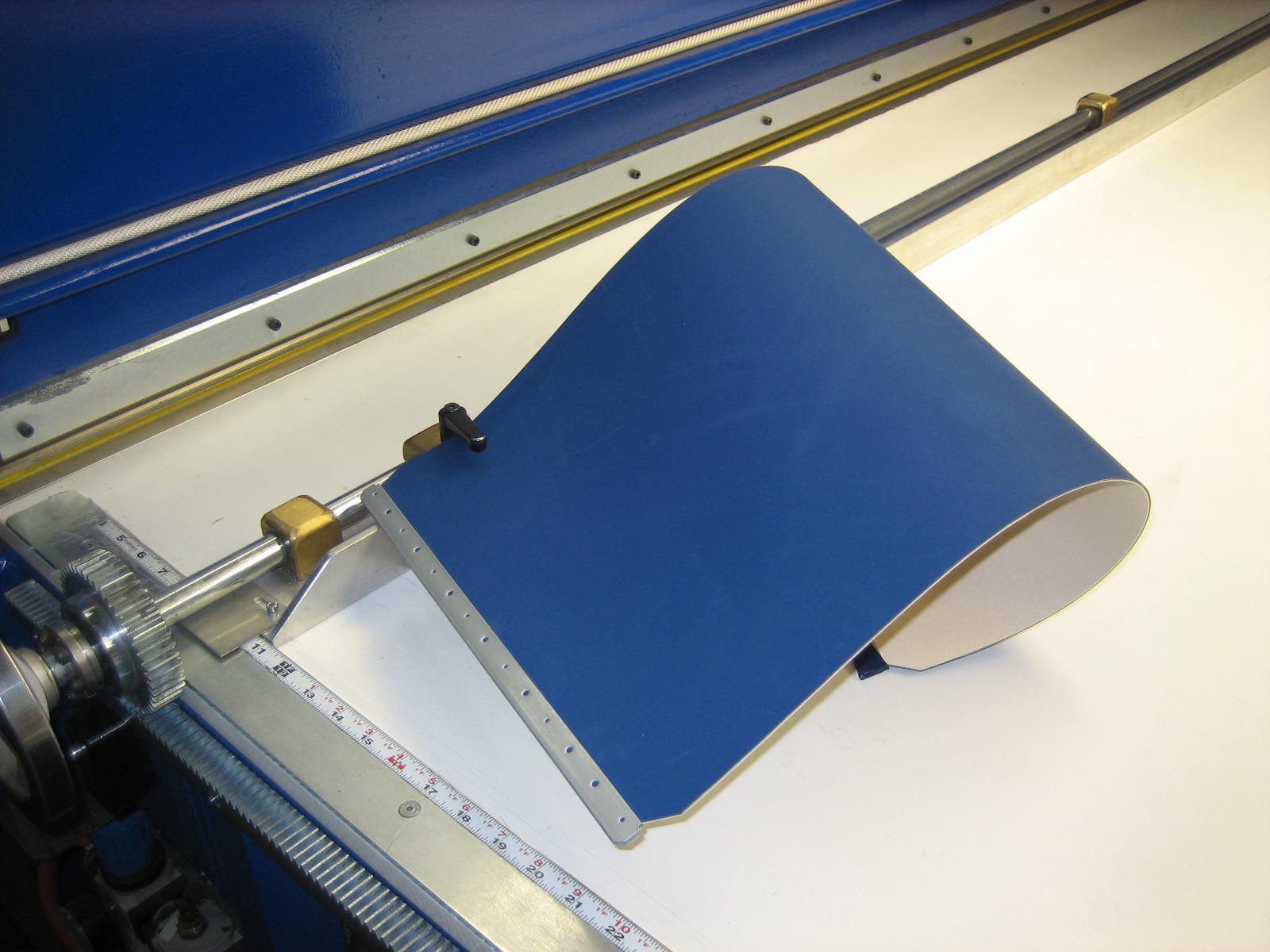
Image: The Duco 4-ply printing blanket, featuring its compressible material and integrated metal bars designed for secure attachment to compatible printing presses.
Setup Instructions
Proper installation of the printing blanket is crucial for achieving optimal print quality and extending the blanket's lifespan. Follow these general steps for installation:
- Preparation: Ensure the printing press cylinder is clean and free from any debris, ink residue, or old blanket adhesive. Use a recommended cleaning solution for this purpose.
- Unpacking and Inspection: Carefully remove the new Duco printing blanket from its packaging. Inspect it for any visible damage or defects before installation.
- Positioning: Align the metal bars of the blanket with the clamping mechanism on the printing press cylinder. Ensure the blanket is oriented correctly according to the press manufacturer's guidelines.
- Clamping: Securely fasten the metal bars into the press's clamping system. Follow the press manufacturer's instructions for tightening and tensioning the blanket. Uneven tension can lead to print quality issues.
- Tensioning: Apply the recommended tension to the blanket. This often involves a two-stage tensioning process: an initial tension followed by a final tension after a short period of operation to allow the blanket to settle. Refer to your Heidelberg Quickmaster 46 or Printmaster 46 manual for specific tension settings.
- Alignment Check: After installation and tensioning, perform an alignment check to ensure the blanket is perfectly straight and evenly tensioned across the cylinder.
Operating Guidelines
To maximize the performance and lifespan of your Duco printing blanket, adhere to the following operating guidelines:
- Press Settings: Always operate the printing press within the manufacturer's recommended speed and pressure settings. Excessive pressure can prematurely wear out the blanket.
- Ink Compatibility: Use inks and solvents that are compatible with offset printing blankets. Incompatible chemicals can degrade the blanket surface.
- Regular Checks: Periodically inspect the blanket surface during operation for any signs of wear, damage, or debris accumulation. Address any issues promptly.
- Smash Prevention: While the Duco blanket offers excellent smash resistance, always take precautions to prevent paper jams or foreign objects from entering the press, which can cause severe damage.
- Storage (When Not in Use): If the blanket is removed from the press for an extended period, store it flat in its original packaging or a protective sleeve in a cool, dry place away from direct sunlight and chemicals.
Maintenance
Proper maintenance ensures consistent print quality and extends the life of your printing blanket.
- Daily Cleaning: After each print run or at the end of the day, clean the blanket surface thoroughly using a soft cloth and a blanket wash solution recommended for offset printing. Remove all ink and paper dust.
- Deep Cleaning: Periodically perform a deeper clean to remove embedded ink or glaze. Consult your press manufacturer's guidelines for recommended deep cleaning procedures and products.
- Inspection: Regularly inspect the blanket for cuts, nicks, swelling, or hardening. Small imperfections can lead to print defects. Replace the blanket if significant damage is observed.
- Storage: If storing a used blanket, clean it thoroughly, apply a blanket preservative if recommended, and store it flat or rolled on a core in a protective wrapper, away from extreme temperatures and humidity.
Troubleshooting Guide
This section addresses common issues you might encounter with your printing blanket.
| Problem | Possible Cause | Solution |
|---|---|---|
| Poor Ink Transfer / Uneven Print | Insufficient blanket tension, blanket swelling/hardening, improper packing, dirty blanket surface. | Check and adjust blanket tension. Clean the blanket thoroughly. Verify packing thickness. Replace blanket if damaged or worn. |
| Blanket Smashing / Indentations | Foreign object on blanket or plate, excessive impression pressure, paper jam. | Inspect blanket and plate for debris. Reduce impression pressure. Clear any paper jams. Replace blanket if severely damaged. |
| Blanket Edge Damage | Improper clamping, misaligned blanket, contact with sharp edges in the press. | Ensure correct blanket installation and alignment. Inspect press for sharp edges. |
| Excessive Blanket Wear | Abrasive paper stock, incorrect impression pressure, aggressive cleaning solutions, prolonged use. | Adjust impression pressure. Use appropriate cleaning solutions. Consider blanket type for abrasive stocks. Replace blanket as part of regular maintenance. |
Specifications
- Product Type: Printing Blanket
- Construction: 4-ply, compressible
- Thickness: Approximately 0.077 inches
- Compatibility: Heidelberg Quickmaster 46, Heidelberg Printmaster 46
- Features: Finished with metal bars for secure mounting, excellent ink transfer, high smash resistance
- Manufacturer: Duco
- ASIN: B00LXA54M0
- Date First Available: July 18, 2014
Warranty Information
Specific warranty details for the Duco Printing Blanket are not provided in this manual. For information regarding product warranty, including terms, conditions, and duration, please contact the original seller or the manufacturer, Duco, directly. Retain your proof of purchase for any warranty claims.
Customer Support
If you require assistance with your Duco Printing Blanket, have questions about its use, or need to report an issue, please contact the seller from whom you purchased the product. Alternatively, you may reach out to the manufacturer, Duco, for further support. Please have your product model and purchase details ready when contacting support.