
1. Introduction
This manual provides comprehensive instructions for the proper setup, operation, and maintenance of your Inateck BCST-S Goose Neck Hands-Free Adjustable Stand. Please read this manual thoroughly before using the product to ensure optimal performance and longevity.

Figure 1: Inateck BCST-S Goose Neck Hands-Free Adjustable Stand, showcasing its flexible neck and stable base.
2. Product Features
- Molded from highly durable industrial-grade plastics, offering shock-resistance and robust construction.
- Designed to fit all Inateck barcode scanners and most other barcode scanners available on the market, ensuring stable fixture.
- Flexible design allows for easy and convenient installation, dismantling, and transport.
- High-quality clamp mechanism provides effective position stabilization for your scanning device.
- Flexible holding arm enables simple modification of the angle and position of your scanning device.

Figure 2: The BCST-S stand demonstrating compatibility with several Inateck barcode scanner models (P6, BCST-70, BCST-60, BCST-50, BCST-31).
3. Setup and Installation
The Inateck BCST-S stand is designed for tool-free installation, allowing for quick assembly.
- Unpack all components from the packaging. You should have the base, the goose neck arm, and the scanner holder.
- Align the bottom of the goose neck arm with the opening on the base.
- Secure the goose neck arm to the base using the provided wing nut and washer from underneath the base. Tighten by hand until secure.
- Attach your compatible barcode scanner to the holder at the top of the goose neck arm. Ensure it is seated firmly.

Figure 3: Illustration of the tool-free installation process, showing a hand tightening the wing nut to secure the goose neck to the base.
4. Operating Instructions
Once assembled, the stand provides a stable and adjustable platform for your barcode scanner.
- Positioning: The flexible goose neck arm allows for easy adjustment of the scanner's angle and height. Gently bend the neck to achieve the desired scanning position.
- Stability: The stand features a non-slip base to ensure stability during use. Place the stand on a flat, stable surface.
- Hands-Free Scanning: With the scanner securely in place, you can perform hands-free scanning, improving efficiency in various environments.

Figure 4: The flexible goose neck arm allows users to adjust the angle and height of the scanner holder to suit their needs.
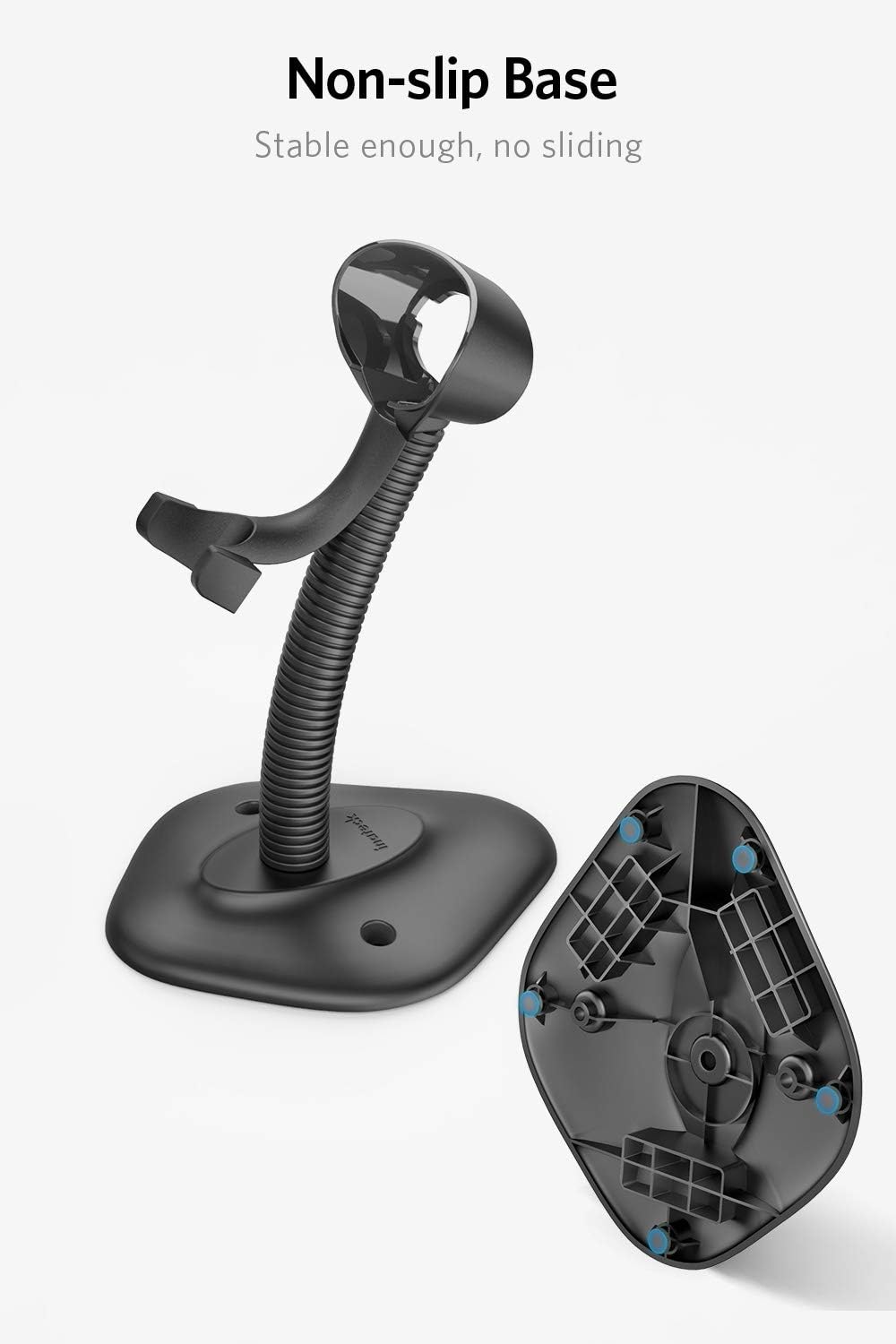
Figure 5: The underside of the stand's base, showing the non-slip pads that provide stability and prevent sliding.

Figure 6: The Inateck BCST-S stand holding a barcode scanner, ready for scanning items.
5. Maintenance
To ensure the longevity and proper functioning of your Inateck BCST-S stand, follow these simple maintenance guidelines:
- Cleaning: Wipe the stand with a soft, damp cloth. Avoid using harsh chemicals or abrasive cleaners, as these can damage the plastic.
- Inspection: Periodically check all connections, especially the wing nut at the base, to ensure they remain tight.
- Storage: When not in use for extended periods, store the stand in a cool, dry place, away from direct sunlight and extreme temperatures.
6. Troubleshooting
If you encounter any issues with your Inateck BCST-S stand, please refer to the following common problems and solutions:
| Problem | Possible Cause | Solution |
|---|---|---|
| Stand feels unstable or wobbly. | Loose connection at the base; uneven surface. | Ensure the wing nut securing the goose neck to the base is tightened. Place the stand on a flat, stable surface. |
| Scanner does not fit securely in the holder. | Incompatible scanner model; incorrect placement. | Verify your scanner's dimensions against the stand's holder specifications. Ensure the scanner is inserted correctly into the holder. |
| Goose neck does not hold position. | Excessive weight on the scanner holder; extreme bending. | Ensure the scanner's weight is within the stand's capacity. Avoid over-bending the goose neck beyond its natural flexibility. |
7. Specifications
- Brand: Inateck
- Model: BCST-S
- Compatible Devices: Desktop, Laptop
- Power Source: Electric
- Connectivity Technology: USB Cable
- Maximum Storage Temperature: 50 Degrees Celsius
Note: "Compatible Devices", "Power Source", and "Connectivity Technology" specifications primarily relate to the barcode scanners intended for use with this stand, not the stand itself.

Figure 7: Detailed dimensions of the Inateck BCST-S stand, showing measurements for the scanner holder (7.41cm/2.91in, 3.28cm/1.29in, 5.06cm/1.99in).
8. Warranty and Support
For warranty information or technical support, please refer to the official Inateck website or contact their customer service directly. Keep your purchase receipt for warranty claims.
Inateck Official Website: www.inateck.com
