
Beurer PO30
Beurer PO30 Fingertip Pulse Oximeter User Manual
Model: PO30
Introduction
The Beurer PO30 Fingertip Pulse Oximeter is a compact, lightweight device designed for measuring arterial oxygen saturation (SpO2) and heart rate (pulse). It is suitable for use at home, during sports activities, or at high altitudes. This manual provides essential information for safe and effective operation of your device.
Safety Information
Please read this entire instruction manual carefully before using the Beurer PO30 Pulse Oximeter. Keep these instructions in a safe place for future reference.
- This device is not intended for continuous monitoring.
- Do not use the device in an MRI or CT environment.
- Do not use the device on infants or individuals with very small fingers.
- Avoid using the device on the same finger for more than 2 hours.
- Consult your physician if you have any concerns about your SpO2 or heart rate readings.
- Keep out of reach of children.
Package Contents
Verify that all items are present and in good condition:
- 1 x Beurer PO30 Fingertip Pulse Oximeter
- 2 x 1.5V AAA Batteries
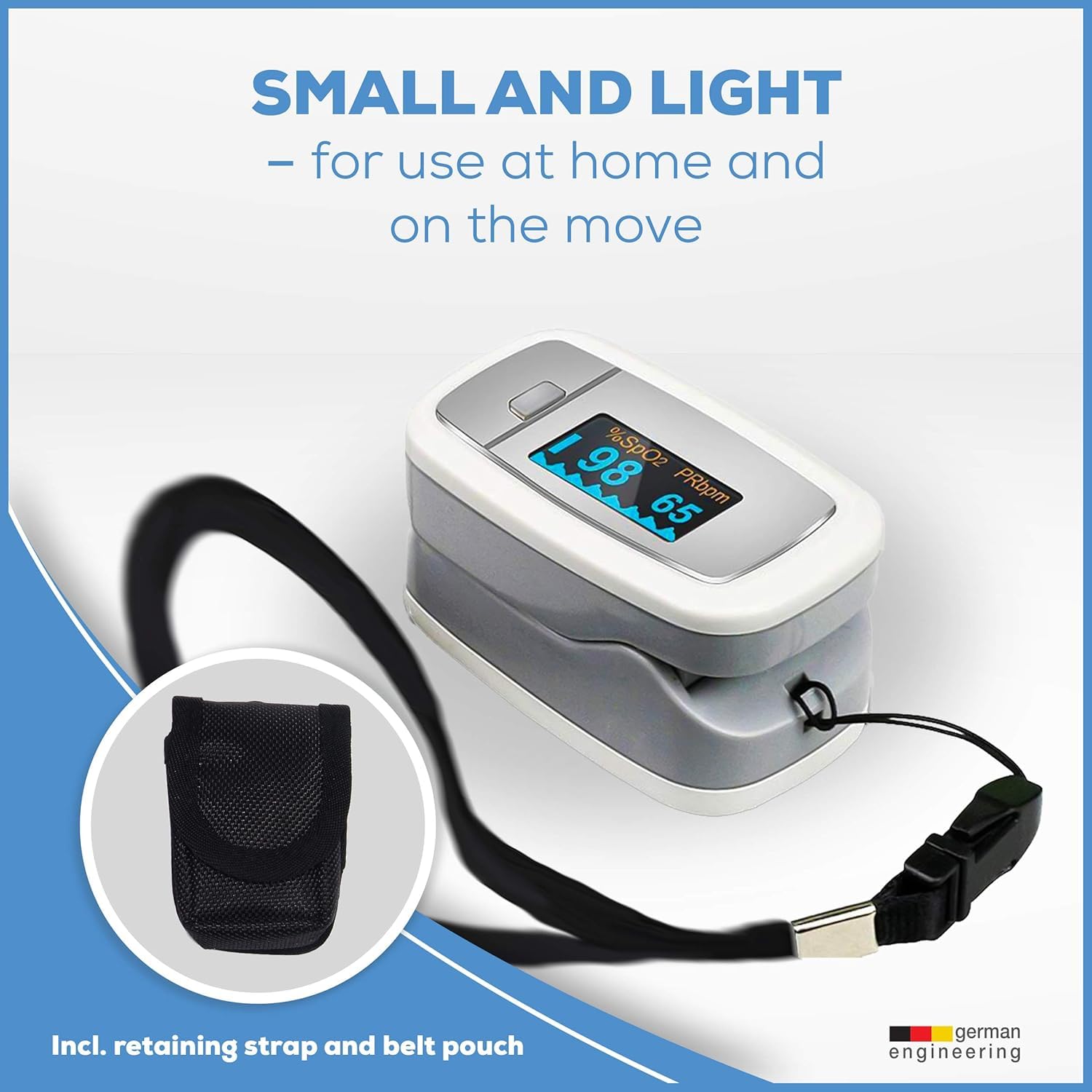
- 1 x Lanyard
- 1 x Storage Bag
- 1 x Instruction Manual (this document)

Image showing the Beurer PO30 Pulse Oximeter, two AAA batteries, a lanyard, and a storage bag, illustrating the complete package contents.
Product Overview
The Beurer PO30 is designed for ease of use and portability. Its compact size and clear display make it convenient for quick measurements.

The Beurer PO30 Fingertip Pulse Oximeter, shown in its compact, closed state, ready for use.

A detailed view of the Beurer PO30's display, clearly showing the SpO2 (blood oxygen saturation) and PRbpm (pulse rate beats per minute) readings.

An illustration detailing the compact dimensions of the Beurer PO30 Pulse Oximeter: 2.5 inches long, 1.5 inches wide, and 1.25 inches high.

A visual breakdown of the Beurer PO30's key features, including heart rate and SpO2 display, four adjustable viewing formats, an easy-to-read color display, real-time pulse curve, low battery indicator, automatic switch-off, and simple one-button operation.
Setup
Inserting Batteries
- Open the battery compartment cover on the back of the device.
- Insert the two 1.5V AAA batteries, ensuring correct polarity (+/-).
- Close the battery compartment cover securely.
Attaching the Lanyard
Thread the thin end of the lanyard through the loop hole on the side of the pulse oximeter. Then, thread the thicker end of the lanyard through the thin loop and pull to secure.
Operating Instructions
Taking a Measurement
- Ensure your finger is clean and free of nail polish or artificial nails.
- Open the clamp of the pulse oximeter.
- Insert one finger (preferably the index finger) into the opening until it touches the stop.
- Release the clamp.
- Press the function button to turn on the device.
- Keep your hand still during the measurement. The readings will appear on the display within a few seconds.
A person demonstrating the correct placement of the Beurer PO30 Pulse Oximeter on their finger for a measurement.
Display Information
The display shows the following values:
- SpO2: Blood oxygen saturation (percentage).
- PRbpm: Pulse rate (beats per minute).
- Pulse bar graph: Indicates the pulse intensity.
- Plethysmogram: A waveform representing the pulse.

The Beurer PO30 display showing both heart rate and SpO2 readings, accompanied by illustrative icons for clarity.
Adjusting Display Modes
The PO30 features 4 display formats. Briefly press the function button while the device is on to cycle through the different display orientations and layouts.

An animated representation of the Beurer PO30's auto-rotate display feature, showing how the screen adjusts to different viewing angles for optimal readability.
Automatic Switch-Off
The device will automatically switch off approximately 8 seconds after the finger is removed from the oximeter.
Official product video demonstrating the Beurer PO30 Pulse Oximeter's features, including its simple single-button operation, color display with four formats, suitability for various health conditions, and automatic switch-off function. The video also shows how to store the device securely in its belt pouch.
Maintenance
Cleaning the Device
- Clean the surface of the pulse oximeter with a soft cloth dampened with a mild disinfectant or 70% isopropyl alcohol.
- Do not immerse the device in water or any other liquid.
- Do not use abrasive cleaners or harsh chemicals.
- Ensure the device is completely dry before storage or next use.
Battery Replacement
When the low battery indicator appears on the display, replace both AAA batteries promptly to ensure accurate readings.
Storage
Store the device in the provided storage bag in a cool, dry place, away from direct sunlight and extreme temperatures.
Troubleshooting
| Problem | Possible Cause | Solution |
|---|---|---|
| No display after turning on. | Batteries are dead or inserted incorrectly. | Replace batteries or reinsert them with correct polarity. |
| Display shows "Finger Out" or "Error". | Finger not inserted correctly or movement during measurement. | Reinsert finger firmly and keep still. Avoid nail polish. |
| Readings are unstable. | Excessive movement, cold fingers, or weak pulse. | Ensure hand is warm and still. Try a different finger. |
Specifications
- Model: PO30
- Display: Color OLED
- Measurement Range SpO2: 0% - 100%
- Measurement Range Pulse Rate: 30 - 250 bpm
- Accuracy SpO2: ±2% (70-100%), unspecified below 70%
- Accuracy Pulse Rate: ±2 bpm or ±2% (whichever is greater)
- Power Supply: 2 x 1.5V AAA batteries
- Dimensions: 2.5 x 1.5 x 1.25 inches (approx.)
- Weight: 1.6 ounces (approx., without batteries)
- Automatic Switch-Off: Yes, after 8 seconds of inactivity
Warranty and Support
Beurer GmbH provides a limited warranty for this product. For detailed warranty information, please refer to the warranty card included with your purchase or visit the official Beurer website. For technical support or service inquiries, please contact Beurer North America customer service.
Manufacturer Contact Information: Beurer North America
Official User Manual (PDF): Download PDF Manual
Ask a question about this manual
Ask about setup, troubleshooting, compatibility, parts, safety, or missing instructions. Manuals+ will review the question and use this page’s manual context to help answer it.