
Introduction
This manual provides detailed instructions for the proper installation, operation, and maintenance of your UTG 6-24X50 1" Hunter Scope. Please read this manual thoroughly before using the product to ensure optimal performance and safety.
Product Overview
The UTG 6-24X50 Hunter Scope is designed for precision aiming and target acquisition, featuring a 1-inch tube, adjustable objective (AO), and a 36-color Mil-dot reticle. It is built on a True Strength (TS) platform, ensuring durability and reliability in various conditions.
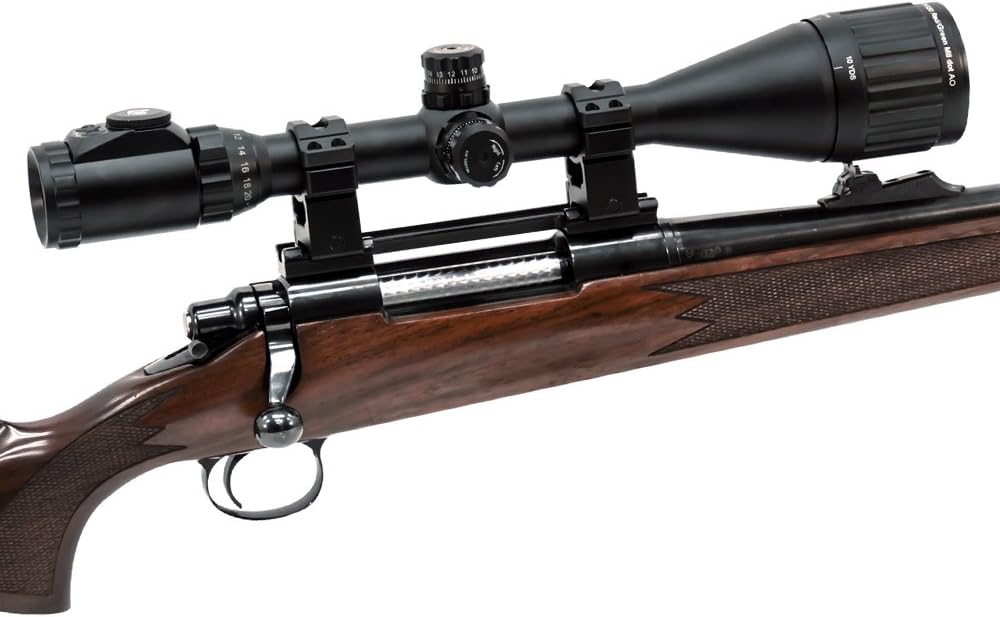
Image: The UTG 6-24X50 Hunter Scope mounted on a rifle, showcasing its design and integration.
Key Features:
- Magnification: 6-24x variable magnification.
- Objective Lens: 50mm diameter for enhanced light gathering.
- Reticle: Mil-dot reticle with EZ-TAP Illumination Enhancing (IE) System, offering 36 color options.
- Construction: True Strength Platform, completely sealed and nitrogen filled for shockproof, fogproof, and rainproof performance.
- Adjustments: Front Adjustable Objective (AO) for parallax adjustment from 10 yards to infinity. Zero Reset/Locking Target Windage/Elevation Knobs with 1/4 MOA per click.
- Optics: Emerald Coated Lenses for maximum light transmission and clarity.
Components Included
The following components are included with your UTG 6-24X50 Hunter Scope:
- UTG Hunter Scope 6-24x50mm, 1" Tube, AO, 36 Color Mil-Dot Reticle
- Max Strength RG2W1204 High Quality QD Twist Lock Picatinny/Weaver Rings
- Flip-open Lens Covers
- 3" Sniper Sunshade
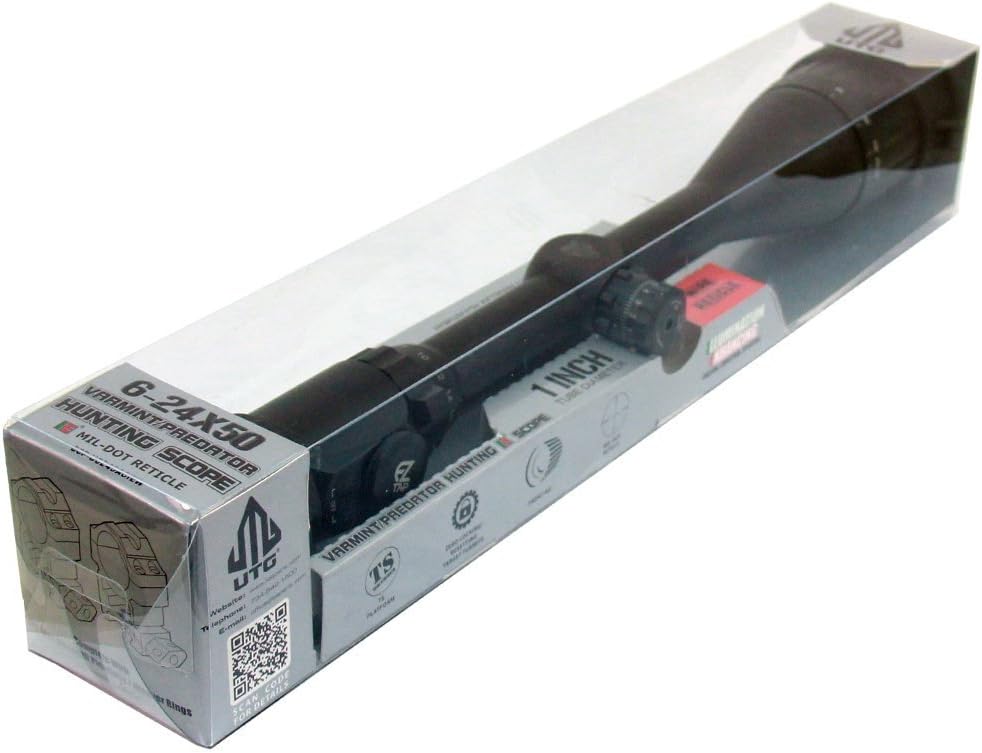
Image: The UTG 6-24X50 Hunter Scope in its retail packaging, showing included accessories.
Specifications
| Feature | Specification |
|---|---|
| Brand | UTG |
| Model Name | SCP-U6245AOIEW |
| Magnification | 6-24x |
| Objective Lens Diameter | 50 mm |
| Tube Diameter | 1 inch |
| Reticle Type | Mil-dot (36-color illuminated) |
| Parallax Adjustment | Front Adjustable Objective (10 yards to infinity) |
| Windage/Elevation Adjustment | 1/4 MOA per click, Zero Reset/Locking Turrets |
| Lens Coating | Emerald Coated |
| Construction Material | Aluminum |
| Weight | 1.7 pounds |
| Dimensions (L x W x H) | 14.96" x 1.5" x 14.96" |
| Mounting Type | Picatinny/Weaver (Rings included) |
Setup
1. Mounting the Scope
Use the included Max Strength QD Twist Lock Picatinny/Weaver Rings to securely mount the scope onto your rifle's rail. Ensure proper eye relief and alignment before tightening the rings. Refer to your rifle's manual for specific mounting recommendations.

Image: The included high-profile Max Strength QD Twist Lock Picatinny/Weaver 1-inch rings for mounting the scope.
2. Zero Locking and Resetting Turrets
The scope features Zero Locking and Zero Resetting turrets for windage and elevation adjustments. After sighting in your scope, you can lock the turrets to prevent accidental changes to your zero. To reset the dial for easy reading without affecting your zero, follow the instructions below:
- Adjust windage and elevation until your rifle is sighted in.
- To lock the turret, push down on the turret cap.
- To reset the zero mark, pull up the turret cap, rotate it to align the "0" mark with the indicator, and then push the cap back down to lock it.

Image: A hand adjusting the Zero Locking and Resetting turret, showing the "Up" and "Down" indicators and the 1/8 MOA markings.
3. Parallax Adjustment
The Front Adjustable Objective (AO) allows for parallax correction from 10 yards to infinity. Rotate the objective lens ring until the target appears sharp and clear, and the reticle does not appear to move relative to the target when you shift your eye position slightly.
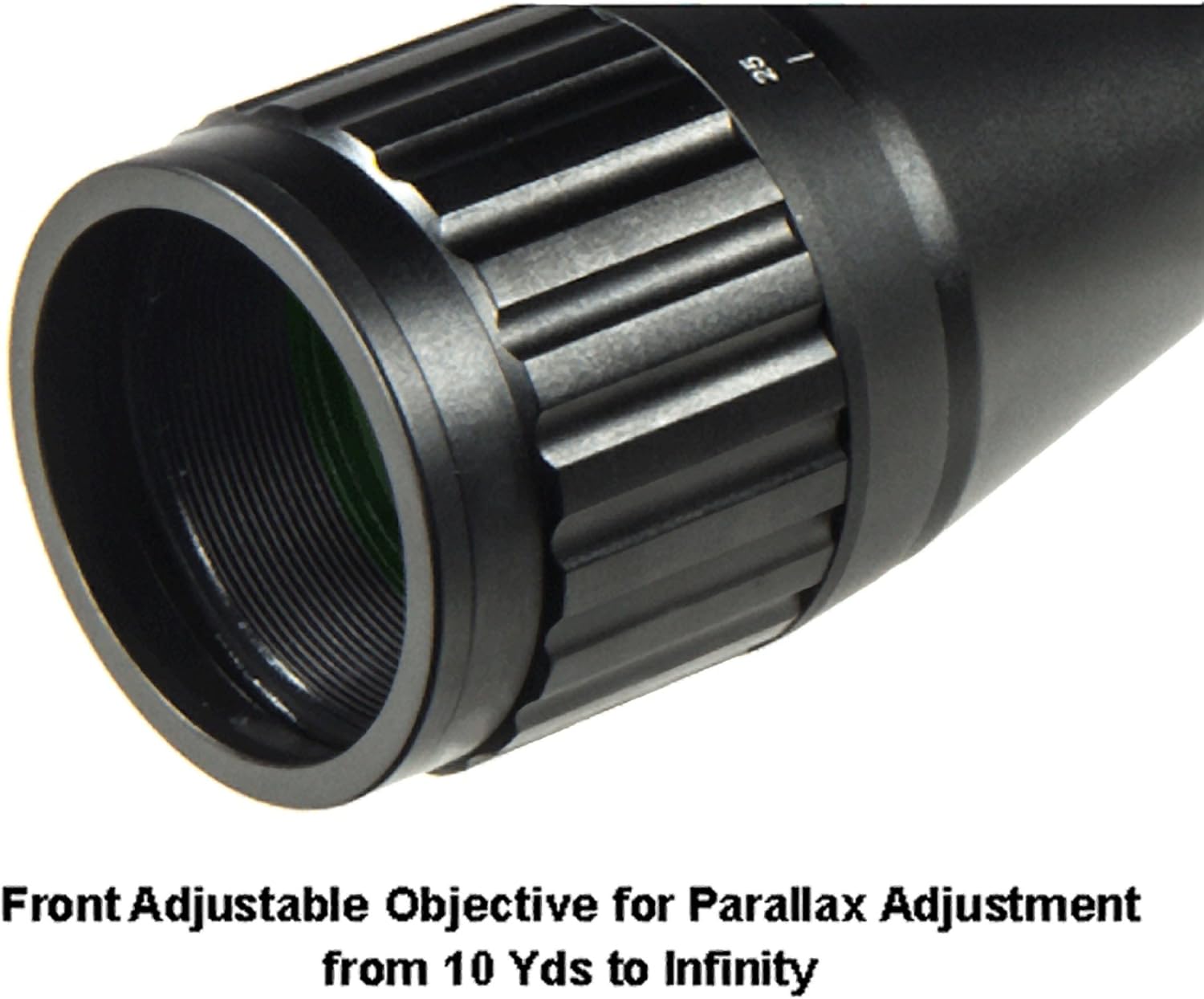
Image: Close-up of the Front Adjustable Objective (AO) ring on the scope, used for parallax adjustment.
Operating the Scope
1. Magnification Adjustment
Rotate the magnification ring, located near the eyepiece, to adjust the power from 6x to 24x. Ensure a clear sight picture at your desired magnification.
2. EZ-TAP Illumination System (36-Color Mil-Dot Reticle)
The EZ-TAP Illumination Enhancing (IE) System provides a versatile illuminated reticle for various lighting conditions. It features both Red/Green dual-color mode and a 36-color mode.

Image: A finger pressing the control buttons of the EZ-TAP Illumination System, showing the 'G' (Green), 'R' (Red), and 'OFF' labels.
- Red/Green Mode: Use the 'R' button for red illumination and the 'G' button for green illumination. Press the respective button to cycle through brightness levels.
- 36-Color Mode: To activate the 36-color mode, hold down both the 'R' and 'G' buttons simultaneously for 1 second. Once in 36-color mode, press either button to cycle through the available colors.
- Turn Off: Press the 'OFF' button to turn off the illumination.
- Illumination Memory: The system remembers the last used illumination setting.

Image: A color wheel diagram illustrating the 36 available colors for personalized reticle illumination, with a target image in the center.
3. Focusing
Adjust the eyepiece focus ring to achieve a sharp reticle image. Then, use the Front Adjustable Objective (AO) for parallax adjustment to ensure both the target and reticle are in focus at various distances.
Maintenance
- Cleaning Lenses: Use a soft, lint-free cloth and lens cleaning solution specifically designed for optics. Avoid abrasive materials that could scratch the lens coatings.
- Cleaning Body: Wipe the scope body with a soft, damp cloth. Avoid harsh chemicals.
- Storage: Store the scope in a dry, cool place, away from direct sunlight and extreme temperatures. Use the included flip-open lens covers to protect the lenses when not in use.
- Battery Replacement: If the illumination dims or stops working, replace the battery in the EZ-TAP illumination module. Refer to the module for battery type and replacement instructions.
Troubleshooting
| Problem | Possible Cause | Solution |
|---|---|---|
| Blurred image or reticle | Improper focus or parallax setting | Adjust the eyepiece focus and the Front Adjustable Objective (AO) for parallax. |
| Reticle illumination not working | Low or dead battery; illumination turned off | Check battery and replace if necessary. Ensure illumination is turned on using the EZ-TAP controls. |
| Point of impact shifts | Loose mounting rings; turrets not locked; scope damage | Check and tighten mounting rings. Ensure turrets are locked after zeroing. If problem persists, inspect for damage or contact support. |
| Fogging inside the scope | Seal compromise (unlikely for nitrogen-filled scopes) | If internal fogging occurs, contact customer support as the nitrogen seal may be compromised. External fogging can be wiped away. |
Smart Spherical Structure (SSS)
The UTG 6-24X50 Hunter Scope incorporates a Smart Spherical Structure (SSS) design. This revolutionary internal structure simplifies and strengthens the inner/outer tube interaction, leading to more effective telescopic functions. The highly synchronized joint motion of the SSS ensures responsive, precise, and reliable windage and elevation adjustments.
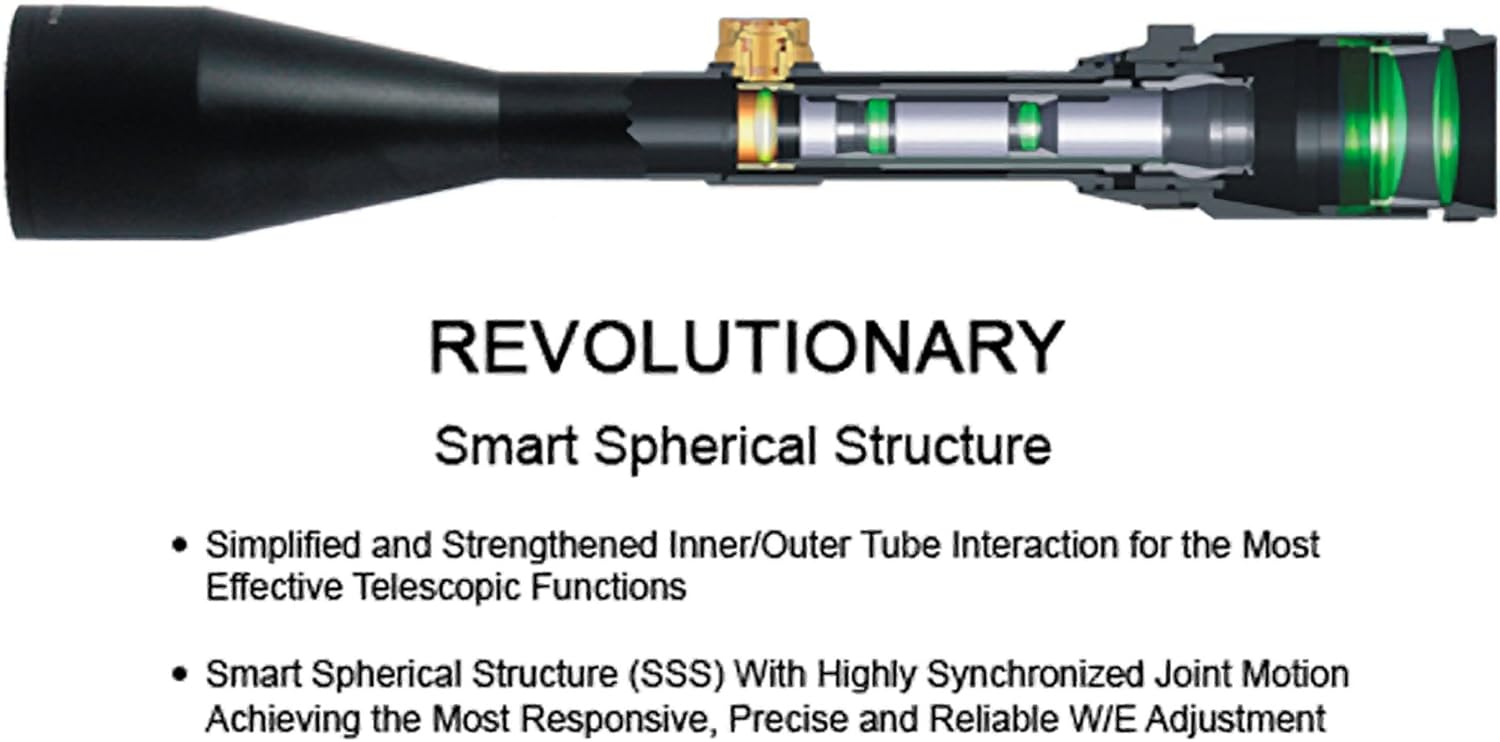
Image: An exploded diagram illustrating the internal Smart Spherical Structure (SSS) of the scope, highlighting its components and design for enhanced functionality.
Warranty and Support
For warranty information and customer support, please refer to the manufacturer's official website or contact their customer service department. The manufacturer's website for this product is leapers.com/prod_detail.php?mitem=optic&itemno=SCP-U6245AOIEW.
Legal Disclaimer: This product contains chemicals known to the State of California to cause cancer and birth defects or other reproductive harm. Please handle with care and refer to safety guidelines.