
BENRO IT15
Benro iTrip IT15 Aluminum Travel Angel Tripod Kit with Ball Head Monopod Instruction Manual
Model: IT15
Introduction
Thank you for choosing the Benro iTrip IT15 Aluminum Travel Angel Tripod Kit. This manual provides detailed instructions for the safe and effective use, setup, operation, and maintenance of your new tripod. Please read this manual thoroughly before use and retain it for future reference.
Safety Information
- Ensure all locking mechanisms are securely fastened before mounting equipment.
- Do not exceed the maximum load capacity of 4 kg to prevent damage to the tripod or attached equipment.
- Avoid using the tripod in extreme weather conditions (e.g., strong winds, heavy rain) without proper precautions.
- Keep hands and fingers clear of moving parts during adjustment to prevent pinching.
- Always carry the tripod securely, especially when moving between locations.
Package Contents
Verify that all items are present in your package:
- Benro iTrip IT15 Tripod with Ball Head
- Carrying Bag
- Instruction Manual (this document)
- Hex Wrench (for adjustments)
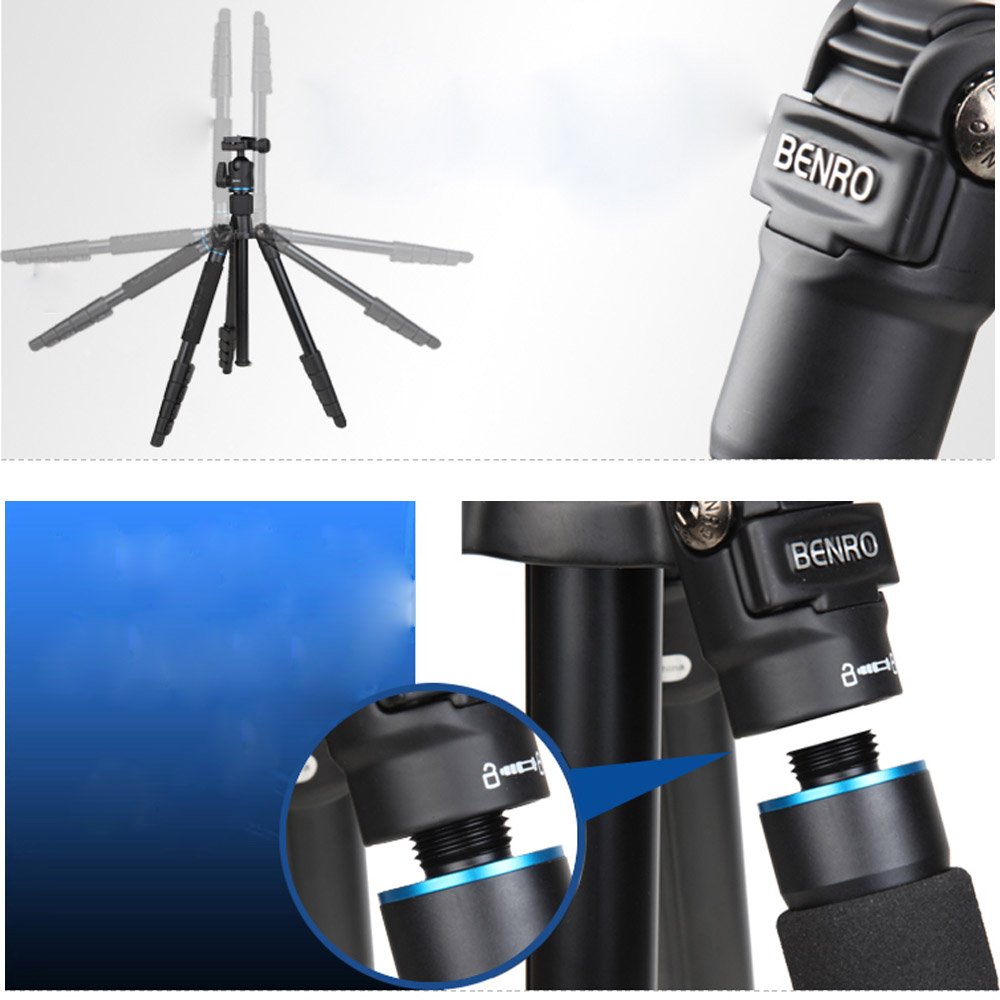
Image: The Benro iTrip IT15 tripod, its dedicated carrying bag, and a small hex wrench, laid out on a white background.
Product Overview
The Benro iTrip IT15 is a versatile aluminum travel tripod designed for portability and stability. It features a compact reverse-folding design and a detachable leg that converts into a monopod. Key components include:
- Ball Head: Provides flexible camera positioning with a quick-release plate.
- Center Column: Adjustable for height, can be reversed for low-angle shots.
- Leg Sections: Multi-section legs with flip locks for quick height adjustment.
- Monopod Leg: One leg detaches to function as a standalone monopod.
- Rubber Feet: Provide stability on various surfaces.

Image: A diagram highlighting various features of the Benro iTrip IT15 tripod, including the leg locking mechanism, the ball head, and the detachable monopod leg.
Setup
1. Unfolding the Tripod
- Release the leg angle locks and extend the legs outwards.
- Extend each leg section by opening the flip locks, pulling out the section, and closing the flip lock securely.
- Adjust the leg angles to achieve desired stability.
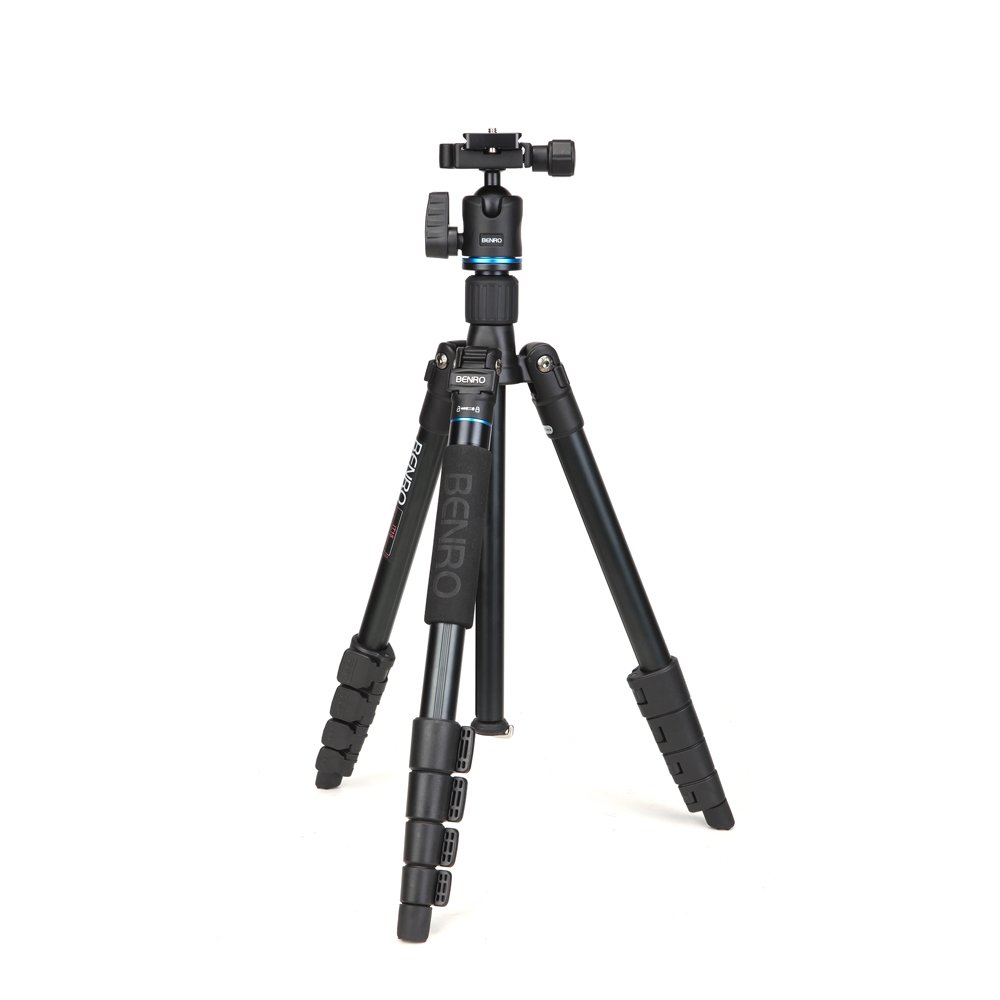
Image: The Benro iTrip IT15 tripod standing upright with its legs fully extended and the ball head mounted, ready for use.
2. Mounting Your Camera
- Locate the quick-release plate on the ball head.
- Attach the quick-release plate to the bottom of your camera by screwing it into the camera's tripod socket. Ensure it is tight.
- Align the quick-release plate with the receiver on the ball head and slide it in until it clicks into place. Secure any additional locking levers on the ball head.
Operating Instructions
1. Adjusting Tripod Height and Angle
- Leg Sections: Open the flip locks on each leg section, extend to the desired length, and close the locks firmly.
- Center Column: Loosen the center column locking knob, raise or lower the column, and tighten the knob.
- Leg Angles: Press the leg angle adjustment tabs at the top of each leg to select different spread angles for stability or low-angle shooting.

Image: The Benro iTrip IT15 tripod with all leg sections and the center column fully extended, demonstrating its maximum operational height.
2. Using the Ball Head
- Ball Lock Knob: Loosen this knob to adjust the camera's angle freely. Tighten it to secure the camera in position.
- Panning Lock Knob: If present, loosen this knob to rotate the camera horizontally for panoramic shots without changing the tilt.
3. Converting to Monopod
- Identify the leg with the foam grip. This is the detachable monopod leg.
- Unscrew this leg from the tripod chassis.
- Unscrew the ball head from the center column and attach it to the top of the detached monopod leg.
- Extend the monopod leg sections as needed and secure the flip locks.

Image: The Benro iTrip IT15 tripod's detachable leg, now functioning as a monopod with the ball head mounted on top.
4. Reverse Center Column for Macro/Low-Angle Shots
- Loosen the center column locking knob and fully extend the center column.
- Remove the center column from the tripod chassis.
- Reinsert the center column upside down into the tripod chassis and secure the locking knob. This allows for extremely low-angle or macro photography.

Image: The Benro iTrip IT15 tripod configured for low-angle shooting, with its legs spread wide and the camera positioned close to the ground.
Maintenance
- Cleaning: Wipe down the tripod with a soft, damp cloth after use, especially if exposed to dirt, sand, or saltwater. Avoid harsh chemicals.
- Lubrication: Periodically check leg locks and moving parts. Apply a small amount of silicone-based lubricant if movement becomes stiff.
- Storage: Store the tripod in its carrying bag in a dry, cool place away from direct sunlight.
- Inspection: Regularly inspect all screws, bolts, and locking mechanisms for tightness. Use the provided hex wrench for minor adjustments.
Troubleshooting
| Problem | Possible Cause | Solution |
|---|---|---|
| Tripod is unstable. | Leg locks not fully secured; uneven ground; weight imbalance. | Ensure all leg locks are tight. Adjust leg lengths for even support. Distribute camera weight centrally. |
| Leg sections are stiff to extend/retract. | Dirt or debris in leg mechanisms; lack of lubrication. | Clean leg sections thoroughly. Apply a small amount of silicone lubricant. |
| Ball head does not hold camera securely. | Ball lock knob not tightened; quick-release plate not fully engaged. | Tighten the ball lock knob firmly. Re-seat the quick-release plate and ensure all locks are engaged. Do not exceed maximum load. |
| Monopod leg difficult to detach/attach. | Threads are dirty or cross-threaded. | Clean threads carefully. Ensure proper alignment before screwing. Do not force. |
Specifications
| Feature | Detail |
|---|---|
| Model | IT15 |
| Material | Aluminum |
| Maximum Height | 1475mm (approx. 58 inches) |
| Folded Length | 38cm / 15.0in |
| Maximum Load Capacity | 4 kg (approx. 8.8 lbs) |
| Item Weight | 1.26 kg (approx. 2.78 lbs) |
| Special Feature | Convertible Monopod Leg |
| Compatible Devices | Camera, Cellphone (with adapter, not included) |

Image: The Benro iTrip IT15 tripod in its folded configuration, illustrating its compact size with a measurement of 38cm (15.0 inches).
Warranty and Support
The Benro iTrip IT15 Tripod Kit comes with a 5-Year Warranty. This warranty covers manufacturing defects and ensures peace of mind for your investment.
For warranty claims, technical support, or service inquiries, please contact your authorized Benro dealer or visit the official Benro website for contact information specific to your region.
Related documentsIT15


Ask a question about this manual
Ask about setup, troubleshooting, compatibility, parts, safety, or missing instructions. Manuals+ will review the question and use this page’s manual context to help answer it.