
Introduction
The Makita DCF300Z 18V LXT Lithium-Ion Cordless 13-Inch Job Site Fan is designed to provide portable and powerful air circulation in various environments, including job sites, workshops, and outdoor settings. This fan offers the flexibility of cordless operation with Makita 18V LXT Lithium-Ion batteries (sold separately) or continuous power via an AC adapter. It features multiple speed settings, an oscillation function, and a convenient automatic timer for enhanced user control and comfort. Its durable construction is engineered to withstand demanding job site conditions.

Figure 1: Front view of the Makita DCF300Z 13-Inch Job Site Fan. The fan features a durable blue and black housing with a metal grille and a sturdy base.
Safety Information
Always observe basic safety precautions when using electrical appliances to reduce the risk of fire, electric shock, and personal injury. Read all instructions before operating this product.
- Do not insert fingers or any other objects into the fan grille when the fan is operating.
- Ensure the fan is placed on a stable, level surface to prevent tipping.
- Do not expose the fan to rain or wet conditions. This fan is designed for indoor use, though its durable construction allows for job site environments.
- Disconnect the power source (battery or AC adapter) before cleaning or performing any maintenance.
- Use only Makita 18V LXT Lithium-Ion batteries and chargers. Using other batteries may cause injury or fire.
- Keep children and pets away from the fan during operation.
- Do not operate the fan with a damaged cord or plug. If the fan is not working as it should, has been dropped, damaged, left outdoors, or dropped into water, return it to a service center.
Package Contents
Verify that all items listed below are included in your package. If any items are missing or damaged, contact your retailer or Makita customer service.
- Makita DCF300Z 18V LXT Lithium-Ion Cordless 13-Inch Job Site Fan (Tool Only)
- AC Adapter
- Note: Battery and charger are not included and must be purchased separately.
Setup
Follow these steps to prepare your fan for operation.
- Unpack the Fan: Carefully remove the fan and all accessories from the packaging. Inspect for any shipping damage.
- Positioning: Place the fan on a firm, level surface. Ensure there is adequate space around the fan for proper air circulation and oscillation, if desired. The fan's robust base and protective bumpers are designed for stability.
- Power Source Connection:
- Battery Operation: If using battery power, slide a charged Makita 18V LXT Lithium-Ion battery (e.g., 4.0 Ah or higher for extended run time) into the battery slot located on the side of the fan base until it clicks into place. Ensure the battery is fully seated.
- AC Operation: If using AC power, connect the provided AC adapter to the fan's power input port, then plug the adapter into a standard electrical outlet.
- Adjust Fan Angle: The fan head can be manually tilted to direct airflow. Gently adjust the fan head to your desired vertical angle.
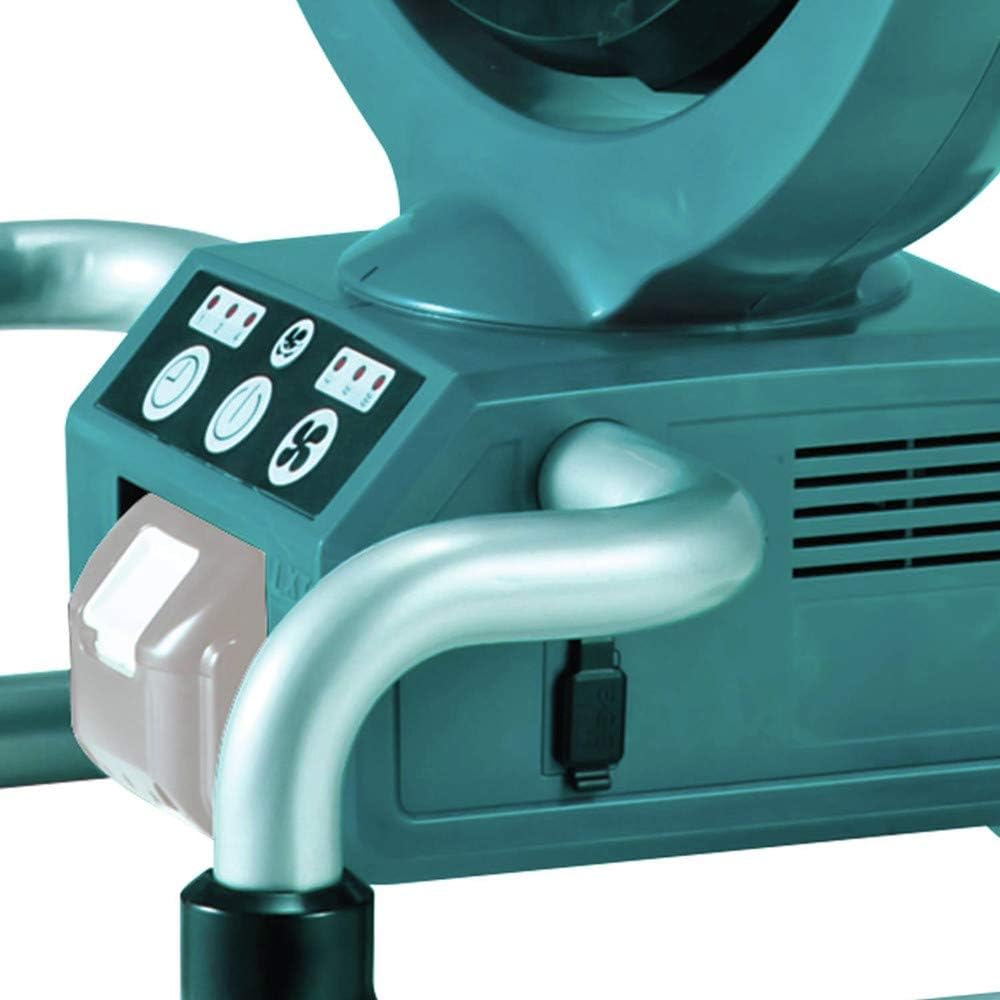
Figure 2: Close-up view of the fan's base, illustrating the battery insertion slot and the AC adapter input port.

Figure 3: Side view of the fan demonstrating its adjustable tilt feature, allowing users to direct airflow vertically.
Operating Instructions
Familiarize yourself with the control panel to operate the fan effectively.

Figure 4: Detailed view of the fan's control panel, showing the power, fan speed, timer, and oscillation buttons.
- Power On/Off: Press the Power Button (
 ) once to turn the fan on. Press it again to turn the fan off.
- Adjust Fan Speed: Press the Fan Speed Button (
 ) repeatedly to cycle through the three available speed settings: Low, Medium, and High. Indicator lights on the panel will show the current speed setting.
- Set Timer: Press the Timer Button (
 ) to activate the automatic power-off timer. Each press cycles through 1-hour, 2-hour, and 4-hour settings. The fan will automatically turn off after the selected duration.
- Activate Oscillation: Press the Oscillation Button (
 ) to enable or disable the oscillation feature. When activated, the fan head will sweep from side to side to distribute air over a wider area.

Figure 5: The fan demonstrating its oscillation capability, sweeping airflow across a wider area.
Maintenance
Regular maintenance ensures optimal performance and extends the lifespan of your fan.
- Cleaning the Fan:
- Before cleaning, ensure the fan is turned off and disconnected from both battery and AC power.
- The front guard of the fan is removable for convenient cleaning. Gently unclip or unscrew the front grille to access the fan blades.
- Use a soft, damp cloth to wipe down the exterior surfaces and fan blades. Do not use abrasive cleaners or solvents.
- Ensure all parts are completely dry before reassembling the front guard and operating the fan.
- Storage: When not in use for extended periods, store the fan in a cool, dry place, away from direct sunlight and moisture. If using battery power, remove the battery before storage.
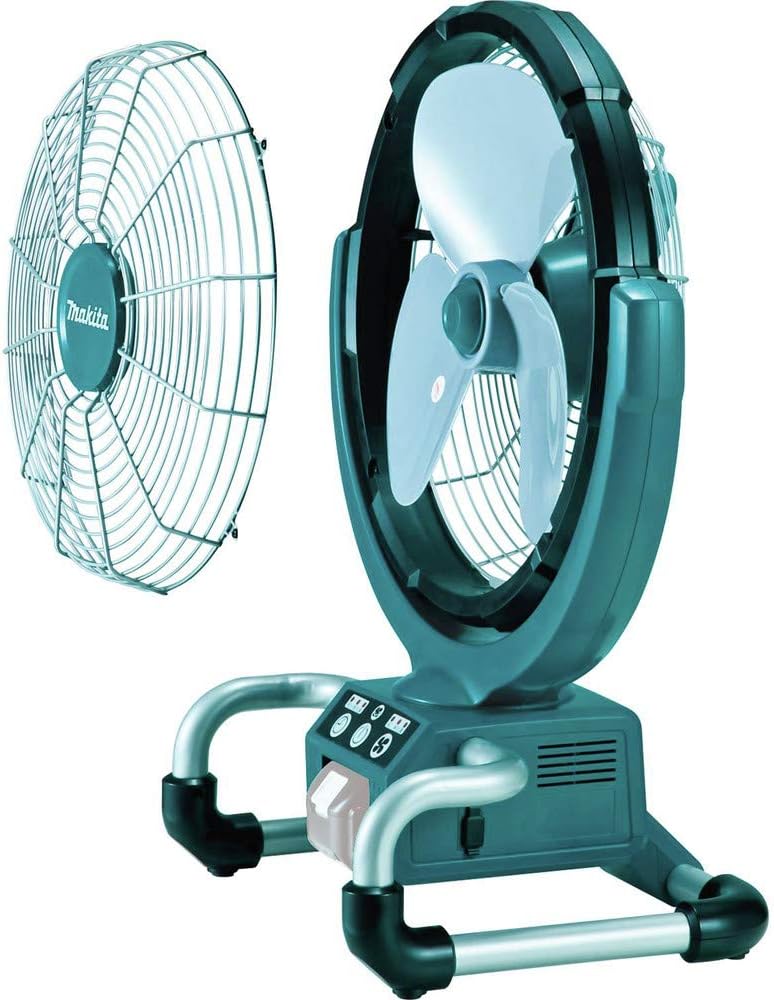
Figure 6: The fan with its front grille detached, illustrating the ease of access for cleaning the fan blades.
Troubleshooting
If you encounter issues with your Makita DCF300Z fan, refer to the following common problems and solutions.
| Problem | Possible Cause | Solution |
|---|---|---|
| Fan does not turn on. | No power supply; Battery not charged or improperly inserted; AC adapter not connected properly. | Ensure battery is charged and fully inserted. If using AC, check adapter connection and wall outlet. |
| Weak airflow. | Fan speed set too low; Obstruction in front or rear grille; Dirty fan blades. | Increase fan speed. Check for and remove any obstructions. Clean fan blades and grille as per Maintenance section. |
| Fan makes unusual noise. | Loose parts; Obstruction hitting blades; Fan not on a stable surface. | Turn off and unplug the fan. Inspect for loose parts or obstructions. Ensure fan is on a stable, level surface. If noise persists, contact service. |
| Oscillation not working. | Oscillation feature not activated; Mechanical issue. | Press the Oscillation Button to activate. If still not working, contact service. |
For issues not covered in this table, please contact Makita customer support.
Specifications
Key technical specifications for the Makita DCF300Z Job Site Fan.
- Model: DCF300Z
- Power Source: 18V LXT Lithium-Ion Battery (not included) or AC Adapter
- Voltage: 18 Volts
- Wattage: 40.94 watts
- Fan Diameter: 13 inches
- Speed Settings: 3 (High, Medium, Low)
- Timer Settings: 1-hour, 2-hour, 4-hour automatic power-off
- Special Features: Oscillation, Removable Front Guard, Durable Job Site Design
- Noise Level: 55 dB
- Item Weight: Approximately 10.34 pounds (4.7 kg)
- Product Dimensions: 12.5 x 18.9 x 23.7 inches
- Included Components: AC Adapter, Tool Only (Battery and Charger not included)
Warranty and Support
Makita products are manufactured under strict quality control. For detailed warranty information and customer support, please refer to the official Makita website or contact their customer service directly.
- Warranty: Makita typically offers a 3-year limited warranty on their LXT Lithium-Ion tools. Please retain your proof of purchase for warranty claims. Specific terms and conditions may apply and can be found on the official Makita website.
- Customer Support: For technical assistance, parts, or service, please visit the official Makita website or contact their customer service hotline.
- Online Resources: Visit MakitaTools.com for product registration, FAQs, and service center locations.


