
1. Introduction
This manual provides detailed instructions for the safe and effective use of your Nightstick MT-110 Mini-TAC Metal LED Flashlight. Please read this manual thoroughly before operating the device and retain it for future reference.
The Nightstick MT-110 is a compact and durable LED flashlight designed for everyday use. It features a 90-lumen output, aircraft-grade aluminum construction, and a simple on/off tail switch operation.
2. Package Contents
Verify that all items are present in your package:
- Nightstick MT-110 Flashlight
- 1 AA Alkaline Battery
- Removable Pocket Clip
- Lanyard
3. Setup
3.1 Battery Installation
- Unscrew the tail cap of the flashlight by turning it counter-clockwise.
- Insert one (1) AA alkaline battery with the positive (+) end facing towards the flashlight head.
- Screw the tail cap back on by turning it clockwise until it is securely tightened.

Image: The Nightstick MT-110 flashlight, showing its overall design and the tail cap where the battery is inserted.
3.2 Attaching the Pocket Clip and Lanyard
- The removable pocket clip can be slid onto the flashlight body for secure carrying in a pocket or on a belt.
- Thread the lanyard through the small loop on the tail cap for wrist carry or to prevent accidental drops.
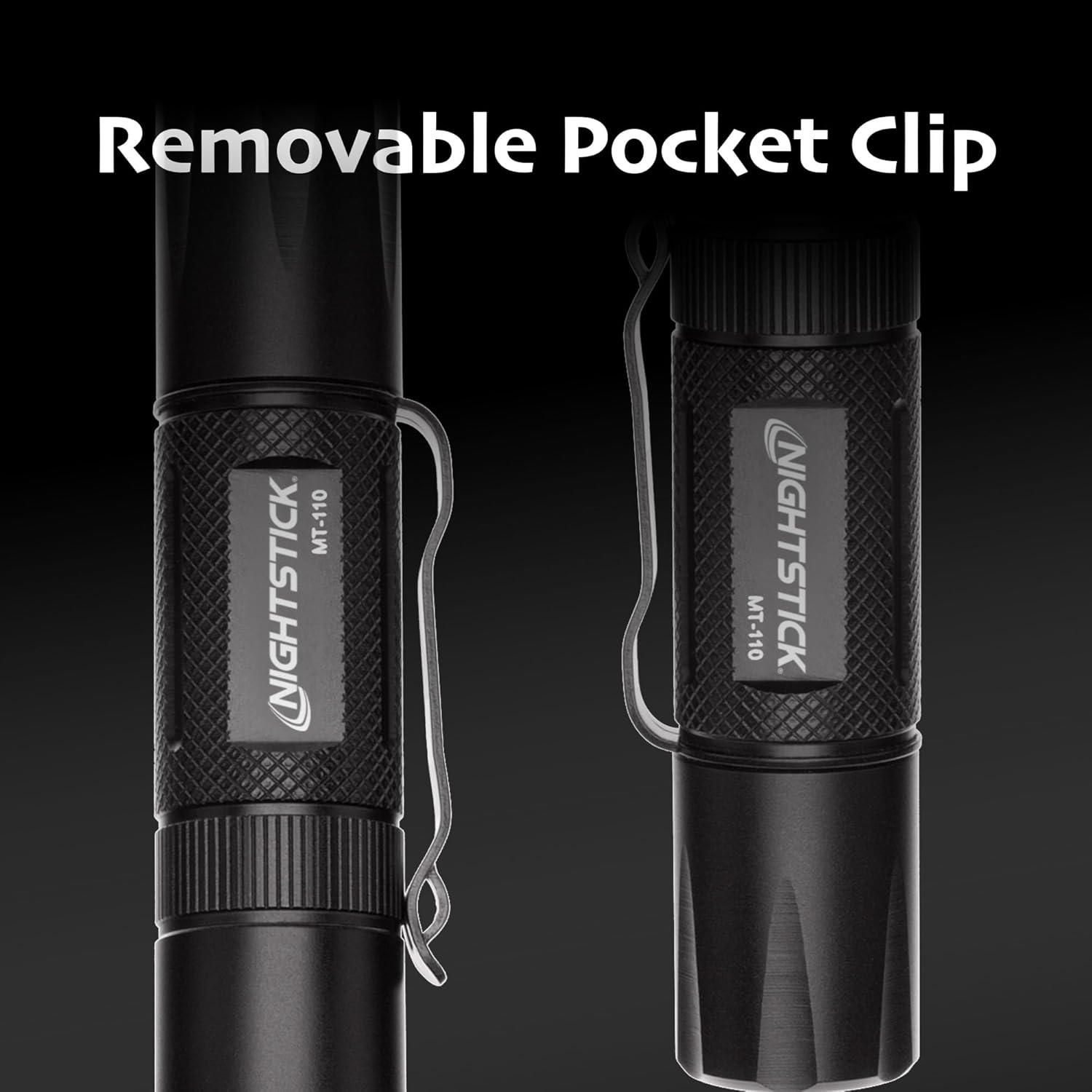
Image: The Nightstick MT-110 flashlight demonstrating the removable pocket clip attached to its body.
4. Operating Instructions
4.1 Power On/Off
- To activate the flashlight in momentary-on mode, lightly press and hold the tail switch. The light will remain on as long as the switch is pressed.
- To activate the flashlight in constant-on mode, fully press the tail switch until it clicks. The light will remain on until the switch is pressed again to turn it off.

Image: A close-up view of the flashlight's tail switch, which controls the momentary and constant-on functions.
4.2 General Use
The compact design of the MT-110 allows for easy handling and portability. Its streamlined profile ensures a comfortable grip and convenient storage in pockets or gear bags.

Image: A hand holding the Nightstick MT-110 flashlight, illustrating its ergonomic fit and compact size.
5. Maintenance
5.1 Battery Replacement
When the light output diminishes, replace the AA battery by following the installation steps in Section 3.1. Always use a fresh, high-quality AA alkaline battery for optimal performance.
5.2 Cleaning
Wipe the flashlight body with a soft, damp cloth as needed. Do not use abrasive cleaners or solvents. Ensure the lens is clean for maximum light output.
5.3 Water Resistance
The MT-110 is rated IP-X4 water-resistant, meaning it is protected against splashing water from any direction. It is not designed for submersion. Ensure the tail cap is fully tightened to maintain water resistance.

Image: The Nightstick MT-110 flashlight highlighting its IP-X4 water-resistant and durable 6061-T6 aluminum housing.
6. Troubleshooting
- Light does not turn on:
Ensure the battery is inserted correctly with the positive (+) end towards the head. Check if the battery is fresh and fully charged. Confirm the tail cap is securely tightened. - Light is dim or flickers:
Replace the battery with a new one. Ensure the tail cap is fully tightened. Clean the battery contacts and threads if necessary.
7. Specifications
| Model | MT-110 |
| Light Output | 90 Lumens |
| Power Source | 1 AA Alkaline Battery (included) |
| Light Source Type | LED |
| Material | Aircraft-grade 6061-T6 Aluminum w/Type II Hard Anodized Finish |
| Dimensions | 3.9"D x 0.9"W x 0.9"H |
| Item Weight | 1.44 ounces |
| Water Resistance | IP-X4 (Water Resistant) |
| Switch Type | Tail Switch (Momentary or Constant-On) |

Image: The Nightstick MT-110 flashlight, highlighting its lightweight Type II hard anodized finish.
8. Official Product Videos
8.1 Mini-TAC Series Light Overview
Video: An overview of the Nightstick Mini-TAC Series flashlights, including the MT-110 model, showcasing their features and design. (Duration: 0:33)
8.2 Nightstick MT-110 Flashlight Demonstration
Video: A brief demonstration of the Nightstick MT-110 Flashlight, highlighting its functionality. (Duration: 0:10)
9. Warranty and Support
9.1 Manufacturer Warranty
This Nightstick product is covered by a manufacturer's warranty. For specific details regarding warranty coverage, terms, and conditions, please refer to the warranty information provided with your purchase or visit the official Nightstick website.
9.2 Customer Support
For technical assistance, troubleshooting not covered in this manual, or to inquire about replacement parts, please contact Nightstick customer support. Visit the official Nightstick website for contact information and additional resources.


