1. Product Overview
The Yamaha JS-MNT101 JamStands Universal iPad Holder is designed to securely attach your iPad, including the iPad mini, to a microphone stand. This holder allows for versatile positioning, enabling you to view your device in both portrait and landscape orientations, making it ideal for musicians, presenters, and anyone needing hands-free tablet access.

Image 1.1: The Yamaha JS-MNT101 JamStands Universal iPad Holder shown mounted on a microphone stand, displaying an iPad.
2. Package Contents
Verify that all components are present in the package:
- 1x Ultimate Support JS-MNT101 JamStands Series Universal iPad Holder
3. Setup Instructions
Follow these steps to set up your iPad holder:
- Attach to Microphone Stand:
Position the clamp mechanism of the JS-MNT101 onto the pole of your microphone stand. Ensure the stand pole fits within the clamp's range. Tighten the adjustment knob on the clamp until the holder is firmly secured to the stand. Do not overtighten.
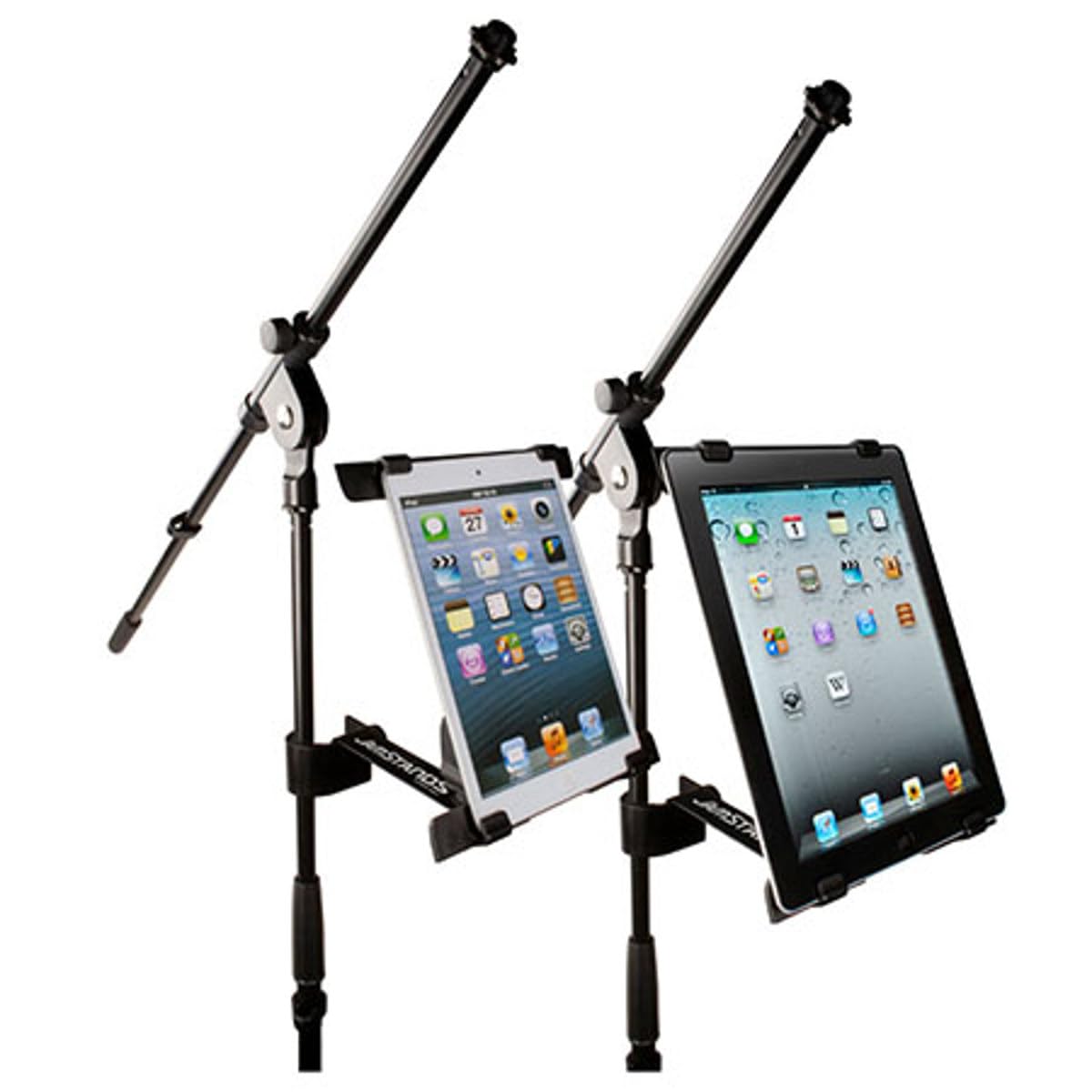
Image 3.1: Detail of the clamp securing the holder to a microphone stand.
- Insert iPad:
Gently expand the adjustable arms of the iPad holder. Place your iPad into the holder, ensuring all four corners are securely gripped by the holder's arms. The holder is designed to accommodate all iPad models, including the iPad mini.
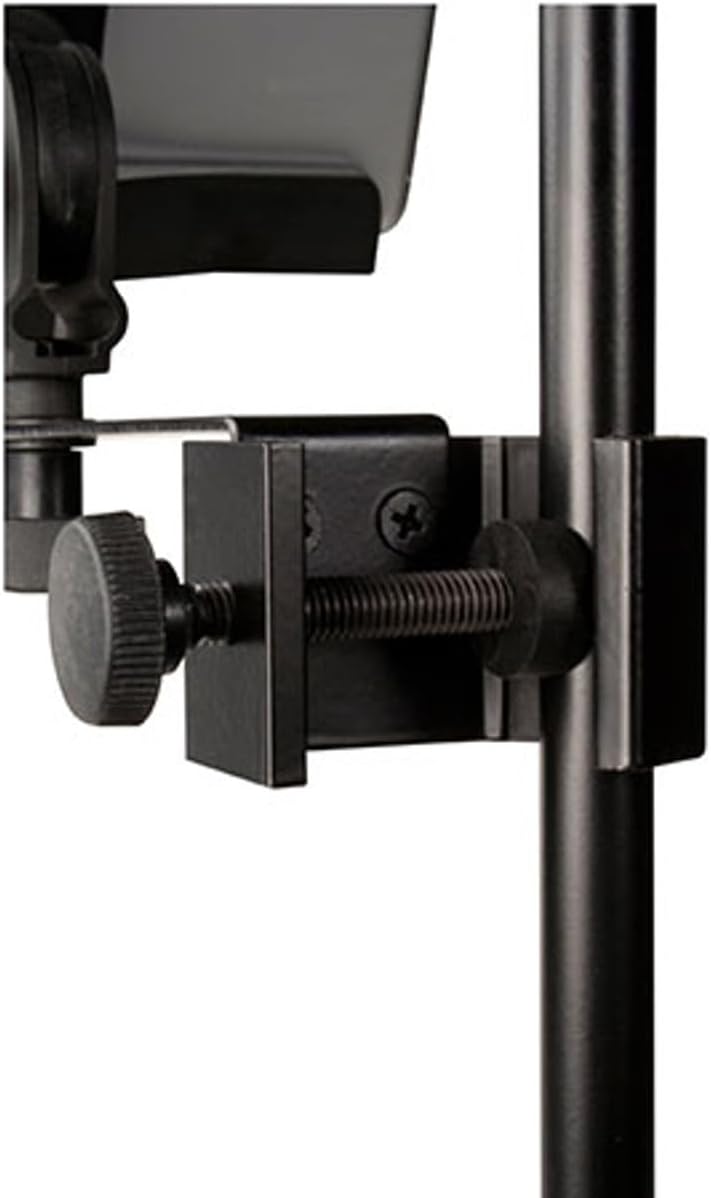
Image 3.2: The iPad holder ready to receive a tablet.
- Adjust Orientation:
The holder allows for both portrait and landscape viewing. Rotate your iPad within the holder to achieve the desired orientation. An additional adjustment knob on the back of the holder can be used to fine-tune the angle and axis.

Image 3.3: iPad holder with an iPad in landscape orientation.
4. Operating Instructions
Once the holder is securely mounted and your iPad is in place, you can easily adjust its position:
- Angle Adjustment: The JS-MNT101 features multiple adjustment points. Loosen the knobs to change the tilt and swivel of your iPad, then tighten them to lock the desired position.
- Orientation Change: To switch between portrait and landscape views, simply rotate the iPad within the holder. Ensure the iPad is still securely held by the arms after rotation.
Video 4.1: An overview of the JS-MNT101, demonstrating its features and adjustability for holding an iPad on a microphone stand.
5. Maintenance
To ensure the longevity and proper function of your iPad holder, follow these maintenance guidelines:
- Cleaning: Wipe the holder with a soft, dry cloth. For stubborn dirt, a slightly damp cloth can be used. Avoid abrasive cleaners or solvents, as these can damage the finish.
- Inspection: Periodically check all knobs and screws to ensure they are tight. If any part appears loose or damaged, tighten or replace it as necessary.
- Storage: When not in use, store the holder in a clean, dry environment away from extreme temperatures.
6. Troubleshooting
If you encounter issues with your JS-MNT101 iPad holder, refer to the following common problems and solutions:
- iPad feels loose in the holder:
Ensure the adjustable arms are fully extended and gripping all four corners of your iPad. Tighten the adjustment knob on the back of the holder to secure the iPad more firmly.
- Holder slides down the microphone stand:
Verify that the clamp mechanism is properly aligned with the microphone stand pole and that the clamp's adjustment knob is tightened sufficiently. The clamp should be snug against the stand.
- Difficulty adjusting the angle:
Loosen the angle adjustment knobs slightly before attempting to reposition the iPad. Once the desired angle is achieved, tighten the knobs firmly to lock it in place.
7. Specifications
| Feature | Detail |
|---|---|
| Product Dimensions | 6 x 2 x 2 inches |
| Item Weight | 13.3 ounces (0.38 kg) |
| Item Model Number | JSMNT101 |
| Brand | Yamaha (Manufactured by Ultimate Support) |
| Color | Black |
| Compatible Devices | Apple iPad (including iPad mini) |
| Extension Bar Length | 5.5" (140mm) |
| Clamping Range | 5.125" to 10" (130mm to 254mm) |
| Clamp Width | 5.25" (133mm) |
| Clamp Depth | Up to 0.34" (8.64mm) |
8. Warranty and Support
For warranty information or technical support regarding your Yamaha JS-MNT101 JamStands Universal iPad Holder, please contact Ultimate Support, the manufacturer. Refer to the product packaging or the Ultimate Support website for their official contact details and warranty policy.
Note: This product may contain chemicals known to the State of California to cause cancer, birth defects, or other reproductive harm (Proposition 65 warning).


