
Product Overview
The Geneva 4242AT Bluetooth Alarm Clock is designed to provide reliable timekeeping and convenient charging for your devices. Featuring a bright LED display, this alarm clock includes a mono Bluetooth speaker and a USB charging output, making it a versatile addition to any bedside table.
Key Features:
- 0.9" LED display for clear visibility.
- Mono Bluetooth speaker for audio playback.
- USB charging output for compatible devices.
- External adapter for power.
- Requires 2 AAA batteries (not included) for backup.
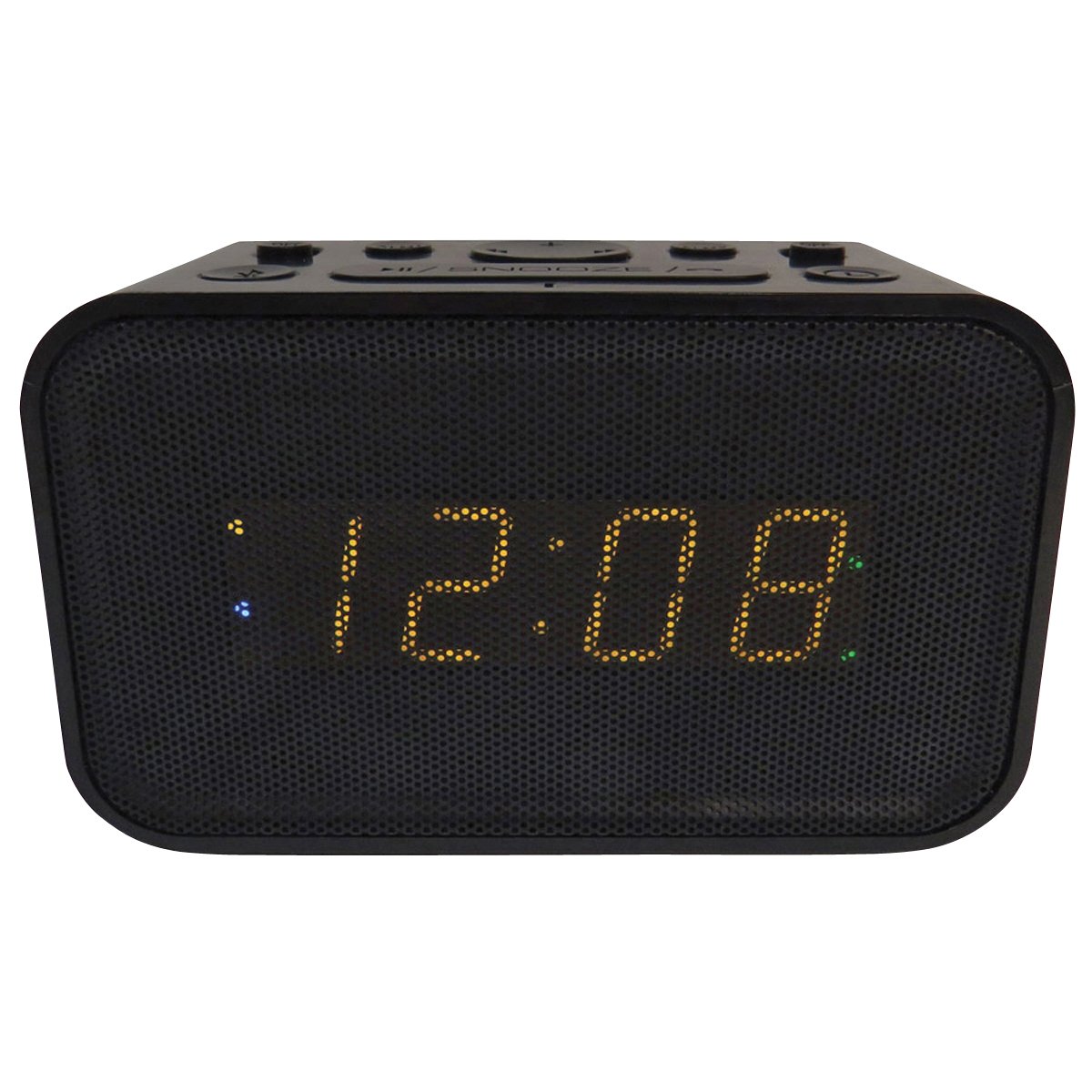
Image: Front view of the Geneva 4242AT Bluetooth Alarm Clock, displaying the time and two USB charging ports on top.
Setup Guide
- Power Connection: Connect the external power adapter to the alarm clock and plug it into a standard wall outlet.
- Battery Installation (Backup):
- Open the battery compartment located on the bottom of the unit.
- Insert 2 AAA batteries (not included), ensuring correct polarity (+/-). These batteries provide backup power for time and alarm settings during power outages.
- Close the battery compartment.
- Manual Time Set:
- Press and hold the "Snooze" button for 6 seconds.
- Rotate the top knob to adjust the "Year".
- Press the knob to select the "Year".
- Repeat steps to set the Month, Day, and Time.
- Daylight Saving Time Switch: Locate the Daylight Saving switch under the battery door. Adjust as needed for your region.
Operating Instructions
Setting the Alarm:
The alarm function is controlled by the top knob. To set the alarm:
- To Turn Alarm On/Off: Press the top knob. The display will indicate if the alarm is ON or OFF.
- To Set Alarm Time: Rotate the top knob to adjust the desired alarm time. Press the knob to confirm.
Snooze and Dimmer Function:
The "Snooze / Dimmer" button provides dual functionality:
- Snooze: When the alarm sounds, press the "Snooze / Dimmer" button to temporarily silence the alarm for a short period (e.g., 9 minutes). The alarm will sound again after the snooze period.
- Dimmer: Press the "Snooze / Dimmer" button when the alarm is not sounding to adjust the brightness of the LED display. Cycle through available brightness levels.
USB Charging Ports:
The alarm clock features two built-in USB ports on the top for convenient charging of your electronic devices.
- Simply connect your device's USB charging cable to one of the available USB ports on the alarm clock.
- Ensure the alarm clock is powered on for charging functionality.
Bluetooth Speaker:
Pair your Bluetooth-enabled device with the Geneva 4242AT to play audio wirelessly.
- Activate Bluetooth on your device.
- Search for "Geneva 4242AT" (or similar name) in your device's Bluetooth settings.
- Select the alarm clock to pair. Once paired, you can stream audio.
Maintenance
- Cleaning: Wipe the unit with a soft, dry cloth. Do not use abrasive cleaners or solvents.
- Battery Replacement: If the clock loses time during a power outage, replace the 2 AAA backup batteries. Ensure proper polarity.
- Storage: If storing the unit for an extended period, remove the backup batteries to prevent leakage.
Troubleshooting
| Problem | Solution |
|---|---|
| Clock display is blank. | Ensure the external power adapter is securely plugged into both the clock and a working wall outlet. |
| Alarm does not sound. | Verify the alarm is set to ON. Check the alarm volume setting. |
| USB charging is not working. | Ensure the alarm clock is powered on. Check the USB cable and device for proper connection. |
| Bluetooth device cannot pair. | Ensure Bluetooth is enabled on your device and the alarm clock is in pairing mode (if applicable, refer to device's Bluetooth settings). Move devices closer together. |
| Time is incorrect after power outage. | Replace the 2 AAA backup batteries. Reset the time manually. |
Specifications
| Feature | Detail |
|---|---|
| Brand | Geneva |
| Model Number | 4242AT |
| Display Type | Digital LED (0.9") |
| Color | Black |
| Power Source | Corded Electric, Battery Powered (2 AAA batteries for backup, not included) |
| Special Features | Alarm, USB Charging Port, Mono Bluetooth Speaker |
| Material | Plastic |
| Mounting Type | Tabletop |
| Manufacturer | Geneva Clock Company |
| GTIN (UPC) | 083275137398 |
Warranty and Support
According to the product information, there is no manufacturer warranty description provided. For any product support, troubleshooting assistance, or warranty inquiries, please contact the manufacturer, Geneva Clock Company, directly through their official support channels.
Always refer to the packaging or any included documentation for the most up-to-date warranty and support information.


