
1. Introduction
The JMA Em-IR Universal Remote Control is designed for copying fixed-code commands from various original remote controls. This device integrates the functionalities of both the EM2IR and EM2-433 remote controls into a single unit, offering versatile compatibility. It is ideal for applications such as garage door openers and car remote controls.
This manual provides essential information for setting up, operating, and maintaining your JMA Em-IR remote control.
2. Product Features
- Universal Compatibility: Designed to copy fixed-code commands from a wide range of original remote controls.
- Integrated Functionality: Combines the features of EM2IR and EM2-433 remotes into one device.
- Unlimited Copying: Allows for an unlimited number of copies, irrespective of previous copying or customization of the original remote.
- Versatile Use: Commonly used for garage door openers, gate controls, and car remote applications.
- Infrared Technology: Utilizes infrared connectivity for reliable signal transmission.
3. Setup: Copying an Original Remote Control
To program your JMA Em-IR Universal Remote Control, follow these steps to copy the code from your original fixed-code remote.
- Clear Existing Codes (Optional but Recommended):
Press and hold buttons A and B (or the top two buttons) simultaneously on the JMA Em-IR remote until the LED flashes rapidly (usually 3 times, then continuously). Release both buttons. This clears any previously stored codes. - Enter Copy Mode:
Press and hold the button on the JMA Em-IR remote that you wish to program (e.g., button A). The LED will flash slowly. - Position Remotes:
Place your original remote control and the JMA Em-IR remote control side-by-side, with their transmitting ends facing each other, at a distance of approximately 2-5 cm (1-2 inches). - Transmit Original Code:
While still holding the button on the JMA Em-IR remote, press and hold the corresponding button on your original remote control that you want to copy. - Confirm Copy:
The LED on the JMA Em-IR remote will flash rapidly (usually 3 times, then continuously) to indicate that the code has been successfully copied. Release both buttons. - Test the Remote:
Test the newly programmed button on your JMA Em-IR remote with the device it controls (e.g., garage door opener). - Repeat for Other Buttons:
Repeat steps 2-6 for any other buttons you wish to program on the JMA Em-IR remote.
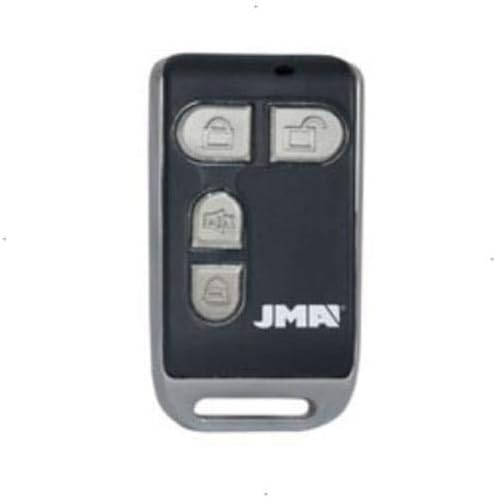
Image of the JMA Em-IR universal remote control, featuring a black body with a silver trim and four grey buttons. The JMA logo is visible at the bottom right.
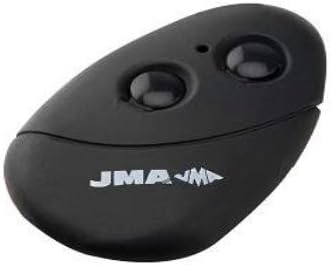
Image of a different JMA remote control model, featuring a black, oval-shaped body with two prominent black buttons and the JMA logo.
4. Operating the Remote Control
Once programmed, operating the JMA Em-IR remote control is straightforward:
- Activation: Press the desired button on the JMA Em-IR remote that corresponds to the function you wish to activate (e.g., open/close garage door).
- Range: Ensure you are within the operational range of the receiving device. Obstructions can reduce effective range.
- LED Indicator: The LED on the remote will illuminate when a button is pressed, indicating signal transmission.
5. Maintenance
5.1 Battery Replacement
The JMA Em-IR remote control requires 1 A battery. When the remote's range decreases significantly or the LED indicator becomes dim, it is time to replace the battery.
- Locate the battery compartment on the back or side of the remote control.
- Open the compartment using a small screwdriver or by sliding the cover, as appropriate for your model.
- Remove the old battery.
- Insert a new 1 A alkaline battery, ensuring correct polarity (+/-).
- Close the battery compartment securely.
5.2 Cleaning
To clean the remote, use a soft, dry cloth. Do not use liquid cleaners or abrasive materials, as these can damage the remote's surface or internal components.
6. Troubleshooting
- Remote not working after programming:
- Ensure the original remote is a fixed-code type. This universal remote is not compatible with rolling code remotes.
- Repeat the programming steps carefully, ensuring the remotes are positioned correctly and the buttons are held down for the required duration.
- Check the battery in the JMA Em-IR remote. Replace if necessary.
- Cannot copy the code:
- Verify that the original remote is transmitting a strong signal. Its battery might be low.
- Adjust the distance between the two remotes during the copying process (try slightly closer or further).
- Ensure there are no obstructions between the remotes during copying.
- Short operating range:
- Replace the battery in the JMA Em-IR remote.
- Ensure there are no significant physical obstructions between the remote and the receiver.
7. Specifications
| Brand | JMA |
| Model Number | 3016150 |
| Connectivity Technology | Infrared |
| Special Feature | Universal |
| Compatible Devices | Various devices with infrared remote control |
| Number of Buttons | 6 (for the model shown in the first image) |
| Controller Type | Button Control |
| Battery Requirement | 1 A battery |
| Battery Description | Alkaline |
| Color | Multicolor |
8. Warranty and Support
Information regarding product warranty and specific customer support contacts is not available in the provided product details. Please refer to the retailer or manufacturer's official website for warranty terms and support options.