
1. Introduction
Thank you for choosing the Streamlight MicroStream LED Flashlight. This ultra-compact and durable flashlight is designed for everyday carry, providing reliable illumination in a small form factor. This manual provides detailed instructions for the proper setup, operation, and maintenance of your new flashlight to ensure optimal performance and longevity.
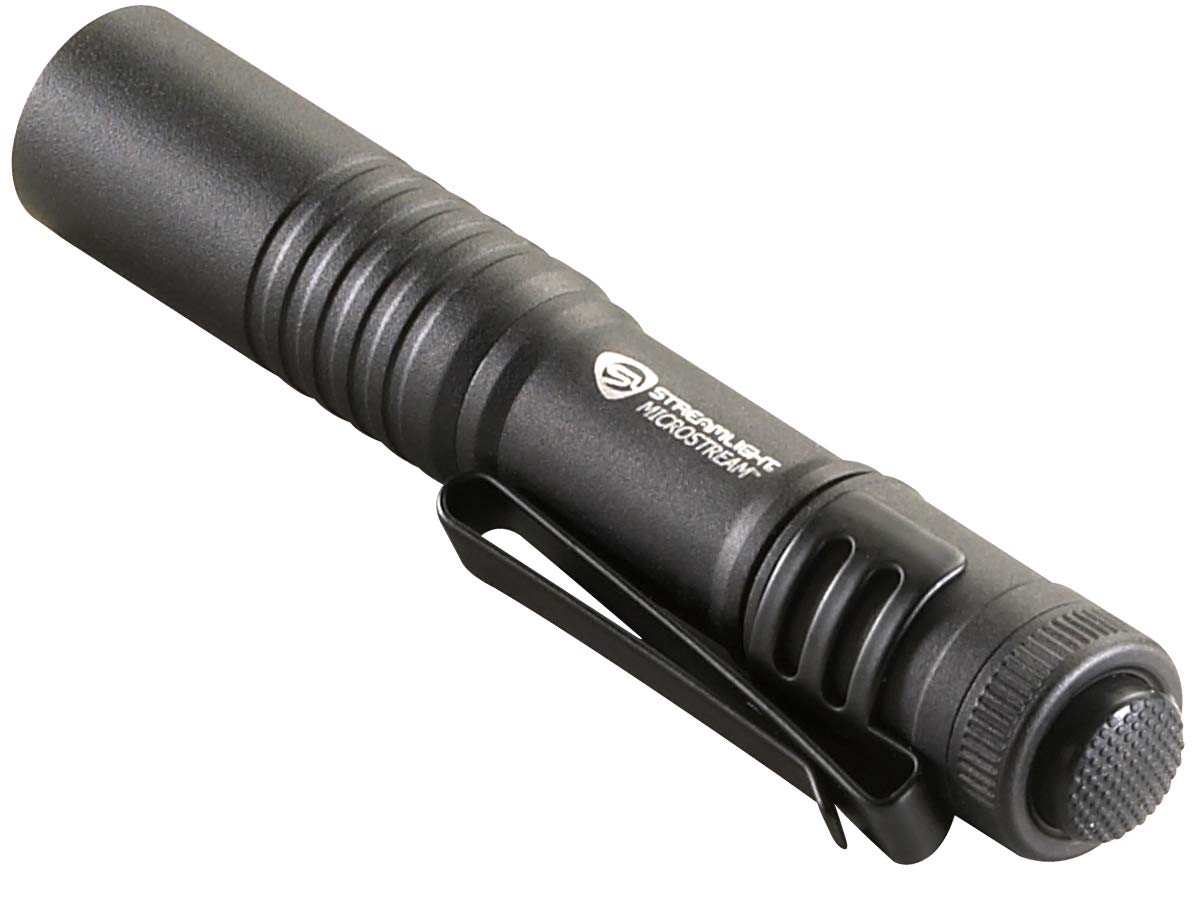
Image 1: Streamlight MicroStream LED Flashlight. This image shows the compact black flashlight with its integrated pocket clip, held in a hand for scale.
2. Key Features
- High-Performance LED: White LED delivers 45 lumens of bright light with a 41-meter beam distance.
- Compact Design: Ultra-compact 3.6-inch (91.5 mm) design for easy pocket carry.
- Durable Construction: Anodized aircraft aluminum body with an unbreakable, scratch-resistant polycarbonate lens.
- Versatile Pocket Clip: Removable pocket clip allows for secure attachment to pockets or hat brims for hands-free use.
- Multiple Light Modes: Features low and high output modes for varying illumination needs.
- Water Resistant: Designed to withstand water exposure.
3. Setup
3.1 Battery Installation
The Streamlight MicroStream LED Flashlight operates on 2 AAA alkaline batteries. To install or replace batteries:
- Unscrew the tail cap of the flashlight by turning it counter-clockwise.
- Insert two fresh AAA alkaline batteries with the positive (+) terminal facing towards the head of the flashlight.
- Screw the tail cap back on clockwise until it is finger-tight. Ensure the O-ring is properly seated to maintain water resistance.
Note: While some specifications mention "Rechargeable", the primary product description and battery type indicate AAA alkaline. If your specific model is USB rechargeable, please refer to the charging port located by sliding the sleeve on the body of the flashlight. Ensure the port is sealed when not charging.
4. Operating Instructions
4.1 Turning On/Off and Mode Selection
The MicroStream features a tail-cap switch for activation and mode selection.
- Momentary On (Low): Lightly press the tail switch. The light will turn on in low mode and remain on as long as the switch is pressed. Release to turn off.
- Constant On (Low): Fully click the tail switch once. The light will turn on in low mode and stay on.
- Constant On (High): From the constant-on low mode, quickly click the tail switch again. The light will switch to high mode.
- Turning Off: From either constant-on mode, fully click the tail switch once to turn the flashlight off.
4.2 Using the Pocket Clip
The versatile pocket clip allows for multiple carrying and usage options:
- Pocket Carry: Securely clip the flashlight to your pocket for easy access.
- Hands-Free Illumination: Attach the clip to the brim of a hat to convert the flashlight into a makeshift headlamp, providing directional light for tasks.
5. Maintenance
- Cleaning: Wipe the flashlight body with a soft, damp cloth. Do not use abrasive cleaners or solvents.
- O-Rings: Periodically inspect the O-rings for wear and tear. Lubricate with silicone grease if necessary to maintain water resistance. Replace damaged O-rings promptly.
- Battery Care: Remove batteries if the flashlight will not be used for an extended period to prevent leakage.
- Lens Care: Clean the polycarbonate lens with a soft cloth to remove dirt or smudges.
6. Specifications
| Feature | Detail |
|---|---|
| Model Number | STR 66318-2Pack |
| Light Output (High) | 45 Lumens |
| Beam Distance | 41 meters |
| Run Time | 2.25 hours |
| Length | 3.6 inches (91.5 mm) |
| Material | Anodized Aircraft Aluminum |
| Lens Material | Polycarbonate (scratch-resistant) |
| Power Source | 2 AAA Alkaline Batteries |
| Color | Black |
| Water Resistance | Water Resistant |
7. Warranty & Support
7.1 Warranty Information
The Streamlight MicroStream LED Flashlight comes with a Limited Lifetime Warranty. This warranty covers defects in materials and workmanship for the lifetime of the product, excluding batteries, bulbs, abuse, and normal wear and tear. For full warranty details and terms, please refer to the official Streamlight website or contact customer service.
7.2 Customer Support
For technical assistance, troubleshooting, or warranty claims, please contact Streamlight customer support. Visit the official Streamlight website for contact information and additional resources.
Streamlight Official Website: www.streamlight.com


