Introduction
This manual provides instructions for the safe installation, operation, and maintenance of your Hampton Bay 180-Degree Wall-Mount 1-Light Outdoor Aged Iron Motion-Sensing Lantern. Please read all instructions carefully before beginning installation and retain this manual for future reference.
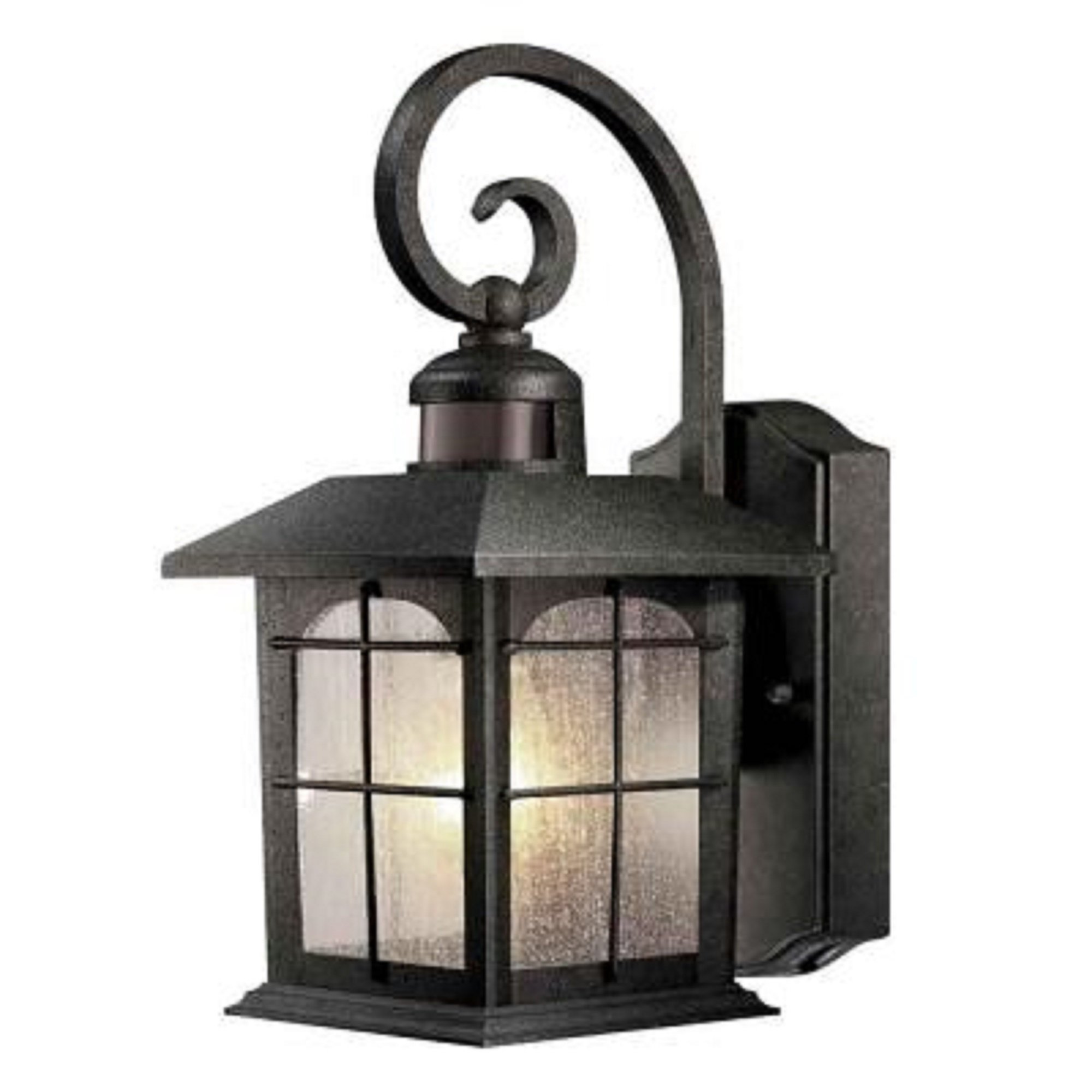
Image: Hampton Bay 180-Degree Wall-Mount 1-Light Outdoor Aged Iron Motion-Sensing Lantern. This image displays the full product, highlighting its aged iron finish, clear seeded glass panels, and the integrated motion sensor located at the top of the fixture.
Safety Information
Always follow basic safety precautions when installing or maintaining electrical products to reduce the risk of fire, electric shock, and personal injury.
- Turn off power at the circuit breaker or fuse box before installation.
- Consult a qualified electrician if you are unsure about the installation process.
- Ensure all connections are secure and properly insulated.
- Do not exceed the maximum wattage specified for the bulb.
- This fixture is designed for outdoor use and is weather-resistant.
Package Contents
Verify that all parts are present before beginning installation:
- Lantern Fixture (1)
- Mounting Hardware (screws, wire nuts, mounting plate)
- Instruction Manual (1)
Setup and Installation
- Prepare for Installation: Turn off power at the main circuit breaker. Clear the work area.
- Mounting Plate Installation: Attach the mounting plate to the junction box using the provided screws. Ensure it is securely fastened.
- Wiring Connections: Connect the fixture's wires to the house wiring according to local electrical codes. Typically, black to black (live), white to white (neutral), and bare copper/green to ground. Use wire nuts to secure connections.
- Fixture Mounting: Carefully align the fixture with the mounting plate and secure it with the decorative nuts or screws provided.
- Bulb Installation: Install one medium-base bulb (not included) into the socket. Do not exceed 100 watts. Compact fluorescent bulbs can also be used.
- Restore Power: Turn the power back on at the circuit breaker.
Operating Instructions
Motion Sensor Operation
The lantern features a 180-degree motion sensor with a 30 ft. detection range. It is designed to automatically turn on when motion is detected within its range during nighttime hours.
- Automatic On/Off: The built-in photocell detects ambient light levels. The light will automatically turn off at daybreak and remain off during daylight hours.
- Motion Activation: When it is dark, the light will activate for a set duration (typically adjustable, refer to specific product settings if available) upon detecting motion.
- Sensor Adjustment: The motion sensor sensitivity and duration settings may be adjustable. Consult the physical product for any dials or switches, usually located near the sensor itself.
Photocell Functionality
The integrated photocell ensures energy efficiency by preventing the light from operating during the day. It automatically turns the light off at daybreak and allows the motion sensor to become active at dusk.
Maintenance
- Cleaning: To clean the fixture, turn off the power and wipe with a soft, damp cloth. Do not use abrasive cleaners or solvents, as these may damage the finish or glass.
- Bulb Replacement: Ensure power is off before replacing the bulb. Allow the old bulb to cool before removal. Use only medium-base bulbs up to 100 watts.
- Inspection: Periodically inspect the wiring and connections for any signs of wear or damage. Ensure the fixture is securely mounted.
Troubleshooting
| Problem | Possible Cause | Solution |
|---|---|---|
| Light does not turn on at night. | No power; faulty bulb; photocell malfunction; sensor obstructed. | Check circuit breaker. Replace bulb. Ensure photocell is not obstructed by light. Verify sensor is clear. |
| Light stays on during the day. | Photocell obstructed or receiving insufficient light. | Ensure no objects are blocking the photocell. Relocate fixture if necessary to a brighter area. |
| Light turns on too frequently or not at all. | Motion sensor sensitivity setting is incorrect or sensor is obstructed. | Adjust motion sensor sensitivity. Clear any obstructions from the sensor's field of view. |
| Light flickers. | Loose wiring connection; incorrect bulb type; faulty bulb. | Turn off power and check all wire connections. Replace bulb with a new one of the correct type and wattage. |
Specifications
- Brand: Hampton Bay
- Model Number: HB7251M-292
- Fixture Type: Wall-Mount Outdoor Lantern
- Finish: Aged Iron
- Glass Type: Clear Seeded Glass
- Light Source: 1 x Medium-Base Bulb (E26)
- Max Wattage: 100 Watts
- Voltage: 120 Volts
- Motion Sensor: 180-Degree, 30 ft. detection range
- Special Features: Motion Sensor, Photocell (Dusk-to-Dawn)
- Construction Material: Cast-aluminum, Glass
- Dimensions: 9.5 x 7 x 14.5 inches (L x W x H)
- Weight: 3.2 pounds
- UL Listed: Yes
Warranty and Support
This product comes with a manufacturer and seller combination warranty. For specific warranty details, claims, or technical support, please refer to the original purchase documentation or contact Hampton Bay customer service.
For further assistance, please visit the Hampton Bay website or contact your retailer.


