
1. Introduction
Thank you for choosing the Imetec ZERO-GLU Bread Maker, Model 7815E. This appliance is designed to simplify the process of making homemade bread and desserts, with a special focus on gluten-free recipes. It features 20 pre-set programs, including dedicated options for gluten-free, dietary, and traditional breads, along with a programmable timer for convenience. Please read this manual carefully before first use to ensure safe and optimal operation.
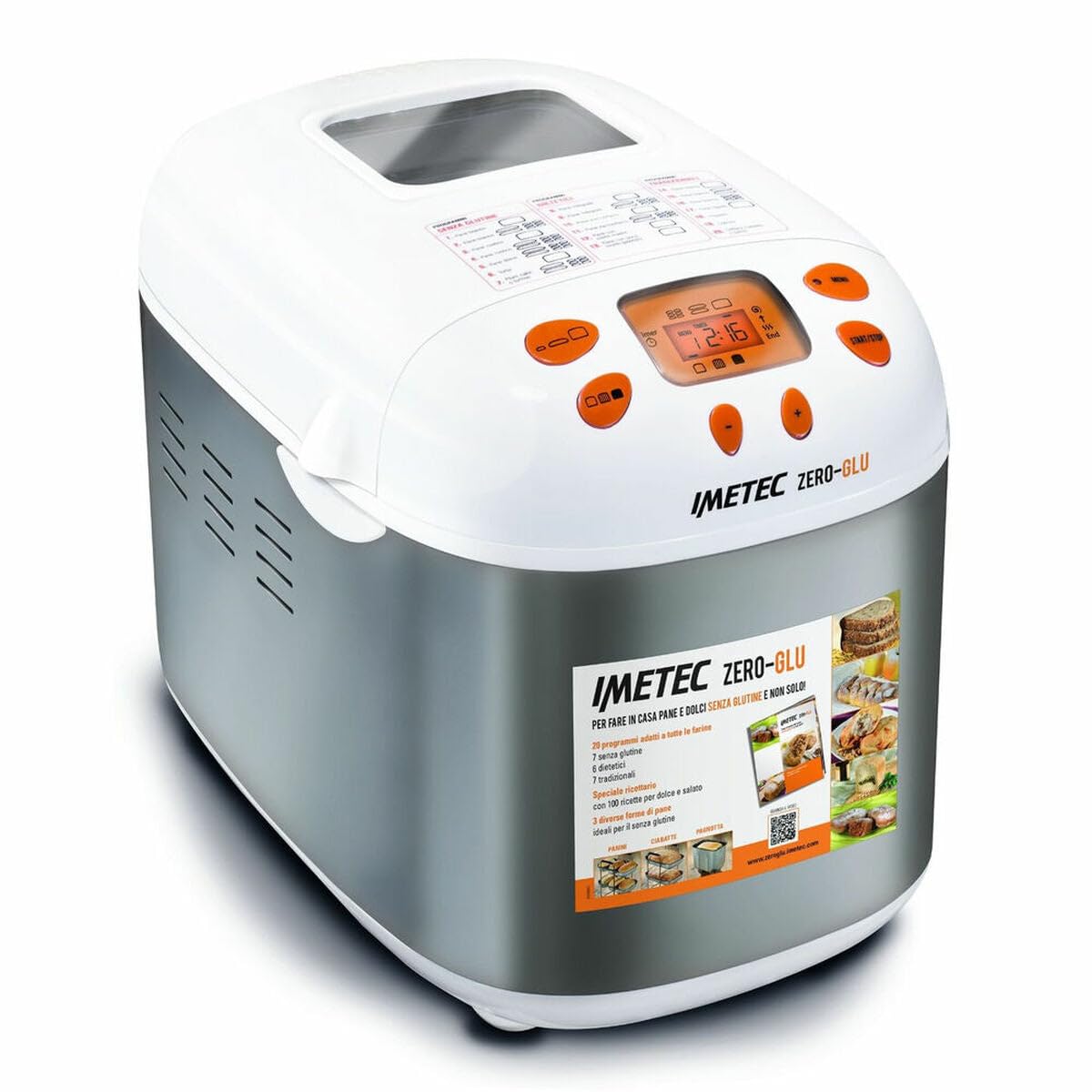
Image 1.1: Front view of the Imetec ZERO-GLU Bread Maker, showing the control panel and display.
2. Important Safety Instructions
- Read all instructions before using the appliance.
- Do not touch hot surfaces. Use handles or knobs.
- To protect against electric shock, do not immerse cord, plugs, or appliance in water or other liquid.
- Close supervision is necessary when any appliance is used by or near children.
- Unplug from outlet when not in use and before cleaning. Allow to cool before putting on or taking off parts.
- Do not operate any appliance with a damaged cord or plug or after the appliance malfunctions or has been damaged in any manner.
- The use of accessory attachments not recommended by the appliance manufacturer may cause injuries.
- Do not use outdoors.
- Do not let cord hang over edge of table or counter or touch hot surfaces.
- Do not place on or near a hot gas or electric burner, or in a heated oven.
- Extreme caution must be used when moving an appliance containing hot oil or other hot liquids.
- Always attach plug to appliance first, then plug cord into the wall outlet. To disconnect, turn any control to "off", then remove plug from wall outlet.
- Do not use appliance for other than intended household use.
3. Setup
3.1 Unpacking
Carefully remove the bread maker and all accessories from its packaging. Retain the packaging for future storage or transport. Ensure all components are present: the bread maker unit, bread pan, kneading paddles, measuring cup, measuring spoon, and the instruction manual with recipe book.
3.2 Initial Cleaning
Before first use, wipe the exterior of the bread maker with a damp cloth. Wash the bread pan, kneading paddles, measuring cup, and spoon with warm, soapy water. Rinse thoroughly and dry all parts completely. Ensure the interior of the baking chamber is clean and dry.
3.3 Placement
Place the bread maker on a stable, flat, heat-resistant surface, away from direct sunlight and heat sources. Ensure there is adequate ventilation around the appliance. Do not place it directly under cabinets, as steam may damage them.
3.4 Power Connection
Connect the appliance to a standard 230V EU electrical outlet. Ensure the power cord is not pinched or damaged.
4. Operating Instructions
4.1 Control Panel Overview
The control panel features a digital display and several buttons for program selection, timer settings, and start/stop functions. Refer to the diagram below for button identification.

Image 4.1: Detailed view of the control panel, showing program options and buttons.
4.2 Preparing Ingredients
Always add ingredients in the order specified in your recipe (typically liquids first, then dry ingredients, with yeast added last, separate from liquids and salt). Use precise measurements as baking requires accuracy. The included recipe book provides 100 sweet and savory recipes, including many gluten-free options.
4.3 Selecting a Program
The Imetec ZERO-GLU offers 20 programs:
- 7 Gluten-Free Programs: Specifically designed for gluten-free flours and recipes, ensuring optimal kneading and baking for these delicate doughs.
- 6 Dietary Programs: For specialized dietary needs.
- 7 Traditional Programs: For standard bread types using wheat flour.
Use the "Menu" button to cycle through the programs. The selected program number will be displayed on the screen.
4.4 Using Different Molds
The bread maker includes three different molds for various bread shapes, such as traditional loaves, baguettes, or rolls. Ensure the correct mold is securely placed in the baking chamber before adding ingredients.
4.5 Programmable Timer
The programmable timer allows you to delay the start of the baking process by up to 15 hours. This feature is ideal for having fresh bread ready at a specific time. Set the desired delay time using the timer buttons after selecting your program.
4.6 Starting and Stopping
Press the "START/STOP" button to begin the selected program. The machine will automatically perform the kneading, fermenting, and baking cycles. To stop a program prematurely, press and hold the "START/STOP" button for a few seconds.
5. Maintenance and Cleaning
Regular cleaning and maintenance will ensure the longevity and optimal performance of your Imetec ZERO-GLU Bread Maker.
- Always unplug the appliance and allow it to cool completely before cleaning.
- Exterior Cleaning: Wipe the exterior of the bread maker with a soft, damp cloth. Do not use abrasive cleaners or immerse the unit in water.
- Bread Pan and Kneading Paddles: Remove the bread pan and kneading paddles. Wash them with warm, soapy water using a soft sponge. For stubborn residue, soak the pan and paddles in warm water for about 30 minutes before cleaning. Rinse thoroughly and dry completely. Do not use metal scouring pads or harsh detergents, as they can damage the non-stick coating.
- Interior Cleaning: Wipe the interior of the baking chamber with a damp cloth. Remove any crumbs or flour residue.
- Storage: Store the bread maker in a clean, dry place when not in use.
Care instruction from manufacturer: "Limpiar con un paño seco" (Clean with a dry cloth). For general cleaning, a slightly damp cloth is acceptable, but ensure no water enters electrical components.
6. Troubleshooting
If you encounter issues with your bread maker, refer to the following common problems and solutions before contacting customer support.
| Problem | Possible Cause | Solution |
|---|---|---|
| Bread does not rise. | Expired yeast, incorrect water temperature, too much salt, or incorrect program selection. | Ensure yeast is fresh. Use lukewarm water (around 38-43°C). Reduce salt if too much was added. Select the appropriate program for your recipe. |
| Bread is too dense. | Too much flour, too little liquid, or insufficient kneading. | Measure ingredients precisely. Ensure correct liquid-to-flour ratio. For gluten-free recipes, ensure the specific gluten-free program is selected. |
| Bread collapses during baking. | Too much liquid, too much yeast, or high humidity. | Reduce liquid slightly. Ensure yeast measurement is accurate. Adjust recipe for high humidity environments. |
| Machine does not start. | Not plugged in, power outage, or "START/STOP" button not pressed correctly. | Check power connection. Ensure the button is pressed firmly. If problem persists, contact customer support. |
| Loud noise during operation. | Kneading paddle not properly seated, or foreign object in the pan. | Ensure kneading paddles are securely attached. Check for any foreign objects before starting. |
7. Product Specifications
| Brand: | Imetec |
| Model Number: | 7815E |
| Type: | Bread Maker (Panificadora) |
| Voltage: | 230 V |
| Power (Wattage): | 920 W |
| Capacity: | 1.17 Liters |
| Number of Programs: | 20 (7 Gluten-Free, 6 Dietary, 7 Traditional) |
| Material: | Steel |
| Color: | White/Orange (with Stainless Steel accents) |
| Dimensions (D x W x H): | 32.8 cm x 48.3 cm x 38.4 cm |
| Product Weight: | 8.17 kg |
Image 7.1: Imetec ZERO-GLU Bread Maker. The text specifications provide precise dimensions (32.8 cm depth, 48.3 cm width, 38.4 cm height).
8. Warranty and Customer Support
8.1 Warranty Information
The Imetec ZERO-GLU Bread Maker Model 7815E comes with a 2-year warranty from the date of purchase. This warranty covers manufacturing defects under normal household use. Please retain your proof of purchase for warranty claims. The warranty does not cover damage caused by misuse, accident, unauthorized modifications, or failure to follow the instructions in this manual.
8.2 Customer Support
For any questions, technical assistance, or warranty claims, please contact Imetec customer support. Refer to the official Imetec website or your purchase documentation for contact details specific to your region. When contacting support, please have your model number (7815E) and proof of purchase readily available.
You can also visit the official Imetec store on Amazon for more information: Imetec Amazon Store


