
1. Introduction
The Aduro Bluetooth Audio Receiver allows you to wirelessly stream audio from your Bluetooth-enabled devices to any audio system with a 3.5mm auxiliary input. This device converts traditional audio systems into Bluetooth-compatible systems, enabling seamless music playback from smartphones, tablets, and other Bluetooth audio sources.
Key features include:
- Makes any media device with a 3.5mm jack Bluetooth-capable.
- Receives music from Bluetooth sources such as smartphones and tablets.
- Compatible with playback devices like headphones, speakers, and car stereos.
- Bluetooth 2.1 with Advanced Audio Distribution Profile (A2DP) for enhanced audio quality.
- Up to 30 feet (9 meters) wireless range.
- One-touch pairing control for easy connection.
- Plugs directly into any standard 3.5mm audio jack.
- Provides up to 12 hours of audio playback on a full charge.
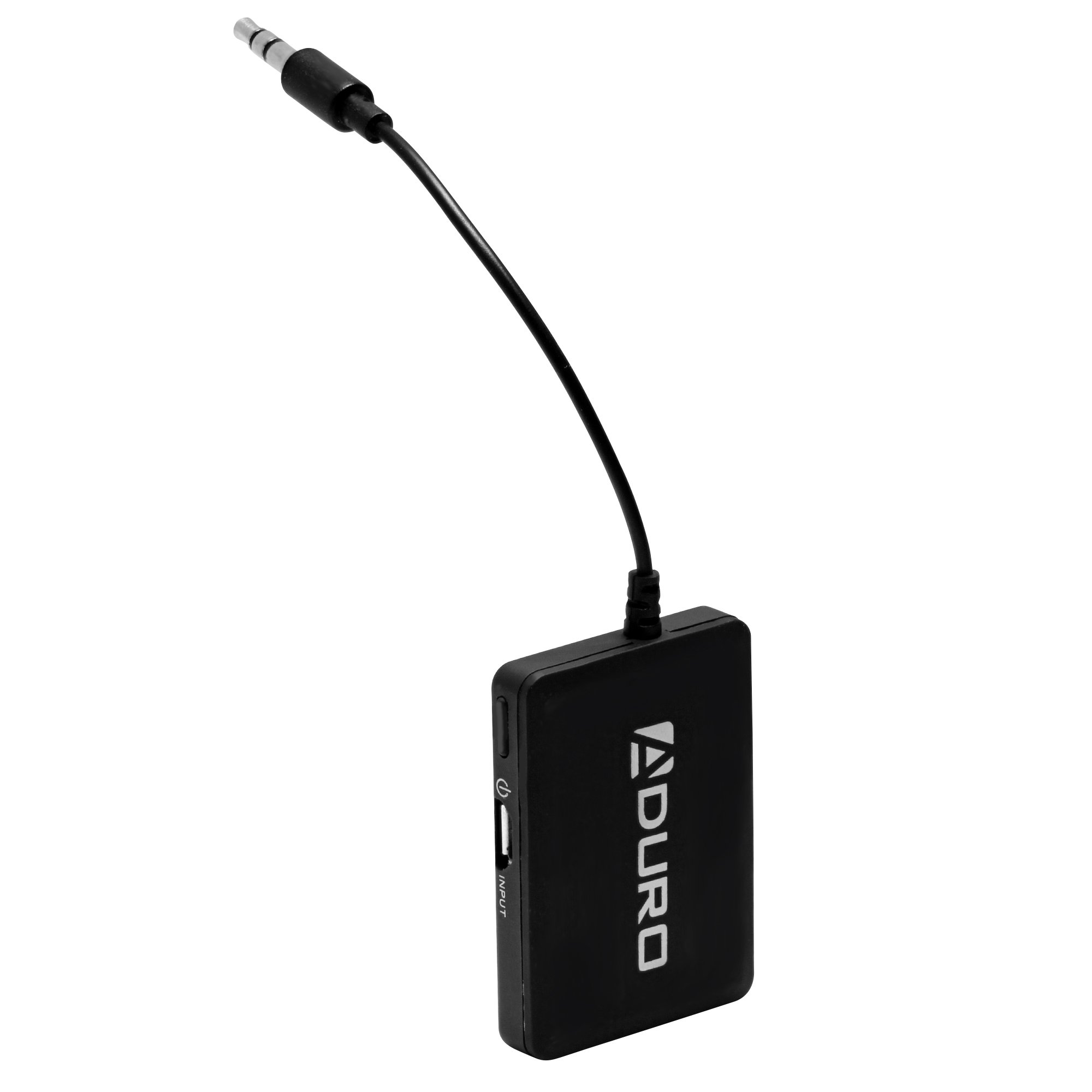
Image 1.1: Aduro Bluetooth Audio Receiver connected via 3.5mm jack.
2. Package Contents
Please check the package for the following items:
- Aduro Bluetooth Audio Receiver
- USB Charging Cable

Image 2.1: Contents of the Aduro Bluetooth Audio Receiver package.
3. Setup
3.1 Charging the Receiver
Before initial use, fully charge the Aduro Bluetooth Audio Receiver. A full charge provides up to 12 hours of audio playback.
- Connect the small end of the provided USB charging cable to the micro-USB port on the receiver.
- Connect the standard USB end of the cable to a USB power source (e.g., computer USB port, USB wall adapter).
- The indicator light on the receiver will illuminate during charging and turn off when fully charged.
3.2 Connecting to an Audio System
The receiver connects to your audio system via a standard 3.5mm auxiliary input.
- Locate the 3.5mm auxiliary input jack on your desired audio system (e.g., car stereo, home speaker, headphones).
- Plug the integrated 3.5mm audio jack of the Aduro Bluetooth Audio Receiver directly into the auxiliary input.
- Ensure the audio system is set to the auxiliary input source.
4. Operating Instructions
4.1 Powering On/Off
- To Power On: Press and hold the power button (often marked with a power symbol) on the receiver until the indicator light flashes.
- To Power Off: Press and hold the power button again until the indicator light turns off.
4.2 Pairing with a Bluetooth Device
The Aduro Bluetooth Audio Receiver uses one-touch pairing for easy connection to your smartphone, tablet, or other Bluetooth audio source.
- Ensure the receiver is powered on and within 30 feet (9 meters) of your Bluetooth audio source.
- The indicator light will typically flash rapidly, indicating it is in pairing mode.
- On your Bluetooth audio source (e.g., smartphone), go to the Bluetooth settings menu.
- Scan for available devices. The receiver should appear as "Aduro Bluetooth Receiver" or similar.
- Select the receiver from the list to initiate pairing.
- Once successfully paired, the indicator light on the receiver will typically change to a slow flash or solid blue, depending on the model.
- If prompted for a passcode, enter "0000" (four zeros).
Note: The receiver will attempt to reconnect to the last paired device automatically when powered on.

Image 4.1: Example of the Aduro Bluetooth Audio Receiver in use with a car stereo and smartphone.
4.3 Playing Audio
After successful pairing, you can begin streaming audio:
- Ensure your audio system is set to the correct auxiliary input.
- Start playing audio from your paired Bluetooth device.
- Adjust the volume on both your Bluetooth device and the connected audio system for optimal sound.
5. Maintenance
- Cleaning: Use a soft, dry cloth to clean the surface of the receiver. Do not use liquid cleaners or aerosols.
- Storage: Store the device in a cool, dry place when not in use.
- Battery Care: To prolong battery life, avoid fully discharging the battery frequently. Recharge the device when the low battery indicator appears.
6. Troubleshooting
| Problem | Possible Cause | Solution |
|---|---|---|
| Device does not power on. | Battery is discharged. | Charge the receiver using the provided USB cable. |
| Cannot pair with Bluetooth device. | Receiver is not in pairing mode. Bluetooth on source device is off. Receiver is too far from source device. Interference from other wireless devices. | Ensure receiver is powered on and indicator light is flashing rapidly. Enable Bluetooth on your source device. Move receiver closer to the source device (within 30 feet). Move away from other wireless devices. |
| No audio or poor audio quality (stuttering). | Incorrect audio input selected on stereo. Volume too low. Weak Bluetooth signal. Interference. Source device issues (e.g., WiFi interference on older devices). | Verify your audio system is set to the correct auxiliary input. Increase volume on both the receiver and the source device. Ensure receiver is within range and unobstructed. Minimize interference from other electronics. Try disabling WiFi on the source device if experiencing stuttering. |
| Only sound from one speaker. | Loose 3.5mm connection. Issue with the audio system's input. | Ensure the 3.5mm jack is fully inserted into the audio system. Test with a different audio system or cable if possible. |
7. Specifications
| Brand | Aduro |
| Model Name | Bluetooth Audio Receiver |
| Connectivity Technology | Bluetooth |
| Bluetooth Version | 2.1 |
| Supported Profiles | A2DP (Advanced Audio Distribution Profile) |
| Wireless Range | Up to 30 feet (9 meters) |
| Power Source | Battery Powered (Rechargeable) |
| Battery Life | Up to 12 hours (audio playback) |
| Audio Input | 3.5mm AUX |
| Audio Output Mode | Stereo |
| Compatible Devices | Smartphones, MP3 players, headphones, speakers, television, car stereo system |
| Color | Black |
| Control Method | Touch (One-touch pairing) |
| UPC | 849813002500 |
| ASIN | B00KME1I32 |
8. Safety Information
Please read and follow these safety guidelines to ensure proper operation and prevent damage:
- Do not expose the device to excessive heat or moisture.
- Keep the device away from other wireless devices to avoid interference.
- Charge the device only with the provided charger or a compatible USB power source.
- Do not attempt to replace the battery yourself. Contact qualified service personnel if battery replacement is needed.
- Avoid dropping or subjecting the device to strong impacts.