
Spirograph 1016Z
Spirograph Super Set 50th Anniversary Edition
Instruction Manual
1. Introduction
Welcome to the world of intricate designs with your new Spirograph Super Set 50th Anniversary Edition. This comprehensive kit allows artists of all ages to create beautiful geometric patterns using a system of gears and tracks. The 50th Anniversary Edition includes an expanded collection of components and a special die-cast wheel for enhanced creative possibilities.
Recommended Age: 8 years and up.
WARNING: CHOKING HAZARD - Small parts. Not for children under 3 years.
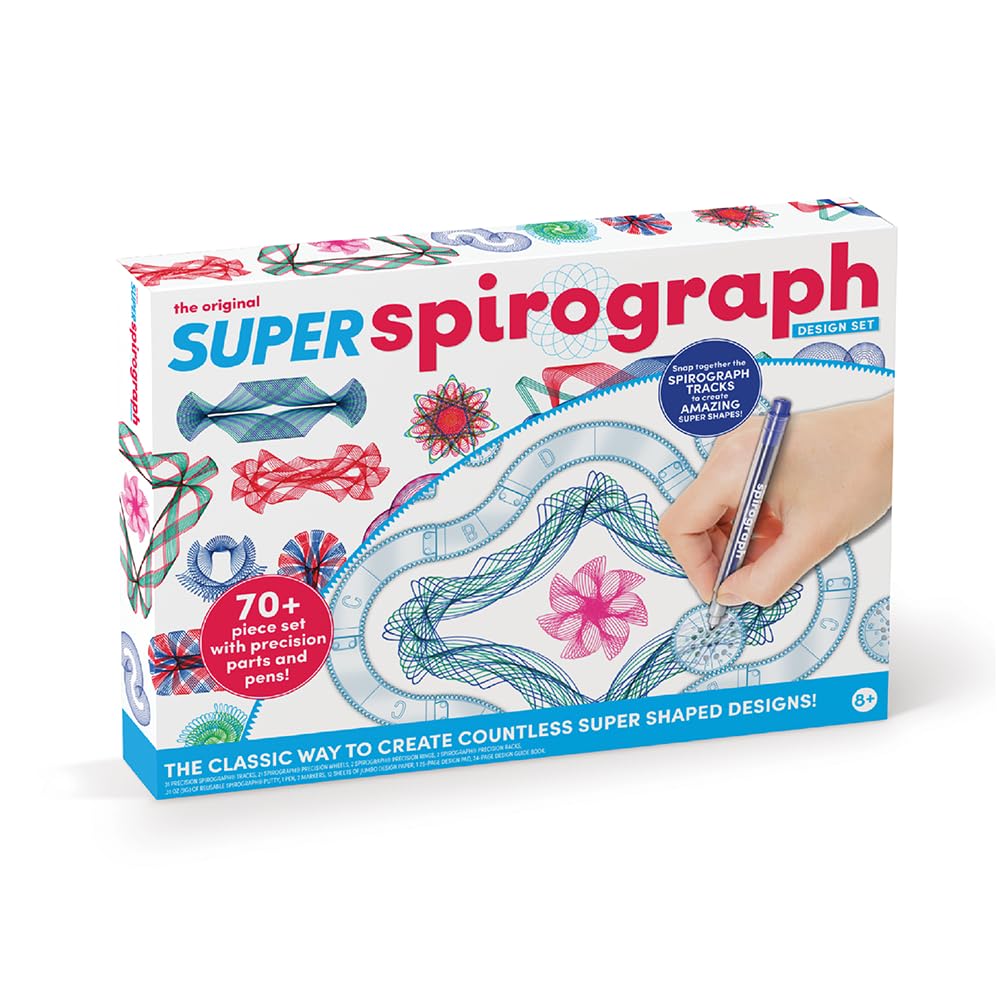
Figure 1: Spirograph Super Set 50th Anniversary Edition packaging.
2. What's Included
Your Spirograph Super Set contains the following components:
- 21 Spirograph Precision Wheels
- 2 Spirograph Precision Rings
- 2 Spirograph Precision Racks
- 31 Spiro-Tracks (interchangeable track pieces)
- 0.31 oz (9g) of Reusable Spirograph Putty
- 3 Fine Line Design Pens
- 24-Page Guide Book
- 12 Sheets of Jumbo Design Paper
- 2 - 25 Page Drawing Pads
- 1 Real Die-Cast Metal 50th Anniversary Commemorative Wheel
- 1 Carry-Along Storage Case with Built-In Work Desk

Figure 2: All components neatly organized within the storage case.
Video 1: Overview of the Super Spirograph 75-piece Jumbo Kit, showcasing its contents and features.
3. Setup
- Prepare Your Workspace: Open the carry-along storage case to reveal the built-in work desk. Ensure you have a flat, stable surface.
- Secure Your Paper: Place a sheet of design paper onto the work desk. Use the reusable Spirograph Putty to secure the paper firmly in place. A small piece of putty in each corner is usually sufficient.
- Select Your Components: Choose a Spirograph Ring or snap together several Spiro-Tracks to form a desired shape. Secure these pieces to the paper using the Spirograph Putty.
- Choose a Wheel and Pen: Select a Spirograph Wheel and one of the fine line design pens provided, or any standard pen, marker, or pencil.
4. Operating Instructions (Creating Designs)
4.1 Basic Operation
- Place the chosen Spirograph Wheel inside the secured Ring or Track.
- Insert the tip of your pen into one of the small holes on the wheel.
- Gently press down on the pen and rotate the wheel along the inner edge of the Ring or Track. Maintain constant pressure and ensure the gears remain engaged.
- Continue rotating until the pattern is complete. Experiment with different holes on the wheel to create varied designs.
4.2 Using Spiro-Tracks
The Spiro-Tracks allow you to create unique, non-circular shapes. Snap the individual track pieces together to form squares, triangles, or other custom outlines. Once assembled, secure the track outline with putty and use the Spirograph Wheels as described in the basic operation.

Figure 3: Creating a design using the snap-together Spiro-Tracks.
4.3 Design Guide
The included 24-page Guide Book provides detailed instructions and inspiration for creating a wide array of patterns. It illustrates how to combine different wheels, rings, and tracks, and how to use various holes to achieve specific designs. Refer to the guide for advanced techniques and pattern ideas.

Figure 4: Example page from the Spirograph Design Guide.
4.4 Experimentation
The true joy of Spirograph lies in experimentation. Try different combinations of wheels and rings, vary the starting hole, and even layer patterns with multiple colors. The possibilities for unique and intricate designs are endless.

Figure 5: Examples of intricate designs created with the Spirograph Super Set.
5. Maintenance
- Cleaning: Wipe down plastic components with a damp cloth as needed. Avoid harsh chemicals that may damage the plastic.
- Storage: Always return all Spirograph pieces to their designated slots in the carry-along storage case after use. This helps prevent loss and keeps the set organized.
- Putty Care: The Spirograph Putty is reusable. Store it in an airtight container or its original packaging to prevent it from drying out.
6. Troubleshooting
- Issue: Gears are slipping or not engaging properly.
- Solution: Ensure the Spirograph Ring or Track is firmly secured to the paper with putty. Apply gentle, consistent pressure to the pen and the wheel as you rotate to keep the gears engaged.
- Issue: Pen is not drawing smoothly or skipping.
- Solution: Check if the pen has sufficient ink. Ensure the pen tip is fully extended. Apply even pressure while drawing. If using your own pens, ensure they fit comfortably in the wheel's holes and have a fine tip.
- Issue: Designs are not symmetrical or complete.
- Solution: Verify that the Spirograph components are securely fixed and do not shift during drawing. Ensure you complete a full rotation of the wheel without lifting the pen or changing pressure. Refer to the Design Guide for specific pattern instructions.
7. Specifications
| Feature | Detail |
|---|---|
| Brand | Spirograph |
| Model Name | Super Spirograph Design Set |
| Model Number | 1016Z |
| Style | 50th Anniversary |
| Material | Plastic |
| Item Dimensions (L x W x H) | 18 x 1.5 x 13 inches |
| Item Weight | 2.35 pounds (1.07 Kilograms) |
| Number of Pieces | 75+ |
| Recommended Age | 8 years and up |
8. Warranty & Support
For warranty information or product support, please refer to the manufacturer's official website or contact their customer service department. Keep your purchase receipt as proof of purchase.
Manufacturer: PlayMonster LLC
Website: www.playmonster.com (Please note: This is a general example; actual support contact details may vary.)
Related documents1016Z

Ask a question about this manual
Ask about setup, troubleshooting, compatibility, parts, safety, or missing instructions. Manuals+ will review the question and use this page’s manual context to help answer it.