
1. Introduction
This manual provides essential instructions for the safe and effective use of your Salter 9049 BK3R MAX Digital Personal Scale. Please read this manual thoroughly before first use and retain it for future reference. This scale is designed for personal weight measurement with a high capacity and clear digital display.

Image 1.1: The Salter 9049 BK3R MAX Digital Personal Scale.
2. Safety Information
WARNING: This product contains a CR2 button/coin battery. Swallowing can cause severe or fatal injuries within 2 hours. Keep batteries out of reach of children (whether new or used). If you think batteries may have been swallowed or placed inside any part of the body, seek immediate medical attention.
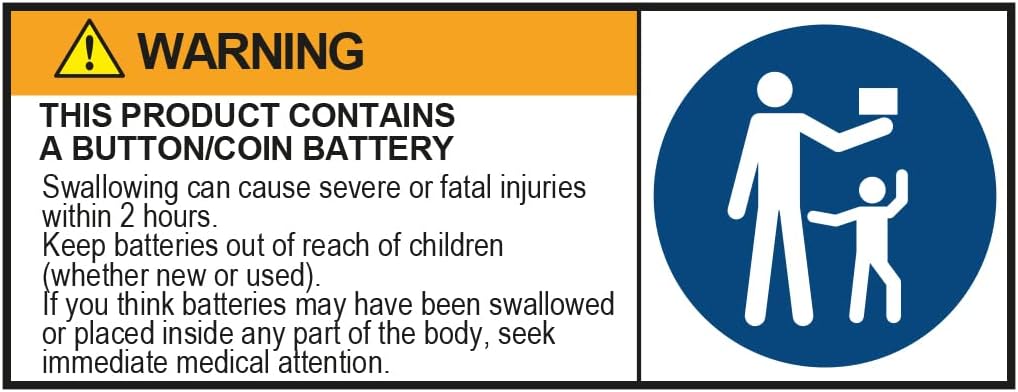
Image 2.1: Important safety warning regarding button/coin batteries.
- Always use the scale on a firm, flat surface. Uneven surfaces can affect accuracy.
- Do not use on wet or slippery surfaces to prevent falls.
- Do not immerse the scale in water or use abrasive cleaners.
- This scale is for personal use only and not intended for medical or commercial purposes.
- If the battery compartment does not close securely, stop using the product and keep it away from children.
3. Package Contents
Verify that all items are present in the package:
- Salter 9049 BK3R MAX Digital Personal Scale
- 1 x CR2 Battery (pre-installed or separate)
- Additional Carpet Feet (for use on carpeted surfaces)
- Instruction Manual (this document)
4. Setup
4.1 Battery Installation
- Locate the battery compartment on the underside of the scale.
- Open the battery compartment cover.
- Insert the included CR2 battery, ensuring correct polarity (+/-).
- Close the battery compartment cover securely.
4.2 Surface Placement
For accurate readings, place the scale on a hard, flat, and stable surface. Avoid placing it on soft surfaces like thick carpets or rugs without using the provided carpet feet.
- Hard Surfaces: Place the scale directly on tiles, wood, or laminate flooring.
- Carpeted Surfaces: Attach the additional carpet feet to the underside of the scale. These feet help stabilize the scale and ensure accurate readings on softer floorings.

Image 4.1: Proper placement of the scale on a hard, flat surface.
5. Operating Instructions
5.1 Taking a Weight Measurement
- Ensure the scale is on a firm, flat surface.
- Gently tap the center of the scale with your foot to activate it. The display will show '0.0' or '0.00'.
- Once '0.0' is displayed, step onto the scale with bare feet, standing still and centered.
- Your weight will be displayed on the large LCD screen. The reading will flash a few times before settling.
- Step off the scale. The scale will automatically turn off after a few seconds to conserve battery life.

Image 5.1: User standing on the scale for a weight reading.
5.2 Unit Conversion (KG / st/lbs)
Your Salter scale allows you to switch between metric (kilograms) and imperial (stones/pounds) units.
- Locate the unit conversion button on the underside of the scale, usually near the battery compartment.
- Press this button to toggle between KG and st/lbs.
- The selected unit will be indicated on the display.

Image 5.2: The large, easy-to-read display with unit indicators.
6. Maintenance
6.1 Cleaning
- Wipe the scale surface with a damp cloth and mild detergent.
- Do not use chemical cleaning agents or abrasive materials, as these can damage the glass surface and electronic components.
- Ensure the scale is completely dry before storage or next use.
6.2 Storage
- Store the scale in a cool, dry place, away from direct sunlight and extreme temperatures.
- Avoid placing heavy objects on the scale when not in use.
- If the scale will not be used for an extended period, it is recommended to remove the battery.

Image 6.1: The scale stored neatly in a cabinet.
7. Troubleshooting
- No Display / Low Battery: If the display is blank or shows 'Lo', replace the CR2 battery.
- Inaccurate Readings:
- Ensure the scale is on a hard, flat, and stable surface.
- If on carpet, ensure carpet feet are properly installed.
- Step on and off the scale to re-calibrate it to '0.0' before taking a measurement.
- Ensure you are standing still and centered on the scale.
- 'Err' Message: This usually indicates an overload. The scale's maximum capacity is 250 kg. Step off the scale immediately.
8. Specifications
| Feature | Specification |
|---|---|
| Brand | Salter |
| Model Number | 9049 BK3R |
| Color | Black |
| Product Dimensions (L x W x H) | 32 x 32 x 2.5 cm |
| Item Weight | 2.06 Kilograms |
| Maximum Weight Capacity | 250 Kilograms |
| Material | Tempered Glass |
| Display Type | LCD |
| Reading Accuracy | +/- 0.2 kg, +/- 0.5 lbs |
| Battery | 1 x CR2 (included) |
| Special Features | Automatic shut-off, High load capacity, Large display |

Image 8.1: Scale dimensions.
9. Warranty and Support
Salter products are known for their quality and durability. This product typically comes with a 15-year guarantee, reflecting Salter's commitment to long-lasting performance.
For warranty claims, technical support, or further assistance, please refer to the contact information provided on the Salter official website or your purchase documentation.
Please retain your proof of purchase for warranty purposes.


