
Retevis RT-5R
Retevis RT-5R Dual Band Two-Way Radio Instruction Manual
Model: RT-5R
Brand: Retevis
1. Introduction
This manual provides detailed instructions for the proper use and maintenance of your Retevis RT-5R Dual Band Two-Way Radio. Please read this manual thoroughly before operating the device to ensure safe and efficient communication.
The Retevis RT-5R is a high-power, dual-band ham radio with 128 channels, designed for long-range communication. It features a durable build, a three-color LCD screen, and various functions including an emergency alarm and flashlight, making it suitable for outdoor activities, hunting, hiking, and professional use.
2. Package Contents
Upon opening your Retevis RT-5R package, please verify that all items listed below are present and in good condition:
- 2 x Retevis RT-5R 2 way radio
- 2 x Antenna
- 2 x Earpiece
- 2 x Li-ion battery pack (1400mAh)
- 2 x Charger
- 2 x Belt clip
- 2 x The sling
- 2 x Adapter
- 2 x User’s manual
- 2 x Speaker mic
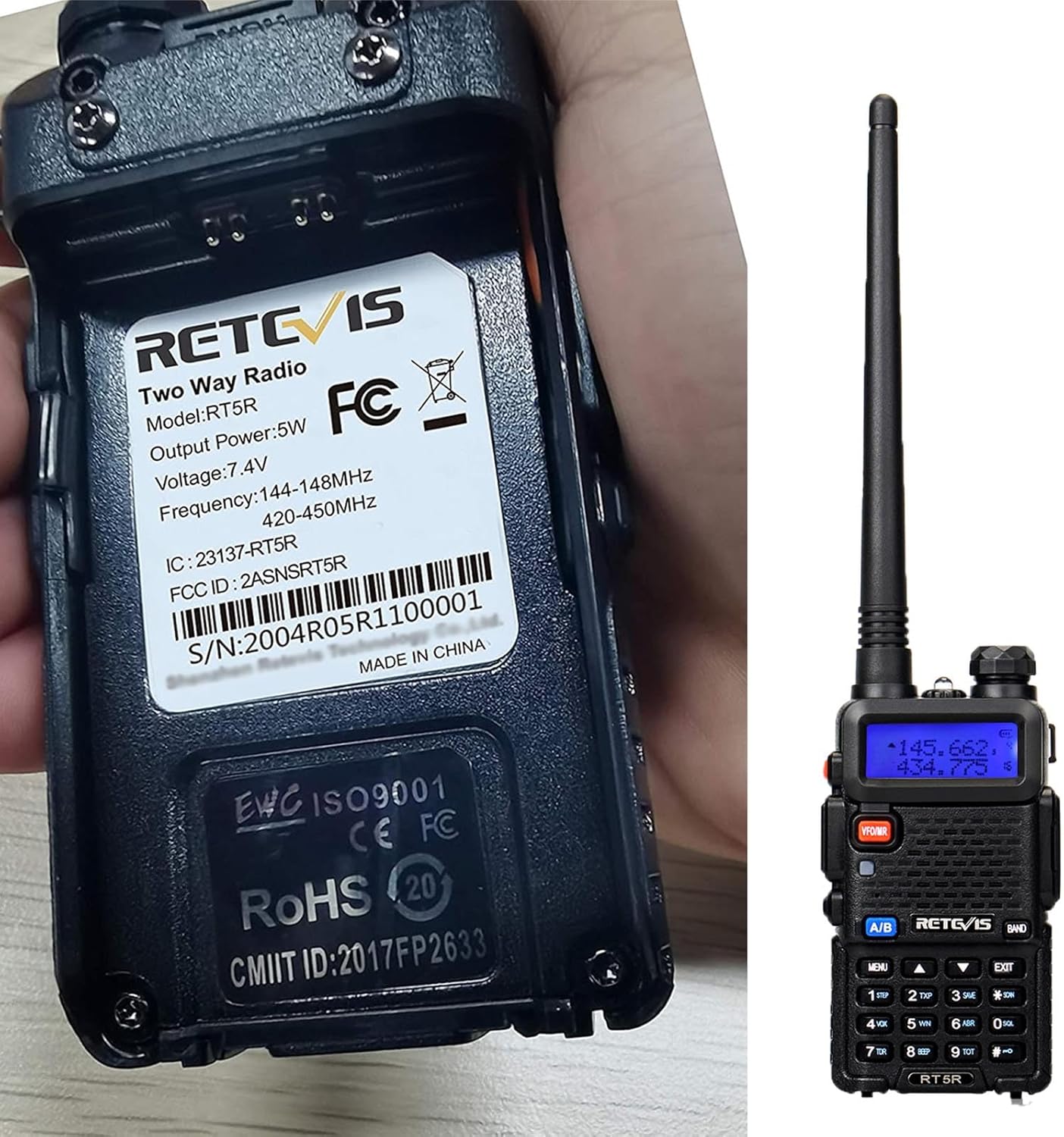
Figure 2.1: Contents included in the Retevis RT-5R package.
3. Product Overview
The Retevis RT-5R radio is designed for robust performance and ease of use. Key components include:
- Antenna: For transmitting and receiving radio signals.
- Volume/Power Knob: Controls power on/off and audio volume.
- LCD Display: Three-color backlit screen for channel, frequency, and status information.
- Speaker/Microphone: Integrated for audio output and input.
- Keypad: For manual frequency input, channel selection, and menu navigation.
- PTT (Push-to-Talk) Button: Activates transmission.
- Side Buttons: Programmable for various functions like flashlight or alarm.
- Battery Pack: Rechargeable 1400mAh Li-ion battery.
- Belt Clip: For convenient carrying.
- Speaker Mic Port: For connecting external speaker microphones or earpieces.

Figure 3.1: Front view of the Retevis RT-5R Two-Way Radio with shoulder mic.

Figure 3.2: Dual-band display for convenient use.
4. Setup and Initial Use
4.1 Battery Installation and Charging
- Ensure the radio is powered off.
- Align the battery pack with the grooves on the back of the radio and slide it upwards until it clicks into place.
- To charge, place the radio into the charging cradle. Ensure the charging contacts on the radio align with those on the cradle. The indicator light on the charger will show charging status.
- A full charge typically takes 3-4 hours. The 1400mAh battery supports 10-12 hours of continuous operation.

Figure 4.1: Retevis RT-5R radio in its charging cradle.
Video 4.1: Demonstration of Retevis RT-5R Dual band walkie talkie charging process.
4.2 Attaching Accessories
- Antenna: Screw the antenna clockwise into the connector on top of the radio until it is finger-tight.
- Belt Clip: Attach the belt clip to the designated slot on the back of the radio.
- Speaker Mic/Earpiece: Plug the speaker mic or earpiece into the side port of the radio. Ensure it is securely connected.
Video 4.2: Instructions for attaching the back clip to the RT-5R radio.
5. Operating Instructions
5.1 Power On/Off and Volume Adjustment
- To power on the radio, rotate the Volume/Power knob clockwise until you hear a click and the display illuminates.
- To adjust the volume, continue rotating the knob clockwise to increase volume or counter-clockwise to decrease it.
- To power off the radio, rotate the knob counter-clockwise until you hear a click and the display turns off.
Video 5.1: Overview of the Retevis RT-5R Dual band walkie talkie features and basic operation.
5.2 Channel and Frequency Selection
- The RT-5R supports 128 channels and dual-band operation (UHF: 420-450MHz, VHF: 144-148MHz).
- Use the UP/DOWN arrow keys on the keypad to navigate through pre-programmed channels.
- To enter a specific frequency, use the numeric keypad. Press the "VFO/MR" button to switch between Frequency Mode (VFO) and Channel Mode (MR).
- The radio supports CHIRP for personalized programming.

Figure 5.1: The RT-5R supports CHIRP for personalized programming.
Video 5.2: A detailed look at the features and functionality of the Retevis RT-5R Dual band walkie talkie.
5.3 Transmitting and Receiving
- To transmit, press and hold the PTT (Push-to-Talk) button on the side of the radio. Speak clearly into the microphone. Release the PTT button to receive.
- For hands-free operation, use the included shoulder mic.

Figure 5.2: Using the RT-5R with a shoulder microphone for easy conversation during outdoor activities.
5.4 Emergency Features
- The RT-5R includes an emergency alarm function. In critical situations, activate the alarm to send out a call for help.
- A built-in flashlight provides illumination in dark environments.

Figure 5.3: Emergency Alarm function.

Figure 5.4: Built-in Flashlight for convenience.
6. Radio Range and Factors Affecting It
The effective communication range of two-way radios like the Retevis RT-5R is influenced by several factors. While the RT-5R is a high-power radio designed for long range, actual performance can vary.
6.1 Key Factors Affecting Range:
- Radio Power (Watts): Higher wattage generally means longer range. The RT-5R offers high power output.
- Radio Signal Type: UHF (Ultra High Frequency) and VHF (Very High Frequency) signals behave differently in various environments. UHF is better for indoor and urban areas with obstacles, while VHF is better for open, outdoor areas.
- Horizon Distance: Radio waves travel in a line of sight. The curvature of the Earth limits direct communication distance.
- Atmospheric Conditions: Weather conditions can affect signal propagation.
- Antenna: The quality and type of antenna significantly impact range.
- Obstacles/Terrain: Buildings, hills, dense foliage, and other obstructions can block or weaken radio signals.
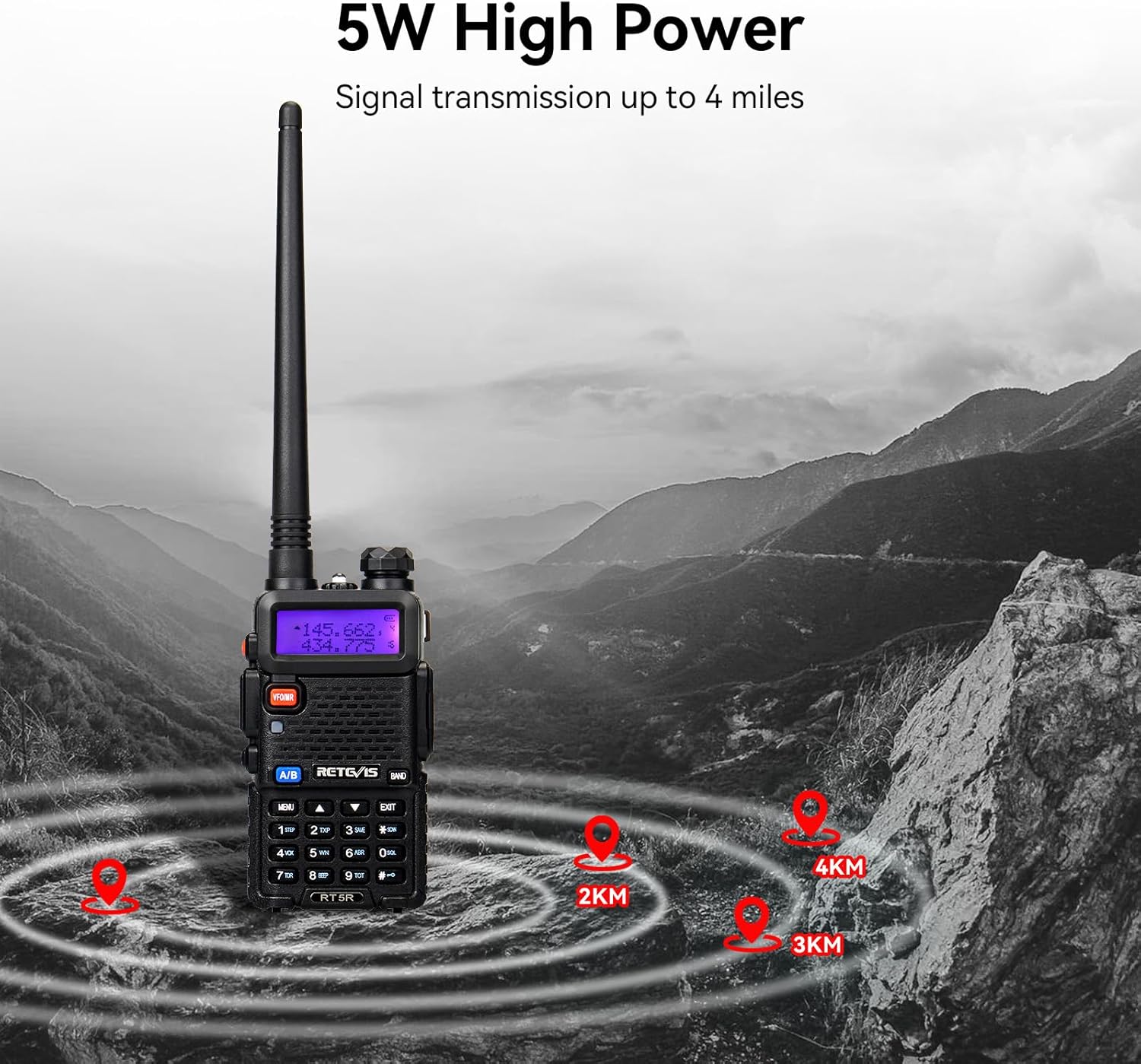
Figure 6.1: Signal transmission range in open terrain.
Video 6.1: An informational video explaining the truth about two-way radio range and factors affecting it.
6.2 Extending Communication Distance:
- Increase Transmission Power: In theory, if the transmission power is doubled, the communication distance can be expanded to approximately 1.4 times the original distance.
- Improve Receiving Sensitivity: Adjust the squelch threshold of the walkie-talkie and use a high-gain antenna to correspondingly improve the receiving sensitivity of the walkie-talkie.
- Launch from a Higher Location: Transmitting from an elevated position (e.g., hilltop, tall building) significantly extends line-of-sight range.
- Keep your battery charged: A fully charged battery ensures optimal power output.
- Use a Repeater: For significantly extended range, especially in large areas or with many obstacles, a repeater can re-transmit signals over a wider area.
Video 6.2: Understanding how to extend the range of two-way radios for large businesses.
7. Maintenance and Care
- Cleaning: Use a soft, damp cloth to clean the radio's surface. Do not use harsh chemicals or abrasive cleaners.
- Battery Care: Avoid overcharging or completely draining the battery. Store the radio and battery in a cool, dry place when not in use for extended periods.
- Environmental Protection: While durable, the RT-5R is not water-resistant. Protect it from extreme temperatures, direct sunlight, dust, and moisture.
- Antenna Protection: Do not carry the radio by its antenna, as this can damage the antenna or the radio's internal components.

Figure 7.1: The RT-5R is designed to be strong and durable.
8. Troubleshooting
| Problem | Possible Cause | Solution |
|---|---|---|
| Radio does not power on. | Battery is low or not installed correctly. | Charge the battery or re-install it securely. |
| Cannot transmit or receive. | Incorrect frequency/channel; out of range; PTT not pressed correctly. | Verify frequency/channel settings. Move closer to the other radio. Ensure PTT is fully pressed during transmission. |
| Poor audio quality/static. | Weak signal; interference; antenna loose. | Move to a clearer area. Check antenna connection. Adjust squelch level. |
| Shoulder mic not working. | Mic not fully plugged in; faulty mic. | Ensure the shoulder mic is securely plugged into the side port. Test with another mic if available. |
9. Specifications
| Feature | Detail |
|---|---|
| Item Weight | 7.4 ounces |
| Product Dimensions | 4.61 x 0.91 x 1.16 inches |
| Country of Origin | China |
| Item Model Number | USA7105A@2-C9001A@2 |
| Batteries | 2 Lithium Ion batteries required (included) |
| Display Type | LCD |
| Brand | Retevis |
| Color | Black |
| Number of Channels | 128 |
| Special Feature | Dual band 128 channels, 1400mAh Li-ion Battery |
| Frequency Range | UHF: 420-450MHz + VHF: 144-148MHz |
| Talking Range Maximum | 5 Mile |
| Tuner Technology | UV |
| Voltage | 7.4 Volts (DC) |
| Water Resistance Level | Not Water Resistant |
| FCC ID | 2AAR8RT5R |
10. Warranty and Support
Retevis provides comprehensive customer support for the RT-5R Two-Way Radio:
- Warranty: We provide a 2-year warranty for the radio body and a 1-year warranty for accessories.
- Return Policy: 30 days no reason to return.
- Post-Warranty Service: Beyond the warranty period, we still offer maintenance service. Buyers are required to afford corresponding costs.
- Customer Support: For any inquiries or issues, please contact us on Amazon. We aim to reply within 12 hours.
Related documentsRT-5R


Ask a question about this manual
Ask about setup, troubleshooting, compatibility, parts, safety, or missing instructions. Manuals+ will review the question and use this page’s manual context to help answer it.