1. Introduction
Thank you for choosing the BEM Wireless Mojo Bluetooth Speaker with Powerbank. This device combines high-quality audio with the convenience of a portable power bank, ensuring your music and devices stay powered on the go. Please read this manual carefully to ensure proper use and to maximize your product's performance.
2. Product Overview
The BEM Wireless Mojo (Model HL2739) is a versatile Bluetooth speaker designed for portability and functionality. It features a compact design, a dedicated charging base that doubles as a power bank, and integrated speakerphone capabilities.
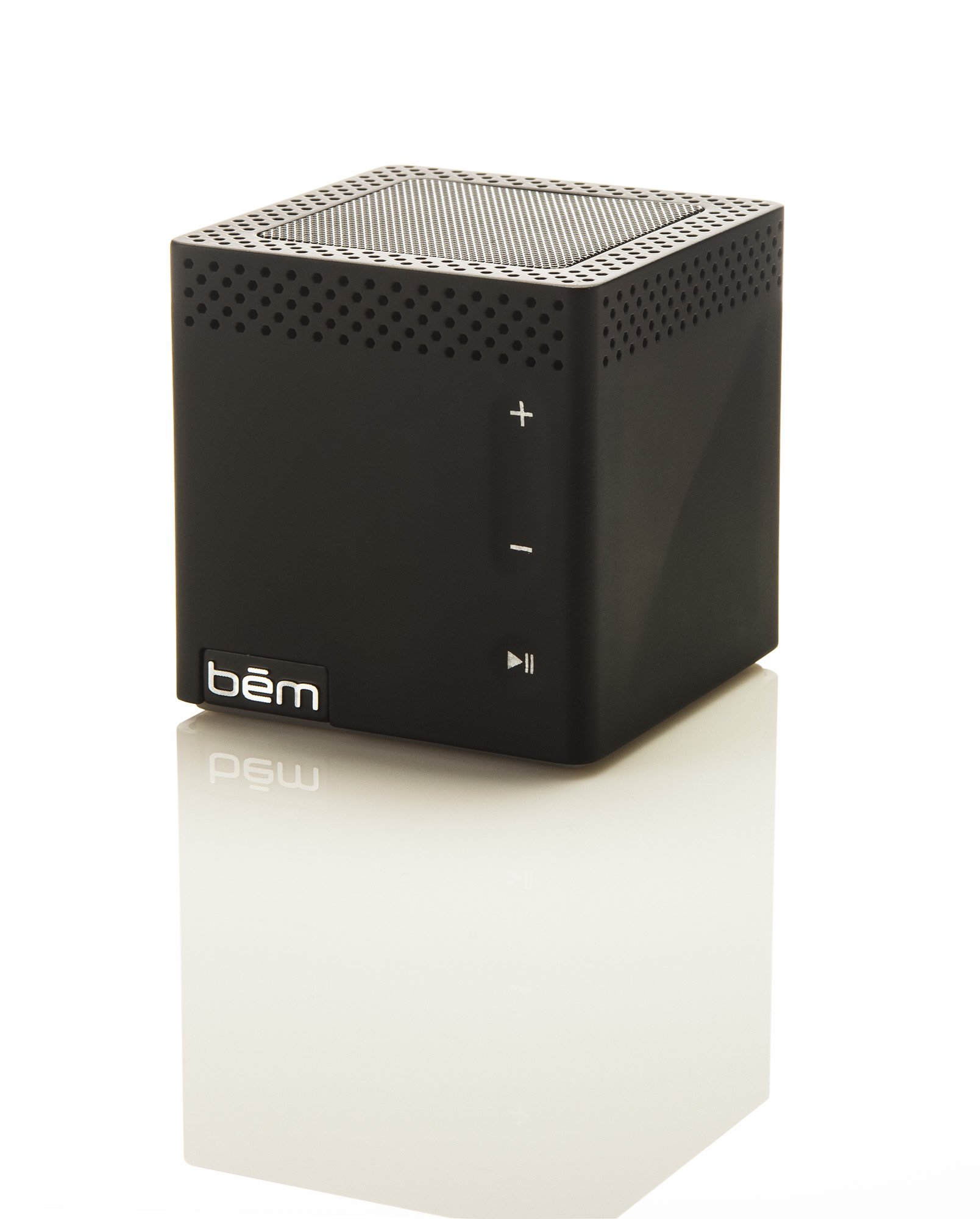
Figure 2.1: BEM Wireless Mojo Bluetooth Speaker with Powerbank.
3. Setup
3.1. Unpacking
Carefully remove all components from the packaging. Ensure you have the following items:
- BEM Wireless Mojo Bluetooth Speaker
- Conductive Charging Base / Power Bank
- USB Charging Cable
- Auxiliary Audio Cable
- Instruction Manual (this document)
3.2. Initial Charging
Before first use, fully charge your BEM Wireless Mojo speaker. The charging base provides easy, conductive charging.
- Connect the USB charging cable to the charging base and a power source (e.g., USB wall adapter, computer USB port).
- Place the Mojo speaker onto the charging base. Ensure the speaker is properly seated for conductive charging.
- The indicator light on the speaker will show charging status. Allow several hours for a full charge.

Figure 3.1: BEM Wireless Mojo Speaker placed on its conductive charging base.
3.3. Powering On/Off
- To power on: Press and hold the Power button until the indicator light illuminates.
- To power off: Press and hold the Power button until the indicator light turns off.
4. Operating Instructions
4.1. Bluetooth Pairing
The BEM Wireless Mojo speaker is designed for easy wireless connection to your Bluetooth-enabled devices.
- Ensure the speaker is powered on and within 30 feet (10 meters) of your device.
- The speaker will automatically enter pairing mode, indicated by a flashing blue LED light.
- On your device (smartphone, tablet, computer), go to the Bluetooth settings and search for available devices.
- Select "BEM Mojo" from the list. Once paired, the LED indicator will turn solid blue.
- If prompted for a passcode, enter "0000".
4.2. Using the Speakerphone
The Mojo speaker includes a built-in microphone for hands-free calling.
- When a call comes in, the music will pause. Press the Phone button (usually marked with a phone icon) to answer the call.
- Speak clearly into the speaker.
- To end a call, press the Phone button again. Music will resume automatically.
4.3. Audio Playback
Control your music directly from your paired device or using the speaker's controls.
- Volume Control: Use the volume buttons (+/-) on the speaker or your paired device.
- Play/Pause: Press the Play/Pause button on the speaker to control playback.
- Track Navigation: Use the skip track buttons (forward/backward) on the speaker or your paired device.

Figure 4.1: Front view of the BEM Wireless Mojo Speaker showing control buttons.
4.4. Using the Power Bank Feature
The charging base can also charge your mobile devices.
- Connect your mobile device's USB charging cable to the USB output port on the charging base.
- Ensure the charging base has sufficient power.
- Your device should begin charging automatically.

Figure 4.2: Rear view of the BEM Wireless Mojo Speaker and charging base, highlighting the USB output port.
5. Maintenance
5.1. Cleaning
Wipe the speaker and charging base with a soft, dry cloth. Do not use abrasive cleaners or solvents.
5.2. Storage
When not in use for extended periods, store the speaker in a cool, dry place. It is recommended to fully charge the battery every 3 months to maintain battery health.
6. Troubleshooting
| Problem | Possible Cause | Solution |
|---|---|---|
| Speaker does not power on | Low battery | Charge the speaker fully. |
| Unable to pair via Bluetooth | Speaker not in pairing mode; Device too far; Bluetooth off on device | Ensure speaker is in pairing mode (flashing blue LED). Move device closer. Turn Bluetooth on your device. |
| No sound during playback | Volume too low; Device not connected; Incorrect audio source | Increase volume on both speaker and device. Verify Bluetooth connection. Check if auxiliary cable is properly connected if using wired mode. |
| Poor sound quality | Device too far; Obstructions; Low battery | Move device closer to the speaker. Remove any obstructions. Charge the speaker. |
| Power bank not charging device | Low power bank battery; Incorrect cable | Charge the speaker/power bank. Ensure you are using a compatible USB cable for your device. |
7. Specifications
- Model Number: HL2739
- Product Dimensions: 2.5 x 0.25 x 2.5 inches
- Item Weight: 12.8 ounces
- Battery: 1 Lithium Ion battery (rechargeable)
- Play Time: Up to 16 hours
- Connectivity: Bluetooth, Aux-in
- Features: Conductive Charging Base, Portable Power Bank, Passive Speaker for enhanced bass, Microphone for Speakerphone Function
8. Warranty and Support
For detailed warranty information regarding your BEM Wireless Mojo Bluetooth Speaker, please refer to the official warranty document provided with your purchase or visit the BEM Wireless website. For technical support or further assistance, please contact BEM Wireless customer service.


