1. Introduction
The Mars Gaming MS1 2.0 Stereo Speakers are designed to deliver clear and powerful audio for your computing and gaming needs. Featuring a compact design and 10W RMS power, these speakers are suitable for various desktop environments. This manual will guide you through the essential steps to get the most out of your speakers.
2. What's in the Box
Please check the package contents to ensure all items are present:
- Mars Gaming MS1 2.0 Stereo Speakers (2 units)
- Integrated USB Power Cable
- Integrated 3.5mm Audio Jack Cable
- User Manual (this document)

Image 2.1: Mars Gaming MS1 Speakers showing the connected cables and in-line volume control.
3. Setup Instructions
Follow these steps to connect your Mars Gaming MS1 speakers:
- Positioning the Speakers: Place the two speaker units on a stable surface, such as your desk, ensuring they are positioned for optimal sound delivery.
- Connect Audio Cable: Locate the 3.5mm audio jack cable extending from one of the speakers. Plug this jack into the 3.5mm audio output port on your computer, laptop, or other audio source.
- Connect USB Power: Locate the USB-A power cable. Plug this USB connector into an available USB port on your computer or a compatible USB power adapter (5V/1A recommended). The speakers will power on automatically.
- Adjust Volume: Use the in-line volume control wheel on the cable to adjust the speaker volume to your desired level. You may also need to adjust the volume settings on your connected device.
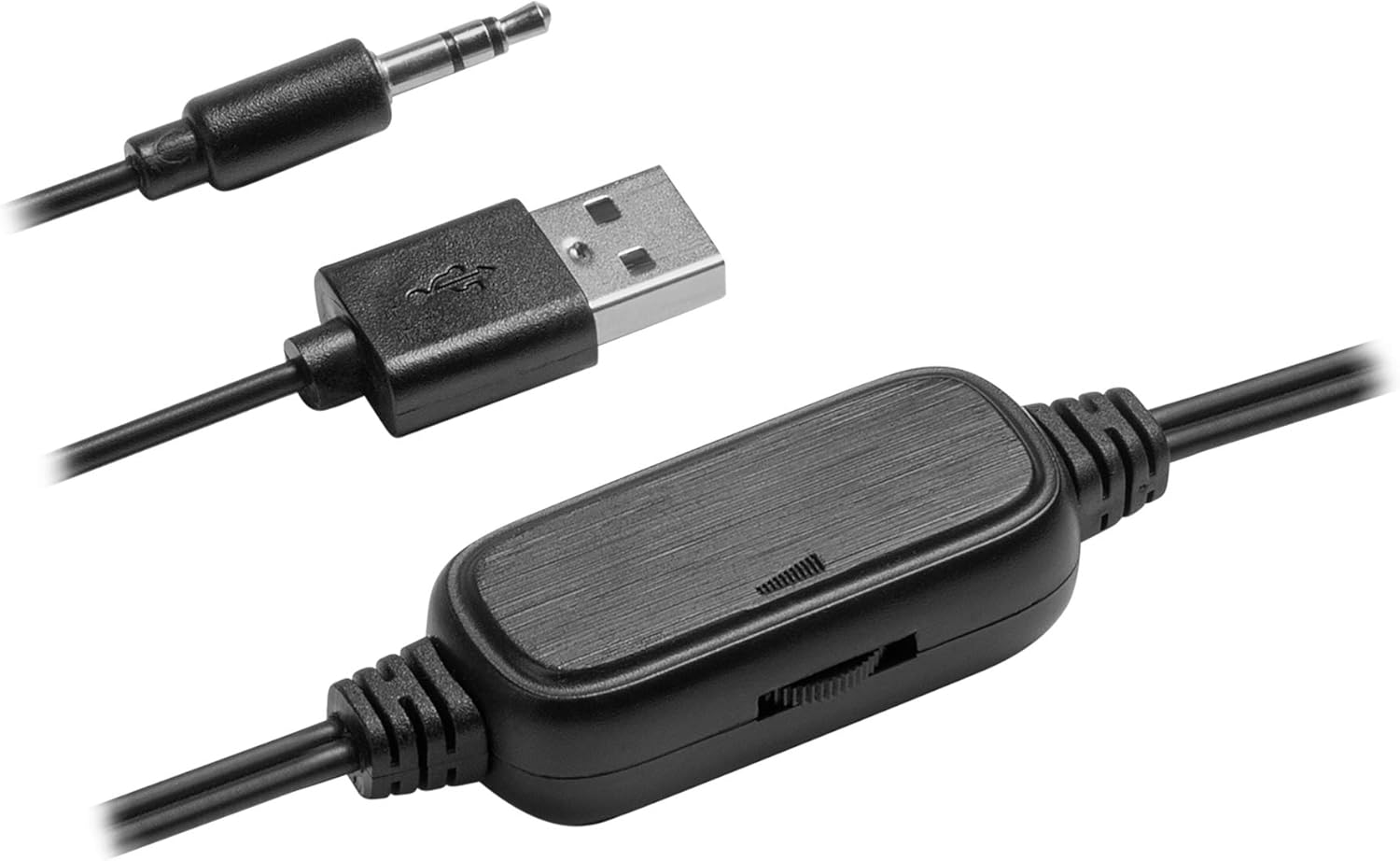
Image 3.1: Detailed view of the in-line volume control, USB power connector, and 3.5mm audio jack for connection.
4. Operating Instructions
The Mars Gaming MS1 speakers are designed for simple plug-and-play operation:
- Power On/Off: The speakers power on automatically when the USB cable is connected to a powered USB port. To turn them off, disconnect the USB power cable.
- Volume Control: Adjust the audio output level using the integrated volume control wheel located on the cable. Rotate the wheel to increase or decrease the volume.
- Audio Source: Ensure your audio source (computer, laptop, etc.) is playing sound and its volume is also adjusted appropriately.
Video 4.1: Official product video demonstrating the features and design of the Mars Gaming MS1 Speakers. This video showcases the compact size, volume control, and driver configuration.
5. Features
- Compact and Lightweight Design: The MS1 speakers feature a reduced size, ideal for small desktops, with a distinctive red and black finish.
- 10W RMS Power: Delivers powerful audio output for an immersive experience.
- 6 Sound Drivers: Equipped with 4 passive drivers and 2 active drivers for enhanced sound quality.
- USB Powered: Conveniently powered via a standard USB port, eliminating the need for an external power adapter.
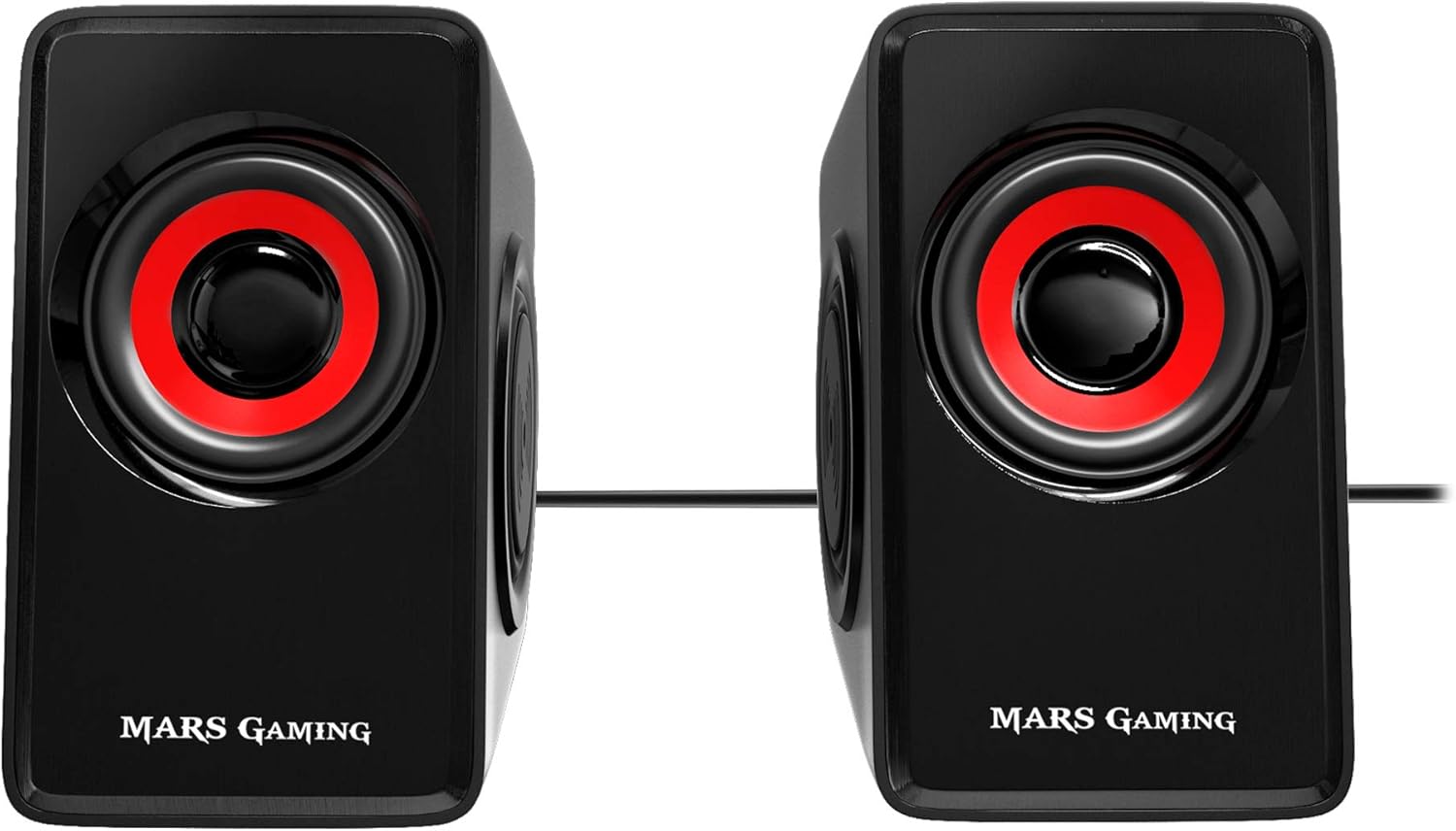
Image 5.1: Front view of the Mars Gaming MS1 speakers, highlighting their compact design and red/black aesthetic.
6. Specifications
| Feature | Specification |
|---|---|
| Model | MS1 |
| Brand | Mars Gaming |
| Speaker Type | 2.0 Stereo Speakers (4 passive, 2 active drivers) |
| Audio Output Mode | Stereo |
| Maximum Output Power | 10 Watts RMS |
| Frequency Response | 60 KHz (Note: This value is unusually high for a low-frequency response. Typically, this would be 60 Hz - 20 kHz for full-range speakers.) |
| Signal-to-Noise Ratio (SNR) | 90 dB |
| Connectivity | 3.5mm Audio Jack (Wired) |
| Power Source | USB (Corded Electric) |
| Control Method | Integrated Volume Control Wheel |
| Product Dimensions (each speaker) | 2.56"D x 3.15"W x 4.33"H (6.5cm D x 8cm W x 11cm H) |
| Item Weight | 1.21 pounds (0.55 kg) |
7. Maintenance
To ensure the longevity and optimal performance of your Mars Gaming MS1 speakers, follow these maintenance guidelines:
- Cleaning: Use a soft, dry cloth to wipe the exterior of the speakers. Avoid using liquid cleaners, aerosols, or abrasive materials, as these can damage the finish or internal components.
- Placement: Place the speakers on a stable, flat surface to prevent accidental falls. Avoid placing them in direct sunlight, near heat sources, or in areas with high humidity.
- Cable Care: Handle the cables gently. Avoid bending, twisting, or pulling the cables excessively, as this can cause internal damage.
- Storage: If storing the speakers for an extended period, disconnect them from power and audio sources and store them in a cool, dry place.
8. Troubleshooting
If you encounter issues with your Mars Gaming MS1 speakers, refer to the following common problems and solutions:
- No Sound:
- Ensure the USB power cable is securely connected to a powered USB port.
- Verify the 3.5mm audio jack is fully inserted into the audio output port of your device.
- Check the in-line volume control wheel and ensure it is not set to minimum.
- Confirm that the volume on your connected device (computer, laptop) is not muted or set too low.
- Test the speakers with a different audio source or device to rule out an issue with the original source.
- Distorted Sound:
- Reduce the volume on both the speakers and your audio source. High volume levels can cause distortion.
- Ensure all cable connections are secure.
- Check if the audio source itself is producing distorted sound.
- Speakers Not Powering On:
- Confirm the USB power cable is connected to a functional USB port that provides power. Try a different USB port or a USB wall adapter.
9. Warranty and Support
Mars Gaming products are manufactured to high-quality standards. For information regarding warranty coverage, technical support, or service, please refer to the official Mars Gaming website or contact their customer support directly. Keep your purchase receipt as proof of purchase for warranty claims.
For further assistance, visit: www.marsgaming.eu


