
1. Introduction
This manual provides essential information for the safe and effective use of your UpBright 5V USB AC/DC Adapter. This power supply is designed to provide 5V DC power to compatible electronic devices, including various Dazone speakers, Nextbook tablets, and Auvio portable speakers. Please read this manual thoroughly before use and retain it for future reference.
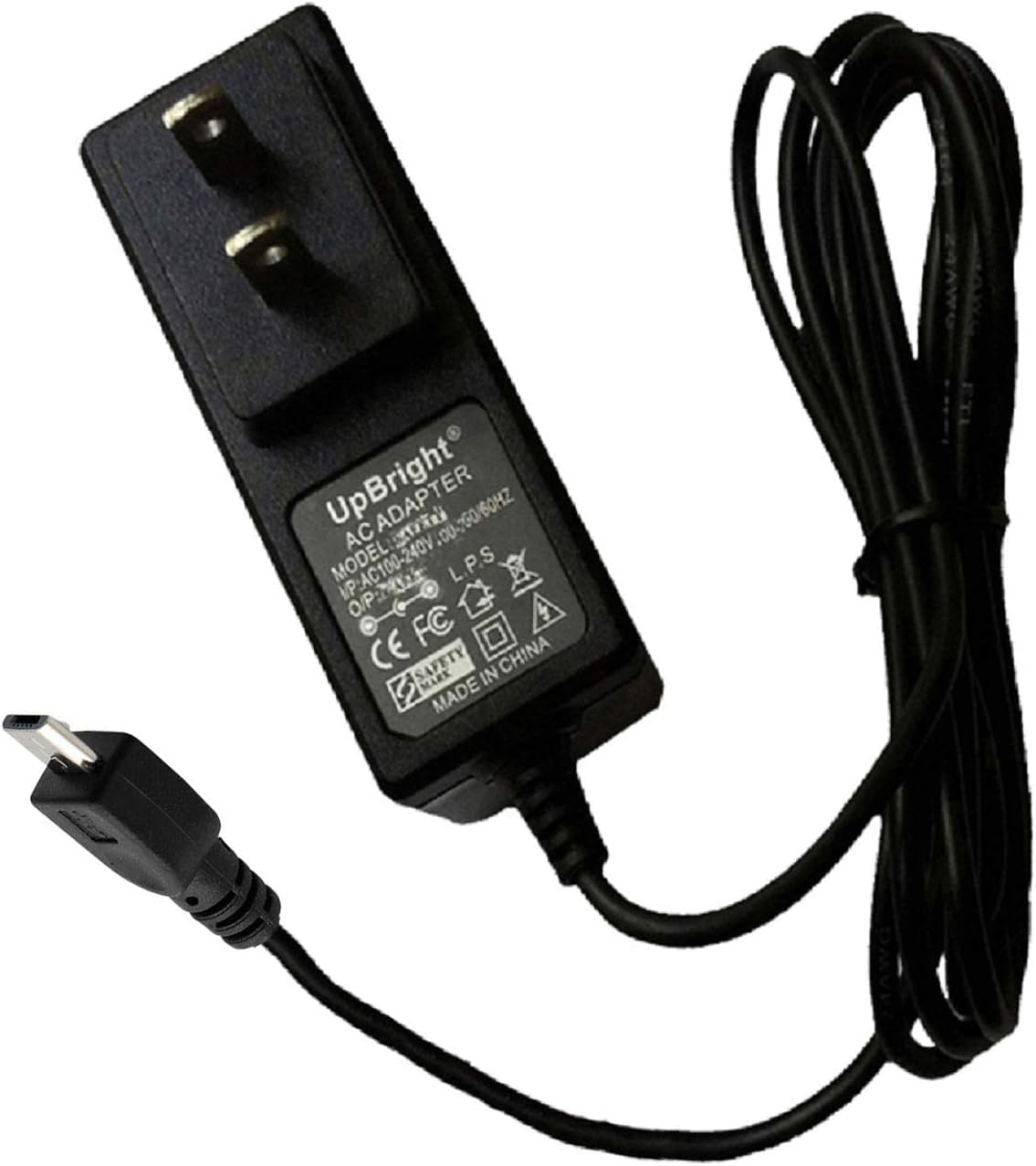
Figure 1: UpBright 5V USB AC/DC Adapter with integrated Micro USB cable.
2. Safety Information
To ensure safe operation and prevent damage, observe the following safety precautions:
- Use the adapter only with devices that require 5V DC input and a current draw of 2A or less. Exceeding these specifications can damage the adapter or the connected device.
- Do not expose the adapter to water, moisture, or extreme temperatures.
- Avoid dropping or subjecting the adapter to strong impacts.
- Do not attempt to open or modify the adapter. There are no user-serviceable parts inside.
- Unplug the adapter from the power outlet when not in use for extended periods.
- Ensure the power outlet is easily accessible for quick disconnection.
- This adapter features Over Voltage Protection (OVP), Over Current Protection (OCP), and Short Circuit Protection (SCP) to safeguard your devices.
3. Package Contents
Verify that your package contains the following item:
- 1 x UpBright 5V USB AC/DC Adapter with Micro USB Cable
4. Setup
- Identify the Device's Charging Port: Ensure your device has a Micro USB charging port.
- Connect the Adapter: Insert the Micro USB connector of the adapter into the charging port of your device.
- Plug into Power Outlet: Plug the AC adapter into a standard wall power outlet (100-240VAC, 50/60Hz).

Figure 2: The Micro USB connector for device compatibility.
The adapter is designed for global use with input voltage ranging from 100-240VAC. Depending on your region, an appropriate outlet adapter (not included with the standard product) may be required for the wall plug type.

Figure 3: Examples of international outlet adapters for different regions (AU, EU, UK) which may be needed.
5. Operating Instructions
Once connected, the adapter will begin supplying power to your device. Most devices will indicate charging status (e.g., an LED indicator or on-screen icon). The adapter is suitable for powering or charging a variety of devices, including:
- Dazone DAEONE Model No.: DY031, DY033 Powered BT Bluetooth Party Speaker Subwoofer
- Nextbook NX008HI8G Premium 8 Hi 8" Android Tablet PC
- Auvio Portable BT Speaker models: 4000446, 4000447, 4000448, 4000449
Always ensure your device's power requirements match the adapter's output (5V, 2A) to prevent damage.
6. Maintenance
- Cleaning: Disconnect the adapter from the power outlet and the device before cleaning. Use a soft, dry cloth to wipe the surface. Do not use liquid cleaners or solvents.
- Storage: Store the adapter in a cool, dry place away from direct sunlight and extreme temperatures. Avoid wrapping the cable too tightly around the adapter to prevent damage to the cable or connectors.
- Inspection: Periodically inspect the adapter and cable for any signs of damage, such as frayed wires, cracked casing, or bent connectors. If damage is found, discontinue use immediately.
7. Troubleshooting
If you encounter issues with your UpBright 5V USB AC/DC Adapter, refer to the following common solutions:
| Problem | Possible Cause | Solution |
|---|---|---|
| Device not charging/powering on. |
|
|
| Adapter feels warm during use. | Normal operation. | A slight warmth is normal during operation. If the adapter becomes excessively hot or emits a burning smell, unplug it immediately and discontinue use. |
If the problem persists after trying these solutions, please contact customer support.
8. Specifications
| Feature | Detail |
|---|---|
| Brand | UPBRIGHT |
| Model | 5V USB AC/DC Adapter |
| Input Voltage | 100-240VAC, 50/60Hz (World Wide Input) |
| Output Voltage | 5V DC |
| Output Current | 2A (2000mA) |
| Wattage | 10W |
| Connector Type | Micro USB |
| Safety Features | OVP (Over Voltage Protection), OCP (Over Current Protection), SCP (Short Circuit Protection) |
| Compatible Devices | Dazone DY031/DY033 Speakers, Nextbook NX008HI8G Tablet, Auvio Portable Speakers (4000446, 4000447, 4000448, 4000449) |
9. Warranty and Support
UpBright products are designed for reliability and performance. This adapter comes with:
- 30 Days Refund: If you are not satisfied with your purchase, you may be eligible for a refund within 30 days.
- 24 Months Exchange: The product is covered by a 24-month exchange policy for manufacturing defects.
For technical support, warranty claims, or any questions regarding your UpBright 5V USB AC/DC Adapter, please contact the manufacturer or your retailer. Please have your purchase information readily available.